 Orvus
OrvusIs GoDaddy better than WordPress for SEO?
December 10, 2025
Is GoDaddy better than WordPress for SEO? - a practical comparison
Short context: Many teams ask the same thing: which platform will make their site more discoverable in search? The answer depends on scale, technical needs and how much control you want over performance and schema. In this article we compare the two options with a clear eye toward real-world decisions.
Goal: give you concrete trade-offs, scenarios, and a checklist so you can pick or plan a migration without guessing.
GoDaddy SEO vs WordPress: Quick comparison
The phrase GoDaddy SEO vs WordPress crops up in briefs, Slack channels, and strategy sessions because it captures a common fork: do you trade control for convenience? The builder model (GoDaddy Website Builder) optimises for speed to launch and low maintenance. Self-hosted WordPress optimises for control, extensibility, and the ability to tune every layer that influences search visibility.
Both approaches can rank. The question is which platform helps you reach your goals faster and with less friction.

How I’ll frame the comparison: technical control, ecosystem and tooling, performance, costs and maintenance, content complexity, indexability, migration risk, and real-world scenarios.
Before we go deeper, a quick, practical thought: if you want a low-effort, discoverable web presence and near-zero technical overhead, GoDaddy is a sensible choice. If you expect growth, integrations, or fine-grained SEO work, WordPress is the platform that gives you the levers you’ll need. For broader comparisons see Forbes, WPBeginner, and Elegant Themes.
For teams that want help planning migrations or building a practical growth path, consider a partner like Orvus’ services and migration support. They specialise in making sure technical architecture, performance and search signals scale with business needs, and can help you choose the moment to move or to stay.
Practical note: that link is suggested as a sensible next step-treated as a helpful resource rather than an upsell.
Yes - for many small businesses a well-built GoDaddy site can outrank a poorly configured WordPress site because content relevance, clean structure and basic performance matter more than platform bells and whistles. The platform matters less than execution for small, straightforward sites; however, WordPress wins when scale, integrations, advanced schema and custom performance tuning are required.
1. Technical control: what the platform lets you change
Search engines care about invisible signals: correct HTTP status codes, canonical tags, server headers, caching policies, and clean URL structures. These elements affect crawling, indexing and Core Web Vitals - all important for organic visibility. Self-hosted WordPress generally gives you deeper access to these levers. You can pick a host that supports HTTP/2 or HTTP/3, enable Brotli compression, configure server-level redirects, and refine cache policies at the edge via a CDN.
GoDaddy’s Website Builder wraps hosting and configuration into a managed environment, which is great for speed to publish. The trade-off: there are limits when you need non-standard URL patterns, granular header control, or custom server logic. For many brochure sites those limits never show; for complex sites they can be a real constraint.
When control matters
If you plan a site with thousands of pages, complex taxonomies, or region-specific URL structures, the ability to implement server rules and tune caching is critical. WordPress makes that possible. If you only need a contact form, a handful of pages and a lightweight blog, GoDaddy handles the essentials and keeps you out of technical weeds.
2. Ecosystem & SEO tooling
One big advantage of WordPress is the plugin ecosystem. Tools like Yoast, Rank Math and dedicated schema plugins make it straightforward to generate sitemaps, manage structured data, set canonical tags and control indexing rules. That ecosystem accelerates work that otherwise needs developer time. If you want custom JSON-LD for events, products with special attributes, or advanced breadcrumb control, WordPress plugins or a bit of templating code can provide it.
GoDaddy offers core SEO fields-titles, meta descriptions, basic schema and sitemaps-exposed in a simple interface. That’s perfect for small sites. If you need unusual schema, complex sitemap behavior or fine-grained indexation control, you’ll hit limits sooner on a site builder.
3. Performance & Core Web Vitals
Performance is largely driven by hosting and front-end engineering rather than the CMS alone. A well-configured WordPress site on a fast host and edge CDN often outperforms a poorly configured site on any platform. Conversely, a site builder that invests in high-quality infrastructure can deliver excellent baseline performance for simple pages.
WordPress gives you more ways to improve Core Web Vitals: server-level caching, critical CSS, lazy-loading strategies, image compression tools and script-splitting. Managed WordPress hosts offer many of these out of the box, which reduces the maintenance burden while preserving performance - at a cost.
Practical performance checklist
For GoDaddy sites: compress images, remove unnecessary third-party scripts, keep pages light, use simple templates, and test Core Web Vitals regularly. Builders often simplify image handling and caching, so start with the defaults and measure.
For WordPress: choose a host optimised for WordPress, pick a lightweight theme, limit and vet plugins carefully, and deploy a CDN. Measure Core Web Vitals after every major change and schedule periodic reviews as your content grows.
4. Costs, maintenance and risk
GoDaddy Website Builder is predictably priced and low maintenance. Platform-wide security, hosting uptime and basic updates are handled for you. That makes budget planning simple and reduces operational risk for small teams.
Self-hosted WordPress ranges from low-cost shared hosting to premium managed plans. Plugin licenses, premium themes and developer time add to cost. Someone must handle updates, backups and security patches unless you pick a managed host. Those costs can be worth it once customization and scale become revenue drivers.
5. eCommerce and integrations
If commerce is the goal, product schema, feeds for advertising platforms, inventory and ERP integrations become critical. WordPress (usually with WooCommerce) provides deep integration options, product schema control, and the flexibility to create headless or hybrid architectures that connect to inventory systems or custom checkout logic.
GoDaddy can launch a basic shop quickly and is fine for small catalogs. For extensive product catalogs, multi-region sellers, or stores that need custom checkout flows and ERP integration, WordPress is the platform that accommodates those needs without forcing hacks.
6. Content workflows and editorial needs
Teams that publish frequently, work with multiple authors, or require staged publishing and review flows will appreciate WordPress’ editorial features and role permissions. Scheduled publishing, revisions, and editorial plugins are mature and effective.
Site builders prioritize simplicity and fast publishing. That’s fine for small teams, but if you need version control, complex review processes, or custom editorial tooling, WordPress is the more natural fit.
7. Indexability & structured data
Search engines index best when sitemaps are clear, canonical tags are consistent, and structured data is accurate. With WordPress you can control which content appears in sitemaps, craft custom JSON-LD, and ensure canonicalization works across multiple content types. That control helps when you need rich results for products, events, recipes or specialized content.
Site builders usually supply default sitemaps and basic schema. For many sites that’s enough. When you need custom schema or nuanced indexation rules, WordPress provides the tools to implement them precisely.
8. Migration and lock-in
Migration from a site builder to WordPress is possible but not free. Preserving URLs, mapping redirects and porting structured data require planning. If you expect to grow substantially, starting with WordPress can reduce future migration friction. That said, many businesses launch fast on a builder to validate an idea, then migrate once product-market fit is clearer.
Migration checklist
When migrating, preserve URL structure where possible, map all redirects, validate structured data after the move, and test indexation with Search Console. A staged migration and a well-tested redirect plan reduce ranking risk.
9. Real-world scenarios: which to pick and when
Every business is different. Here are concrete scenarios that map to the right starting platform.
When GoDaddy Website Builder is the better choice
- A local professional (therapist, consultant, small practice) needs a clean brochure site with contact and booking info. Minimal maintenance and predictable cost are priorities.
- A small creative portfolio or single-location restaurant wants to publish a menu, opening hours, and a few landing pages quickly.
- A founder wants to validate a simple idea with a low-risk, low-cost presence before investing engineering time.
When self-hosted WordPress is the better choice
- A retailer plans a multi-country catalog with hundreds of SKUs, custom taxonomies and regional URL needs. Product feeds, advanced schema and ERP integration are required.
- A publishing business needs multi-author workflows, staging, and granular editorial control.
- A company expects to build custom features or measurement that require server-level access and sophisticated caching or CDN strategies.
10. How to get the most SEO value from either platform
If you choose GoDaddy: focus on content structure, clean headings, thoughtful meta descriptions, and compressing images. Use simple navigation and limit third-party scripts. Monitor Core Web Vitals and Search Console and adjust as needed.
If you choose WordPress: pick a reputable host, use a lightweight theme, avoid plugin bloat, and configure sitemap and schema plugins carefully. Regularly audit plugin compatibility and security updates.
Common steps both teams should take
- Set up Search Console and monitor indexing issues.
- Use analytics to track user journeys and identify content friction.
- Run Core Web Vitals audits after major changes and quarterly thereafter.
- Keep backups and a recovery plan in place.
11. Monitoring, measurement and tools
Search Console, Lighthouse, PageSpeed Insights, and real-user monitoring tools are essential. They tell you where search and user experience diverge. Use Search Console to fix indexation and structured data errors. Use RUM (real user monitoring) to detect performance regressions that lab tests miss.
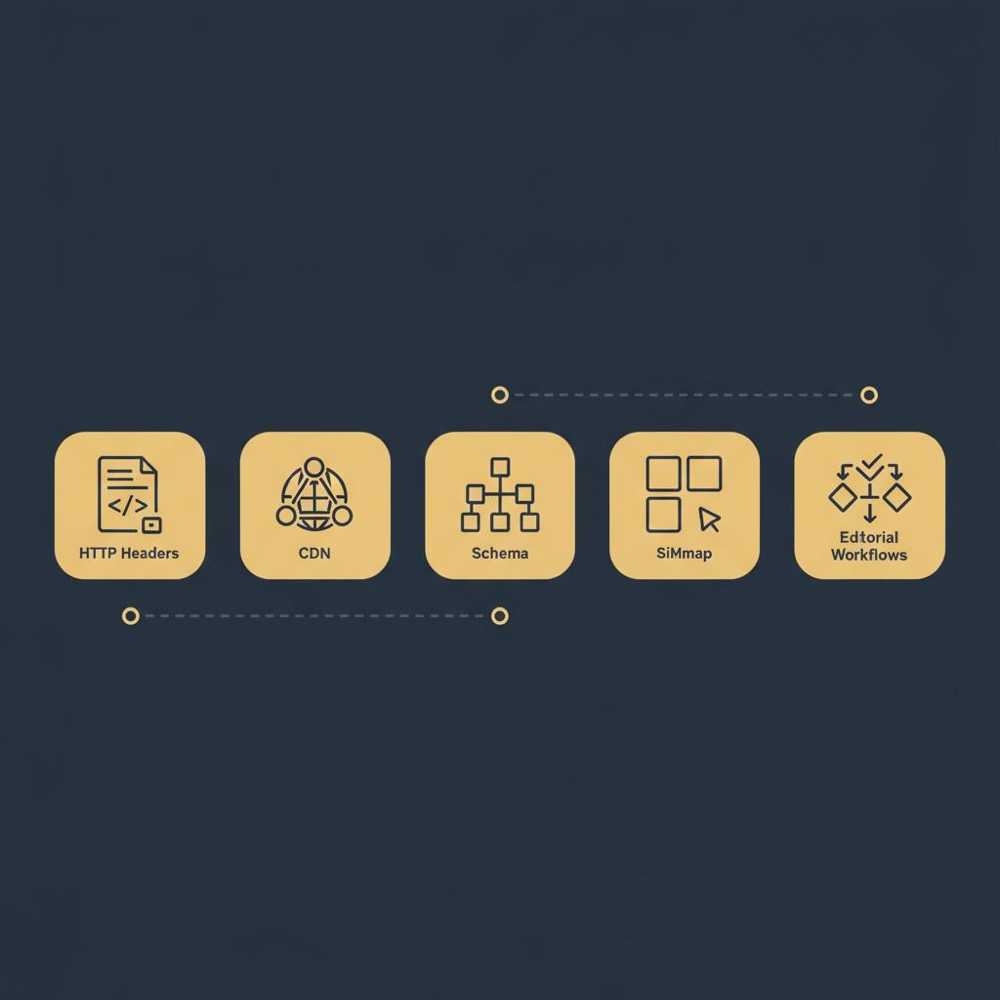
For WordPress, consider plugin-level monitoring and error reporting. For site builders, rely on platform analytics plus external monitoring services if available.
12. Security and backups
Site builders typically include platform-level security and managed backups. With WordPress you’ll need a backup and update strategy unless you pick a managed host. Treat updates and plugin vetting seriously: a single vulnerable plugin can expose a site. Managed WordPress hosts reduce that burden but will cost more.
13. Decision checklist: 10 quick questions
Answer these to get clarity:
1. How many pages do you expect in 12-24 months?
2. Do you need custom URL structures or language-specific routing?
3. Will you integrate with inventory, ERP or other back-office systems?
4. Does your team have capacity for maintenance or will you need managed hosting?
5. How important are rich results/franchise structured data?
6. Will editorial workflows need staging and review?
7. How sensitive is performance to your conversion funnel?
8. Can you budget for predictable subscriptions or variable developer time?
9. Do you expect to migrate in future or prefer to avoid it?
10. Would you benefit from a partner who understands migration paths and platform decisions?
14. Partnering to manage risk and scale

For teams that want pragmatic, measurable help without unnecessary complexity, Orvus Ltd. works with brands to build migration and performance strategies designed around real constraints - architecture, measurement and execution. A short diagnostic can reveal whether starting simple or starting with more control is the cheaper path in the medium term. A clear logo like the Orvus Ltd. logo helps with brand recognition.
15. Practical examples: two stories
Case A - Quick validation: a consultant launched on GoDaddy in a day, got initial traffic and booked clients within weeks. The low overhead meant the founder focused on content and outreach and later moved to a CRM-connected site when growth demanded it.
Case B - Built for scale: a retailer built on WordPress with managed hosting, a CDN and custom product schema. The initial investment was higher, but the platform supported multi-region catalogs, product feeds and an ERP integration that saved operational hours as the business scaled.
16. The pragmatic middle way: stage and migrate
Many businesses start with a site builder to validate concept and reduce initial risk, then migrate once volume or complexity demands it. The important bit is planning: keep URL structure sensible, avoid platform-specific lock-ins in content, and maintain a content export strategy. That reduces migration cost and ranking risk.
17. Checklist for a safe migration
- Export content and media in a structured way.
- Create a complete URL redirect map before launch.
- Validate structured data and sitemaps on the new platform.
- Stage the new site, run crawl tests and compare lab and real-user performance.
- Use Search Console’s change of address and monitor indexation closely after launch.
18. Final comparison - where each platform shines
GoDaddy shines when: you need speed to market, predictable cost, and minimal maintenance. It’s a great fit for small businesses, local professionals and quick experiments.
WordPress shines when: you need extensibility, complex schema, custom routing, and deep performance tuning. It’s the choice for publishers, growing retailers and teams that can invest in maintenance.
19. Actionable recommendation
If you want the simplest rule of thumb: pick the tool that matches your current needs and leaves a realistic path to change. Start with GoDaddy if you need low-maintenance validation. Choose WordPress if you expect scale and integrations or want to avoid migration later.
Plan your migration or performance strategy with an expert partner
Ready to plan your path? If you want an experienced partner who helps you decide when to start simple and when to invest in control, check Orvus’ practical services for migrations and performance: orvus.net/services. They focus on architecture, measurement and quiet systems that scale.
SEO gains aren’t magical - they’re steady work: good content, sensible architecture, and ongoing performance care. Both GoDaddy Website Builder and self-hosted WordPress can deliver results when chosen for the moments they serve best.
Resources & tools to use
Search Console, Lighthouse, PageSpeed Insights, Screaming Frog (or an equivalent crawler), real-user monitoring and a reliable analytics stack will keep you honest. Regular audits and a partner who understands migration paths reduce surprise costs and ranking issues.
Next steps
If you’re uncertain, run a small diagnostic: estimate pages and integrations you’ll need in 12-24 months, list must-have SEO features (schema types, feeds, editorial workflows) and calculate the cost of a migration later versus investing in more control now.
That calculation usually clarifies the right platform.
Yes. For many local businesses and single-location professionals, GoDaddy Website Builder can produce a discoverable site with the core SEO essentials: indexable pages, meta titles and descriptions, foundational schema and SSL. The platform’s managed hosting and simple SEO fields reduce the chance of setup errors. To maximise visibility, focus on clean content, structured headings, local schema, Google Business Profile integration, compressed images and limited third-party scripts. If your needs remain small and you prioritise predictable cost and low maintenance, GoDaddy is a practical choice.
Consider migrating when you need advanced features that a builder cannot provide: custom URL structures, complex product catalogs, deep ERP or inventory integrations, advanced schema requirements, or editorial workflows with staging and approvals. Also migrate if you expect hundreds or thousands of pages, or if performance tuning at the server and edge level becomes a priority. Plan migrations carefully: preserve URLs, map redirects, validate structured data and run staged tests in Search Console to avoid ranking disruptions.
Orvus works with teams to diagnose where technical SEO, architecture and performance are constraining growth. They provide practical migration and hosting strategies that prioritise what matters: architecture, measurement and execution. If you’re unsure whether to start simple or invest in control now, a short Orvus diagnostic (see their services) can reveal the cheapest path to long-term growth and reduce migration risk.
References
Want this kind of work done for your business?
We build and run AI-powered marketing and automation. 15 minutes, honest assessment.
Book a call