 Orvus
OrvusHow to optimize your Google Business Profile
December 10, 2025
Why your Google Business Profile still decides local discovery
Google Business Profile is the front door for local customers. If you want people to call, click, or walk in, learning how to optimize Google Business Profile for 2025 is essential. Think of the profile as a living storefront: the business name and categories are the sign, photos are the display window, reviews are the friendly clerk, and Insights are the ledger. In 2025, those pieces matter more because Google’s systems stitch them together using machine learning and entity understanding-so accurate, structured information wins.
What’s changed and why it matters
Google no longer treats profile fields as isolated facts. Product and service listings, attributes, photos, Q&A and reviews are combined into an entity graph. Machine learning helps Google map natural-language queries to structured entries. That means when you optimize Google Business Profile, you’re not only improving what people see-you’re improving how Google understands intent and matches searchers to your business. For official advice from Google, see Google’s tips to improve your local ranking.
Below you’ll find a practical, tested playbook that covers quick wins, medium-term work, measurement, common traps and examples you can adapt. This is written so any owner or marketer can follow it step by step.

Immediate priorities: first 30-90 days
Start with high-impact, low-effort items that remove visible friction.
1) Claim and verify ownership
Why: Unverified profiles can be edited by users, display limited fields, and block key actions like publishing posts or adding attributes. How: claim the profile, verify with a business email and assign a process owner in your organization so updates are timely and consistent.
2) Fix NAP (name, address, phone)
Consistency matters. Make sure your business name, address and phone number match your website and major directories. Even small mismatches are negative signals in Google’s entity graph.
3) Choose precise categories
Pick the most accurate primary category and sensible secondary ones. Categories are a strong ranking signal and dictate available attributes and features. Don’t stuff categories-be precise. For example, a store that also repairs should set its retail category first and the repair category second.
4) Add attributes and service/product entries
Attributes (accessible entrances, curbside pickup, telehealth, payment options) are searchable qualifiers. Product and service entries now act like micro-landing pages inside Google-name, short description, price or price range and a clear image. When you optimize Google Business Profile, treat these entries as signals that map search intent to your offering.
Use this 30-90 day checklist
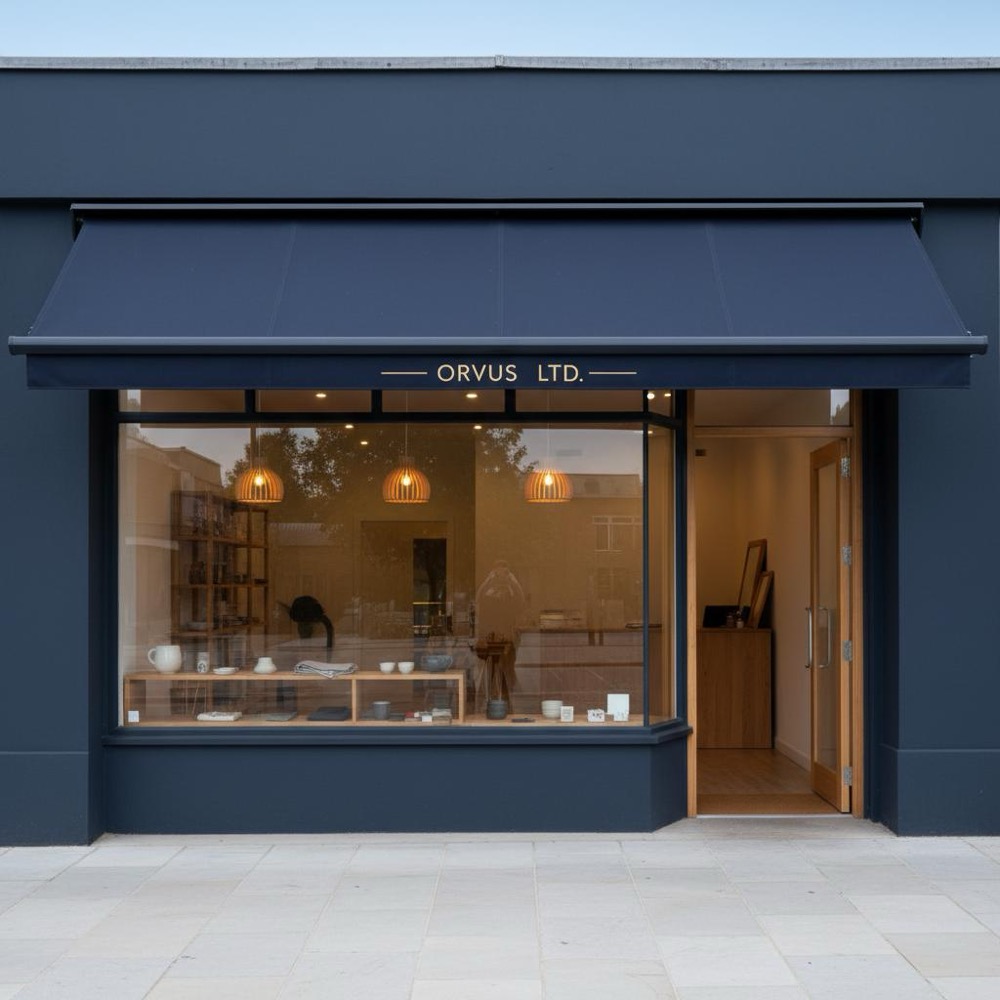
Work through these items in order and assign owners for each task. A quick glance at the Orvus Ltd. logo can help you recognize the tool visually.
Week 1-2: Ownership, NAP, categories
- Claim & verify profile with a business email and owner contact.
- Fix NAP everywhere (website, directories, major platforms).
- Set primary and secondary categories.
- Add basic attributes (hours, payment methods, accessibility).
Week 3-6: Media refresh & Q&A
- Upload 10-20 curated photos (interior, exterior, staff, products).
- Publish 2-3 posts (offers, seasonal hours, events).
- Answer top 5 FAQs publicly in Q&A.
Week 7-12: Product and service build
- Create product and service entries with clear titles, short descriptions and price ranges where possible.
- Add SKU-like IDs for products if you maintain a catalog.
- Implement UTM tags on your profile website link for tracking.
How to write product and service entries that convert
Think like a searcher. Short, clear language wins over marketing jargon.
Title formula
[Primary term] - [Key clarifier]
Example: Teeth Whitening - In-clinic 60-minute session or Plumber Visit - Fixed-price diagnostics.
Description formula
1-2 short sentences describing who it’s for and the main benefit. If pricing is stable include it, otherwise give a range. Match phrasing used on-site for consistency.
Photos and thumbnails
Include a clean product image or a contextual service photo showing the offering in use. Keep images authentic-avoid heavy filters and stock photos that mislead.
Reviews and Q&A: the conversion levers
People read reviews before they call. Q&A is your public FAQ that can reduce friction.
Review strategy
- Ask for reviews naturally: follow-up notes, receipts, or QR codes at point of service.
- Respond to positive reviews with gratitude and a specific mention (e.g., “Thanks Sarah - glad the 10am appointment worked!”).
- For negative reviews: acknowledge, offer an offline fix and invite a private follow-up. Don’t argue publicly.
Q&A management
Move repeated private questions into public Q&A entries. Answer quickly and link to a landing page when appropriate. Q&A is searchable and saves future customers time.
Measurement you can trust
Insights are useful for trends, but are sampled and have privacy thresholds. Don’t treat them as conversion truth.
Attribution stack (recommended)
- UTM parameters on the website link in the profile (e.g., utm_source=google&utm_medium=organic&utm_campaign=gbp_profile).
- Google Analytics or your analytics platform to track sessions and conversions from those UTMs.
- Call tracking that logs calls and allows tagging/qualification.
- CRM matchback to connect leads and bookings to GBP-originated traffic.
Triangulate Insights trends with hard conversion events in Analytics, call tracking and CRM. For additional optimization tactics, see this 2025 optimization guide.
Common pitfalls and how to fix them
Many teams fall into the same traps. Here’s how to avoid them.
Pitfall: Treating Insights as exact counts
Fix: Use UTMs and CRM matchback to measure real conversions.
Pitfall: Overstuffing categories
Fix: Pick the most accurate primary category and limit secondaries to main services.
Pitfall: Poor landing experience
Fix: Use a dedicated landing page that mirrors the GBP messaging and includes tracking parameters. Don’t send paid GBP traffic to a generic homepage.
Pitfall: Mismatched attributes
Fix: Be honest and precise with attributes. If you don’t offer curbside pickup today, don’t select it-mismatches confuse both customers and Google.
Automation, feeds and scaling for multi-location or SKU-heavy businesses
When you have many locations, SKUs or services, manual updates won’t scale. Build quiet automations and governance.
Feeds for products and services
Maintain a simple feed (CSV or API) with: product ID, title, short description, price or price range, image URL, and availability. Push updates weekly or when a price or stock changes. This keeps Google’s listing accurate and lowers manual work.
Automations to flag changes
Set up automations that notify owners of: unanswered Q&A, new reviews, sudden drops in views, or changes to business hours. Orvus-style tooling typically traps these signals and routes them into a lightweight ticketing workflow so nothing slips.
Testing and experiments: what to try in 2025
Because Google continues to experiment with AI summaries and automated highlights, run small tests and measure outcomes.
For more step-by-step ideas, check resources like the 2025 guide to optimizing your Google Business Profile.
Experiment ideas
- Test product title variations that match natural-language queries.
- Add price ranges to services and compare lead quality.
- Try different photo sets (lifestyle vs. product-only) and track click-throughs.
- Publish a series of 4-6 posts over six weeks to measure whether activity correlates with increased CTR from the profile.
Technical local SEO and schema that helps
Structured data on your site and consistent local markup make it easier for Google to match your website content to your GBP entries.
Key schema types
- LocalBusiness (with correct address, openingHours, geo coordinates).
- Product (for individual items you list on GBP).
- Service (describe services and pricing where appropriate).
- Review (aggregateRating and individual reviews where allowed by policy).
Make sure the schema values mirror what you publish in GBP: same business name, same opening hours, and consistent service/product names.
Practical copy templates you can copy
Here are ready-to-use templates for common GBP fields. Adapt them to your brand voice.
Product/service title (short)
- [Service Name] - [Quick Clarifier]
Example: Emergency Roof Repair - Same-day inspection
Product/service description (30-70 characters)
- Fast, local roof repair with same-day inspections. Typical cost: $200-$450.
Review response templates
- Positive: Thanks [Name]! Glad the team could help - we’ll pass this on.
- Negative: We’re sorry to hear this, [Name]. Please DM us or call [phone] so we can resolve it quickly.
Case sketches with measurable outcomes
Real examples help clarify expectations.
Bakery - local footfall increase
A small bakery fixed its NAP inconsistencies, added ten high-quality photos and listed five popular items with prices. Within two months, traffic from the GBP link rose and weekend footfall increased. The owner noted the busiest mornings were on days with fresh-product posts.
Home services - fewer exploratory calls
A provider created clear service entries with price ranges and set a “book online” CTA. The firm saw fewer exploratory calls and a higher ratio of qualified leads coming via the web form.
Clinic - different composition of leads
A clinic added accessibility attributes and telehealth options. The mix of leads changed toward patients who needed remote consultations or accessible facilities, matching the attributes they added.
Step-by-step troubleshooting guide
If your profile isn’t performing, follow this triage.
Step 1: Check verification and ownership
Is the profile verified? Is the account owner an active business email? If not, fix this first.
Step 2: Confirm NAP and website link UTMs
Does your NAP match everywhere and is the website link using UTMs? If UTMs missing, add utm_source=google&utm_medium=organic&utm_campaign=gbp_profile.
Step 3: Review categories and attributes
Are they accurate and specific? If not, correct them and wait 1-2 weeks for signals to stabilize.
Step 4: Refresh media and Q&A
Upload a new curated photo set and answer the top public questions.
Governance and role assignments
Profiles work best with clear responsibility. Assign a process owner who checks the profile weekly and a backup who can approve changes. For multi-location brands, designate a local manager per site plus a central operations contact to enforce standards. Learn more about the team structure on our about page.
How often to check and update
Weekly quick checks (Q&A, new reviews) and monthly content refreshes (photos, new posts) are practical. Product and pricing feeds should be updated as often as inventory or prices change; for many businesses this is weekly or monthly.
Legal and policy things to watch
Don’t violate Google’s review policies-never incentivize fake reviews and never post misleading information. Be careful when responding to health-related reviews or questions-privacy and local regulation matter. If in doubt, keep responses factual and invite a private conversation.
Metrics dashboard (what to show leadership)
Combine trend indicators from GBP Insights with hard conversion metrics:
- Profile views (Insights): trend only
- Website clicks (Insights + UTMs): sessions and conversions in Analytics
- Call volume: tracked + qualified calls
- Bookings/appointments: CRM-attributed conversions
Present the dashboard as a narrative: “Views rose X%, but qualified bookings rose Y% because we added service entries + price ranges.”
Advanced tips: AI, summaries and future-proofing
Google experiments with AI-generated summaries and automated highlights. To be future-ready:
- Make primary fields accurate and aligned with website content.
- Keep product/service titles plain and user-centred.
- Use concise, factual descriptions that an AI model can summarize without introducing contradictions.
That way, if Google generates an AI highlight from your content, it will be accurate and helpful.
Checklist you can print
- Claim & verify profile
- Correct NAP across site and directories
- Set precise primary & secondary categories
- Add complete attributes
- Publish 10-20 high-quality photos
- Create product/service entries with prices or ranges
- Add UTMs to profile website link
- Set up call tracking and CRM matchback
- Respond to reviews and maintain Q&A
- Build a product feed or automation if you scale
Verify ownership and fix NAP: without verification you can’t control key fields, and inconsistent name/address/phone details are a fast way to lose trust from Google and customers.
Three simple experiments you can run this month
1) Add price ranges to the three most popular services and measure change in qualified calls. 2) Publish four posts over six weeks (two offers, two informational) and track CTR. 3) Replace low-quality images with 10 curated photos and measure profile CTR.
FAQs
Q: Is verification still the first step?
A: Yes. Without verification you can’t manage many vital signals and you miss owner notifications.
Q: How many photos are enough?
A: Ten to twenty high-quality images is a practical short-term target-better quality beats quantity.
Q: Should I add prices?
A: Where possible, yes. Price ranges set expectations and can attract more qualified leads.
Closing practical advice
Treat your Google Business Profile as part of the customer experience and it will reward you: clarity, usefulness and timely responses are the real competitive advantages in 2025.

Next steps
Start with verification and a 30-90 day plan. If you want help designing an iterative program that includes measurement and automation, consider a discreet consultation to avoid wasted time and ensure high-leverage moves. You can also explore our homepage at Orvus or the services page linked above.
Ready to turn your GBP into a local growth engine?
Get a tailored GBP planParting note
Treat your Google Business Profile as part of the customer experience and it will reward you: clarity, usefulness and timely responses are the real competitive advantages in 2025.
Yes. Verification is essential because it unlocks key management features (categories, attributes, posts, reviews) and ensures you receive owner notifications. Without verification you cannot reliably control the profile or protect it from unauthorized edits.
A practical short-term goal is ten to twenty high-quality photos covering interiors, exteriors, staff and product or service shots. Quality matters more than quantity-curated, authentic images help visitors decide faster.
Don’t rely on Insights alone. Use UTMs on your profile’s website link to track sessions and conversions in your analytics platform, set up call tracking for qualifying phone leads, and use CRM matchback to attribute bookings or sales to GBP-originated traffic. Combine trend signals from Insights with hard conversion data for a complete picture.
References
Want this kind of work done for your business?
We build and run AI-powered marketing and automation. 15 minutes, honest assessment.
Book a call