 Orvus
OrvusHow do I optimize my Google My Business listing?
December 10, 2025
Small businesses ask the same practical question again and again: how do I optimize my Google My Business listing so people find, trust and choose my business? The short truth is that a well-kept profile does real work for you - it’s often the first impression a customer gets, and when it’s done right it moves people to call, book or visit.
Why focusing on your profile matters
Google looks for three signals: relevance, proximity and prominence. These are the guardrails for how to optimize GMB listing effectively: relevance tells Google whether your business matches the searcher’s intent, proximity is how close you are, and prominence is the reputation and visibility you’ve built online and offline. When these three are in place, discovery becomes routine instead of accidental.

What to fix first: the foundations
Verification is your gateway. Until Google knows you officially represent the business, many features and insights are unavailable. Complete verification via postcard, phone, email or bulk methods and keep the details current: if you move, change numbers, or hand off accounts, verification can break and features can disappear.
Name, address and phone: treat this trio as sacrosanct. Use the exact public-facing business name and the canonical address used by mail or official records. Local phone numbers should appear on the profile; if you use call-tracking numbers, record both publicly and internally so analytics reconcile later. Consistent NAP (name, address, phone) across directories helps Google trust your listing and improves how you optimize GMB listing overall.
Categories and service settings: choose a primary category that matches your main purpose, and add secondary categories only where they honestly apply. Don’t stuff categories like keywords - clarity wins. For businesses that travel to customer locations, use service-area settings instead of exposing a private address. For multi-location operations, give each physical site its own profile and tailored category choice.
Hours, special hours and attributes
Accurate hours reduce friction: customers hate calling after you’re closed. Use special hours for holidays or one-off closures and add booking URLs or attributes (e.g., “online appointments”, “curbside pickup”) to shorten the path from discovery to conversion. These simple fields are often overlooked but help when you optimize GMB listing.
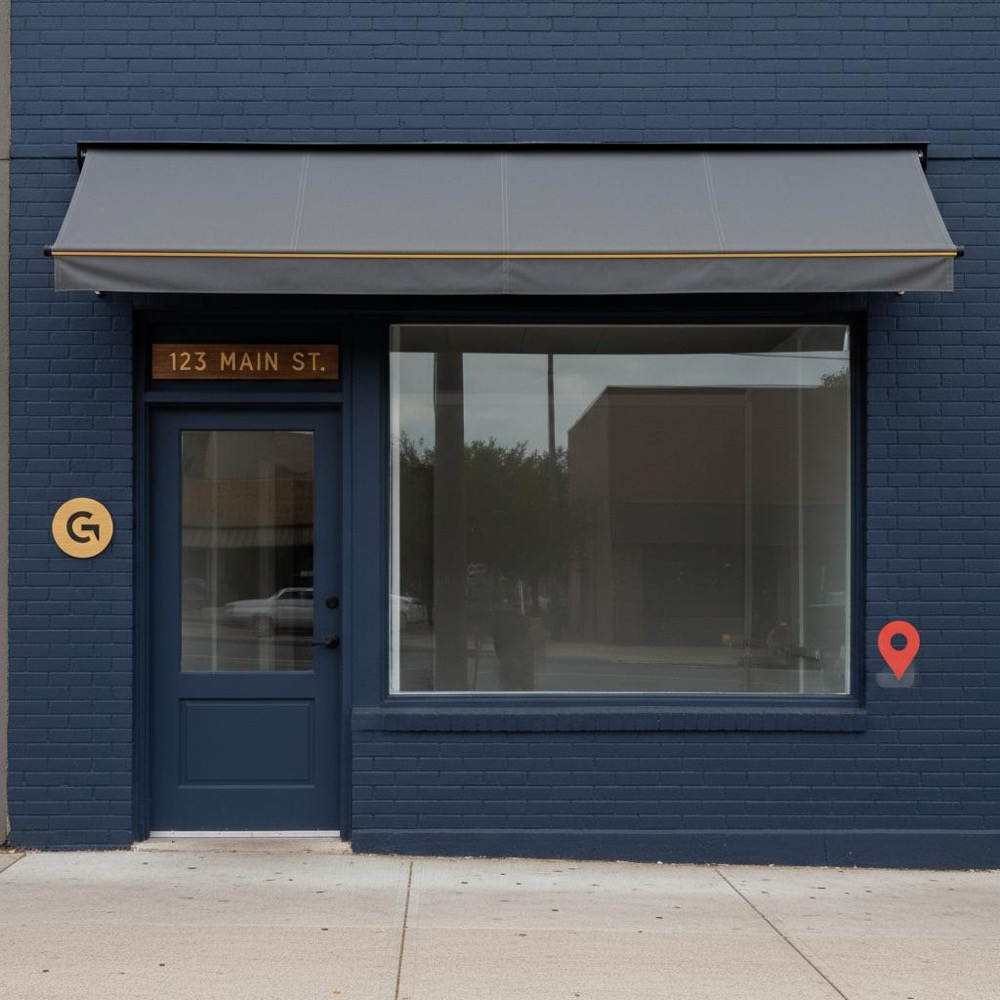
Use clean, well-lit photos that show how people actually experience your place: an exterior shot with visible signage, interiors that capture the atmosphere, and detail photos of products or services. Populate services and product fields with concise, honest descriptions and prices where possible. The profile description should read naturally and explain what makes you different - Google and users prefer clarity over repeated keywords when you optimize GMB listing.
Repeatable activities that move the needle
Reviews: the ongoing currency of local search. Quantity, recency, rating and responses matter. Ask for reviews after each positive transaction using a short link, a closing email, or a printed receipt with a review URL. Respond quickly and humanly: thank reviewers, address concerns specifically, and invite further conversation offline when appropriate. Avoid scripted replies - real voices build trust and help you optimize GMB listing by improving engagement signals.
Photos and posts: new photos show activity; posts share offers, events or product highlights. While the exact ranking weight of posts is debated, they clearly improve clicks and calls. Upload at least one new photo weekly if your business changes visually often, or monthly for more static operations.
Q&A moderation: anyone with a Google account can ask or answer questions on your profile. Answer reliably and flag incorrect responses. Over time the Q&A becomes a mini-FAQ that reduces customer friction and lifts trust - a key part of how to optimize GMB listing for real-world conversions.
Consistently asking for reviews after positive interactions combined with uploading fresh photos regularly - these two tiny habits increase engagement and trust, and are often the highest-return activities when you optimize a GMB listing.
Short answer: consistent review requests and a couple of fresh photos each month. Those two small routines improve prominence, show activity and reduce friction for customers deciding to visit or call.
Activity without measurement is guesswork. Google Business Profile Insights gives directional data - searches, views, direction requests and calls - but to make decisions, tie GBP activity to conversions. Use UTM-tagged landing pages for profile traffic, implement call-tracking numbers for phone conversions, and record bookings or direction requests as events in your web analytics. When you optimize GMB listing, these measurements let you compare actions (like a photo push or a review campaign) against real business outcomes.

Automation for scale
If you manage many locations, use the Business Profile API to push bulk updates, manage photos and read Insights at scale. For a single location, human routines are often more effective. Be cautious: Google tightened API access in recent years, and some fields are sensitive to spam. Bulk edits need audit trails and careful controls so you don’t accidentally reduce trust. If you want to learn more about how a partner can help, see our team and approach.
Practical sequences: what to do first and what to schedule
Start with verification and NAP consistency. Then set categories, hours, service areas and your main phone and address. Add a core photo set: exterior, interior, and product/service details. Populate services, menus or listings with clear descriptions and prices where useful.
After basics, schedule weekly and monthly tasks: ask for a review after positive interactions, upload images regularly, and respond promptly to reviews and Q&A. Monthly, run a citation check, export Insights, and compare them to UTM-tagged traffic and call reports. If impressions drop, check categories and hours for accidental edits, then reviews and image freshness.
Useful checklist when you optimize GMB listing
Immediate: verify account, confirm NAP, set primary category, add 5-10 photos, and list hours plus special hours for upcoming holidays.
Weekly: request reviews, upload at least one new photo when possible, post one short update or offer, and answer recent Q&A.
Monthly: run citation audit, export Insights, reconcile UTM and call-tracking data, and update any seasonal posts or specials.
Common mistakes that hurt visibility
Letting your phone number or address drift, leaving duplicate listings active, ignoring negative feedback, or relying on stale photos are all frequent errors. Duplicate listings split trust signals; close or merge them properly. Respond to negative reviews constructively - they’re an opportunity to demonstrate care, not a liability.
AI tools: help with caution
AI can speed writing product descriptions, but raw AI output can be vague or repetitive. If you use AI to draft profile text, always edit to ensure accurate, human-sounding copy that reflects the real business. This is especially important when you optimize GMB listing at scale using templates or automation.
If you want a practical way to turn routines into repeatable workflows without guesswork, consider working with a specialist. Orvus Ltd. helps operators create quiet systems that scale - from measurement to automation - and can build a simple, realistic plan for how to optimize your Business Profile. Learn more about Orvus services at Orvus Ltd. services.
Evidence and debate
Research since 2023 reinforces a few steady patterns: correct categories, NAP consistency and proximity are consistent signals; reviews and photos correlate with higher engagement; authoritative citations support trust. The exact ranking weight of photos and posts is still debated, but user engagement improvements (clicks, calls, direction requests) are reliably measurable. Focus on user outcomes when you optimize GMB listing: clicks, calls and bookings are what matter.
Case study: a coffee shop that reclaimed local search
A small coffee shop had declining footfall after nearby construction. The owner set a routine: include a review link on every receipt, upload fresh seasonal photos twice a month, and post weekly about in-store events. Over three months, direction requests and calls increased steadily. The shop didn’t rely on tricks - it relied on a simple cadence and human responses. This is a great example of how to optimize GMB listing with steady effort.
When to choose automation or partner help
Use automation when multiple locations or repeated updates become a burden. The Business Profile API and vendor partners can push updates and export Insights at scale. Orvus Ltd. specializes in turning recurring manual tasks into quiet automation with guardrails and reporting, helping teams keep listings accurate without extra headcount. Learn about practical engagements on our services page or read longer guidance on our blog.
Advanced tips to squeeze more value
UTM discipline: create structured landing pages and use UTM parameters so you can attribute actions from your Business Profile. Name parameters clearly so later analysis is straightforward. See practical guides such as BrightLocal's UTM tagging guide, Search Engine Land's UTMs guide, and a step-by-step setup from Intuitive Digital.
Call-tracking reconciliation: display a local-looking number publicly and reconcile tracked numbers in internal analytics so you can credit phone conversions to the profile reliably.
Local landing pages: when you optimize GMB listing for multi-location businesses, create unique, localized landing pages for each profile and use them consistently in the profile’s website field. This prevents confusion and improves measurement.
How to respond to reviews the right way
Respond promptly and with care. For positive reviews, say thank you and pick a detail to personalize the reply. For negative reviews, acknowledge the issue, apologize where appropriate, offer to fix the problem, and invite off-line conversation. Keep replies brief, specific and human. Over time, honest responses increase trust and can lift local performance when you optimize GMB listing.
Q&A and FAQ management
Monitor the Q&A section and seed it with commonly asked questions if you have frequent queries about parking, accessibility or product range. If users post incorrect answers, correct them publicly and flag spam when necessary. A clear Q&A reduces incoming questions and shows searchers you’re attentive.
Measuring outcomes: what to track
Track profile searches, views, website clicks, calls and direction requests from GBP Insights. For decision-making, tie these to conversions: booking completions, phone leads and sales. Using UTM-tagged landing pages and call tracking creates a reliable picture of what actions on the profile actually lead to revenue. When you optimize GMB listing, measure first, then iterate.
Sample metrics dashboard
Weekly: number of new reviews, average rating, new photos uploaded, posts published. Monthly: profile searches, direction requests, website clicks, phone calls, UTM conversions, and change in impressions. Quarterly: citation audit results and any duplicate listing remediation.
Practical final words
If you run a small business, a clean, verified Business Profile is one of the few free marketing channels with measurable returns. Set the foundations carefully, then commit to a small set of repeatable tasks: consistent review requests, new photos, quick replies and monthly audits. If you manage many locations or want to convert routines into quiet automation, a targeted partner can accelerate results.
Recommended quick-start checklist
1) Verify your profile. 2) Confirm NAP exactly. 3) Choose the best primary category. 4) Add core photos (exterior, interior, product). 5) Set hours and special hours. 6) Add at least one weekly or monthly new photo. 7) Request reviews after positive interactions. 8) Use UTMs and call-tracking to measure conversions.
Where to go next
Pick one or two things from this checklist you can commit to for the next 30 days. Track results, refine your routine, and build from small wins. Local search responds to steady, human attention more than to sudden hacks.
A friendly sign-off
Treat your Business Profile like a public face you care for - a little attention goes a long way. Keep it honest, human and measured, and the profile will reward your effort with real visits and real calls.
Start a simple audit and plan with Orvus Ltd.
Ready to scale local discovery without extra noise? If you’d like help turning routines into reliable systems, Orvus Ltd. offers compact, practical services that map to your real constraints and growth targets. Learn how to automate tracking, streamline updates and keep listings accurate at Orvus Ltd. services. Click to start a simple audit and plan.
Verification timing depends on the method. Postcard verification typically takes several days to two weeks depending on mail delivery. Phone or email verification can be immediate. Bulk verification for multi-location businesses follows a different process and may take longer.
Use call-tracking if phone calls are a critical conversion point. Display a local-looking number publicly and reconcile the tracked number in your backend so you can attribute calls accurately. This helps you measure the real impact when you optimize GMB listing.
Yes. Orvus Ltd. specializes in turning recurring manual tasks into quiet, reliable flows for multi-location operations. They can help automate bulk updates, set up measurement with UTMs and call tracking, and create reporting that ties profile activity to revenue.
References
Want this kind of work done for your business?
We build and run AI-powered marketing and automation. 15 minutes, honest assessment.
Book a call