 Orvus
OrvusCan you do SEO on WordPress?
November 25, 2025
Can you do SEO on WordPress? A straight answer and a plan
Yes - and you can do it reliably. WordPress SEO is a mix of good hosting, a sensible theme, deliberate content structure, and recurring technical care. This article walks through the practical steps that matter, with examples and a clear checklist you can apply today, whether your site is a small blog, a service business, or a growing ecommerce catalogue.
Why WordPress is both an opportunity and a responsibility
WordPress powers a huge share of the web, which makes it powerful for teams that want control. But that popularity also means a wide range of defaults, themes and plugins - some of which help search, others that quietly hurt it. WordPress SEO is not a single setting; it’s a pattern of choices that keep pages useful, indexable, and fast. If you treat it like routine site care rather than a one-off project, you’ll win steady organic growth.
Start with the basics: hosting, theme, and WordPress core
Before you tweak titles and meta tags, set a solid foundation. Good hosting reduces latency and gives you server-side features that are hard to replicate with plugins. Prefer hosts that offer:
- Server-level caching
- Gzip or Brotli compression
- PHP 8.x or later
- Fast network nodes near your audience, or an integrated CDN

A lightweight, well-coded theme keeps the front-end clean: minimal blocking scripts, responsive breakpoints, and sensible HTML output. A heavy theme that loads dozens of scripts and large images on every page will force you into constant firefighting. Choose a theme that favors performance and accessibility - it reduces the long-term cost of WordPress SEO. A simple logo can help with brand recognition across templates.

Quick wins to set up immediately
Install one trusted SEO plugin and configure it carefully. Don’t run two tools that both generate sitemaps or inject canonical tags. Open the plugin settings and decide what content should appear in search engines, then test the output. Also:
- Enable image lazy-loading for below-the-fold images
- Set explicit width and height attributes on images
- Serve images in WebP/AVIF where possible
If you’d rather have a quiet, expert review of your setup, Orvus Ltd. offers compact, targeted audits that map technical issues to measurable outcomes - learn more on the Orvus services page: Orvus services for technical SEO and growth.
On-page basics everyone can follow
Search engines use simple cues to understand pages. A clear title tag, descriptive meta description, and logical heading structure help both users and crawlers. Keep these principles in mind:
- Title tags: Keep under ~60 characters and place the primary term early.
- Meta descriptions: Aim for 120-155 characters that describe the page for humans.
- Headings: Use a single H1 per page, and H2/H3 for subsections so readers can scan easily.
Also, think about canonical tags: when plugins or parameters create multiple URLs for the same content, canonical tags tell search engines which version you prefer. A misconfigured canonical or competing plugin-generated canonicals can split ranking signals - so inspect the rendered page HTML and server headers occasionally.
Technical essentials: sitemaps, structured data, and duplicates
WordPress core now creates a basic XML sitemap, which is a solid starting point. But many production sites need more fine-grained control: exclude query-parameter pages, split large sitemaps for huge product catalogues, or ensure product variants are represented sensibly.
Use a single sitemap provider - either WordPress core or an SEO plugin - but not both producing overlapping sitemaps. Structured data (schema) matters too: markup for products, recipes, events, FAQs, and reviews can unlock richer search results. Validate any schema with Google’s Rich Results Test and the Search Console structured data report to catch syntax errors or conflicting markup.
Tip: audit sitemap output
Submit your sitemap to Google Search Console and periodically check the Coverage and Sitemaps reports. Look for unexpected pages being indexed, large numbers of excluded pages, or sudden drops in indexed pages after a plugin change.
Core Web Vitals and practical WordPress steps
Core Web Vitals are concrete signals Google uses to evaluate page experience. The targets you should keep in mind are:
- LCP (Largest Contentful Paint): < 2.5s
- CLS (Cumulative Layout Shift): < 0.1
- INP (Interaction to Next Paint): keep interactions responsive
On WordPress, common actions that improve these metrics include:
- Inlining critical CSS for above-the-fold content and deferring non-critical styles
- Deferring or async-loading non-essential JavaScript
- Serving next-gen image formats and sizing images responsively
- Ensuring fonts are handled to avoid layout shifts (font-display: swap with proper fallback stacks)
- Using server-side caching and a CDN to cut latency
Be cautious: a plugin that defers scripts aggressively can break interactive elements. Test changes in staging and measure with field data in Search Console and real-user monitoring tools rather than only lab tests. For plugins that focus on Core Web Vitals improvements, see a practical roundup here: WordPress Core Web Vitals Plugins: 7 That Work in 2025.
Practical example
On one project, removing a large slider and serving a compressed WebP image for the hero reduced LCP from ~4s to under 2.5s - organic clicks improved within weeks. Small structural improvements can compound with better titles and fewer duplicate pages.
Yes - fixing Core Web Vitals often improves user experience and can increase organic clicks and conversions for the pages you fix. Improvements like lowering LCP or reducing CLS make pages load faster and feel more stable on devices visitors use, and when combined with clearer titles and fewer duplicate pages, they tend to produce measurable business results over weeks to months.
Meaningful on-page tuning
Optimize for humans first. Use short paragraphs, clear headings, and images only where they add real value. For images, define width and height in HTML to avoid layout shifts. For long content, include a simple table of contents so users can jump to relevant sections - that usability often reduces bounce rates and increases time-on-page, which correlates with better performance in search.
When to noindex or remove pages
Not every URL should be indexable. Thin tag pages, filtered product lists that create many permutations, and duplicate content can waste crawl budget and dilute signals. Use noindex meta tags for pages you don’t want in search results, and keep your sitemap aligned with that strategy so you don’t accidentally invite indexing of low-value URLs.
How to choose and configure plugins
SEO plugins make daily work easier: they give you meta fields, sitemap control, schema options and straightforward audits. Popular options like Yoast and Rank Math cover most editorial needs. For curated plugin comparisons see 5 Best SEO Plugins for WordPress and a practical guide at Best SEO Plugins for WordPress. But a plugin is a tool, not a silver bullet. Follow these rules:
- Install only what you need - fewer plugins lower conflict risk.
- Test configuration after install - confirm the sitemap, canonical tags, and schema output in the rendered HTML.
- Don’t let defaults silently expose low-value pages - check indexing settings for each content type.
Regularly review plugin changelogs and settings after updates; sometimes new defaults are added that change indexing behavior.
Performance: caching, images, and asset hygiene
Performance often comes from many small wins rather than one big change. Helpful measures include:
- Page and object caching to reduce server work
- Using a CDN to cache assets nearer to visitors
- Minifying CSS/JS carefully (avoid blocking critical rendering)
- Lazy-loading images and deferring non-essential scripts
Use the browser’s performance panels and field data to find real problems. Lab tools are useful for diagnosis but prioritize real-user metrics when deciding what to fix.
Monitoring, measurement, and an audit rhythm
Track real outcomes. Google Analytics 4 gives event-driven insight into engagement, while Search Console shows impressions, clicks and crawl behavior. Submit your sitemap, use URL Inspection when you make big changes, and set an audit cadence:
- Quarterly audits for most small-to-mid sites
- Monthly checks for high-change sites like catalogs or news sites
When you make a technical change, annotate it in your analytics timeline and compare months before and after. Look for consistent improvement in organic clicks, conversions, and business metrics tied to the pages you updated.
Example measurement approach
Pick a small set of pages, improve LCP or fix duplicate content, and track organic traffic and conversion rates for 2-3 months. Even if attribution is imperfect, repeated successes create a defensible pattern for further investment in WordPress SEO.
Common failures and how to recover
Sudden traffic drops are usually configuration changes: an updated plugin flipping an indexing setting, an accidental noindex, or a robots.txt change. When visibility falls:
- Check Search Console messages
- Inspect the affected pages’ meta robots directives
- Review server logs for spikes in 4xx/5xx responses
- Validate sitemaps and structured data
Backups and deployment logs are lifesavers. If a change causes damage, a recent backup allows rollback and calm troubleshooting instead of panic.
Scaling up: large ecommerce and headless setups
Large product catalogues demand careful planning. Consider crawl budget: index only pages representing real intent, partition sitemaps for large inventories, and canonicalize product variants sensibly. Faceted navigation should produce a limited set of indexable pages rather than every filter permutation.
Headless WordPress introduces rendering trade-offs. If you serve content via an API to a JS-heavy frontend, ensure server-side rendering or pre-rendering for crawlers so search engines see full HTML. Test in Search Console and monitor real-user metrics to confirm that search engines and users receive the same primary content.
Tying technical work to business outcomes
Technical SEO gets funded when it’s measurable. Run small experiments: reduce LCP on a product page, consolidate duplicate content, or fix schema errors. Annotate the changes, then measure organic traffic and conversions for the affected pages. Repeated small wins provide a simple case for continued investment in WordPress SEO.
An anecdote that makes the point
A category page with a slow LCP improved after removing a slider, deferring a script, and serving a compressed hero image. Within weeks organic clicks rose and revenue from the category increased. The lesson: combine performance fixes with clearer titles and cleanup of duplicates, and the improvements compound.
Routine maintenance checklist
Make technical checks part of your content routine. When publishing, add a small QA step: confirm title length, verify a unique H1, ensure images have width/height, and check the sitemap presence. For ongoing maintenance, keep to a rhythm:
- Quarterly technical audits
- Monthly plugin and analytics reviews for active sites
- Immediate checks after major theme or plugin updates
This rhythm prevents quiet problems from becoming visible drops.
Tools and tests to keep handy
Useful tools include:
- Google Search Console - for coverage, sitemaps, and URL inspection
- Chrome DevTools performance panel - for lab diagnostics
- Rich Results Test - for structured data validation
- WebPageTest or Lighthouse - for deeper performance insights
Use field data from Search Console to prioritise: fix what real users experience, not just what a lab test shows.
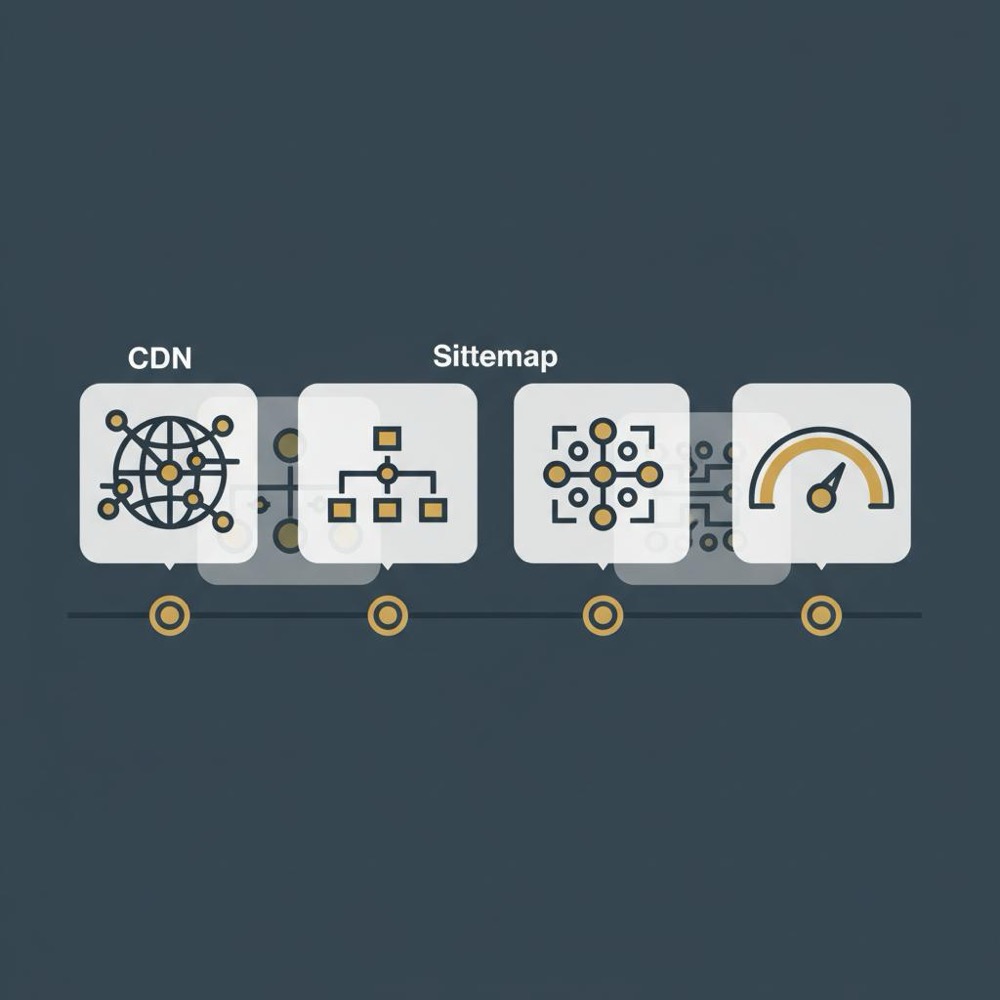
Checklist: day-to-day WordPress SEO tasks
Keep a compact checklist editors can follow:
- Set a concise title and meta description
- Ensure one H1 per page and clear subheadings
- Add width/height to images and serve next-gen formats
- Validate schema where it adds value (products, FAQs, events)
- Confirm page appears in the sitemap when it should
- Run quick Core Web Vitals checks on key templates
FAQ-style quick answers for teams
How important is hosting vs plugins?
Both matter. Hosting provides baseline performance features like edge caching and network optimizations that plugins can’t fully replicate; plugins add editorial controls and schema. For real results, choose hosting that covers heavy lifting and use plugins sparingly for editorial needs.
Should every page have structured data?
No - structured data is most useful where the content maps to a known schema type: products, events, recipes, FAQs, reviews. For informational pages, focus on clear content and headings first, then add schema if it provides a real benefit.
Common cause of sudden traffic drops?
Often a configuration change: a plugin update that flips indexing settings, a robots.txt change, or accidental noindex tags. First check Search Console, inspect meta robots on affected pages, and review server logs.
Putting it together: a 90-day plan
Want a short plan to make visible progress? Try this 90-day roadmap:
- Week 1-2: Baseline audit - server response time, sitemap, top templates, common plugin settings.
- Week 3-6: Quick wins - fix hero images, compress assets, set canonical policies, remove low-value indexable pages.
- Week 7-10: Schema and sitemaps - add structured data where it helps and split sitemaps if necessary.
- Week 11-12: Measure and iterate - compare organic clicks and conversions on changed pages; plan next quarter’s fixes.
This produces clear measurement windows and prevents ad-hoc, unaudited changes that can create risk.
Book a compact technical SEO audit
Get a compact audit and a prioritized roadmap - If your team wants a calm, practical review that ties technical work to outcomes, get a short audit and prioritized list of fixes.
When to call for outside help
Call in a specialist when problems become recurrent or when scale exceeds your team’s comfort: large ecommerce catalogues, complex headless architectures, or repeated indexing issues that you can’t resolve with routine checks. A focused audit that maps fixes to measurable outcomes is often more effective than open-ended retainers. Learn about the team on our About page or read practical posts on our blog: Useful Knowledge.
Final practical tips
Keep these in your pocket:
- Teach editors a five-minute QA step for every publish.
- Use one sitemap provider and verify it in Search Console.
- Avoid too many plugins that touch the same concerns (canonicals, sitemaps, schema).
- Prioritise field data when measuring Core Web Vitals improvements.
Closing thoughts
WordPress SEO is simple in principle and iterative in practice: choose good hosting and a performance-minded theme, configure one well-understood SEO plugin, fix measurable page experience issues, and keep a steady audit cadence. Small, regular efforts compound into real gains - and the site you maintain will earn attention because it's useful and fast on the devices people use most.
If you want a quiet, expert review that ties technical fixes to outcomes, a compact audit is a calm, effective way to start.
Yoast and Rank Math are both strong choices because they cover meta tags, sitemaps and schema. The best plugin depends on your workflow and which features you need. Pick one, configure it carefully, and avoid running two plugins that both generate sitemaps or inject canonical tags. If you aren’t sure, a compact audit from a specialist can identify the best option for your setup.
It varies. Technical fixes that improve Core Web Vitals or fix indexing issues can show measurable changes in organic clicks within weeks for the pages fixed, but full ranking impact often takes a few months as search engines recrawl and re-evaluate. Use annotated analytics and compare several weeks or months of data to judge the effect.
Hire external help when scale or complexity exceeds your team’s capacity - for example, large ecommerce catalogues, headless implementations, or recurring indexing problems. A short audit that ties fixes to measurable business outcomes (like the compact audits Orvus Ltd. offers) is often the most efficient way to start.
References
Want this kind of work done for your business?
We build and run AI-powered marketing and automation. 15 minutes, honest assessment.
Book a call