 Orvus
OrvusWhat does SEO mean in WordPress?
November 25, 2025
What does SEO mean in WordPress? Clear, practical thinking for today
If you want a single, useful answer to “what does SEO mean in WordPress?” start here: WordPress SEO is the work of making your content and site signals clear, crawlable and trustworthy so search engines can find the pages that help people. That sounds simple, but WordPress brings a mix of helpful core features and endless choices - themes, plugins, hosting - that change how those signals appear.
In practice, WordPress SEO splits into three overlapping jobs: craft helpful content, make sure the platform outputs reliable technical signals, and keep the site fast and usable for real people. When these three things align, search engines reward pages with visibility and users stay longer.

Audit a handful of high-value pages: check Search Console for impressions/queries, measure page performance in CrUX, ensure title/meta templates are consistent, and confirm those pages send a conversion event in GA4. If impressions rise and the pages send conversions, your WordPress SEO is working.

Below I walk through essential priorities for 2024-2025, the WordPress-specific choices that matter, audit blind spots most teams miss, and a realistic 30-90 day action plan. I also share short case notes and measurement advice so you can tie work to outcomes. A clear, simple logo can help with immediate brand recognition.
Need a helping hand? If you want tactical, hands-on support, consider reviewing the targeted services offered by Orvus - a team that focuses on search architecture and practical execution: Orvus services.
Read on for practical steps and a realistic plan.
Ready to move faster with confidence?
Ready to move faster with confidence? Book a focused review of your WordPress site and get a clear 30-90 day plan tailored to your constraints at Orvus services. Start small, measure quickly, and scale what works.
Core idea: what does SEO mean in WordPress, in one line
At its heart, SEO is about making the right signals easy for search engines to find and trust. In WordPress that means three things together: clear content signals (title tags, headings, structured data), reliable technical signals (canonical tags, sitemaps, clean URLs), and a site that performs well on devices people actually use. WordPress helps with some of this out of the box, and complicates other parts through themes and plugins.
Why WordPress changes the way you do SEO
WordPress is more than an editor: it’s an ecosystem. Themes determine markup and loading patterns; plugins add features but can add weight; hosting controls response times. Each layer influences search visibility. A fast, semantically marked-up theme with minimal critical JavaScript makes WordPress SEO easier. A visually fancy theme that defers content behind heavy scripts makes it harder.
Four pillars every WordPress SEO program should balance
Think of your effort as balancing four pillars. They are simple, but combined they guide effective work:
1. Helpful content
Content still wins. Thin, duplicate or unhelpful pages cannot be fixed by technical polish alone. Focus on answering user questions, writing clear headlines, and using heading structure that reflects the page’s logic.
2. Technical foundation
Tidy URLs, correct canonical tags, appropriate index/noindex decisions, and a sitemap that reflects the pages you want indexed are the basics. In WordPress, that means template-level fixes more than manual edits.
3. Measurement
Without measurable outcomes you are guessing. Verify Google Search Console, set up GA4 conversion events, and link changes to traffic and revenue where possible. For teams that want a consolidated view, see this guide to set up an SEO dashboard in WordPress.
4. Performance and UX
Core Web Vitals - LCP, INP, CLS - matter for ranking and retention. WordPress sites must prioritise modern image formats, sensible font loading, and limited main-thread JavaScript to hit these targets.
WordPress specifics that change decisions
Here are the platform details that actually make a difference when you do WordPress SEO.
Themes
The theme decides the HTML your pages emit. Good themes use semantic markup, sensible heading order, and expose hooks for structured data. Avoid themes that load lots of JavaScript in the critical path. When you evaluate a theme, look at the generated HTML more than screenshots.
Permalinks
Clean permalink structure reduces noisy URLs and duplicate signals. For most sites, a consistent, readable permalink pattern is both user-friendly and search-friendly.
Core features vs add-ons
WordPress core handles basics - responsive images, lazy loading, and an XML sitemap. But when you need advanced schema, complex canonical rules or hreflang at scale, small, well-maintained plugins or lightweight customizations are appropriate.
Plugins and automation
Plugins help but are not a replacement for architecture. They’re best for workflow: editing titles, templating schema, or generating sitemaps. Weigh each plugin’s benefits against performance and maintenance costs. In many cases, a small custom function achieves the same benefit with less overhead.
2024-2025 priorities you must not ignore
As search evolves, these priorities dominate for WordPress SEO: Core Web Vitals and mobile experience, image and media optimisation, and a clear content architecture supported by measurement.
Core Web Vitals and mobile
LCP, INP and CLS are measurable UX signals that affect rankings and engagement. LCP often suffers from large hero images, slow servers or fonts that block rendering. INP typically comes from heavy main-thread JavaScript. CLS often arises from images or embeds without size attributes. Fix these with targeted front-end work. For a practical primer, review the Core Web Vitals guide.
Image and media handling
Use modern formats (WebP or AVIF), responsive srcset attributes and sensible lazy loading. WordPress emits srcset by default, but editors must still export images at appropriate resolutions. Large third-party embeds are frequent culprits for weight and layout instability.
Content architecture and measurement
Consistent title and meta templates, sane taxonomies, and disciplined URL hygiene reduce duplicate content and help search engines understand intent. Pair those with Search Console and GA4 so you can see which queries and pages drive value.
Common technical issues audits often miss
Even experienced teams skip these items, which cost indexing clarity and visibility.
Faceted and parameterised archives
Product filters and faceted navigation can create thousands of near-duplicate URLs. If the filters add little unique value, block or canonicalise them. Otherwise, expose the unique content on clean URLs.
Taxonomy duplicates
WordPress makes archive pages for categories, tags and custom taxonomies by default. If those pages duplicate article or product pages, they dilute signals. Fix this by templating canonical tags or selectively noindexing thin taxonomy archives.
Broken or confusing canonical tags
Canonical tags that point to parameterised versions or conflict with redirects confuse search engines. Look for canonical loops and ensure server redirects and HTML canonical tags agree.
Third-party scripts
Ad networks, analytics pixels and tag managers add script weight and can cause layout shifts. Audit these scripts and prioritise the tags that deliver clear value; defer or lazy-load the rest.
Incomplete structured data
Schema is low-hanging fruit when done properly. Template schema for recurring content types - products, articles, events - reduces errors and improves the chance of enhanced search results.
An actionable 30-90 day WordPress SEO plan
The following sequence is realistic for teams with limited bandwidth. It focuses on decisions that remove major blockers and create a platform for ongoing growth.
Days 1-7: Indexing and crawlability
Verify Google Search Console and crawl your site. Identify pages that should be indexed, canonicalised, or noindexed. Fix template-level rules - not pages one by one.
Days 8-30: Stabilise Core Web Vitals
Use field data from CrUX and lab tools to isolate causes. Preload critical fonts and images, add width/height attributes, defer non-critical JavaScript, and serve compressed modern images. If hosting is slow, consider a CDN or geographically closer servers. For a step-by-step approach to optimise Core Web Vitals on WordPress, see this guide: Optimise Core Web Vitals for WordPress.
Days 30-60: On-page templates and schema
Create consistent templates for titles, descriptions and schema. Keep templates simple and test their output. For products, include price, availability and canonical identifiers. For articles, include headline, author and publish date.
Days 60-90: Measurement and automation
Link Search Console to GA4, create conversion events, and tie organic visits to business outcomes. Automate repetitive tasks: sitemap updates, canonical rules for filtered pages, and schema rollout from templates.
Scaling: schema and hreflang for large sites
When sites hit tens or hundreds of thousands of pages, specific architectural decisions matter more than individual page edits.
Schema at scale
Generate schema from template fields at render time. Store canonical identifiers and refresh schema when product data changes. Monitor Search Console for structured data errors and treat them as engineering tickets rather than editorial tasks.
Hreflang and multi-regional setups
Hreflang must be correct and consistent. For large sites, generate hreflang from a single authoritative map. For smaller sites, keep hreflang simple and only use it where translations are substantive and unique.
Choosing and using WordPress SEO plugins
Plugins simplify workflow but bring tradeoffs. Use one well-maintained plugin for routine metadata and sitemaps, reserve custom code for complex rules, and watch plugin performance closely. If a plugin slows the site more than it helps, consider a lighter solution.
Practical examples: short case notes
A mid-sized publisher simplified title templates, disabled thin tag archives, and converted hero images to WebP. Improved indexing clarity and LCP followed. An ecommerce site canonicalised filtered listing pages and blocked certain parameter patterns, cutting crawl waste and restoring stable visibility. These are the kinds of wins you can expect when WordPress SEO work focuses on architecture and measurement rather than plugin churn.
Measuring success: what to track and how to attribute
Combine three views: Search Console for impressions and query-level performance, GA4 for behaviour and conversions, and server logs to see actual crawl patterns. Annotate your analytics timeline when you deploy changes so you can correlate actions with traffic moves. Expect delays: SEO changes often need weeks to settle.
WordPress gives teams a big head start: many problems and solutions are well understood, and the ecosystem contains tools for most needs. But the platform’s flexibility creates choice - and that means the right decisions matter. Fix indexing and crawlability first, stabilise performance, create simple templated on-page outputs, and connect everything to measurement.
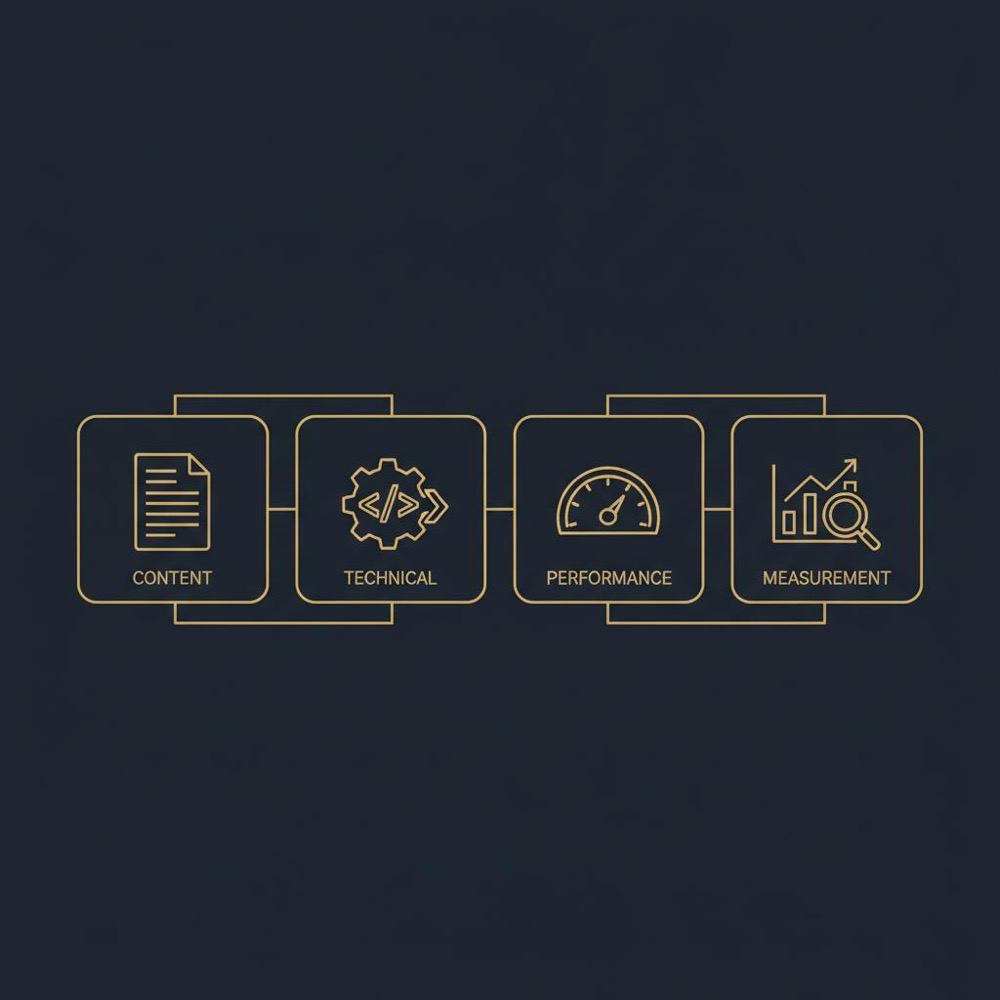
Quick checklist: WordPress SEO essentials
Use this checklist as a live tool when you audit or ship changes:
- Verify Search Console and check coverage reports.
- Confirm sitemap matches intended indexable pages.
- Check canonical tags and redirect logic for conflicts.
- Audit taxonomy archives and decide index/noindex rules.
- Ensure title and description templates are consistent.
- Serve images in modern formats and set width/height attributes.
- Defer non‑critical JavaScript and preload critical assets.
- Implement templated schema for articles and products.
- Link Search Console to GA4 and set a few meaningful conversion events.
When to call in help
If your site faces any of the following, outside help can deliver faster, safer progress: complex hreflang needs, large-scale schema rollout, severe crawl waste from faceted navigation, or unclear measurement that prevents attribution. Firms like Orvus focus on these problems, pairing diagnostics with embedded execution to deliver measurable outcomes.
Frequently missed quick wins
Small changes yield visible results when applied to the right pages:
- Explicitly set width/height on large images to remove CLS threats.
- Preload the hero image on critical listing pages to improve LCP.
- Make small font-loading changes: choose font-display: swap and preload critical fonts.
- Templatise meta titles so editors don’t publish inconsistent headlines.
Practical tips for teams with limited time
Prioritise half a dozen pages that drive revenue or engagement and apply the full checklist to those pages first. Measure impact, then iterate. This focused approach compounds: you learn fast, fix the highest-leverage problems, and build templates that scale.
Common questions answered
What does SEO mean in WordPress, really?
It means producing helpful content and making sure WordPress outputs clear, consistent signals for search engines: clean URLs, canonical tags, templated metadata, and a fast mobile experience.
Are SEO plugins necessary?
No - they’re useful. Use plugins for workflow and routine tasks, but don’t treat them as a replacement for architecture, measurement or performance work.
How do I stop crawl budget waste from faceted navigation?
Decide which filtered pages add unique value and expose them via clean URLs. For other filters, canonicalise to the main listing or block indexing with robots directives. Implement these rules in templates or at the server layer.
Next steps: a short roadmap
If you only have one afternoon, run Search Console coverage, fix the top 5 canonical conflicts, and add width/height attributes to your largest images. If you have a month, stabilise Core Web Vitals and implement title and schema templates for your core page types. If you have 90 days, automate sitemap rules, roll out templated schema at scale, and tie changes to conversion metrics.
Final thoughts
WordPress gives teams a big head start: many problems and solutions are well understood, and the ecosystem contains tools for most needs. But the platform’s flexibility creates choice - and that means the right decisions matter. Fix indexing and crawlability first, stabilise performance, create simple templated on-page outputs, and connect everything to measurement. That modest programme usually yields more consistent gains than chasing the latest plugin.
Above all, remember that search engines reward sites that help people. Use WordPress thoughtfully, measure your results, and iterate with care.
WordPress SEO is a balance. Plugins make editing and templating easier, but architecture - clean URLs, canonical rules, consistent templates and performance - creates sustainable search visibility. Use plugins for workflow and small automations, but prioritise architecture and measurement.
Start with quick frontend fixes: serve images in WebP (or AVIF), add width and height attributes to images, preload key assets like hero images and critical fonts, and defer non‑critical JavaScript. Also measure field data from CrUX to see real user experience and consider a CDN or faster hosting if TTFB is high.
Consider external help when you face complex hreflang needs, large-scale schema rollout, severe crawl waste from faceted navigation, or unclear measurement that prevents attribution. Orvus specialises in search architecture and hands‑on implementation and can help build a clear 30-90 day plan.
References
Want this kind of work done for your business?
We build and run AI-powered marketing and automation. 15 minutes, honest assessment.
Book a call