 Orvus
OrvusIs GoDaddy or Wix better for SEO? A systems-focused comparison
February 9, 2026
We focus on practical checks and a repeatable framework. If you manage ecommerce or service sites, the decision hinges on content volume, engineering availability, and how tightly you need to tie search to revenue.
Quick summary: what this article covers
This guide helps operators, founders, and marketing teams decide whether Wix or GoDaddy better fits their search architecture and growth systems needs. It compares editorial controls, performance trade-offs, extensibility, and measurement so you can map platform choices to real constraints.
In short, Wix generally provides more built-in content and URL level controls, while GoDaddy focuses on simpler fields and optional paid services; both include HTTPS and responsive templates but page speed can be a limiting factor on site builders.
The rest of the article explains feature differences, a four dimension evaluation framework, practical tests to run, migration checks, and a compact decision map you can use this week.

Definition and context: how Wix and GoDaddy approach SEO
Built-in controls and guided setup for wix seo
Wix documents a fairly comprehensive set of SEO controls, including a guided SEO Wizard, editable metadata per page, canonical tag support, and structured data tools that help content teams manage per-URL signals; this coverage is intended to support content driven sites with editorial needs Wix SEO Guide.
GoDaddy Website Builder provides basic SEO fields that make it quick to add titles and descriptions and it offers paid services for additional support, but the product notes and reviews indicate less granular URL and server level control compared with more editorially focused builders.
Both platforms supply HTTPS by default and responsive templates, which aligns with Google Search Central guidance on mobile first indexing and secure connections; that baseline reduces one common setup risk for new sites Google Search Central.
Request a short diagnostic consultation
If you want a quick diagnostic, run a representative page inventory and a small Core Web Vitals check before deciding; a short diagnostic clarifies constraints without committing to a migration.
At-a-glance feature comparison: controls, metadata, and structured data
This section gives a compact comparison you can scan. It highlights where Wix exposes per page editing and structured data controls and where GoDaddy is intentionally simpler.
Wix exposes page level meta tag editors, canonical handling, and structured data support, which helps teams enforce consistent content architecture across many URLs Wix SEO Guide.
Wix often provides more editorial and URL level SEO controls and a broader app ecosystem, while GoDaddy offers a simpler, faster to launch experience; the right choice depends on content volume, measurement needs, and performance constraints.
GoDaddy’s Website Builder covers core metadata fields and offers guidance tools and paid services for additional setup, but documentation and platform notes show fewer options for server level tuning or fine grain URL manipulation compared with platforms prioritizing editorial control.
At-a-glance feature comparison: controls, metadata, and structured data
URL and meta controls
Wix allows per page editing of titles, meta descriptions, and canonical tags which supports tidy URL and content architecture workflows; that is useful when many pages need unique signals for search engines Wix SEO Guide.
GoDaddy provides the essentials for most brochure sites and small business pages, but teams that require programmatic control over URLs or server level headers will find fewer options without external workarounds or paid services.
Structured data and canonical handling
Structured data is available in Wix via built in fields and app integrations, making it easier to mark up product, article, and local business content without custom code in many cases Wix SEO Guide.
GoDaddy supports basic schema and structured fields in its builder, but extensibility is more limited and complex structured data setups often require third party tools or migration to a more flexible platform.
Core framework: how to evaluate a site-builder for SEO in four dimensions
Use four dimensions to evaluate a site builder: editorial control and content architecture, performance and page weight, extensibility and integrations, and measurement and attribution. Each dimension maps to different operational constraints and growth system needs.
Editorial control matters when content volume and per page signals drive traffic. Performance matters for Core Web Vitals and user experience. Extensibility determines how easily automation and internal tooling can be embedded. Measurement determines whether search ties back to revenue.
Based on product documentation and platform comparisons, Wix tends to score higher for editorial control and extensibility, while GoDaddy targets simplicity for quick launches and low friction setups Wix SEO Guide.
Performance, however, depends on the actual install and template choices; independent platform audits flag that many site builder pages can be heavier than optimized CMS sites, so real world testing is required Website builder performance audit.
When you evaluate, record constraints for content volume, measurement needs, engineering availability, and acceptable operational friction. These constraints will help map platform strengths to your priorities.
Decision criteria: choosing Wix or GoDaddy based on constraints
Three common decision paths emerge: choose GoDaddy for simple brochure or single page presence where speed to publish matters; choose Wix when content architecture and editorial control are priorities; consider other platforms when server level tuning and deep performance optimisation are required.

For beginners who need a quick site and limited upkeep, GoDaddy’s straightforward fields and optional managed services can reduce initial setup friction, especially when teams do not maintain a consistent content workflow or measurement stack.
For content driven small businesses and teams that need CMS style workflows, per URL control, and a richer app ecosystem, Wix often provides more of the tooling teams need to build structured content and measurement paths Platform comparison notes.
Signs that a site builder may not be sufficient include the need for advanced server level tuning, bespoke caching or image pipelines, or enterprise attribution requirements that rely on server side tagging and consistent funnel instrumentation.
Performance and page speed: common constraints on site-builders
What audits find in real installs
Independent audits indicate many site builder pages, including those on Wix and GoDaddy, can be slower or heavier than pages built on optimized CMS platforms; this is a common constraint to plan for when speed matters Website builder performance audit.

That finding does not mean every Wix or GoDaddy site will be slow, but templates, third party apps, and unoptimized media can quickly increase page weight and affect Core Web Vitals.
Practical speed checks you can run
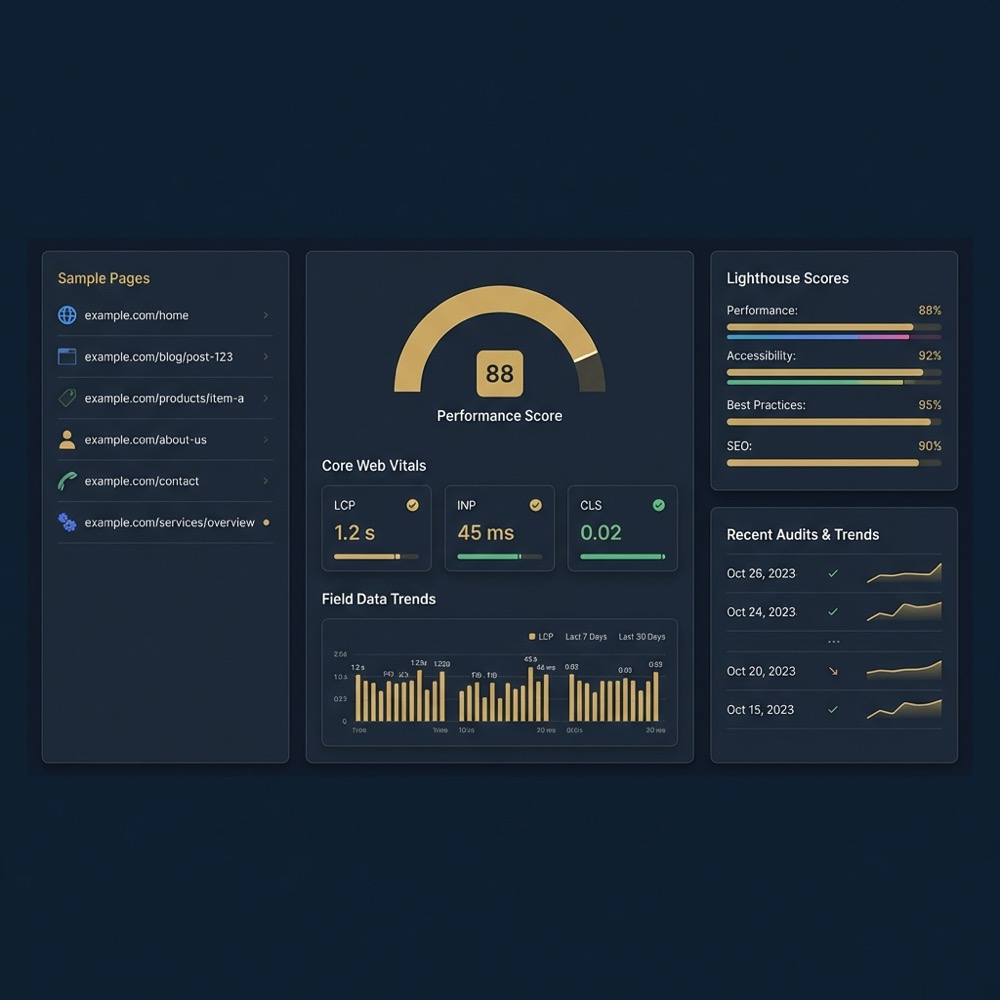
Run Lighthouse or a Core Web Vitals summary on representative pages. Test from locations where your audience is, check the asset waterfall to find large render blocking resources, and compare server timing for dynamic content.
Sample checks you can automate are Lighthouse scores for home and content pages, a field measurement of Largest Contentful Paint via real user monitoring, and a waterfall review to identify heavy scripts or oversized images.
Extensibility and ecosystem: apps, integrations, and automation
Wix’s App Market offers a broader set of SEO and CMS extensions and automation options that let teams add structured data tools, feeds, and integrations without moving platforms; that breadth supports embedding automation into workflows Wix SEO Guide.
GoDaddy tends to bundle core features into the builder and to offer paid services for additional support rather than a large third party app market, which keeps the experience simpler but less extensible in some cases GoDaddy SEO notes.
Inventory third party apps and integrations for performance and compatability
Run on representative pages
Why an app ecosystem matters: automation and internal tooling often rely on connectors and lightweight CMS plugins. A broader ecosystem reduces custom work but requires testing for performance and compatibility.
When evaluating apps, run a smoke test on pages that drive traffic and validate that each integration does not introduce heavy client side scripts or duplicate analytics events.
Measurement and attribution: how easily you can tie search to revenue
Built in reporting on many site builders is sufficient to see basic page views and sessions, but it often stops short of event level funnels and revenue attribution that larger campaigns require. Mapping search to revenue therefore usually needs custom instrumentation.
Google’s guidance and platform reviews suggest embedding consistent URL naming, standardized events, and server side tagging where possible to reduce attribution loss and improve measurement quality Google Search Central.
On platforms with limited server control, use client side event standardization and a tag management approach that centralizes naming to keep reporting consistent across marketing channels.
Before committing to a builder for paid search or large scale campaigns, run a short diagnostic funnel to validate indexing, click attribution, and event capture end to end.
Migration and rollout checklist: keeping SEO intact if you move platforms
Pre migration inventory is critical. Export a list of your top pages, their current URLs, traffic patterns, and structured data. This inventory forms the baseline you will compare after rollout.
Plan redirects for any URL changes, preserve canonical signals where possible, and migrate structured data fields to the new platform. Test indexing and fetch post launch to surface issues quickly.
After rollout, run performance smoke tests and validate analytics events. Prioritize fixes for pages that drive conversions and organic traffic.
Typical mistakes and blindspots teams make with Wix and GoDaddy
A common mistake is assuming default templates are performant. Independent performance analyses find many builder pages heavier than optimized sites, so relying on defaults without audit is risky Website builder performance audit.
Teams also sometimes treat SEO wizards as a substitute for content architecture. Wizards can help set up basics, but they do not replace a consistent content model and measurement plan.
Adding many third party apps without testing their impact on page weight and load behaviour is another frequent blindspot. Each extension can add client side scripts and should be validated on representative pages Wix SEO Guide.
Practical examples: short scenarios for common site types
Small local service business: For a single location service business that needs speed to publish and basic local signals, GoDaddy’s simplicity can be an asset. Pair the build with analytics and local schema to ensure search visibility and basic attribution.
Content first ecommerce with dozens of category pages: A shop with many category and article pages often benefits from richer editorial controls and a broader app market to manage feeds, structured data, and pagination, which is why Wix is frequently chosen for these workflows Platform comparison notes.
Portfolio or brochure site: Both platforms can work for small portfolios. Choose based on team familiarity, the need for occasional editing, and whether future scale or measurement needs are likely to emerge.
How to run a quick live test comparing Wix and GoDaddy for your site
Sample representative pages: home, a category or service page, a product or detailed service page, and a blog or article. These four page types typically capture the majority of SEO and performance variables you will face.
Track indexing status, organic clicks, Lighthouse or Core Web Vitals metrics, and event level conversions for each page. Run tests from the same locations and compare results over a 30 to 90 day window to see trends rather than single point results Google Search Central.
Run small parallel experiments when possible rather than a wholesale migration. Parallel tests help you isolate platform effects from content or campaign changes.
Decision map: quick checklist to pick a platform this week
Ask these diagnostic questions: 1) How many unique content pages will you manage? 2) Do you need per page editorial controls and structured data? 3) Can your team run performance and measurement diagnostics or will you need managed support?
If you answer that you need many pages and detailed control, Wix often better matches those constraints. If you need a single brochure site and fast launch, GoDaddy’s simplicity can be appropriate. If performance, custom server control, or enterprise attribution are required, plan a migration diagnostic to a more flexible platform.
Recommended next steps: run the 4 page sample test, inventory apps, and run a short analytics funnel test. If constraints are unclear, commission a compact diagnostic to map priorities.
Conclusion and next steps
Wix provides broader built in SEO controls and a larger app ecosystem that supports content architecture and extensibility, while GoDaddy trades granularity for a simpler setup and optional paid services Wix SEO Guide.
Both platforms include HTTPS and responsive templates, but independent audits show performance should be validated on real pages before you commit. Run the live tests outlined here or commission a short diagnostic to reduce risk and surface hidden constraints Website builder performance audit.
Wix generally exposes more built in editorial controls, structured data support, and an app market that helps with content level SEO. GoDaddy focuses on simpler fields and optional paid services, which can be sufficient for small brochure sites.
Using a site builder does not automatically harm rankings, but template choices, untested third party apps, and large unoptimized assets can create page speed and Core Web Vitals issues that are common SEO constraints.
Run a 4 page sample test including home, category or service, product or detail page, and an article; measure indexing, organic clicks, Core Web Vitals, and event level conversions over a 30 to 90 day window.
References
- https://developers.google.com/search/docs/fundamentals/seo-starter-guide
- https://www.godaddy.com/help/seo-for-your-website-what-you-need-to-know-12345
- our services
- our knowledge base
- about Orvus
- https://www.websitebuilderexpert.com/website-builders/comparisons/wix-vs-godaddy/
- https://hostadvice.com/tools/web-hosting-comparison/godaddy-vs-wix-com/
- https://cybernews.com/best-website-builders/wix-vs-godaddy/
Want this kind of work done for your business?
We build and run AI-powered marketing and automation. 15 minutes, honest assessment.
Book a call