 Orvus
OrvusHow to improve SEO in Wix?
December 10, 2025
Make your Wix site easy to find and easy to trust
If you want to improve SEO in Wix, start by thinking like a human: what would make you click, stay and decide to buy? Search optimization is technical, yes, but at its heart it’s about connecting real people with the answers they need. That means pairing clean, intentional technical work in Wix with clear, honest content that builds trust.
Below you’ll find both practical Wix-specific steps and human-first guidance-how to structure pages, write copy that calms anxiety, show real social proof, and measure the signals that matter. These are designed for small businesses and side projects that want measurable results without a huge team.
Quick note: this guide blends trust-building with technical SEO so your site ranks better and converts more visitors into customers.
Why search and trust belong together
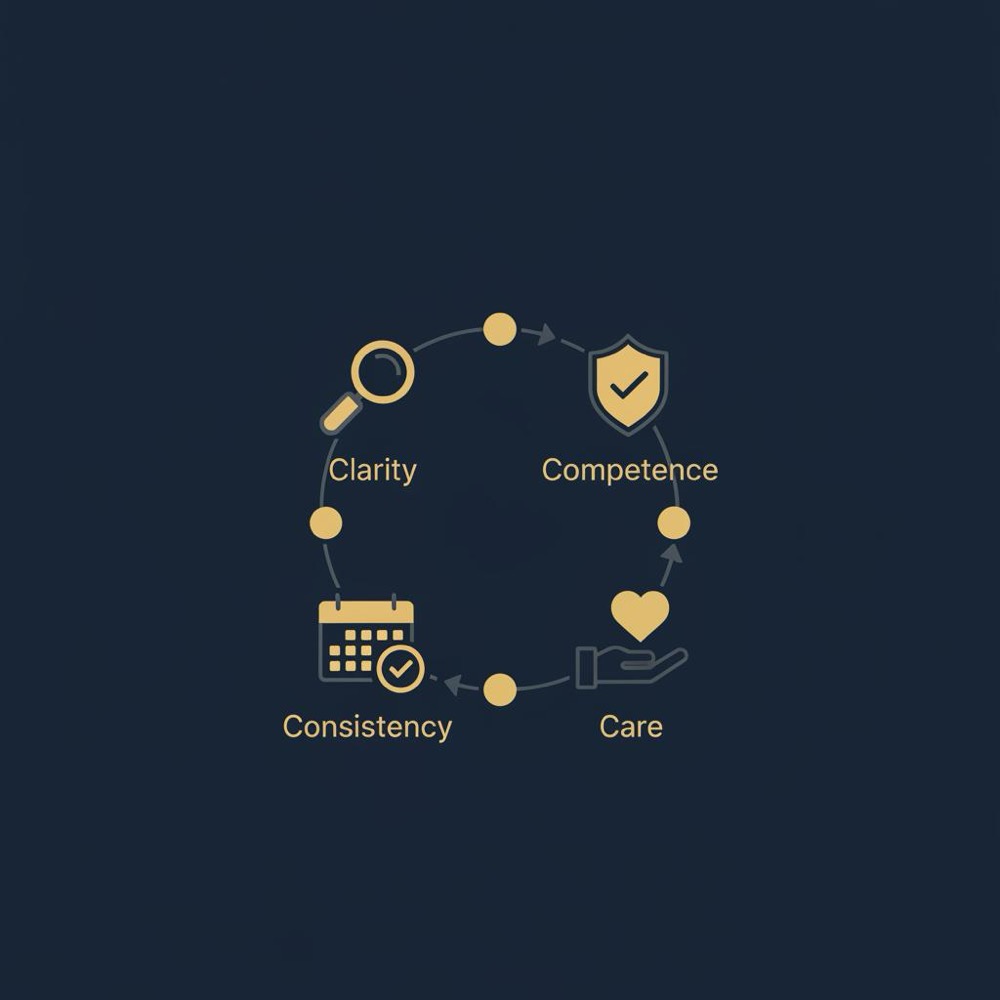
Search engines aim to give users the best answers. When your site demonstrates clarity, competence, consistency, and care-both in content and in technical performance-search engines and users reward it. On Wix, you can control most of those elements directly: page titles, meta descriptions, structured data, page speed, mobile layout, and accessible content. But you also need clear policies, visible reviews, and honest microcopy to turn traffic into loyal customers.
Tip: The first step to improve SEO in Wix is to audit what real visitors experience on your pages-can they find shipping info, contact details, and clear product descriptions within seconds?
When you’re ready for a tactical partner who treats growth as a system, consider a strategic service that helps brands scale search and trust. For a practical, embedded approach to architecture and measurement see the Orvus services page at Orvus services-they focus on search architecture, measurement and quiet systems that compound growth.
Start with clarity: structure your site for visitors and search engines
Clarity is the first trust pillar and it’s also an SEO foundation. On Wix, that means a clear site architecture, descriptive URLs, and intentional navigation so both people and crawlers can understand your content hierarchy.

How to structure your Wix site
1. Plan categories around user intent. Think in terms of what your visitors are trying to achieve: find a product, learn how to use it, get support, or compare options. Create primary categories (Shop, Help, About) and logical subcategories (Shop > Cakes > Celebration Cakes). Each category should serve a real search intent.
2. Use descriptive, keyword-friendly slugs. Keep URLs short and clear: /improve-seo-in-wix is better than /page-id-123. Your article URL should start with the focus keyword-this helps search engines understand topical relevance.
3. Internal linking matters. Link related pages naturally from within your copy. On product pages include a short “Related” section that points to tutorials, measurements, or a complementary product. This helps search engines and keeps visitors exploring.
Use Wix tools for technical clarity
Wix provides built-in SEO settings-use them. Edit page titles, meta descriptions, and social previews in the Wix SEO panel. Add alt text to images and use headings (H1, H2, H3) properly. On Wix, the H1 should be reserved for the main page title; secondary headings should follow a logical order.
Show competence with content that helps and converts
Competence proves you can deliver what you promise. For SEO this means high-quality, useful content that matches search intent-how-tos, product instructions, troubleshooting guides, and clear product specs.
Content that ranks and builds trust
Write for people first. Answer common questions directly. If someone searches how to improve SEO in Wix, give them a clear, actionable roadmap in the first few paragraphs. Use short sentences, lists, and examples. People-and search engines-reward pages that satisfy queries quickly.
Create cornerstone pages. A detailed, well-structured page on a core topic (e.g., “Improve SEO in Wix: Page Speed, Structure, and Content”) becomes a hub that internal links point to. Use this hub to gather authority and funnel visitors to product or signup pages.
Example: Product pages should include a short how-to use section, clear shipping and return info, and an FAQ. That reduces hesitancy and can boost conversion-metrics that search engines observe indirectly (time on page, bounce, repeat visits).
Rich content formats
Use images, infographics, and short videos to explain product use and common questions. Add transcripts to videos so search engines can index the content. On Wix, compress images and serve modern formats (WebP) to keep pages fast.
Be consistent: tone, brand, and technical health
Consistency across visuals, messaging, and technical performance signals professionalism. On Wix, keep your brand fonts, colors, and voice consistent. More importantly, keep technical systems consistent: canonical tags, redirects, and structured data need to be correct.
Technical consistency checklist for Wix
- Ensure canonical URLs are set for duplicate content.
- Use 301 redirects when you change a page slug.
- Submit your sitemap to Google Search Console and Bing Webmaster Tools (Wix automatically creates a sitemap; confirm it in the dashboard).
- Use structured data (schema.org) for products, reviews, and articles-Wix lets you add custom code to head or via code snippets.
Care: microcopy, policies, and customer support
Care is the human layer that converts visitors to customers. On your Wix site, microcopy on buttons, form fields, and checkout helps calm anxiety. Make your shipping and returns policy obvious, friendly, and fair.
Practical microcopy examples
- Payment button: “Pay securely - free returns within 14 days”
- Signup field note: “We’ll only email you once a month-unsubscribe anytime.”
- Error message: “Looks like that card number didn’t go through. Try again or use PayPal.”
Speed, performance and mobile-first optimization on Wix
Page speed is a ranking factor and a conversion factor. Wix sites can be fast if you apply careful choices: reduce large scripts, optimize images, and use lightweight sections.
Wix performance checklist
- Use optimized images (WebP) and lazy loading.
- Limit third-party scripts (tracking pixels, chatbots) and load them asynchronously.
- Use minimal custom code in the header; heavy code can slow rendering.
- Choose clean templates and avoid many stacked animations that harm speed.
- Test pages with PageSpeed Insights and Wix’s built-in performance tools; act on the top recommendations.
Security, privacy, and UX signals that build trust
Security signals help both users and search engines. Make sure your Wix site uses HTTPS (Wix provides SSL by default), show a clear privacy policy, and be transparent about cookies and analytics.
How to present privacy and cookies clearly
- Use plain language: explain what you collect and why.
- Provide opt-outs for marketing emails and clear contact details for data requests.
- Include a short privacy summary in the footer and link to a full policy page.
Social proof and reviews: design them for credibility
Reviews and testimonials are powerful trust signals. On Wix, display reviews with context: who wrote them, purchase details (if relevant), and how you responded to issues.
Best practices for reviews on Wix
- Encourage detailed reviews by asking customers specific questions (What did you like? How long did shipping take?).
- Respond publicly to both praise and complaints in a helpful tone.
- Use structured data for reviews so search engines can show rich snippets (star ratings) in SERPs.
Local SEO and Google Business Profile
If you have a physical shop or pickup point, claim and optimize your Google Business Profile. Use consistent NAP (name, address, phone) data across site and directories. Include pickup and delivery info on product pages and link to directions.
Wix-specific local tips
- Add local business schema to your homepage.
- Embed a Google Map on the contact page.
- Encourage local customers to leave reviews and reply to them promptly.
Content experiments you can run in a month
Small tests teach big lessons. Try these low-effort experiments on your Wix site:
- Make the return policy sentence visible on product pages for 30 days and measure cart abandonment.
- Add a short video demo to one product page and compare engagement metrics.
- Simplify the checkout form by removing one optional field for two weeks and measure conversion lift.
- Send a friendly two-question post-purchase survey asking: “What worked?” and “What can we improve?”
Small changes-like clarifying shipping and returns on product pages, reducing checkout friction, or adding a short product demo video-can improve customer trust and conversion rates within days to weeks. SEO visibility can take longer to change (weeks to months), but pairing immediate UX improvements with technical fixes (page speed, meta tags, structured data) often shows measurable lift in organic clicks and on-site engagement within a month.
Measuring what matters
Trust is partly qualitative, but you can measure useful proxies: repeat purchase rate, returning visitors, average review rating, support ticket volume, and NPS. Track these alongside SEO metrics: organic traffic, ranking for target queries, and rich snippet impressions.
Set up practical tracking in Wix
- Connect Google Analytics or GA4 and set up conversion events for purchases, signups, and contact form submissions.
- Use Google Search Console to see keyword impressions and clicks for pages you want to rank for-like those that aim to improve SEO in Wix.
- Track page speed and mobile metrics across your core pages monthly.
A simple bakery story: reduce friction, gain trust
A local bakery’s story shows the power of small changes. By adding a team photo, clarifying cake sizes, and posting a clear pickup window with a phone contact, the bakery saw fewer customer calls and warmer reviews. Trust rose because they reduced friction and showed care-both SEO-friendly outcomes: better onsite engagement and more meaningful reviews.
Handling mistakes gracefully
Mistakes happen. What matters is the response. A prompt, human apology and a clear remedy repairs trust quickly. On Wix, when there’s a site error, show a friendly error page with suggested next steps and a contact link. For product issues, publicly explain the remedy and follow up privately.
An honest approach to refunds and quality issues
- State your policy clearly and offer practical alternatives if full refunds are not possible.
- Use store credit, exchanges, or a replaced item while explaining why refunds might be restricted.
- When customers take the time to complain, thank them and explain steps taken to prevent recurrence.
Accessibility: inclusivity that improves SEO
Accessible sites serve more users and rank better in the long run. Use clear heading structures, alt text on images, adequate color contrast, and readable font sizes. Wix offers accessibility tools-use them and test with basic screen reader checks.
Scaling trust as you grow
As your brand grows, codify the small human gestures that matter. Document what to write on a thank-you card, how to respond to a late delivery, and the tone for support replies. If a personal touch delights customers today, make sure it survives scale by building it into processes.
Quick checklist: 25 steps to take this week on Wix
Here’s a compact action list you can implement in a few sessions:
1. Audit your top 5 landing pages for clarity.
2. Ensure each page has a unique title and meta description.
3. Add alt text to all images.
4. Compress and convert large images to WebP.
5. Confirm SSL is active and privacy policy is visible.
6. Add product schema and review schema where applicable.
7. Make return and shipping info visible on product pages.
8. Add one short how-to video or infographic to a product page.
9. Test checkout flow on mobile.
10. Remove one non-essential field from checkout.
11. Add internal links between related pages.
12. Submit sitemap to Google Search Console.
13. Check and fix broken links.
14. Add a visible contact phone number or chat option.
15. Create a short founder note with a team photo on About page.
16. Add a short FAQ to product pages addressing common concerns.
17. Encourage customers to leave detailed reviews.
18. Respond to three recent reviews publicly.
19. Add structured data for local business if relevant.
20. Check color contrast and font sizes for accessibility.
21. Run PageSpeed Insights and implement top 3 fixes.
22. Reduce third-party scripts where possible.
23. Add simple event tracking for purchases and signups.
24. Send a post-purchase two-question survey.
25. Track repeat purchase rate monthly.
Real-world examples and microcopy templates
Use microcopy that sets expectations and soothes friction. Short, human lines work best:
- On shipping: “Orders placed before 2 PM ship same day. Expect delivery in 3-5 business days.”
- On returns: “Not sure? Send it back within 14 days for a full refund-no drama.”
- On forms: “We’ll only use this email for order updates.”
SEO tactics specific to Wix: technical tips
Here are Wix-specific steps that help search bots and users:
- Use Wix’s SEO Wizard to set site-level basics, but always edit individual pages for precision.
- Add canonical tags where there’s similar content.
- Use structured data snippets via Wix’s custom code feature for products, events, or articles.
- Create clean image file names (e.g., improve-seo-in-wix-checklist.webp).
- Avoid duplicate product descriptions; customize each product page.
- Use alt text that describes images succinctly and includes keywords naturally if relevant.
Link building in an approachable way
Backlinks still matter, but quality beats quantity. Build links by creating genuinely useful content others want to reference-guides, local resources, or data-driven posts. Reach out to local partners for cross-promotions and to relevant blogs for guest posts.
Low-effort link opportunities
- Sponsor a local event and ask for a link on the event page.
- Offer a useful resource to local directories.
- Create a how-to guide for partners and encourage them to link to it.
Measuring progress and avoiding vanity metrics
Focus on metrics that reflect trust and revenue: organic conversions, repeat purchase rate, average review score, and support ticket trends. High traffic with low engagement is not good-optimize for the visitors you want.
When to call for help
SEO and growth can get complex when traffic plateaus or technical issues hide real problems. If you need a compact diagnostic that looks at architecture, measurement, and quick wins, an embedded partner can help. See our Orvus about page for background and case studies, or our blog for practical posts.
Closing practical checklist
Small, repeated actions beat one-off large efforts. Start with clarity: make shipping, returns, and contact info visible. Then add competence: useful how-to content. Next, ensure technical consistency: sitemaps, schema, and redirects. Finally, show care: thoughtful microcopy and human support.
Final thought: trust works with search
Search engines reward pages that satisfy users. By using Wix features carefully-good structure, fast pages, accessible design-and by building trust with clear policies, real reviews, and considerate support, you’ll both improve SEO in Wix and create a website people enjoy returning to.
Next step
If you want a practical service that helps map and build the right SEO architecture and systems for growth, consider a partner who works embedded with your team to design measurement and quiet systems that scale.
Turn clarity and trust into measurable growth
Ready to turn clarity and trust into measurable growth? Explore a services approach that focuses on search architecture, measurement, and automation at Orvus services-a practical, embedded way to make search work for your business. Start with a short diagnostic and a clear 30-90 day plan.

Use these tools to track and improve: Google Search Console, PageSpeed Insights, Lighthouse, basic accessibility checkers, and Wix’s built-in SEO Wizard. Combine the technical checks with a simple customer survey to measure trust directly. A small logo can help visitors recognise your brand quickly. For further reading on Wix SEO see Neil Patel's Wix SEO guide, Wix's structured data guide, and KeyGroup's 2025 playbook.
Appendix: FAQ quick answers
See the FAQ section below for common concerns on Wix SEO, privacy, and trust-building.
To improve page speed on Wix, compress and convert large images to WebP, enable lazy loading, minimize third-party scripts, avoid heavy custom code in the header, choose a clean template, and use Wix’s performance tools. Run PageSpeed Insights or Lighthouse to see prioritized recommendations and implement the top fixes first.
Yes. Wix supports structured data by allowing custom code snippets or adding JSON-LD in the site's head section. Use product schema, review schema, and local business schema where relevant so search engines can show rich results. If you prefer hands-off help, a strategic partner can implement and test schema across your site.
Making return and shipping visibility clear on product pages often produces quick gains. Move a short reassuring sentence about returns or shipping from the footer to the product page and measure cart abandonment. Adding a short founder note or team photo to product pages can also boost trust and reduce support questions.
References
- our services
- our knowledge base
- about Orvus
- orvus.net
- https://neilpatel.com/blog/wix-seo/
- https://key-g.com/blog/wix-seo-guide-the-ultimate-2025-playbook-to-optimize-wix-websites/
- https://www.wix.com/seo/learn/resource/structured-data-for-seo
- https://search.google.com/search-console/about
- https://developers.google.com/speed/pagespeed/insights/
Want this kind of work done for your business?
We build and run AI-powered marketing and automation. 15 minutes, honest assessment.
Book a call