 Orvus
OrvusWhen to Automate Invoicing and Billing (and When to Keep It Manual)
May 26, 2026
The framework here maps invoice volume, processing time, and error rates to clear decision triggers. It identifies when automation delivers measurable ROI within acceptable timelines and when manual processing remains the smarter operational choice. The decision is not about keeping up with modern business practices or adopting the latest tools. It is about operational economics: does the time and money saved through automation exceed the cost of implementing and maintaining automated systems?
For solo operators and small teams processing between 5 and 100 invoices monthly, the automation decision sits at a specific inflection point. Below that range, manual invoicing works fine. Above it, manual processing becomes a bottleneck that constrains growth. Inside that range, the decision depends on factors beyond simple invoice count: error rates, billing complexity, customer base stability, and growth trajectory.
This article provides the measurement framework, the volume thresholds, the ROI calculations, and the readiness indicators needed to make the decision with confidence. It also identifies when staying manual preserves operational flexibility and capital better than automating prematurely.
The Real Cost of Your Current Invoicing Process
Start by tracking one week of invoice work. Every minute spent creating invoices, entering payment data, following up on late payments, correcting errors, and reconciling accounts. Most operators underestimate this number by 40 to 50 percent because they count only the invoice creation step and ignore the surrounding administrative work.
A typical manual invoice requires 15 to 25 minutes of total labor when you include data entry, verification, sending, tracking, and payment reconciliation. At 20 invoices monthly, that represents 5 to 8.3 hours of work. At 50 invoices, you reach 12.5 to 20.8 hours monthly, nearly three full working days consumed by a single administrative function.
The decision to evaluate automation should trigger when invoice processing exceeds 5 hours weekly, regardless of total invoice count. This threshold represents the point where manual processing begins consuming meaningful operational capacity that could be allocated to revenue-generating activities.
Time spent per invoice (hidden labor costs)
Break invoice time into discrete activities to identify where hours accumulate. Invoice creation itself typically requires 3 to 5 minutes for straightforward transactions. Data entry from contracts, purchase orders, or project records adds another 4 to 7 minutes. Verification against terms, pricing agreements, and delivery confirmations takes 2 to 4 minutes. Sending, filing, and initial tracking add 3 to 5 minutes.
The hidden costs appear in follow-up work. Payment tracking requires 2 to 3 minutes per invoice weekly until payment arrives. Late payment follow-up consumes 5 to 10 minutes per overdue invoice. Error correction, when it occurs, takes 10 to 20 minutes depending on complexity. Reconciliation at month end adds another 1 to 2 minutes per paid invoice.
Calculate your actual per-invoice time by tracking every touch point for 20 consecutive invoices. Include interruptions, context switching, and the time required to locate information. Most operators discover their real number sits 30 to 60 percent higher than their initial estimate.
Error rates and their downstream effects
Manual invoicing error rates typically fall between 2 and 5 percent for experienced operators working without distraction. Errors include incorrect amounts, wrong billing addresses, missing line items, applied discounts that should not have been applied, tax calculation mistakes, and duplicate invoices.
Each error costs more than the time required to correct it. A billing error discovered by a customer damages trust and creates friction in the payment process. An error that goes unnoticed until reconciliation creates accounting complications and potential revenue loss. Duplicate invoices frustrate customers and consume their accounts payable time, making future transactions more difficult.
When error rates exceed 2 to 3 percent, the downstream costs of correction, customer service time, delayed payments, and relationship damage typically justify automation evaluation even at lower invoice volumes. Track errors for three months to establish your baseline rate. Include errors caught before sending, errors caught by customers, and errors discovered during reconciliation.

The 5-hour weekly threshold
Five hours weekly represents 260 hours annually, roughly six and a half full working weeks consumed by invoice administration. For a solo operator or small team, this represents significant capacity that could be redirected toward client work, business development, product improvement, or strategic planning.
This threshold matters more than absolute invoice count because it accounts for invoice complexity variation. A business processing 30 complex invoices with multiple line items, custom terms, and approval requirements may hit the 5-hour threshold while a business processing 80 simple recurring invoices may not.
Calculate your weekly average across a full month to account for billing cycle variation. Include all invoice-related activities: creation, correction, sending, tracking, follow-up, and reconciliation. If you consistently exceed 5 hours weekly, automation should move from consideration to active evaluation regardless of your current invoice volume.
Calculate weekly invoice processing time and compare against the 5-hour automation threshold
Track actual time for 2-4 weeks before using calculator for accurate baseline
The 50-Invoice Threshold and Why It Matters
Fifty invoices monthly represents the volume point where automation ROI typically occurs within 3 to 6 months for most small businesses. This threshold emerges from the intersection of software costs, implementation time, and labor savings at typical invoice complexity levels.
At 50 invoices monthly with 20 minutes average processing time, manual invoicing consumes roughly 16.7 hours monthly or 200 hours annually. Automation software for small businesses typically costs between 30 and 100 dollars monthly depending on features and invoice volume. Implementation requires 20 to 40 hours of setup, configuration, and learning time.
The math works clearly at this volume. Annual manual processing time of 200 hours at a conservative 25 dollars per hour labor cost equals 5,000 dollars in processing expense. Automation software at 60 dollars monthly costs 720 dollars annually. Even accounting for 40 hours of implementation time at 25 dollars per hour, total first-year automation cost reaches 1,720 dollars, saving 3,280 dollars in year one and 4,280 dollars in subsequent years.
Volume as the primary automation signal
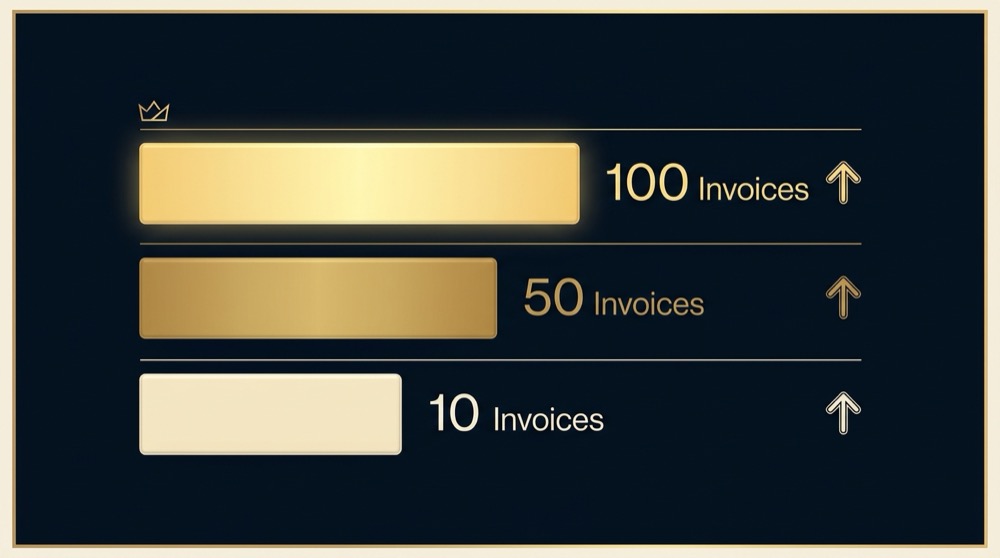
Invoice volume provides the clearest decision signal because it directly correlates with time investment and scales predictably. A business processing 10 invoices monthly invests roughly 3.3 hours monthly in manual processing. A business at 100 invoices invests 33.3 hours monthly, consuming nearly a full working week.
Volume also predicts future pain points. Businesses growing from 30 to 50 invoices monthly often experience the transition from manageable administrative work to operational bottleneck. The invoice process that worked at lower volumes begins creating delays, errors increase due to rushed processing, and the operator or team member responsible for invoicing starts falling behind on other responsibilities.
Use current monthly invoice count as your primary decision input, but project forward 12 months based on business growth plans. If you currently process 35 invoices monthly but expect to reach 60 within a year, treat the decision as if you are already at 50. Implementing automation before you hit the pain point prevents the scramble of implementing under pressure.
ROI timelines at different invoice counts
At 30 invoices monthly, automation ROI typically extends to 8 to 12 months. The time savings exist but remain modest enough that software and implementation costs take longer to recover. At 50 invoices, ROI shortens to 3 to 6 months. At 75 invoices, ROI often occurs within 2 to 4 months. At 100 or more invoices monthly, automation typically pays for itself within the first month when implementation time is excluded.
These timelines assume standard invoice complexity and error rates between 2 and 4 percent. Higher complexity or error rates accelerate ROI by increasing the cost of manual processing. Lower complexity or very low error rates extend ROI timelines but rarely change the fundamental economics at volumes above 40 invoices monthly.
Calculate your specific ROI by multiplying monthly invoice count by your actual per-invoice time, then multiplying by your effective hourly rate. Compare annual manual cost against annual software cost plus one-time implementation cost. If payback occurs within 6 months, automation makes clear financial sense. If payback extends beyond 12 months, other factors like error reduction or scalability must justify the investment.

When volume alone isn’t enough
Some businesses process high invoice volumes but should still maintain manual processes due to complexity factors that automation handles poorly. Highly customized invoices with unique terms per client, complex approval workflows requiring judgment calls, or invoices that bundle services with physical products and require manual verification may not automate cleanly.
Track monthly invoice count for the past six months and calculate the average monthly change. If average monthly growth exceeds 5 percent, your volume is trending up and you should project forward 12 months to determine when you will hit automation thresholds. If monthly variation stays within plus or minus 10 percent of average, your volume is stable and you can make decisions based on current volume. Volatile swings of more than 25 percent month to month suggest your business has not yet found operational stability, and you should wait until volume stabilizes before investing in automation infrastructure. Use a three-month rolling average rather than single-month peaks to avoid over-reacting to temporary volume spikes.
Businesses with unstable billing processes should standardize before automating. If your invoice format, terms, or process changes frequently, automation locks in current processes and makes future changes more difficult. Stabilize the process first, then automate the stable version.
Early-stage businesses with uncertain revenue models may find that invoice volume fluctuates significantly month to month. A business that processes 60 invoices one month and 15 the next should wait until volume stabilizes before investing in automation infrastructure. Use the 3-month average as your decision input rather than peak month volume.
When Manual Invoicing Still Makes Sense
Manual invoicing remains the correct operational choice for specific business profiles. Automation creates overhead in the form of software costs, learning curves, integration requirements, and process rigidity. When those costs exceed the benefits of automation, staying manual preserves operational flexibility and capital.
The decision to remain manual should be active rather than passive. Operators who stay manual by default often do so from inertia rather than analysis. Operators who choose to stay manual after evaluating automation understand their specific reasons and monitor for conditions that would change the decision.
Low-volume operations (under 10 monthly)
Businesses processing fewer than 10 invoices monthly rarely justify automation costs unless invoices are exceptionally complex or error-prone. At 10 invoices with 20 minutes processing time each, total monthly time investment reaches 3.3 hours, well below the 5-hour weekly threshold that signals automation consideration.
Annual processing time of 40 hours at 25 dollars per hour costs 1,000 dollars in labor. Automation software costs 360 to 1,200 dollars annually depending on features. Implementation time of 30 hours adds 750 dollars in first-year cost. The financial case for automation disappears at this volume unless error rates are exceptionally high or the operator’s time carries significantly higher opportunity cost.
Low-volume operations benefit from manual invoicing flexibility. Changes to invoice format, terms, or process implementation happen immediately without software reconfiguration. Custom invoices for specific clients require no workarounds or special handling. The operator maintains direct control over every transaction without software intermediation.
Highly customized billing requirements
Businesses where every invoice differs significantly struggle with automation. Custom project billing with unique line items per engagement, professional services that bill based on complex milestone achievement, or businesses that negotiate custom payment terms with each client often find that automation creates more work than it saves.
Automation works best with standardized, repeatable processes. When invoices follow consistent patterns with predictable line items, standard terms, and regular billing cycles, software handles the repetition efficiently. When each invoice requires judgment calls about what to include, how to describe services, or which terms apply, the operator spends time configuring the automation for each transaction rather than simply creating the invoice manually.
Evaluate automation fit by examining your last 30 invoices. If 80 percent or more follow similar patterns with minor variations, automation likely works well. If fewer than 60 percent follow consistent patterns, manual processing may remain more efficient even at higher volumes. The threshold between these percentages represents the gray zone where hybrid approaches may work best.
Early-stage cash flow constraints
Startups and early-stage businesses often face capital allocation decisions where every dollar spent on operations competes with dollars available for product development, marketing, or runway extension. Automation software costs 360 to 1,200 dollars annually, a modest expense for established businesses but meaningful for operations running on tight margins.
When monthly recurring revenue sits below 5,000 dollars and invoice volume remains under 30 monthly, directing capital toward customer acquisition or product improvement typically generates better returns than operational automation. The time saved through automation matters less when the business needs revenue growth more than operational efficiency.
This calculus shifts as the business scales. The same operation at 15,000 dollars monthly revenue with 50 invoices should prioritize automation because processing inefficiency begins constraining growth. Use the ratio of monthly software cost to monthly revenue as a decision input. If automation software exceeds 2 percent of monthly revenue, delay implementation until revenue grows or invoice volume increases substantially.
Automation Benefits: The 60-80 Percent Time Reduction
Automated invoicing systems deliver measurable, consistent time savings by eliminating repetitive data entry, automating delivery and tracking, and reducing error correction cycles. The 60 to 80 percent time reduction cited in accounts payable research translates directly to invoice creation and management.
A manual process requiring 20 minutes per invoice drops to 4 to 8 minutes with automation. The operator reviews automatically generated invoices for accuracy, approves sending, and monitors payment status through automated dashboards rather than manual tracking. The software handles data population, calculation, formatting, delivery, and initial follow-up without operator intervention.
This time reduction scales linearly with volume. At 50 invoices monthly, 16.7 hours of manual work becomes 3.3 to 6.7 hours of oversight and exception handling. At 100 invoices, 33.3 hours becomes 6.7 to 13.3 hours. The freed capacity enables business growth without proportional administrative staff increases.
Processing speed improvements
Automation compresses invoice cycles by eliminating delays inherent in manual processes. An invoice that takes 20 minutes to create manually can be generated in under 60 seconds by automated systems. Batch processing enables operators to generate, review, and send 50 invoices in the time previously required for 5 to 10 manual invoices.
Speed improvements extend beyond creation to delivery and tracking. Automated systems send invoices immediately upon approval, eliminating the delays that occur when manual invoicing competes with other priorities. Payment tracking updates automatically as payments arrive, removing the need for manual reconciliation checks.
Faster processing shortens cash conversion cycles. Invoices sent immediately upon project completion or product delivery arrive in customer accounts payable queues days earlier than manually processed invoices. Earlier arrival often translates to earlier payment, improving cash flow without changing payment terms.
Error reduction (up to 90 percent)
Automated systems reduce errors by eliminating manual data entry and calculation mistakes. Research indicates error rates drop by up to 90 percent when businesses move from manual to automated invoicing. This reduction comes from removing the human steps where most errors occur: transcription, calculation, and formatting.
Common manual errors include transposed numbers, incorrect tax calculations, wrong customer addresses, missing line items, and applied discounts that should not have been applied. Automated systems pull data directly from source records, calculate totals and taxes programmatically, and apply customer-specific terms consistently.
Error reduction delivers value beyond time savings. Each prevented error avoids the customer service time required to address customer questions, the administrative time needed to issue corrections or credits, and the relationship friction that billing errors create. Businesses with error rates above 3 percent often find that error reduction alone justifies automation investment.
Scalability without linear staff growth
Manual invoicing scales linearly with volume. Doubling invoice count doubles processing time, eventually requiring additional staff dedicated to invoice administration. Automated invoicing scales sublinearly, with oversight time increasing slowly as volume grows.
A solo operator can typically manage 30 to 40 invoices monthly before invoicing begins consuming excessive time. With automation, the same operator can oversee 150 to 200 invoices monthly with similar time investment. The business scales from 50,000 dollars to 200,000 dollars in monthly billing without adding invoice administration staff.
This scalability matters most for growing businesses. The operation that processes 40 invoices today but plans to reach 100 within two years should implement automation before hitting capacity constraints. Implementing automation during growth is more difficult than implementing before growth accelerates, and the learning curve during rapid scaling creates operational risk.
Decide What Should Be Automated
The decision to automate invoicing sits within a larger framework of operational choices about what to systematize, what to automate, and what to keep manual. Before You Automate provides a structured approach to these decisions, helping solo operators and small teams identify which processes benefit from automation and which remain more effective under direct human control. The book maps decision thresholds across common business operations, translating abstract efficiency questions into concrete action criteria.
The Hybrid Approach: When Partial Automation Works Best
Full automation works cleanly when invoices follow predictable patterns and require minimal judgment. Partial automation works better when some invoice elements need human oversight while others benefit from automated handling. Hybrid approaches combine automated data population, calculation, and delivery with manual approval gates and customization points.
The hybrid model typically automates invoice creation, tax calculation, and delivery while maintaining manual review before sending. The operator reviews each generated invoice, makes necessary adjustments, and approves sending rather than building invoices from scratch. This approach captures 50 to 70 percent of automation time savings while preserving flexibility for exceptions.
Complex approval workflows
Businesses with multi-step approval requirements often need hybrid automation. Professional services firms where project managers approve invoices before finance sends them, or businesses where invoice amounts above certain thresholds require executive approval, benefit from automated generation with manual approval gates.
Automation handles invoice creation from project data, calculates amounts based on rates and time entries, and routes to appropriate approvers based on business rules. Approvers review for accuracy and appropriateness rather than creating invoices manually. After approval, the system handles delivery and tracking automatically.
Configure approval workflows to match actual business requirements rather than forcing business processes to match software capabilities. If your approval process requires three steps for invoices above 10,000 dollars but single-step approval below that threshold, ensure the automation system supports conditional routing. Workflows that require manual workarounds defeat automation benefits.
Multi-currency and compliance requirements
Businesses billing international clients in multiple currencies need automation that handles exchange rates, currency conversion, and multi-currency payment tracking. Compliance requirements in regulated industries often mandate specific invoice formats, retention periods, and audit trails that not all automation systems support equally.
Hybrid approaches work well here by automating currency conversion and standard compliance elements while maintaining manual review for complex international transactions. The system applies current exchange rates automatically, formats invoices according to destination country requirements, and maintains required documentation, but the operator reviews each international invoice before sending to catch issues that automated systems might miss.
Industry-specific compliance needs may require specialized invoicing software rather than general small business solutions. Healthcare providers billing insurance, government contractors following federal invoicing requirements, or businesses in heavily regulated industries should evaluate automation solutions built for their specific compliance context rather than adapting general solutions.
Automation with manual oversight points
Design hybrid systems with clear decision points where automation pauses for human judgment. Common oversight points include invoice generation review, amount verification above certain thresholds, custom term application, and exception handling for non-standard transactions.
A practical hybrid configuration automates 80 to 90 percent of routine invoices while flagging 10 to 20 percent for manual review based on defined criteria. Criteria might include invoice amounts above 5,000 dollars, first-time customers, invoices with custom line items, or transactions that fall outside normal patterns.
Track which invoices require manual intervention over three months after implementing hybrid automation. If more than 30 percent require manual handling, either your automation rules need refinement or your invoicing process may be too variable for effective automation. Adjust rules to reduce false positives while ensuring legitimate exceptions still receive appropriate oversight.
Readiness Indicators Beyond Invoice Volume
Invoice volume provides the primary automation signal, but secondary readiness indicators determine implementation success. Businesses at the volume threshold that lack these readiness factors often struggle with automation implementation or fail to realize expected benefits.
Evaluate readiness across process stability, customer base characteristics, and implementation capacity before committing to automation. Businesses that score well across these dimensions implement successfully. Businesses with significant gaps should address those gaps before automating or risk failed implementation.
Predictable billing cycles and standardized formats
Automation works best with consistent, repeating patterns. Businesses that invoice on predictable cycles, monthly for retainers, weekly for services, or upon delivery for products, automate more successfully than businesses with irregular billing tied to unpredictable project completion.
Standardized invoice formats enable clean automation. If 80 percent of your invoices use the same line item structure, payment terms, and delivery method, automation handles the majority of volume with minimal configuration. If every invoice requires unique formatting, automation creates configuration overhead that reduces efficiency gains.
Assess billing predictability by reviewing six months of invoices. Calculate what percentage follow consistent patterns for timing, format, and terms. If predictability falls below 70 percent, invest time in process standardization before implementing automation. Standardization often delivers immediate efficiency gains even before automation.
Recurring customer base stability
Businesses with recurring customers benefit more from automation than businesses with mostly one-time transactions. Recurring customers mean customer data, payment terms, and invoice patterns repeat, maximizing automation value. One-time customers require more setup per transaction, reducing automation efficiency.
Calculate what percentage of monthly invoices go to customers you have invoiced at least three times in the past year. If this percentage exceeds 60 percent, automation setup effort pays off through repeated use. If it falls below 40 percent, automation still provides value but requires more ongoing configuration work.

Track new customer percentage monthly. If new customers consistently represent more than 50 percent of invoice volume, your business may be in a growth phase where process stability matters more than automation. Focus on customer retention and repeat business development before investing heavily in invoice automation.
Implementation capacity and training time
Successful automation requires 20 to 40 hours of implementation time for setup, configuration, data migration, and learning. Small teams already operating at capacity struggle to find this time without letting other responsibilities slip.
Assess implementation capacity honestly. Can you or a team member dedicate 5 to 10 hours weekly for four to six weeks without compromising client work or critical operations? If not, either delay automation until capacity exists or plan a longer implementation timeline that spreads the work over eight to twelve weeks.
Training requirements extend beyond initial setup. Team members who will use the system need time to learn workflows, practice with test invoices, and develop confidence before processing live transactions. Budget 10 to 15 hours of practice time per user beyond initial setup time.
Common Automation Mistakes to Avoid
Most automation failures stem from predictable implementation errors rather than software limitations. Understanding these mistakes before implementation prevents wasted time, money, and the frustration that leads businesses to abandon automation and return to manual processes.
Automating before standardizing processes
The most common and costly mistake is automating inconsistent processes. Automation locks in current workflows, making them faster but not necessarily better. If your manual invoicing process includes workarounds, exceptions, and inconsistent practices, automation amplifies those problems rather than solving them.
Standardize before you automate. Document your current invoice process, identify variations and exceptions, and decide which patterns should become standard. Eliminate unnecessary variations, consolidate similar processes, and establish clear rules for handling legitimate exceptions. This standardization often takes two to four weeks but prevents months of automation frustration.
A standardized process has clear answers to questions like: When does invoice creation happen relative to service delivery? What information must be verified before sending? Who approves invoices and under what conditions? What payment terms apply to different customer types? Answering these questions before configuring automation software ensures the automated process works correctly from the start.
Ignoring integration requirements
Invoice automation delivers maximum value when integrated with other business systems: customer relationship management for customer data, project management for billable work tracking, accounting software for financial records. Businesses that implement invoicing automation as a standalone system miss efficiency gains and create data synchronization problems.
Evaluate integration capabilities before selecting automation software. Can the system pull customer data from your CRM automatically? Does it sync with your accounting software to eliminate duplicate entry? Can it access project management data to generate invoices from tracked time or completed milestones? Integration capabilities often matter more than invoice-specific features.
Plan integration implementation as part of your automation project, not as an afterthought. Integration setup typically requires 30 to 50 percent of total implementation time. Businesses that skip integration to speed implementation often end up manually transferring data between systems, negating much of automation’s value.
Underestimating training and transition time
Software vendors often suggest implementation takes days or weeks. Real-world implementation for small businesses typically requires eight to twelve weeks from purchase to full operation. This timeline includes setup, configuration, data migration, testing, parallel processing, training, and transition.
Parallel processing, where you run both manual and automated systems simultaneously to verify accuracy, typically lasts four to six weeks. Skipping this phase to save time creates risk of billing errors, missed invoices, or payment tracking problems that damage customer relationships.
Budget realistic time for each implementation phase. Initial setup and configuration: one to two weeks. Data migration and testing: one to two weeks. Parallel processing: four to six weeks. Training and optimization: two to three weeks. Businesses that compress this timeline often encounter problems that extend implementation or lead to abandonment.
Making the Decision: A Practical Framework
The automation decision requires three calculations: current invoice processing cost, projected volume trajectory, and break-even timeline. Complete these calculations with your actual numbers to generate a clear yes or no answer rather than continuing to evaluate indefinitely.
Calculate your current invoice processing cost
Track time spent on all invoice-related activities for one full billing cycle, typically one month. Include invoice creation, data entry, verification, sending, payment tracking, follow-up on late payments, error correction, and reconciliation. Multiply total hours by your effective hourly rate, either your actual wage if you are an employee or your target hourly rate if you are a business owner.
For example: 50 invoices monthly at 18 minutes average per invoice equals 15 hours monthly or 180 hours annually. At 30 dollars per hour, annual manual processing cost is 5,400 dollars. This number represents your baseline, the cost you are currently paying for manual invoicing whether you realize it or not.
Add error costs if your error rate exceeds 2 percent. Each error typically costs 15 to 30 minutes of correction time plus potential customer relationship impact. At 3 percent error rate on 50 monthly invoices, you correct 1.5 errors monthly or 18 annually. At 20 minutes per correction and 30 dollars per hour, add 180 dollars to annual cost.
Map your volume trajectory for next 12 months
Project invoice volume growth based on business plans, sales pipeline, and historical growth rates. Conservative projection uses the lower of your growth target or historical average growth rate. Aggressive projection uses your growth target. Use conservative projection for the automation decision to avoid over-investing based on optimistic assumptions.
If you currently process 40 invoices monthly and grew 30 percent last year, conservative projection suggests 52 invoices monthly by year end. If your growth target is 50 percent, aggressive projection suggests 60 invoices monthly. Use 52 for decision-making.
Consider growth trajectory shape, not just end point. Steady growth from 40 to 52 invoices over 12 months suggests implementing automation around month six when you reach 46 invoices. Rapid growth from 40 to 52 in the first quarter suggests implementing immediately to avoid hitting capacity constraints during growth.
Run the break-even analysis
Compare annual manual processing cost against automation costs: software subscription, implementation time, and ongoing oversight time. Calculate how many months of manual processing cost equal total first-year automation cost to determine break-even timeline.
Using the earlier example: 5,400 dollars annual manual cost versus automation software at 720 dollars annually plus 30 hours implementation at 30 dollars per hour equals 1,620 dollars first-year cost. Monthly manual cost is 450 dollars. Break-even occurs at 3.6 months, well within the acceptable range.
If break-even occurs within six months, automation makes clear financial sense. If break-even extends to 12 months, automation remains viable but requires stronger confidence in volume projections. If break-even exceeds 12 months, delay automation until volume increases or costs decrease.
Implementation Timeline and What to Expect
Realistic implementation timelines prevent the frustration and abandonment that occur when businesses expect automation to work immediately. Plan for 12 weeks from purchase to full operation, with distinct phases that each serve specific purposes.
Setup and configuration phase (weeks 1-3)
Initial setup includes account creation, user setup, basic configuration, and data migration. Configure invoice templates, payment terms, tax rates, and customer data. Import existing customer records, either through automated import if your current system supports it or through manual entry for small customer lists.
Week one focuses on basic setup and familiarization. Create your account, explore the interface, watch training videos, and configure basic settings. Do not attempt to process live invoices yet. Week two focuses on template creation and customization. Build invoice templates that match your current format, configure automated calculations, and set up payment terms.
Week three focuses on customer data migration and testing. Import or enter customer records, verify data accuracy, and create test invoices for several customer types. Send test invoices to yourself or colleagues to verify formatting, calculations, and delivery work correctly. Identify and resolve any configuration issues before moving to live processing.
Parallel processing period (weeks 4-8)
Parallel processing means creating invoices in both your manual system and the new automated system, comparing outputs for accuracy, and sending from whichever system you trust more. This phase feels inefficient because you are doing double work, but it prevents costly errors and builds confidence in the automated system.
Start with a small subset of invoices, perhaps 10 to 20 percent of monthly volume. Create these invoices in both systems, compare carefully, and resolve any discrepancies by adjusting automation configuration. Gradually increase the percentage of invoices processed in parallel as confidence grows.
By week six or seven, you should process 100 percent of invoices through both systems but send from the automated system for most invoices. Reserve manual sending only for invoices where you identify discrepancies. By week eight, discrepancies should be rare, indicating readiness for full transition.
Full transition and optimization (weeks 9-12)
Full transition means discontinuing manual invoice creation and relying entirely on the automated system. Continue monitoring closely for the first month of full operation, checking each invoice before sending and verifying payment tracking works correctly.
Weeks nine and ten focus on building confidence through continued monitoring. Review every automated invoice before sending, but expect to find few issues requiring manual intervention. Track time spent on invoice oversight to verify you are achieving expected time savings.
Weeks eleven and twelve focus on optimization. Identify remaining friction points, refine automation rules, adjust templates, and configure additional features you skipped during initial setup. Establish ongoing monitoring routines: weekly payment tracking review, monthly error rate checks, quarterly time investment assessment.
When to Revisit the Automation Decision
Automation decisions are not permanent. Business conditions change, invoice volume fluctuates, and processes evolve. Establish regular review cadences to ensure your current approach remains optimal.
Quarterly volume reviews
Review invoice volume quarterly to identify trends that suggest decision changes. Volume increasing from 35 to 55 invoices monthly over two quarters signals automation consideration if you are currently manual. Volume decreasing from 60 to 30 invoices over two quarters might suggest automation overhead no longer justifies the cost.
Track not just total volume but also volume stability. Consistent volume around 45 to 55 invoices monthly supports automation. Volatile volume swinging from 25 to 75 invoices month to month suggests your business may still be finding operational stability, and manual processing preserves flexibility.
Use quarterly reviews to update your break-even analysis with actual data rather than projections. Compare actual time spent on invoice oversight against your pre-automation baseline. If time savings fall below 50 percent of projection, investigate whether configuration issues, process changes, or volume mix shifts are preventing expected benefits.
Error rate monitoring triggers
Establish error rate thresholds that trigger decision review. If you are manual and error rates rise above 3 percent for two consecutive months, evaluate whether automation would reduce errors enough to justify investment even if volume remains below typical thresholds. If you are automated and error rates rise above 1 percent, investigate whether configuration issues or process changes are degrading automation effectiveness.
Track errors by type: calculation errors, wrong customer data, incorrect terms, missing line items, formatting problems. Different error types suggest different solutions. Calculation errors in manual systems point toward automation benefits. Calculation errors in automated systems point toward configuration problems. Wrong customer data in either system points toward data quality issues that automation alone will not solve.
Monthly error tracking takes 10 to 15 minutes but provides early warning of problems before they become serious. Simple tracking: count total invoices sent and total errors discovered, calculate percentage, note error types. Review trends quarterly to identify whether error rates are improving, stable, or degrading.
Business model shifts that change billing complexity
Business model changes often alter invoicing requirements enough to warrant decision review. Moving from project-based billing to subscription billing typically makes automation more valuable due to increased volume and predictability. Moving from standardized services to highly customized solutions may reduce automation value due to increased invoice variation.
Adding international customers introduces multi-currency complexity that some automation systems handle well and others do not. Expanding into regulated industries may introduce compliance requirements that require different automation capabilities. Growing from solo operation to small team changes the cost calculation by introducing the possibility of delegating invoice administration rather than handling it personally.
Review your automation decision whenever business model changes affect more than 20 percent of invoice volume. Small changes to a few customer relationships rarely justify switching systems, but significant shifts in how you bill or what you bill for often do.
Fifty invoices monthly represents the standard threshold where automation ROI typically occurs within 3 to 6 months for most small businesses. At this volume, manual processing consumes roughly 16.7 hours monthly, and automation software costs between 30 and 100 dollars monthly, creating clear financial justification. However, businesses processing fewer invoices may still benefit from automation if error rates exceed 2 to 3 percent or if invoice processing consumes more than 5 hours weekly regardless of volume. The decision depends on total processing time and error costs, not just invoice count.
Yes, but effectiveness depends on how different the terms are and whether patterns exist across client groups. If 70 to 80 percent of clients follow similar patterns with minor variations, automation handles the majority efficiently while flagging exceptions for manual review. If every client truly requires unique handling with no repeating patterns, hybrid automation works better than full automation. Configure the system to generate invoices automatically but pause for manual review before sending, capturing 50 to 70 percent of time savings while preserving flexibility. Businesses where fewer than 60 percent of invoices follow consistent patterns often find manual processing remains more efficient even at higher volumes.
Most automation systems import existing customer data, payment terms, and historical invoice records through CSV upload or direct integration with your current software. During implementation, you migrate customer records, configure invoice templates to match your current format, and optionally import historical invoices for reference and reporting continuity. Your manual invoice records remain accessible in their original format, and you typically run both systems in parallel for 4 to 6 weeks to verify accuracy before fully transitioning. Data migration usually takes 1 to 2 weeks during initial setup and requires verification to ensure customer information, payment terms, and pricing transfer correctly.
Make the decision based on your actual numbers: current invoice volume, time spent per invoice, error rates, and projected growth. Calculate break-even timelines with real costs, not assumptions. Evaluate readiness indicators honestly, and address gaps before implementing if necessary. The framework here provides the structure for that decision, but the answer depends on your specific operational reality.
References
Want this kind of work done for your business?
We build and run AI-powered marketing and automation. 15 minutes, honest assessment.
Book a call