 Orvus
OrvusWhen to Automate Email Sequences (and When to Keep Them Manual)
May 23, 2026
The default advice is unhelpful. Automate everything to scale, some say. Keep it personal, others insist. Neither extreme works for bootstrapped founders managing customer communication without a marketing team. You need a decision framework that treats automation as a resource trade, not a best practice.
This article provides that framework. It is built on three variables: message frequency, relationship value, and pattern consistency. Those factors determine when automation makes sense and when manual handling still wins. The goal is not to automate as much as possible. The goal is to automate the right things so you can spend time on communication that actually requires judgment.
What Email Automation Actually Means in Practice
Email automation is not just scheduling a message to send at 9am Tuesday. That is a calendar reminder with a send button. Real automation responds to behavior, evaluates conditions, and executes sequences based on what a recipient does or does not do. The difference matters because the decision to automate email depends on whether your communication follows predictable patterns that software can handle without human judgment.
A scheduled send is a convenience feature. You write an email, set a time, and the platform sends it. Automation starts when the system makes decisions for you. A behavioral trigger fires an email when someone clicks a link, abandons a cart, or hits day seven of a trial. A conditional branch sends one message to buyers and a different one to browsers. Time-based sequences follow a calendar, behavioral sequences follow actions, and conditional logic routes recipients through different paths based on attributes or engagement.
Most small business email tools now include scheduling, but not all include true automation. A platform that lets you queue messages is not the same as one that segments audiences, tracks behavior, and adjusts sequences mid-flight. When evaluating whether to automate email, you need to know which type of automation your situation requires. If your communication depends on what someone did last, you need behavioral triggers. If it depends on when they signed up or how long they have been a customer, time-based sequences work. If every recipient gets the same message regardless of history, you might not need automation at all.

The spectrum runs from manual one-off sends, to scheduled batches, to time-based drips, to behavioral triggers, to full conditional workflows with branching logic. Each step up adds capability but also setup cost and maintenance overhead. The goal is to match the tool to the communication pattern, not to automate because automation exists.
The Core Decision Framework: Volume, Value, and Variability
Three variables determine whether automation makes sense for a given email sequence: how often you send it, how much each relationship is worth, and how consistent the message pattern is across recipients. These are not subjective factors. You can measure message frequency in sends per week, relationship value in revenue or strategic weight, and pattern consistency by whether you can template the content without losing effectiveness.
Message frequency is the primary signal. If you send the same type of email daily or multiple times per week, manual handling becomes a time drain. Automation saves 6-8 hours per week for high-frequency sequences because you write the message once and the system executes it repeatedly. If you send a message monthly or quarterly, the setup cost of automation often exceeds the time saved. A useful threshold: if you send a particular email type more than three times per week, automation is worth evaluating. Below that, manual may still be more efficient.

Relationship value determines how much personalization matters. High-value relationships, where each interaction materially affects revenue or retention, require human judgment and authentic customization. Low-value relationships at scale benefit from consistent, reliable communication that automation delivers better than manual handling. The dividing line is not absolute, but a practical test is whether losing one relationship would noticeably impact your business. If yes, keep it manual or use a hybrid approach. If no, and you have dozens or hundreds of similar relationships, automate.
Pattern consistency is the automation readiness test. If you can write a template that works for 80% of recipients with only minor variable swaps, the communication is automatable. If every message requires substantial rewriting based on context, history, or current events, automation will feel robotic and damage outcomes. When to automate email depends on whether the message structure stays stable while only the details change. Onboarding emails, appointment reminders, and trial expiration notices follow tight patterns. Sales negotiations, customer complaints, and strategic partnership outreach do not.
These three factors interact. High frequency plus low relationship value plus consistent patterns makes automation obvious. Low frequency plus high value plus variable content makes manual the only reasonable choice. Mixed signals require judgment, but the framework gives you the variables to evaluate rather than guessing based on what other businesses do.
Audience segmentation adds a fourth consideration. If your recipients fall into distinct groups that need different messaging, automation becomes more valuable because it handles segmentation logic automatically. Manual segmentation at scale is error-prone and time-intensive. If everyone gets the same message regardless of attributes or behavior, segmentation is irrelevant and automation offers less advantage.
Time-sensitivity also matters. If a message must go out within minutes of a trigger event, automation is required. Humans cannot monitor systems 24/7 to send appointment confirmations or password resets on demand. If the message can wait hours or days for you to manually review and send, automation is optional.
Decide What to Automate
The decision to automate email is not about technology preference, it is about resource allocation. Automation trades setup time and maintenance cost for execution efficiency and consistency. The framework above tells you when that trade makes sense. For a structured worksheet that applies these criteria to your specific email types, the decision matrix in Before You Automate walks through the volume, value, and variability assessment with examples across common small business communication scenarios.
Clear Automation Candidates: Where Manual Is Waste
Some email sequences are automation no-brainers. Transactional emails, welcome sequences, and re-engagement drips follow predictable patterns, happen frequently, and do not benefit from manual handling. If you are still sending these manually, you are spending time on tasks that software handles better.
Transactional emails include appointment confirmations, order receipts, shipping notifications, password resets, and trial expiration notices. These messages are triggered by specific user actions and must be sent immediately. Manual handling introduces delay and error risk with no upside. A customer who books an appointment expects instant confirmation. Waiting for you to manually send it creates uncertainty and support requests. Automating transactional emails is not about efficiency, it is about meeting basic service expectations.
Welcome sequences and onboarding flows are the second clear automation category. When someone signs up for your product, joins your email list, or makes a first purchase, they enter a predictable journey. Day one: welcome and set expectations. Day three: highlight key features or next steps. Day seven: check in and offer help. The content is consistent across recipients, the timing is fixed, and the goal is to move people through a defined process. Manual onboarding emails mean you spend hours each week sending the same messages to different people at different stages. Automation sends the right message to the right person at the right time without your involvement.
Re-engagement and nurture drips target inactive subscribers or prospects who have not converted. These sequences run over weeks or months, gradually increasing urgency or changing the offer. A typical re-engagement sequence might send three emails over 14 days: a soft reminder, a value reinforcement, and a final offer before unsubscribing inactive contacts. Manually tracking who is on day 7 versus day 14 and sending the appropriate message is tedious and error-prone. Automation handles the cadence and progression automatically.
The time savings for these categories is measurable. If you send 20 onboarding emails per week manually, and each takes 10 minutes to customize and send, that is over three hours. Automating the sequence takes 2-3 hours to set up once, then runs indefinitely. After the first month, you have saved 9+ hours. For transactional emails, the savings compounds because the volume is often higher and the immediacy requirement makes manual handling impractical.
These sequences also do not benefit from the human touch that justifies manual effort. A customer does not care whether you personally clicked send on their order confirmation. They care that it arrived instantly and contained the right information. Onboarding emails work better when they are consistent and reliable, not when each one is slightly different because you rewrote it on the fly. Automation delivers better outcomes here, not just efficiency.
When Manual Emails Still Win
Automation fails in situations where relationship stakes are high, context changes rapidly, or the recipient expects a personal response. High-stakes sales conversations, crisis communication, and cold outreach are the three categories where manual emails consistently outperform automated sequences.
Most people have experienced this: an automated follow-up that ignores a recent purchase, a re-engagement email sent to an active customer, or a sales sequence that continues after you have already said no. These failures happen when automation lacks proper exit conditions, segmentation, or human oversight. The lesson is not that automation is bad, but that certain communication contexts require manual judgment. High-stakes conversations, crisis situations, and relationship-sensitive exchanges are where automated emails consistently backfire, no matter how sophisticated the platform.
High-stakes sales conversations include contract negotiations, enterprise deals, and any situation where the outcome materially affects your revenue or the customer’s decision. These emails require reading between the lines of previous exchanges, adjusting tone based on the relationship temperature, and making judgment calls about timing and framing. Automated sales emails feel generic because they cannot account for the nuance of where the deal actually stands. A prospect who is leaning toward yes needs different language than one who is comparing you to competitors. Automation cannot detect that difference reliably.
Crisis communication and damage control demand manual handling because the stakes of getting it wrong are severe. If a customer is angry, a product has failed, or a public issue has emerged, an automated response will read as dismissive or tone-deaf. The recipient knows you are not personally addressing their situation, and that knowledge undermines trust. Manual emails in crisis situations signal that you are paying attention and taking the issue seriously. The content matters, but so does the implicit message that a human reviewed the situation and crafted a response.
Cold outreach and initial relationship building also favor manual emails, though for different reasons. When contacting someone for the first time, personalization is the only signal that separates you from spam. Automated cold email sequences can include merge tags and dynamic content, but recipients can usually tell. The research quality, the specificity of the hook, and the naturalness of the language all degrade when you try to automate first contact. Response rates for cold outreach drop sharply when the recipient suspects automation, because it signals low effort and mass targeting.
The cost of automation mistakes in these categories is high. A poorly timed automated email during a sales negotiation can kill a deal. An automated response to a customer complaint can escalate anger into public criticism. An obviously automated cold email wastes the opportunity to make a first impression. Manual handling is slower and does not scale, but in these contexts, scale is not the goal. Each interaction is high-value enough that the time investment justifies manual attention.
The boundary is not absolute. Some sales follow-ups can be automated once the relationship is established. Some crisis communication can use templates with manual customization. But the default for high-stakes, high-context, and first-contact emails should be manual unless you have strong evidence that automation will not damage outcomes.
The Hybrid Approach: Automated Structure with Manual Touchpoints
The highest-performing email strategies combine automated delivery with manual personalization at strategic points in the sequence. This hybrid approach captures the efficiency of automation while preserving the relationship quality that manual emails provide. Research shows that hybrid email strategies achieve engagement rates 23-40% higher than fully automated or fully manual approaches.
The structure works by automating the cadence and core content while leaving specific touchpoints open for human input. A typical hybrid onboarding sequence might automate the welcome email, the feature overview on day three, and the resource library on day seven, but include a manual check-in on day five where you review the new user’s activity and send a personalized note. The automation ensures consistent delivery and timing, the manual touchpoint adds relevance and builds connection.
Strategic personalization points are where individual context matters most. In a sales nurture sequence, the first email might be fully automated, but the second could include a manual first line referencing something specific from the prospect’s website or recent news. The rest of the email follows the template, but that opening sentence signals personal attention. In a re-engagement campaign, the final email before unsubscribing someone might be manually reviewed to add a personal note for high-value subscribers while letting the automated version go to the rest.
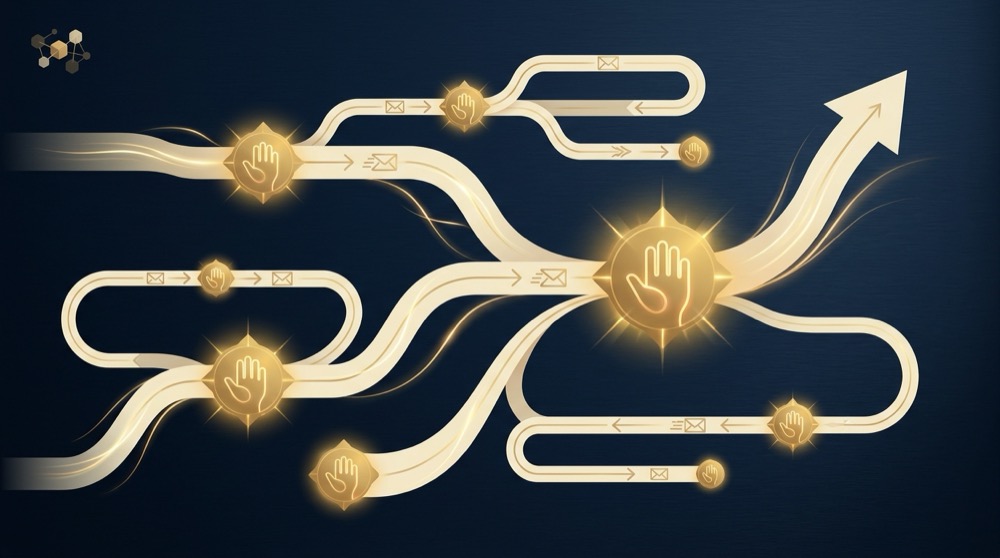
Behavioral triggers enable sophisticated hybrid workflows. You can automate an email to send when someone clicks a specific link, but write the content manually based on what that click indicates about their interest. Or automate a sequence to pause and notify you when a recipient reaches a certain engagement threshold, so you can manually take over the conversation. The automation handles monitoring and timing, you handle judgment and personalization.
The engagement rate advantage comes from combining reliability with relevance. Fully automated emails are reliable but often feel generic. Fully manual emails can be highly relevant but are inconsistent in timing and delivery. Hybrid sequences deliver on time, every time, while still including moments that feel personally crafted. Recipients notice the difference, and engagement metrics reflect it.
The practical workflow for a hybrid approach requires planning which touchpoints need manual attention. Not every email in a sequence benefits equally from personalization. Transactional emails and informational messages rarely need it. Relationship-building emails and conversion-focused messages often do. Map your sequence, identify the 1-3 points where personal context would materially improve outcomes, and build manual steps into the automation at those stages.
Hybrid strategies also reduce the maintenance burden of full automation. When you manually touch certain emails in a sequence, you stay closer to how recipients are actually responding. That makes it easier to spot when an automated message is no longer working and needs updating. Fully automated sequences can run for months without review, drifting out of relevance. Hybrid sequences force periodic human contact with the communication, which keeps it sharper.
Small Business Automation Priorities: Where to Start
Solo operators and small teams should automate high-impact, high-frequency sequences first and leave lower-volume communication manual until resources allow further investment. The 80/20 of email automation ROI comes from transactional emails and onboarding sequences, not marketing campaigns or sales outreach.
The first automation priority is transactional and confirmation emails. These include appointment confirmations, order receipts, account setup notifications, and password resets. Setup time is minimal, usually 1-2 hours per email type, because the content is straightforward and the triggers are clear. The ROI is immediate because these emails must be sent anyway, and manual handling introduces delay and error. If you are still manually sending appointment confirmations or order receipts, automate those this week.
The second wave is customer onboarding sequences. Whether you run a SaaS product, a service business, or a membership, new customers follow a predictable early journey. Automating the first 7-14 days of communication ensures consistent delivery and frees you to focus on higher-value interactions. A basic onboarding sequence takes 3-4 hours to build: welcome email on day 0, feature highlight or next steps on day 2-3, resource library or help offer on day 5-7, and check-in or feedback request on day 10-14. Once built, it runs indefinitely with only occasional content updates.
After onboarding, the next automation candidates are follow-up sequences and re-engagement campaigns. These target people who have shown interest but not converted, or customers who have gone quiet. Setup time is higher because segmentation and timing require more thought, but the ROI is strong for businesses with longer sales cycles or subscription models. For solo operators building repeatable systems around email workflow design and customer communication, Before You Automate provides frameworks for deciding which sequences to prioritize based on your business model and current stage, along with templates for common automation scenarios that small teams can implement without a marketing department.
What to leave manual until you have more resources: complex sales sequences, content marketing campaigns, and anything requiring heavy segmentation or conditional logic. These take significantly longer to set up, 8-15 hours or more, and the ROI depends on having enough volume to justify the investment. If you send a monthly newsletter to 200 people, automation adds little value. If you send targeted campaigns to segmented lists multiple times per week, automation becomes worthwhile, but not until the basics are handled.
Resource constraints matter. Setup time is one cost, maintenance is another. Automated sequences need periodic review and updating as your offers, messaging, or customer journey changes. A sequence you build today might need revision in six months. Start with sequences that change infrequently, like transactional emails and onboarding, before automating communication that requires constant tweaking.
The prioritization logic is simple: automate what you send most often, what must be sent immediately, and what follows the tightest pattern. Everything else can wait until those foundations are solid and you have bandwidth to invest in more complex automation.
Common Mistakes That Make Automation Backfire
Three predictable failure modes cause automation to damage relationships and waste resources: over-automating communication that needs human judgment, ignoring segmentation and sending generic blasts, and failing to maintain and update sequences after launch.
Over-automating relationship-sensitive communication is the most common mistake. A business automates its sales follow-up sequence, and a prospect who has already bought receives three more emails pushing them to purchase. Or an automated re-engagement campaign sends a discount offer to a long-time customer who does not need incentives, making them feel undervalued. Automation without proper triggers and exit conditions creates embarrassing mistakes that manual sending would catch. The fix is to build clear entry and exit rules, and to exclude segments that should not receive certain messages.
Ignoring segmentation turns automation into spam. If your automated welcome sequence sends the same message to a $10 buyer and a $10,000 buyer, you are wasting the opportunity to tailor the experience. If your re-engagement campaign does not distinguish between people who opened your last five emails and people who have not opened anything in six months, you are treating engaged subscribers like dead weight. Segmentation is not optional for effective automation, it is the foundation. Automated sequences without segmentation are just scheduled blasts, and recipients can tell.
Failing to monitor and update automated sequences is the silent killer. You build a sequence, launch it, and forget about it. Six months later, your messaging has changed, your offer has evolved, or your onboarding process is different, but the automated emails still reflect the old approach. Subscribers receive outdated information, broken links, or offers that no longer exist. The maintenance cost of automation is real. Every sequence needs quarterly review at minimum, and high-traffic sequences need monthly checks. If you cannot commit to maintaining a sequence, do not automate it yet.
Another common mistake is automating too early, before you know what messaging works. Automation locks in your content, so if you have not tested and refined the message manually first, you are automating guesswork. The better approach is to send a sequence manually to the first 20-50 recipients, track what works, refine the content, and then automate the proven version. Automating an unproven message just scales your mistakes.
The relationship damage from these mistakes is not always immediate. A poorly automated email might get ignored rather than causing active harm. But over time, recipients notice when communication feels robotic, irrelevant, or out of touch. Trust erodes, engagement drops, and the automation that was supposed to improve efficiency ends up costing you attention and goodwill.
Platform Capabilities and When They Matter
Not all email platforms support the same automation capabilities, and the gap between basic and advanced tools determines what kinds of sequences you can build. The three critical features are segmentation and conditional logic, behavioral triggers versus time-based triggers, and A/B testing within automated sequences.
Segmentation and conditional logic enable you to send different messages to different people based on attributes or behavior. Basic segmentation splits your list by static fields like location, signup date, or customer type. Conditional logic goes further, branching a sequence based on what someone does. If they click a link, send email A. If they do not click within three days, send email B. Advanced platforms allow multi-step conditional workflows where each action triggers a new decision point. Simple tools only support linear sequences where everyone gets the same emails in the same order.
Help readers assess whether their current email platform supports the automation capabilities they need for their planned sequences
Check your platform documentation or trial advanced features before committing to complex automation projects.
Behavioral triggers fire emails based on actions: link clicks, page visits, purchase events, form submissions, or email opens. Time-based triggers fire emails based on calendar dates or intervals: three days after signup, one week before renewal, the first of every month. Behavioral triggers enable responsive communication that adapts to what recipients do. Time-based triggers are simpler to set up but less dynamic. If your automation needs depend on responding to user behavior, your platform must support behavioral triggers. If your sequences are purely calendar-driven, time-based is sufficient.
The capability gap between basic and advanced platforms is significant. A basic tool might let you schedule a series of emails to send at fixed intervals after someone joins a list. An advanced platform lets you segment that list by behavior, send different sequences to different segments, pause or exit people based on actions, and integrate with external events like purchases or support tickets. The difference is not just features, it is what kinds of communication you can automate effectively.
When simple tools are enough: if your automation needs are limited to welcome sequences, transactional emails, and basic time-based drips, most email platforms will work. You do not need advanced conditional logic to send a three-email onboarding sequence or to automate appointment reminders. Simple tools are also enough if you have a small list and limited segmentation requirements.
When you need advanced automation: if you are running multi-step nurture campaigns, complex sales sequences, or behavior-driven re-engagement, you need a platform with conditional logic, behavioral triggers, and robust segmentation. If your sequences need to integrate with other systems like your CRM, payment processor, or product analytics, API capabilities matter. If you are testing different messaging or timing within automated sequences, built-in A/B testing saves significant manual work.
The decision is not about picking the best platform, it is about matching platform capabilities to your automation requirements. Overpaying for features you will not use is wasteful. Under-investing in a platform that cannot support your needs forces workarounds that negate the efficiency gains of automation.
Making the Call: A Practical Checklist
Use this decision checklist to evaluate whether a specific email sequence should be automated, kept manual, or handled with a hybrid approach. Answer each question, then apply the threshold guidance at the end.
1. Do you send this email type three or more times per week? Yes adds 2 points, no adds 0.
2. Does the message follow a consistent structure where only details change between recipients? Yes adds 2 points, no adds 0.
3. Must the email be sent within minutes or hours of a trigger event? Yes adds 2 points, no adds 0.
4. Are you sending to more than 100 recipients per month for this email type? Yes adds 1 point, no adds 0.
5. Does the outcome of this email materially affect a high-value relationship or deal? Yes subtracts 2 points, no adds 0.
6. Does the message require reading previous conversation context or adapting to current events? Yes subtracts 2 points, no adds 0.
7. Can you clearly define entry triggers, exit conditions, and segmentation rules? Yes adds 1 point, no subtracts 1.
8. Do you have time to maintain and update this sequence quarterly? Yes adds 0, no subtracts 2.
Scoring: 6+ points means automate. 3-5 points means hybrid approach. 2 or fewer points means stay manual. Negative scores mean manual is strongly preferred.
Red flags that signal manual is better regardless of score: the email is part of an active negotiation, the recipient is in crisis or has complained, this is first contact with a cold prospect, or the situation is evolving rapidly and messaging may need to change daily.
When to revisit the automation decision: volume thresholds change as you scale. A sequence that made sense to keep manual at 50 sends per month may justify automation at 200. Relationship dynamics also shift. Early-stage customers may need manual attention that later-stage customers do not. Review your automation decisions every six months or whenever your business model, customer journey, or communication volume changes significantly.
The checklist is a tool, not a formula. If your score says automate but your instinct says the relationship is too important to risk, trust your judgment. Automation is a resource trade, and only you know whether the efficiency gain is worth the control you give up. For more frameworks on building marketing systems for solopreneurs, understanding content marketing and SEO systems, or learning how to craft compelling hooks for your messaging, explore the practical guides designed for small teams building repeatable processes.
If you send the same type of email three or more times per week, automation is worth evaluating. At that frequency, the time saved from automated delivery typically exceeds the setup cost within the first month. Below three sends per week, manual handling is often more efficient unless the email must be sent immediately after a trigger event, like appointment confirmations or order receipts.
Automated cold outreach typically reduces response rates because recipients can detect mass targeting and low personalization effort. First contact emails benefit from manual research, specific hooks, and natural language that automation struggles to replicate convincingly. If you automate cold outreach, limit it to follow-up sequences after manual first contact, and invest heavily in segmentation and personalization fields to minimize the generic feel.
Automation becomes worthwhile around 100 recipients per month for a given email type, but frequency matters more than list size. A list of 50 people receiving daily transactional emails benefits more from automation than a list of 500 receiving a monthly newsletter. The key threshold is whether manual sending takes more time than building and maintaining the automated sequence, which depends on both volume and message frequency.
If you are unsure where to start, begin with transactional emails and onboarding sequences. Automate the communication that must happen anyway, that follows tight patterns, and that does not benefit from your personal involvement. Leave sales conversations, crisis communication, and first contact manual until you have strong evidence that automation will not damage outcomes. The middle ground, hybrid sequences with automated structure and manual touchpoints, often delivers the best results for relationship-driven businesses that also need operational efficiency.
References
Want this kind of work done for your business?
We build and run AI-powered marketing and automation. 15 minutes, honest assessment.
Book a call