 Orvus
OrvusDoes Shopify offer SEO services?
December 10, 2025
Shopify and SEO: What the platform gives you, where it stops, and when to bring in outside expertise
If you’ve ever wondered whether "shopify seo services" can be handled entirely inside Shopify, you’re not alone. Shopify provides strong built-in functionality that covers many merchant needs, but the platform also places deliberate limits that matter when your project becomes complex. This article explains, in practical terms, what Shopify does for SEO, where it creates constraints, and how to choose between do-it-yourself work, using apps, or hiring a specialist.
Quick take: Shopify offers a lot of the essentials, but certain technical and scale challenges are best handled by a seasoned expert.

What Shopify includes out of the box
Right away, Shopify gives merchants a robust baseline for search visibility:
- Edit title tags and meta descriptions on products, collections and pages.
- Auto-generated sitemap.xml that updates as you add or remove pages.
- Canonical tags and a generated robots.txt to manage duplication and crawling.
- SSL for every store so security expectations are met without extra cost.
- Responsive themes that serve mobile visitors correctly.
- Basic structured data (product JSON-LD) on many themes to help rich result eligibility.
- Admin tools for 301 redirects and URL handling through the dashboard.
For most small and mid-size stores - those with a few dozen to a few hundred SKUs - these features are more than adequate.

If you ever need a quick visual cue, the Orvus Ltd. logo is a simple reminder to check provider credentials.
A store owner who focuses on clear titles, accurate meta descriptions, good images, and solid redirect hygiene will often see measurable gains. See Shopify's ecommerce SEO best practices for additional platform guidance.
What Shopify does not (fully) give you
Shopify’s convenience comes with trade-offs. Key limitations many merchants encounter include:
- Fixed URL prefixes: product pages use /products/ and collections use /collections/. You can’t move products to the root without workarounds.
- Limited server-level control: you can’t manage custom header responses or advanced server redirects in some scenarios.
- Hreflang complexity: multi-regional sites may need more precise control than Shopify provides by default.
- Faceted navigation fallout: filters that create indexable combinations can bloat crawl budgets if not handled correctly.
- App-related performance risks: many apps insert scripts or external calls that can affect page speed and render time.
For advanced Shopify-specific examples and workarounds, see GetElevar's guide to Shopify SEO.
Scenarios where Shopify is enough
Use Shopify’s built-in capabilities when your needs are straightforward. Examples include:
- Single-country stores with a small to mid-size catalog.
- Shops that rely primarily on product searches and straightforward category structure.
- Merchants who can dedicate time to content and on-page work rather than heavy technical engineering.
These businesses typically find that a handful of apps and some disciplined content work produce reliable gains.
For teams that want a quick sanity check or step-up guidance, consider a short consultation with a focused partner. A practical place to start is to review the Orvus Ltd. services page-Orvus often helps teams decide whether a migration, a headless architecture, or targeted technical fixes are the best next step, and they do it with tight, pragmatic diagnostics.
When to call a Shopify SEO specialist
Here are signals that you should bring in an expert:
- You operate in multiple markets or languages and need precise hreflang control.
- You manage a very large catalog (thousands of SKUs).
- Search traffic drives a sizable share of revenue and risk from traffic loss is high.
- You’re planning a migration from another platform.
- You want a headless implementation or server-side rendering to solve performance or crawling problems.
A specialist reduces the chance of costly mistakes - especially during migrations and large-scale architectural changes.
Yes. Redirecting many product-level URLs to generic category pages often dilutes the topical relevance and link equity that made those pages rank. Best practice is to map each legacy URL to the closest relevant new target, avoid redirect chains, and monitor Search Console for index and traffic changes until things stabilize.
Yes. Search engines will see the redirects, and if many product-level URLs are redirected to generic category or home pages, you can dilute the relevance signals that made those product pages rank. Redirects should aim to preserve the closest topical match and keep chains to a minimum to maintain link equity.
Apps, custom code, or headless - what’s the right mix?
There’s no single answer. Each option has clear pros and cons:
Apps
Pros: fast to install, often cheaper upfront, and shield merchants from code changes. Apps can manage bulk edits, hreflang tags, JSON-LD augmentation, redirect management and more.
Cons: apps can add scripts, external dependencies, subscription costs, and occasional fragility. If multiple apps try to change the same templates or inject competing markup, you can run into maintenance headaches.
Custom theme code
Pros: gives control and avoids some of the overhead that apps bring. A well-built theme with targeted code changes will be lean and maintainable.
Cons: requires developer time and ongoing maintenance. Mistakes in Liquid templates or schema can break rich snippets or page rendering.
Headless / server-side approaches
Pros: maximum control for performance, custom header responses, and complex international architectures. A headless approach can decouple rendering from Shopify data, enabling fine control over SEO-critical responses.
Cons: higher cost, more engineering, and more moving parts to maintain. The payoff is real for enterprise-scale stores but overkill for most small merchants.
How to choose
Ask these questions:
- How much of your revenue depends on organic search?
- How many pages/URLs are in play?
- Do you need region-specific domain strategies or language/domain separation?
- Are there strict latency or performance goals that off-the-shelf themes and apps cannot meet?
If the answers point to complexity, favor specialist help or a hybrid approach (custom theme + a small set of vetted apps).
Practical rules of thumb and an actionable checklist
Below are pragmatic rules you can apply tomorrow and a detailed checklist you can follow to audit or improve SEO on Shopify.
Rules of thumb
- Keep redirects tight: one redirect per URL - avoid chains.
- Preserve structured data: product and breadcrumb JSON-LD should remain intact during edits.
- Manage faceting: don’t allow every filter combination to be indexed unless you have canonical or parameter rules.
- Test apps: run performance checks before and after app installs and keep a log of changes.
- Monitor crawl behavior: use Google Search Console and log files where possible to spot anomalies.
10-step Shopify SEO checklist
- Core metadata: Unique title tags (50-60 chars) and meta descriptions (120-160 chars) that include primary terms-use the phrase shopify seo services naturally where relevant.
- Structured data: Verify product JSON-LD and breadcrumb schema with Google’s Rich Results Test.
- Sitemap & robots: Confirm sitemap.xml is present and linked in Search Console; review robots.txt for accidental blocking.
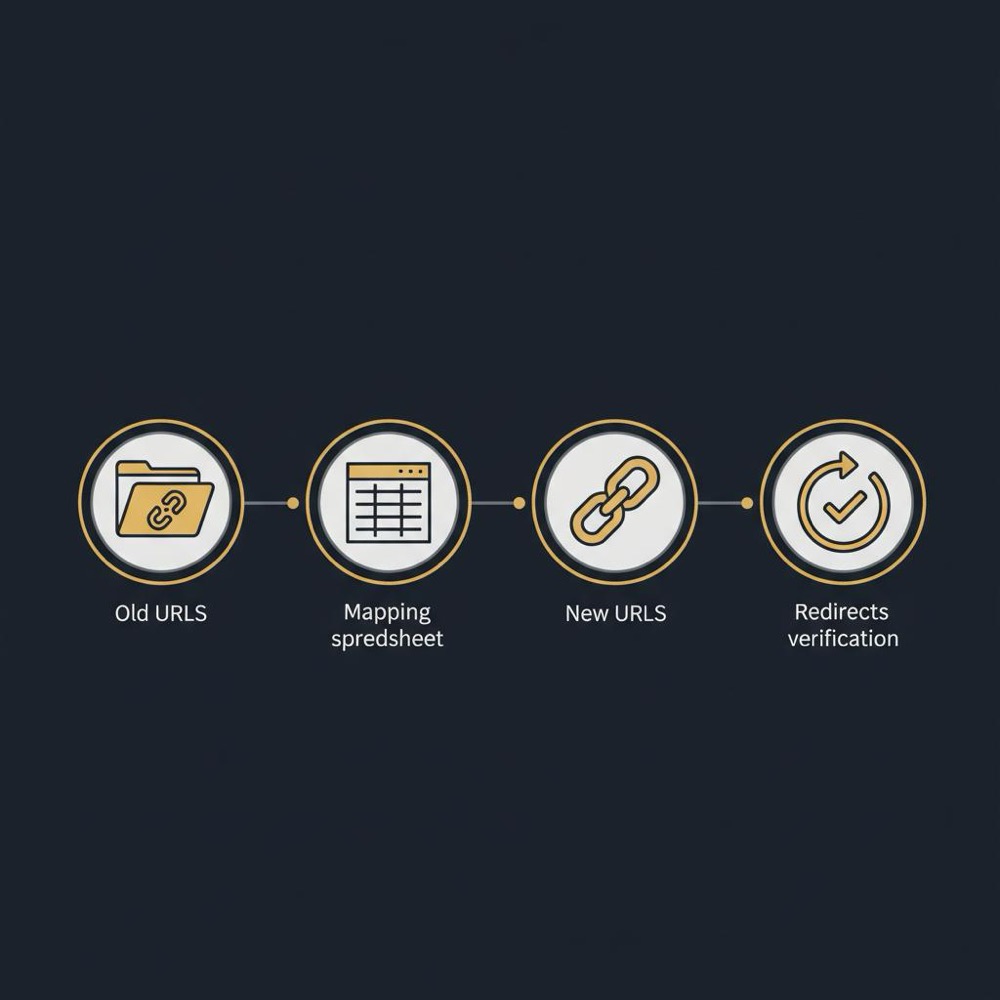
- URL map: Maintain a master spreadsheet of old-to-new URLs for migrations and record all redirects.
- Image optimization: Compress images, provide descriptive alt text, and use modern formats where possible.
- Speed checks: Measure real pages (including apps) with Lighthouse and WebPageTest.
- Faceted controls: Apply canonicalization or meta-robots noindex where faceting creates low-value pages.
- Hreflang & languages: Use apps or theme code to ensure correct hreflang cadence; verify with Search Console reports.
- Backlink audit: Map high-value referring pages and ensure critical backlinks point to the best matching target after redirects.
- Monitoring plan: Define success metrics (organic sessions, conversion rate, revenue) and set up weekly checks for anomalies.
For an extended checklist and tactical tips, see 101+ Shopify SEO Tips.
Migration best practices: how to avoid common pitfalls
Migrations are where many stores lose ground. A careful migration plan preserves relevance and traffic. Key steps include:
- URL mapping: map every meaningful legacy URL to the best equivalent. Don’t default thousands of product pages to category pages.
- Staged rollout: migrate a subset, monitor indexation, then proceed in phases.
- Redirect testing: validate redirects in a staging environment or with a temporary server rule before changing DNS.
- Preserve structured data: ensure product schema moves with pages - and test the live pages with Google’s tools.
- Monitor analytics & Search Console: look for 404 spikes, drops in index coverage, or unusual impressions/CTR changes.
When in doubt, hire an expert who understands both Shopify’s limits and migration mechanics.
International SEO on Shopify
International setups amplify complexity. Shopify can manage markets and languages, but it doesn’t offer the same server hooks a self-hosted stack provides. If you need strict country-domain separation or precise hreflang control, options include:
- Using subfolders with carefully managed canonical rules.
- Adding hreflang via a trusted app or custom theme code and testing it thoroughly.
- Working with a specialist to audit duplicate content risks and crawl allocation across locales.
For serious multi-market stores, the difference between a generic setup and a carefully engineered configuration can be tens of thousands of organic sessions per month.
Performance and apps: what to watch for
Apps can help, but they can also slow pages. Always test a page’s speed before and after you install an app. Key metrics to monitor:
- Largest Contentful Paint (LCP)
- Cumulative Layout Shift (CLS)
- Time to Interactive (TTI)
- Total Blocking Time (TBT)
If an app adds third-party scripts, check whether they are essential and whether deferred loading or server-side rendering can mitigate impact.
How much does Shopify SEO support cost?
Costs vary widely by scope:
- Small fixes and audits: typically a few hundred to a few thousand euros/dollars.
- Mid-sized projects (theme work, structured data, small migrations): several thousand to low tens of thousands.
- Large migrations, headless builds or enterprise SEO programs: high five to six-figure investments depending on scale and staffing.
Consider the value of avoiding traffic loss: the cost of a poor migration often exceeds the investment required to do it right.
Choosing an agency or consultant
When evaluating a partner, look for:
- Clear diagnostic work up front (not a long sales pitch).
- Examples of Shopify migrations or the exact problems you need to solve.
- Transparent pricing and deliverables.
- Communication style that matches your team’s needs.
Ask for a compact plan that prioritizes high-impact actions and a verification timeline. Check the partner's background on their about page. A good partner will tie SEO work to measurable outcomes.
Mini case study: what small mistakes teach us
A boutique kitchenware store moved to Shopify and redirected product pages en masse to collections. Traffic fell ~20% because many backlinks pointed to product pages; redirecting them to category pages diluted relevance. Fixing the redirects, restoring product-level targets and reapplying structured data recovered traffic over several months. The moral: small URL and redirect choices can have outsized consequences.
DIY versus hire: a decision flow
Use this simple decision flow:
- If you have fewer than 500 SKUs, sell primarily in one country, and search is not >40% of revenue - start DIY with apps and the checklist above.
- If you have 500-2,000 SKUs or modest international needs - consider a short audit or hourly consultant.
- If you have >2,000 SKUs, complex faceting, or plan a migration - hire a specialist or agency with migration experience.
Monitoring and KPIs that matter
Track these metrics weekly during major changes:
- Organic sessions (segment by landing page)
- Impressions and clicks from Search Console
- 404 and redirect counts
- Average ranking positions for core product groups
- Conversion rate by organic landing page
Early detection of traffic shifts allows quick mitigation.
Common myths about Shopify and SEO
Myth: Shopify is bad for SEO. Reality: Shopify provides a solid SEO foundation; problems arise when platform choices are not aligned with the site’s needs.
Myth: Apps will fix everything. Reality: Apps help, but they can introduce their own issues and they don’t replace server-level control.
Myth: Moving platforms always loses traffic. Reality: Migrations are risky, but with careful planning and expert support they can succeed without material loss.
Final checklist before you push a major change
- Backup current URL map and analytics data.
- Test redirects in staging.
- Check structured data before and after changes.
- Communicate timelines with your team and partners.
- Monitor Search Console daily for the first two weeks after a big change.
Short term wins you can do this week:
- Audit and update title tags and meta descriptions on your top 50 pages.
- Compress and lazy-load large images.
- Run a quick sitemap check in Search Console.
Extra resources and tools
Helpful tools for Shopify SEO work include:
- Google Search Console and Rich Results Test
- Google Analytics / GA4
- Lighthouse and WebPageTest
- Log file analysis (where available) or server logs if you use redirects at an external level
- Reputable Shopify apps for bulk editing metadata and hreflang management
- GetElevar's Shopify SEO guide
- Digital Darts - 101+ Shopify SEO Tips
Parting thought
Shopify does offer many of the features you need to rank: editable metadata, sitemaps, canonical tags, SSL, and responsive themes are standard. The real question is not whether Shopify can do SEO-it can-but whether the level of control it gives you matches your business needs. If not, a strategic partner can fill the gaps efficiently and with less risk.
Care for a deeper look? A short diagnostic often shows whether the work is simple or enterprise-grade.
Need a quick, practical SEO diagnostic for your Shopify store?
Ready to clarify the next step for your store? If you want a fast, focused diagnostic that tells you whether you can DIY or need a specialist, book a concise review with Orvus-they do short, practical audits that point to clear next actions.
Frequently asked questions
Does Shopify provide the basic tools for SEO?
Yes. Shopify ships with editable titles and meta descriptions, sitemap.xml, canonical tags, robots.txt, SSL, responsive themes and basic product structured data-features that cover the basics for most stores.
Can I change Shopify’s URL structure?
Not fully. Shopify enforces prefixes (like /products/) that limit full control of top-level URL paths.
Will apps fix every SEO limitation?
Apps can solve many gaps but they are not a full replacement for server-level control or custom architectures required by complex international or enterprise needs.
Thanks for reading - shipping updates and experiments carefully will keep your visibility stable and your customers happy.
Yes. Shopify provides editable title tags and meta descriptions, auto-generated sitemap.xml, canonical tags, an auto-created robots.txt, SSL, responsive themes, and basic product structured data-covering the majority of essential SEO tasks for small to mid-sized stores.
No. Apps can address many gaps-bulk metadata editing, hreflang management, redirect tools and enhanced structured data-but they can introduce performance overhead and do not replace server-level control needed for complex international strategies or enterprise migrations.
Hire a specialist when you run large catalogs (thousands of SKUs), operate across multiple countries/languages, plan a platform migration, or when organic search accounts for a major share of revenue. Specialists reduce migration risk, manage crawl-budget and redirects, and implement technical fixes that preserve traffic.
References
Want this kind of work done for your business?
We build and run AI-powered marketing and automation. 15 minutes, honest assessment.
Book a call