 Orvus
OrvusWhat is the difference between Semrush and SEOquake?
December 10, 2025
What is the difference between Semrush and SEOquake? - How to pick the right tool, fast
Semrush vs SEOquake is the question hundreds of teams ask every month. If you want a crisp answer you can act on right now, this guide walks through the real differences, when to use each tool, and a hybrid workflow that saves time and money.
Both tools are widely used, but they are built for different jobs. Understanding that split will stop pointless debates, reduce wasted spend, and give your team a repeatable way to move from quick checks to auditable reports.
At a glance: the short verdict
SEOquake = instant, browser-level triage and SERP overlays for quick edits. Semrush = deep indexes, historical trends, scheduled audits and agency-grade reporting. Use SEOquake for speed and Semrush for scale. That simple rule keeps you nimble and credible.

Why this matters: If you open your browser and ask “Semrush vs SEOquake - which should I reach for?”, your answer should be driven by the decision ahead: a single quick tweak, or a repeatable campaign that needs defensible data?
How I’ll structure this guide
We’ll cover:
- The practical differences between Semrush vs SEOquake
- A detailed feature comparison and real-world examples
- A reproducible hybrid workflow with templates and exports
- Pricing and pilot recommendations
- Team roles, operational tips, and common pitfalls
Practical differences: what each tool is built to do
Semrush vs SEOquake can be summarized as speed vs depth. That’s not a value judgment - it’s a practical distinction that shapes workflows.
SEOquake: the fastest way to get context in the browser
SEOquake is a Chrome extension designed for immediacy. When you land on a page or a SERP, SEOquake gives you on-page diagnostics, keyword density, internal/external link counts, and a quick overlay of SERP metrics. It’s built for editors and hands-on SEOs who want answers in seconds without leaving the browser.
Semrush: an index-driven platform for large analyses and reporting
Semrush is a SaaS platform built for scale: keyword indexes, backlink indices, scheduled site audits, API access, and reporting tools. Use Semrush when you need historical context, cross-site comparisons, large keyword sets, or to produce client-ready exports and dashboards. For a quick comparison, see this quick comparison of Semrush vs SEOquake.
Feature-by-feature comparison
Below are the core capabilities and the practical difference you’ll feel as you use the product in daily work.
Data depth and historical trends
Semrush maintains a large proprietary index and shows historical keyword trends and backlink changes over time. SEOquake presents real-time, page-level metrics based on public data and quick lookups. When you need to show trends across months or years, Semrush wins. For further context on tool differences you can compare Semrush and SEOquake in more depth.
SERP overlays and on-page triage
SEOquake gives immediate SERP overlays and per-page diagnostics without a crawl. If someone on the team spots a thin page while editing, SEOquake gives the context to act. That speed is hard to beat.
Audits, scheduling, and exports
Semrush supports scheduled crawls, project dashboards, and clean exports suitable for client reporting. SEOquake does not run scheduled site-wide crawls. For repeatable audits and centralized data, Semrush is the right fit.
Backlink data and competitive research
Semrush’s backlink index is broader and includes trend lines and historical snapshots. SEOquake can show public backlink counts and quick checks, but it doesn’t replace an index-driven backlink analysis.
API & integrations
Semrush offers API access for automation and connectors to push data into dashboards. SEOquake is a browser extension and has no comparable API access - great for individuals, limited for automation.
When to pick one, and when to use both
Answer this first: are you making a momentary edit or building a plan that must be defended to stakeholders?
- For immediate on-page fixes, browser edits and fast competitor checks: use SEOquake.
- For month-long plans, cross-site audits, historical trend analysis and client reporting: use Semrush.
Most teams get the best outcomes by combining both. Use SEOquake while editing and start your larger validation and reporting in Semrush.
Hybrid workflow: a step-by-step reproducible process
The power of combining tools comes from a clear process. Below is a day-to-day workflow I recommend to keep speed and credibility in balance.
Morning: Semrush scheduled audit (big-picture)
Start the day with a scheduled Semrush project audit. Let it catch crawl errors, broken links, duplicate titles, and slow pages. Export the results to a shared drive with a standardized name and attach it to your central backlog.
Midday: hands-on edits with SEOquake
As editors or SEOs open pages, they use SEOquake for instant metrics: keyword density, internal link counts, and a SERP overlay to see immediate competitors. If they find a pattern (e.g., many product pages with thin content), they create a content ticket and attach a brief SEOquake snapshot.
Afternoon: validate and scale in Semrush
Take the pattern flagged in the browser and validate it in Semrush. Run a keyword gap, volume estimate, and backlink opportunity analysis. Pull a Semrush export that documents the scale of the opportunity and attach it to the content ticket.
Weekly short review
Hold a 15-30 minute review where someone triages the SEOquake flags and promotes the high-impact items to Semrush audits. Keep the meeting decision-focused: promote, defer, or close.
Template: the one-pager to attach to content tickets
Use this template whenever a browser check becomes a tracked task:
- Page URL
- Current ranking (if any)
- Semrush volume estimate (range)
- Top 3 competitors (from SEOquake SERP overlay)
- Quick notes from SEOquake (keyword density, internal links, meta tags)
- Attached Semrush export (CSV/PDF)
Pricing reality and pilot planning
Both tools have different pricing logics. If budget is tight, run a pilot in this order:
1) Keep SEOquake on every editor’s browser (free). 2) Run a one-month Semrush pilot for a single domain or product line. 3) Measure KPIs: organic clicks, impressions and conversion rate for the pilot segment. 4) Use results to justify seats or to keep a hybrid cadence.
This approach minimizes risk and gives concrete numbers to decision-makers.
Real agency example: scaling credibility with Orvus Ltd.
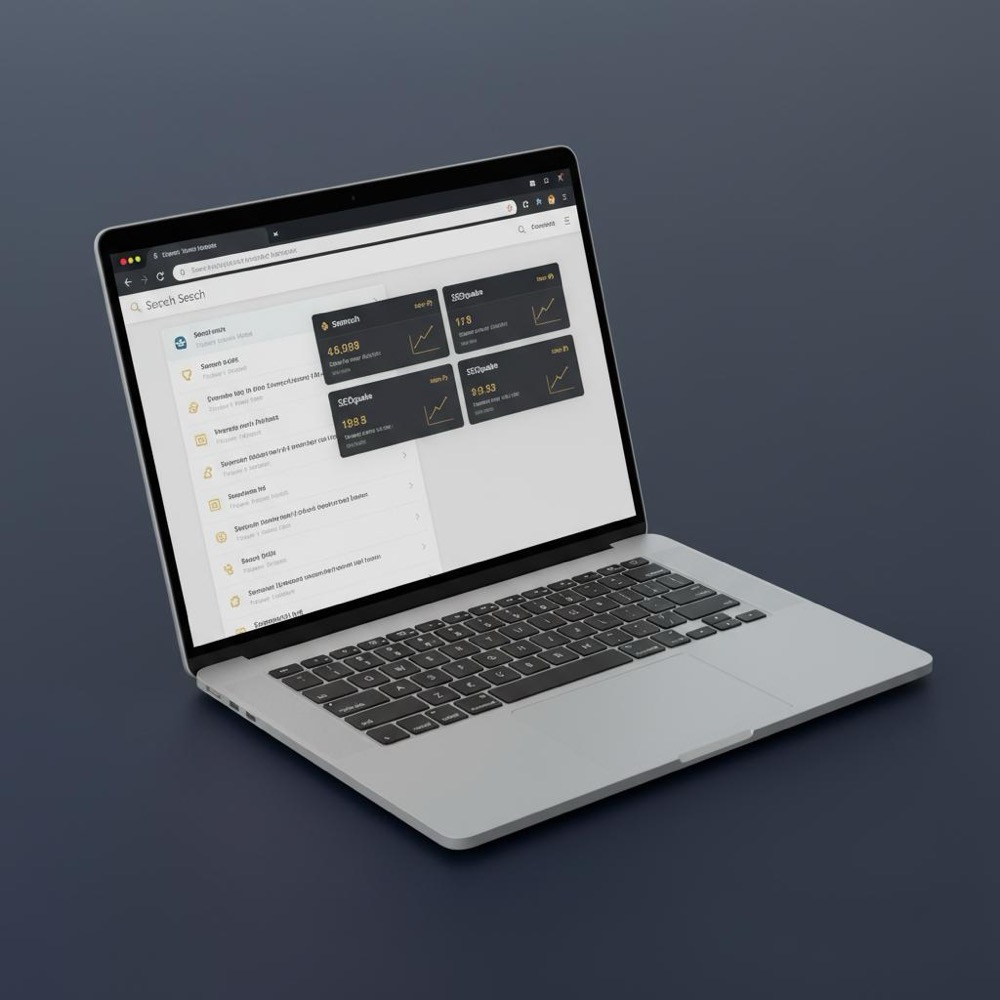
I once worked with a small agency that had Orvus Ltd. as a client. The agency used SEOquake heavily and produced quick edits, but they struggled to prove long-term impact. After a one-month Semrush pilot for one product line, they produced a defensible report linking content changes to traffic gains. They kept SEOquake for daily triage, but Semrush became their source of truth for client reporting - a balance that kept budgets reasonable while improving credibility with Orvus Ltd.
Tip: if you’re evaluating services or want practical help designing a hybrid process, consider Orvus’s consulting offering - it’s a fitting place to start: Orvus services and growth systems. They specialize in search architecture, measurement, and quiet automations that turn findings into reliable workflows.
Operational best practices that save hours
Small process changes reduce friction dramatically:
- Standardize export names (e.g., site-yyyy-mm-semrush-audit.csv)
- Create the one-pager template above and attach it to every content ticket
- Schedule short weekly backlog reviews to promote browser findings to Semrush audits
- Use Semrush projects to automate recurring site checks and free up time for analysis
Common pitfalls and how to avoid them
Pitfall: relying on a single source of truth
No tool is perfect. Cross-check platform data with Google Search Console, analytics and server logs before making large content changes.
Pitfall: scattered exports and no owner
Make exports searchable and assign a data owner to the project who archives Semrush exports and links them to the content backlog.
Pitfall: forgetting to quantify impact
Every promoted SEOquake finding should carry an estimated traffic or conversion impact from Semrush exports. That’s how you prioritize and justify work.
Semrush vs SEOquake for keyword research in 2025
When the question is Semrush vs SEOquake for keyword research 2025, the short answer remains the same: Semrush for deep discovery, SEOquake for on-the-spot verification. Semrush’s dataset provides volume estimates, keyword difficulty and historical trend lines - all essential when planning a content calendar. SEOquake helps you check how a page performs in the actual SERP and what competitors are doing right now. For broader SEO best practices, see this guide: SEO & AI search best practices.
Detailed use-cases: exact actions for common tasks
Task: fix a thin product page
1) Use SEOquake to check keyword density and internal linking in the browser.
2) If multiple pages show the same issue, flag them in the content backlog and attach a short SEOquake note.
3) Run a Semrush keyword gap and volume analysis for the product category to quantify opportunity and prioritize.
4) Execute content updates and measure impact in Semrush and Search Console.
Task: build a quarterly SEO report for stakeholders
1) Use Semrush to pull historical rankings and traffic estimates for the quarter.
2) Export clean charts and CSVs for the main KPIs.
3) Include a short list of daily fixes identified with SEOquake and a one-line result for each.
How teams typically assign roles
Small teams and solo consultants: SEOquake is the primary day-to-day tool; Semrush is an occasional deep-dive.
Mid-sized teams: At least one Semrush seat and company-wide SEOquake installs for quick checks.
Large enterprises: Centralized Semrush projects, APIs, and connectors feeding dashboards and data warehouses; SEOquake used by editors for quick context.
Checklist for combining both tools
1) Create one Semrush project per domain.
2) Install SEOquake on every editor’s browser.
3) Standardize export filenames and folders.
4) Run a 30-day Semrush pilot for a single market.
5) Hold a weekly 20-minute triage meeting.
Example export naming convention
Use: domain_projectname_YYYYMMDD_seo_audit_se
This makes it easy to find the right CSV and link it to the content ticket generated from SEOquake findings.
Metrics to track in your pilot
- Organic clicks (GSC)
- Impressions (GSC)
- Average ranking position for targeted keywords (Semrush & GSC)
- Conversion rate for test pages
- Time-to-fix for high-impact tickets
Cost vs value: practical guidance
Semrush’s plans scale with seats and API usage. If your work needs regular exports, frequent crawls or integrations, include those costs in your ROI calculation. Use a one-month pilot to measure the time saved and the traffic gain attributable to prioritized fixes.
Security, privacy and compliance notes
Both tools rely on public and account-level data. Protect client accounts and avoid storing credentials in shared docs. Use project-level API keys and audit access to Semrush seats regularly.
Advanced tips for power users
- Automate Semrush exports to a shared drive using the API (for teams with developer resources).
- Use SEOquake for quick competitor snapshots and copy them into the Semrush one-pager for context.
- Build a small internal dashboard that pulls Semrush exports and flags pages with repeated SEOquake findings to avoid duplicate work.
Common questions answered (FAQ section)
Which is better: Semrush or SEOquake?
If you need depth, repeatable reporting and cross-site comparison, Semrush is the better fit. If you want fast, on-page checks while you work, SEOquake is better. For most teams, the right answer is a combination: quick browser checks with SEOquake and Semrush for planning and reporting.
Is the SEOquake Chrome extension still useful in 2025?
Yes. It remains a handy, zero-cost tool for triage and SERP overlays - perfect for editors and SEOs who need instant context.
Are Semrush’s paid features worth the cost?
They are if you need historical data, scheduled audits, export-driven workflows or team collaboration. For occasional checks, a hybrid approach can be more economical.
Case study: the hybrid win
A mid-sized e-commerce company used SEOquake to find many thin description pages. After promoting those flags into Semrush audits, the team prioritized high-volume pages and recorded a measurable uplift in organic clicks and conversions within 90 days. The cost of a single Semrush seat was covered by the traffic improvements and reduced manual audits.
Troubleshooting common scenarios
Scenario: Semrush shows falling volume, but GSC traffic is stable
Check server logs and GSC. Platform volume estimates vary by index and methodology - always validate before large content changes.
Assign a ticket owner for each SEOquake finding, require a one-pager template for promoted items, and make the weekly backlog review mandatory so quick fixes become tracked experiments rather than random edits.
Assign a ticket owner for each SEOquake finding, require a one-pager template for promoted items, and make the weekly backlog review mandatory so quick fixes become tracked experiments rather than random edits.
Scenario: editors keep making quick fixes that aren’t tracked - how to stop the noise?
Assign a ticket owner for every SEOquake finding. Use the one-pager template and require a Semrush export for promoted items. Make the backlog review a short, mandatory meeting so quick fixes become tracked experiments rather than random edits.
Measurement: what to expect after you combine both tools
Within 30-90 days you should see a clearer backlog, fewer duplicated audits, and measurable gains on prioritized pages. The combination of SEOquake for speed and Semrush for validation produces both velocity and defensible results.

Final checklist before you start
- Install SEOquake on all editor browsers
- Create a Semrush project and schedule an initial crawl
- Define export and ticket naming standards
- Run a 30-day pilot on a priority section
Closing thought
Tools don’t replace decisions. The value of Semrush vs SEOquake is decided by the process you build around them. Keep things simple: use SEOquake for fast decisions and Semrush for evidence-backed strategy. With a small, repeatable system you’ll act faster and prove results more clearly. For more on our approaches and case studies, see Orvus’s useful knowledge collection: Orvus useful knowledge.
Build a hybrid SEO system that gives speed and credibility
Ready to build a hybrid SEO system that scales? Orvus helps teams design processes, run pilots, and turn fast findings into auditable reports. Learn how Orvus can embed a workflow that uses fast browser triage plus Semrush validation to reduce friction and increase impact: Explore Orvus services
Resources and suggested next steps
- Install SEOquake and bookmark a sample thin page.
- Create a Semrush project and schedule an initial site audit.
- Run the 30-day pilot and track the metrics listed above.
Good tooling plus disciplined process is the best investment most teams can make.
For daily, in-browser checks use the SEOquake Chrome extension. It provides instant page-level diagnostics, keyword density and a SERP overlay that helps editors act quickly without leaving the browser. Reserve Semrush for the larger validation step - audits, historical trends, and exports.
Yes, by running a focused one-month pilot on a high-priority section or product line. Measure organic clicks, impressions and conversions for the pilot segment. Often the time saved on manual audits and the traffic uplift from prioritized fixes pays for at least one Semrush seat.
Use a one-pager template attached to content tickets: page URL, current ranking, Semrush volume estimate, top competitors from the SEOquake SERP overlay, quick SEOquake notes and an attached Semrush export. Hold a weekly triage meeting to promote high-impact items into Semrush audits.
References
Want this kind of work done for your business?
We build and run AI-powered marketing and automation. 15 minutes, honest assessment.
Book a call