 Orvus
OrvusIs Rank Math SEO plugin free? A guide for teams
February 13, 2026
The aim is pragmatic. If you run a small site or a hobby blog you likely only need the free edition. If you manage ecommerce stores, many client sites, or need built‑in tracking and advanced schema, the paid tiers may be worth evaluating. The piece is organized so you can jump to the section that matches your immediate task.
Quick answer: Is rankmath seo free?
Yes. Rank Math publishes a free core WordPress plugin that you can install from WordPress.org or download from the vendor site vendor site; the free edition continues to be distributed alongside paid Pro, Business, and Agency tiers Rank Math on WordPress.org.
In short, hobby bloggers and many small sites often find the free build sufficient for baseline on-page needs, while small businesses with ecommerce needs or agencies managing many client sites commonly evaluate a paid tier for extra schema types, WooCommerce support or built-in tracking.
Paid plans exist and the exact plan names, feature mappings and licensing limits can change, so confirm current details on the vendor pricing page before upgrading Rank Math pricing.
The free Rank Math plugin delivers core on-page SEO tools: controls for meta titles and descriptions, automatic XML sitemaps, basic schema output and automated SEO checks that flag common issues in posts and pages. These are the features you typically see in the free build and are intended to cover everyday content needs Rank Math on WordPress.org.
Need help deciding whether to upgrade Rank Math?
Check the free plugin settings in your WordPress admin and compare modules listed in the plugin dashboard before deciding to upgrade.
Operationally, "basic schema" means support for common schema types such as Article or WebPage and simple structured data output. It does not necessarily include every advanced schema type or the extended, commerce-specific schema that paid modules add.
The practical limits of the free edition include restricted access to some module types, narrower schema coverage, and lower priority for commercial support compared with paid plans; site-count licensing and certain commerce integrations are frequently gated behind paid tiers Free vs Pro comparison.
For teams this means the free build is a useful baseline: it enforces cleaner metadata, creates sitemaps, and provides automated checks. But if your site needs advanced schema, local SEO modules, or deeper ecommerce integration you should expect to test whether a paid tier is required.
Paid Rank Math tiers add advanced modules and features on top of the free baseline. Typical premium additions include expanded schema types, dedicated WooCommerce integrations, local SEO modules, built-in rank tracking and higher support priority for license holders Pricing - Rank Math.
Rank Math offers a free core WordPress plugin that covers basic on‑page SEO. Teams should upgrade when they need advanced schema, WooCommerce integration, built‑in rank tracking or higher licensing and support levels.
These paid features are aimed at teams that need capabilities beyond simple page metadata: expanded schema can help represent complex content types, WooCommerce modules add product schema and commerce-aware controls, and built-in rank tracking reduces reliance on separate tools.
Licensing and support differ by plan. Paid tiers often have site counts, licensing rules for multisite instances, and levels of support response that are not part of the free edition; the exact site counts and plan names have changed incrementally in recent years, so verify specifics before you buy Free vs Pro comparison.
Who benefits from which tier varies. Small businesses that run an online store often need at least one paid feature such as WooCommerce integration or expanded schema. Agencies and multi-site operators commonly choose higher tier plans to cover multiple client sites and to access priority support and additional modules Rank Math Pro feature roundup. See further comparisons at Rank Math vs Yoast.
How to check your rankmath seo edition and activate a license
Verify which edition you have from the WordPress admin: open Plugins and look for the Rank Math entry, then check Rank Math > Dashboard to view active modules and edition details Rank Math on WordPress.org.
The standard upgrade flow is straightforward: purchase the plan on the vendor pricing page, copy the license key provided after purchase, then paste that key into the Rank Math license field inside the plugin settings in your WordPress dashboard and activate it Pricing - Rank Math.

Documentation on activating a license and troubleshooting activation errors is available on the vendor site and in knowledge base articles; follow those vendor instructions for the most current UI details since admin screens and wording can change over time Free vs Pro comparison.
Who should use the free rankmath seo plugin and when to upgrade
Hobby bloggers and simple content sites often have their needs met by the free Rank Math plugin: metadata control, automatic sitemaps and basic schema are the most common requirements for these sites Rank Math on WordPress.org.
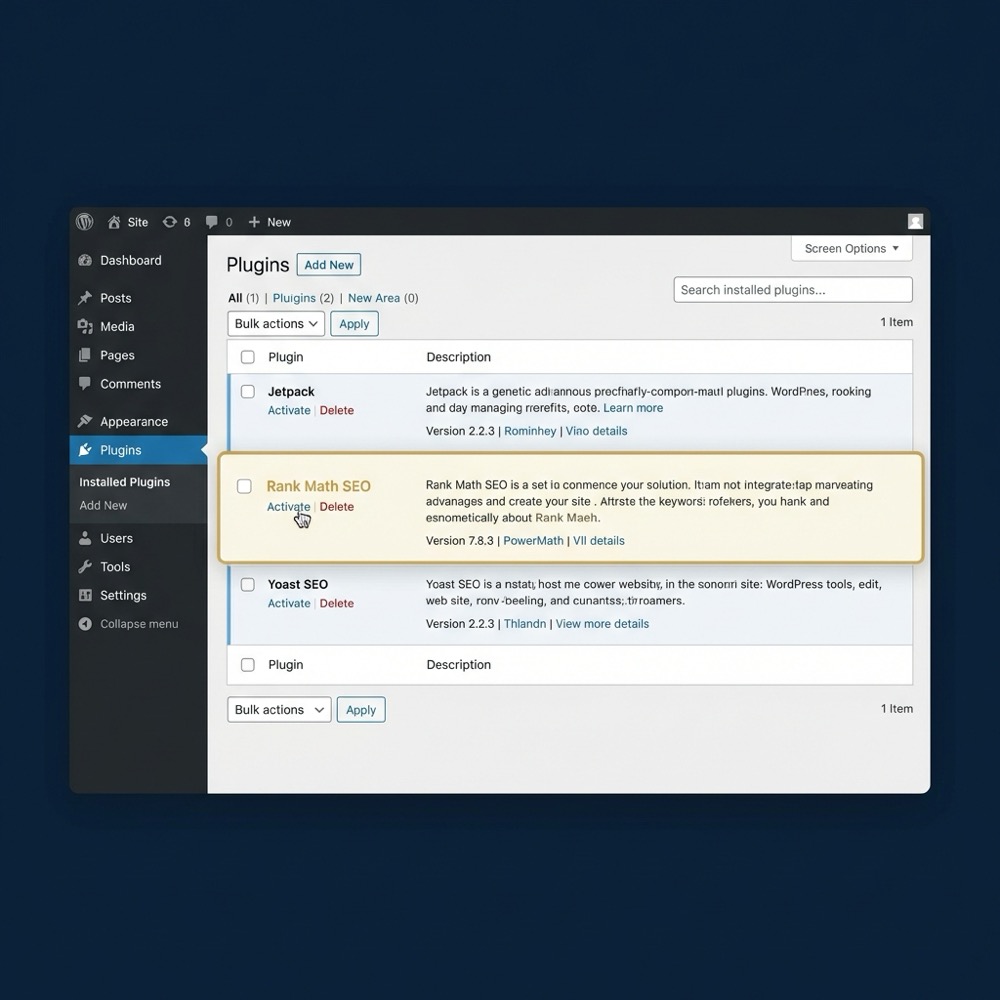
Small businesses and commerce sites should evaluate their specific feature needs before relying on the free edition. If you need product schema, checkout-aware SEO controls or deeper WooCommerce features, a Pro or Business module may be necessary.
Agencies and multi-site operators typically assess site counts, multisite licensing rules and support SLAs when choosing a plan. When you have many client sites, the licensing model and management workflow often justify moving to a paid tier to avoid per-site friction Pricing - Rank Math.
Decide based on constraints: number of sites to manage, need for built-in rank tracking, ecommerce modules, and expectations for vendor support. Each of these factors changes the cost-benefit balance between free and paid options; see our about page for company context.
Decision checklist: choosing the right Rank Math plan for your site
Use a short checklist to map requirements to plan capabilities. Start by listing the schema types you require, whether you need WooCommerce support, whether built-in rank tracking is important, how many sites you must license, and the level of support you need.
Map required SEO features to plan limits
Use this as a short internal checklist
Operational checklist items to include: developer availability to install and test modules, staging environment for upgrades, reporting and measurement owner, and a decision owner for licensing spend. Involve the developer, product owner and marketing lead when you evaluate plans Free vs Pro comparison. If you need help, see our Orvus Unique Services.
Process: map needs, confirm vendor plan mappings on the pricing page, test the free plugin on staging, then upgrade if a paid module delivers a specific capability you cannot replicate with plugins or custom code Pricing - Rank Math.
Common pitfalls and limitations of the free rankmath seo edition
A frequent mistake is assuming the free plugin includes every advanced schema type or commerce integration; that can produce surprises after installing when a module you expected is not available in the free build Free vs Pro comparison.
Another common issue is not checking licensing rules for multisite or multi-domain setups. Paid plans often specify site counts and multisite conditions that differ from a simple single-site license, so verify those limits before you roll out across clients Pricing - Rank Math.

Upgrade friction can include reconfiguring modules, migrating settings, or needing separate license keys per site in an agency context. Test upgrades on a staging environment and document the step sequence to reduce downtime and configuration drift.
Practical scenarios and setup examples with rankmath seo
Hobby blog quick setup: install the free plugin, run the setup wizard, confirm XML sitemap generation, and review automated SEO checks on a few sample posts. The free build usually covers these steps and gives a quick baseline for content hygiene Rank Math on WordPress.org.
Small ecommerce site with WooCommerce: start with the free plugin to get metadata and basic schema in place, then test whether product schema and checkout-aware controls are necessary. If you need richer product structured data or commerce modules, a paid tier often provides dedicated WooCommerce integration.
Agency multi-site workflow: use a staging environment per client, maintain a spreadsheet of license keys and active modules, and consider higher tier licensing to simplify management. When multiple client sites are involved, the time saved on coordinated updates and consolidated support can change the decision calculus Pricing - Rank Math.
Before you commit to a paid plan, confirm current plan names, site counts and the precise features included on the Rank Math pricing page Pricing - Rank Math.
Also review the free plugin entry on WordPress.org for recent release notes and compatibility details before updating a live site Rank Math on WordPress.org. Or see an external guide at Rank Math SEO guide.
Immediate actions: check your Plugins list and the Rank Math dashboard, run a plugin audit on staging, and map required features to the checklist above. If a paid feature is required, buy the plan, copy the license key and activate it in the plugin settings to test on staging first Free vs Pro comparison. Also check our helpful articles useful knowledge.
Yes. For most hobby blogs the free plugin provides meta/title controls, XML sitemaps and basic schema that are sufficient for standard content needs.
Not always. Test the free plugin first, but if you need dedicated product schema and deeper commerce controls a paid tier is commonly required.
Copy the license key from your Rank Math account and paste it into the license field in the plugin settings inside your WordPress dashboard, then activate it.
When in doubt, document the specific capability gap you want to close, map it to the plan comparison, and involve your developer and marketing lead to agree the upgrade path.
References
Want this kind of work done for your business?
We build and run AI-powered marketing and automation. 15 minutes, honest assessment.
Book a call