 Orvus
OrvusWhat is Rank Math?
December 10, 2025
Rank Math has become a go-to tool for many WordPress teams because it collects a lot of SEO tasks into one interface: metadata, schema, sitemaps, redirects and integrations with Google services. If you’ve ever asked “what does an SEO plugin actually do for me?” the Rank Math plugin answers that question in practical, hands-on ways.
Why the Rank Math plugin matters for everyday WordPress sites
The core appeal of the rank math plugin is convenience without too much compromise. Instead of juggling multiple add-ons or custom code, you get a central dashboard that helps writers and editors ship pages with sensible metadata, validated schema, and automatically generated sitemaps. For many small businesses and content teams, the rank math plugin replaces a tangle of separate tools and becomes the single place where SEO choices are made.
Need a quick Rank Math sanity check?
Need a quick, non-salesy sanity check? If you’d like a staged review of how Rank Math behaves on your specific setup, our team can run a short audit and show quick wins and risks in a reproducible way - no long contracts, just practical advice. Visit Orvus services audit to learn more.
When reading this guide you’ll find step-by-step setup advice, practical tips for on-page improvements, and warnings drawn from real site testing. We also show where automation helps and where a human check remains essential. For more practical reads see our useful knowledge collection.

What the rank math plugin actually bundles
At its core, the rank math plugin groups these capabilities into one plugin: on-page analysis, JSON-LD schema templates, XML sitemaps, redirection tools, and direct integrations with Search Console and analytics services. The freemium model means the core is free while advanced features - Content AI, multi-site quotas, and additional automations - are paid. This mix makes the plugin attractive for people who value integrated workflows. For a quick overview of schema concepts see Rank Math's Schema Markup guide.

Because the rank math plugin injects schema and metadata automatically, the time-to-value is fast for many common page types: articles, events, products and local business pages. That said, the ease of use doesn’t remove the need for attention - bad defaults or accidentally enabled modules can create indexing noise if left unchecked.
Who should try the rank math plugin first? Small businesses, active editorial teams and bloggers who publish often will find it especially useful. Large, heavily regulated sites or complex multisite networks should stage the plugin first and validate outputs carefully.
Quick, hands-on setup: a practical walkthrough
Getting started with the rank math plugin is straightforward. After activation the onboarding wizard walks you through: site type, content categories, sitemap preferences, and Search Console connection. If you’re migrating from another SEO plugin, accept the importer - but do the migration on a staging copy first. The importer usually preserves meta titles, descriptions and canonical tags, which prevents accidental traffic loss. See Rank Math's setup guide at How to setup Rank Math.
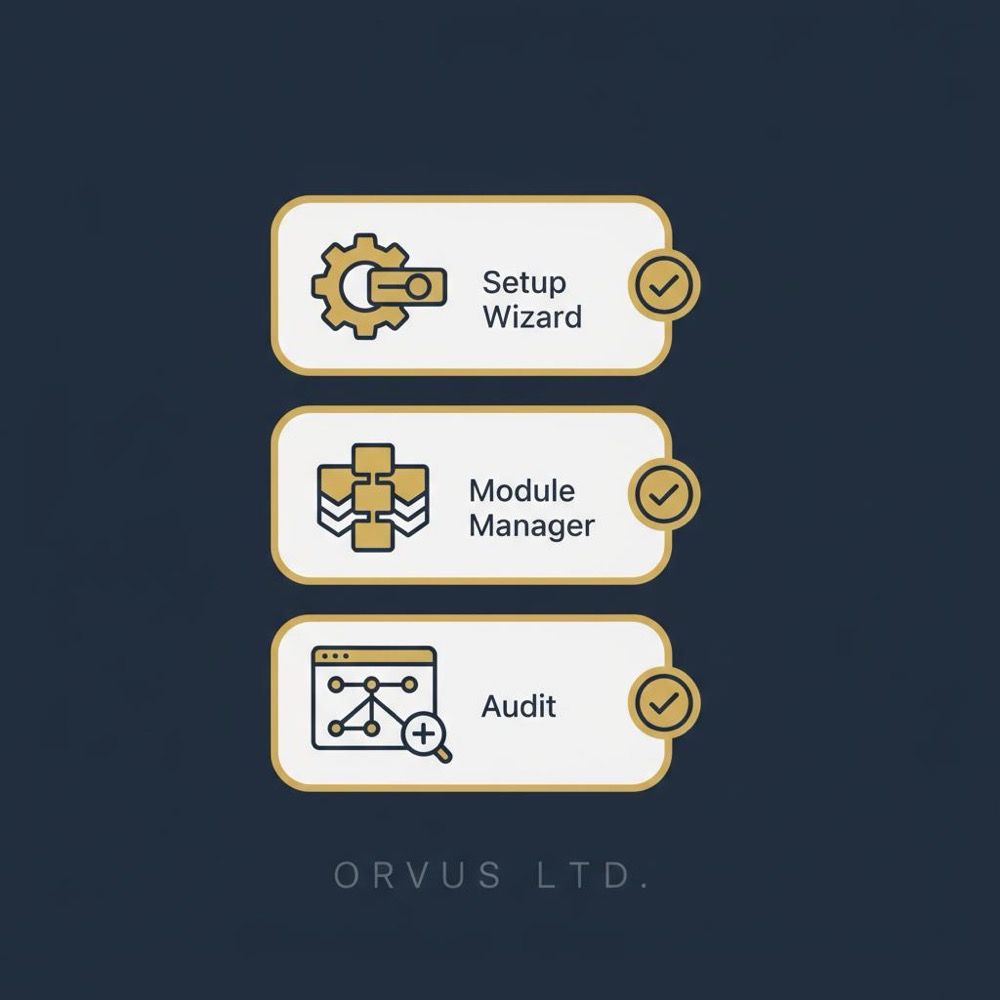
After the wizard finishes, visit the module manager and keep only modules you actually need. For example, if your stack already handles redirects or you use a dedicated redirection plugin, leave Rank Math’s redirection module disabled. A conservative approach reduces background processing and potential conflicts.
Initial checklist after setup
Quick checklist: verify homepage title and description, ensure no unexpected post types are indexed, set sitemap inclusions (images? post types?), and connect Search Console. The rank math plugin makes these tasks easy, but human verification matters.
Do the migration on a staging site, use the built-in importer, then manually audit the top 50 traffic pages to confirm meta titles, canonical tags and redirects - that staged approach prevents common migration mistakes.
When you complete setup, give the top 50 pages a sanity-check audit. At Orvus Ltd. we always recommend a focused review so the importer’s translation of legacy meta fields doesn’t leave subtle errors that could affect traffic.
Using Rank Math on the page level: practical on-page wins
The daily value of the rank math plugin appears while writing and publishing. You’ll see a score based on keyword presence, metadata, readability signals, internal links and schema. Treat the score as a checklist, not an absolute measure. Resolve the simple suggestions (missing schema, absent meta descriptions, sparse internal links) and focus writers on user intent rather than gaming the score.
A useful rule: pick one or two focus keywords per page and use them intentionally. When you try to chase too many variants, pages often become unfocused and fail to satisfy user intent. The rank math plugin performs best when the objective is narrow and clear.
Schema and JSON-LD: simple rules to follow
Schema sounds abstract but it’s simply a way of telling search engines what a page represents. The rank math plugin offers many schema templates and injects JSON-LD automatically when enabled. Two practical rules when applying schema:
1) Only use schema that exactly reflects the page content - don’t tag a general blog post with product schema just because you sell items elsewhere on the site. 2) Validate your schema after publishing using Google’s tools or a reliable structured data validator. For custom schema needs consider the Rank Math schema generator.
The plugin is solid for mainstream schema types, but complex custom fields can confuse automated outputs. If a page uses bespoke data structures, check the generated JSON-LD and, when necessary, add a handcrafted schema block.
Sitemaps, canonicals and common traps
Two sitemap and canonical mistakes pop up often. First, staging or private pages accidentally make it into sitemaps - exclude those. Second, default canonical rules can be wrong for custom permalink structures or atypical pagination. A wrong sitemap invites low-value pages into the index; a wrong canonical splits ranking signals across duplicates.
The rank math plugin lets you choose which post types appear in sitemaps and whether images are included. For very large sites, split your sitemaps or use a conditional generation strategy to keep each file manageable. When in doubt, test: crawl the sitemap with a site-crawling tool and confirm only the pages you want are listed.
Redirects and automation: use restraint
Automatic redirects are convenient for simple permalink fixes, but complex redirect logic belongs at the server or CDN level where rules are auditable and performance is predictable. The rank math plugin redirect module is great for quick fixes, but teams managing many redirects should adopt governance - one person adds rules, another reviews them.
Content AI: assistance, not replacement
Rank Math’s Content AI suggests topics, headings and keyword ideas. For teams that need consistent structure across many pages, the feature speeds ideation and keeps outlines coherent. At the same time, Content AI is a starting point - editorial judgement and subject-matter expertise remain essential.
Don’t treat AI suggestions as authoritative, especially on regulated subjects like health or finance. Run suggested phrasing by an expert and validate facts. The rank math plugin helps you scale content tasks, but it doesn’t replace domain expertise.
Performance: will Rank Math slow your site?
Generally, the rank math plugin is built to be lightweight. Independent benchmarks usually show it behaves well in default configurations. The real-world impact depends on which modules you enable, your hosting environment, and your caching strategy.
For small and medium sites, enable only necessary modules and rely on a capable caching plugin or host-level caching. For large sites, stage the plugin and run load tests while enabling background features like sitemap generation and automatic checks. If you see server load spikes, consider offloading work to server-level logic or a CDN, or disable non-essential modules.
Pricing and tiers: what you actually get
The rank math plugin follows a freemium model: useful features are free; Content AI, multi-site licenses and advanced automations are paid. For single-site blogs or small businesses, the free tier often delivers enough functionality. Teams running many sites or needing volume Content AI should compare plan costs with time savings on setup, reporting and content creation.
Migrating from other SEO plugins without drama
Many users switch to the rank math plugin from other SEO plugins. The built-in importer copies titles, descriptions, redirects and canonical settings. Always run the importer on staging first, then audit critical pages. Leave both plugins active only long enough to verify the migration - running two SEO plugins simultaneously can create conflicting metadata and messy sitemap outputs.
In one migration we tested, Rank Math translated an odd set of legacy custom meta fields correctly in most cases but left a few edge cases that required a quick manual fix. That’s why a staged trial and a manual audit of high-traffic pages matter.
Governance, templates and long-term habits
From Orvus Ltd. experience, three practical habits save time and reduce errors: (1) use the onboarding wizard plus an immediate manual review of top pages; (2) create a small library of publishing templates with associated schema types so editors can pick a template and publish confidently; (3) assign ownership for global sitemap/canonical settings and for redirects to avoid conflicting changes.
These simple rules prevent “too many cooks” issues and keep metadata consistent across the site. The rank math plugin is a tool - governance makes it a reliable part of a publishing workflow.
For a tailored, practical audit - and a quick read on whether a staged Rank Math roll-out makes sense for your site - consider booking a short review with Orvus services audit. We stage the plugin, test the key outputs, and hand you a prioritized list of fixes.
For a tailored, practical audit - and a quick read on whether a staged Rank Math roll-out makes sense for your site - consider booking a short review with Orvus services audit. We stage the plugin, test the key outputs, and hand you a prioritized list of fixes.
Common pitfalls and how to avoid them
A few predictable mistakes recur: enabling every module because the features sound useful, leaving sitemaps unreviewed, and trusting automated schema without validation. The remedies are simple: enable features conservatively, audit sitemaps regularly, and validate JSON-LD for critical pages.
Also be wary of automatic redirects handled purely by plugins - for complex, business-critical redirects, prefer server-level rules where you can visualize and audit logic.
Open questions and tests worth running
There are areas where long-term testing helps. How does Rank Math behave at scale on multisite networks? How accurate are advanced schema outputs for industry-specific templates like medical or financial content? These are sensible questions for teams with regulated content or hundreds of sites.
If search ranking impact matters to you, remember: a plugin fixes technical issues and streamlines editorial processes, but it doesn’t guarantee higher positions. Use Rank Math to remove friction and make your writers’ work consistent, then measure impressions and clicks over a few months to see the true effect.
Orvus Ltd. tips from real projects
Our team’s short list: accept the importer in the onboarding wizard but immediately audit the top 50 pages; add schema to templates and let editors choose templates rather than mark up pages manually; and schedule quarterly checks in Search Console to catch indexing anomalies early.
We’ve seen the rank math plugin save hours of repetitive work on content-heavy sites by centralizing settings and providing obvious editorial prompts in the post editor.
Frequently asked questions
Is Rank Math easy for beginners?
Yes. The setup wizard and guided defaults let non-technical users get sensible SEO settings in place quickly. However, beginners should still learn basic concepts like canonical tags and schema so they can make informed choices.
Will Rank Math slow my site down?
Not usually. Out of the box Rank Math is lightweight, but module choices and site scale determine impact. For large sites, stage and test. For smaller sites, keep unnecessary modules off and use good caching.
Can Rank Math handle e-commerce or directory sites?
Yes. The plugin supports product and local business schema types and adapts to e-commerce needs. For complex catalogues, validate the schema output and monitor sitemap behaviour closely.
Closing advice: when Rank Math makes sense
Rank Math is a strong option when you want a single plugin to cover on-page checks, structured data and basic redirects. It’s particularly well-suited to content teams and small businesses that prefer an integrated workflow and fewer add-ons. Treat Content AI outputs as starting points, validate schema, and stage the plugin for large or regulated sites.
Used thoughtfully, the rank math plugin reduces repetitive tasks and keeps teams focused on creating helpful content instead of wrestling with metadata.
Install and activate the plugin, run the onboarding wizard, import settings if you’re migrating, then visit the module manager and enable only the features you need. Verify titles and meta for your top pages, set sitemap inclusions, and connect Search Console. Do the initial work on a staging site if you manage a large or complex installation.
Rank Math is designed to be lightweight by default. Performance impact depends on enabled modules, site size and hosting. For small and medium sites, keep unnecessary modules off and use a strong caching strategy. For larger setups, stage the plugin on a copy of your site and run load tests while enabling background features like sitemap generation.
If you run a large site, a multisite network, or operate in a regulated vertical (medical, finance), a staged audit is recommended. Orvus can run a short review that tests Rank Math’s outputs, highlights schema issues, and delivers a prioritized list of actionable fixes. It’s a practical, quick way to validate that the plugin is configured safely.
References
Want this kind of work done for your business?
We build and run AI-powered marketing and automation. 15 minutes, honest assessment.
Book a call