 Orvus
OrvusCan I use Rank Math and Yoast together? Migration and coexistence guide
January 30, 2026
It pulls together best practice guidance: use a single primary plugin where possible, migrate using importers, test on staging, and disable overlapping outputs when short term coexistence is required. The steps are pragmatic and intended to reduce debugging time and indexing risk.
Short answer: can you run Rank Math and Yoast together? (rankmath seo)
Short verdict, up front: running Rank Math and Yoast together is possible for a short migration window, but it is not recommended as a long-term setup because overlapping outputs can produce duplicated meta tags, sitemaps, and schema that create conflicting signals.
Both plugins supply migration tools so the supported path is to pick one primary plugin and move settings rather than operate both permanently; Rank Math documents an importer specifically for Yoast data.
Quick pre-migration checklist for SEO plugin transitions
Run on staging before production
Practical note for teams, especially non-developers: keep an explicit primary plugin for long-term maintenance and use importers to preserve metadata and settings where possible.
What each plugin does and why overlapping features cause problems
Both Rank Math and Yoast control several on page and site level outputs, including meta title and description tags, XML sitemaps, structured data or schema, and canonical headers, so they overlap in the core outputs search systems read.
Yoast publishes guidance explaining that multiple SEO plugins can create duplicate meta output and conflicting controls, which is a common source of site level inconsistencies.
When two plugins both emit a sitemap index or duplicate structured data, search engines can see competing signals about the authoritative canonical or the canonical URL, which makes indexation harder to interpret for crawlers.

XML sitemaps are a single source of truth for many hosts and search console setups, so duplicate sitemap indexes from different plugins can lead to confusion during crawling and reporting.
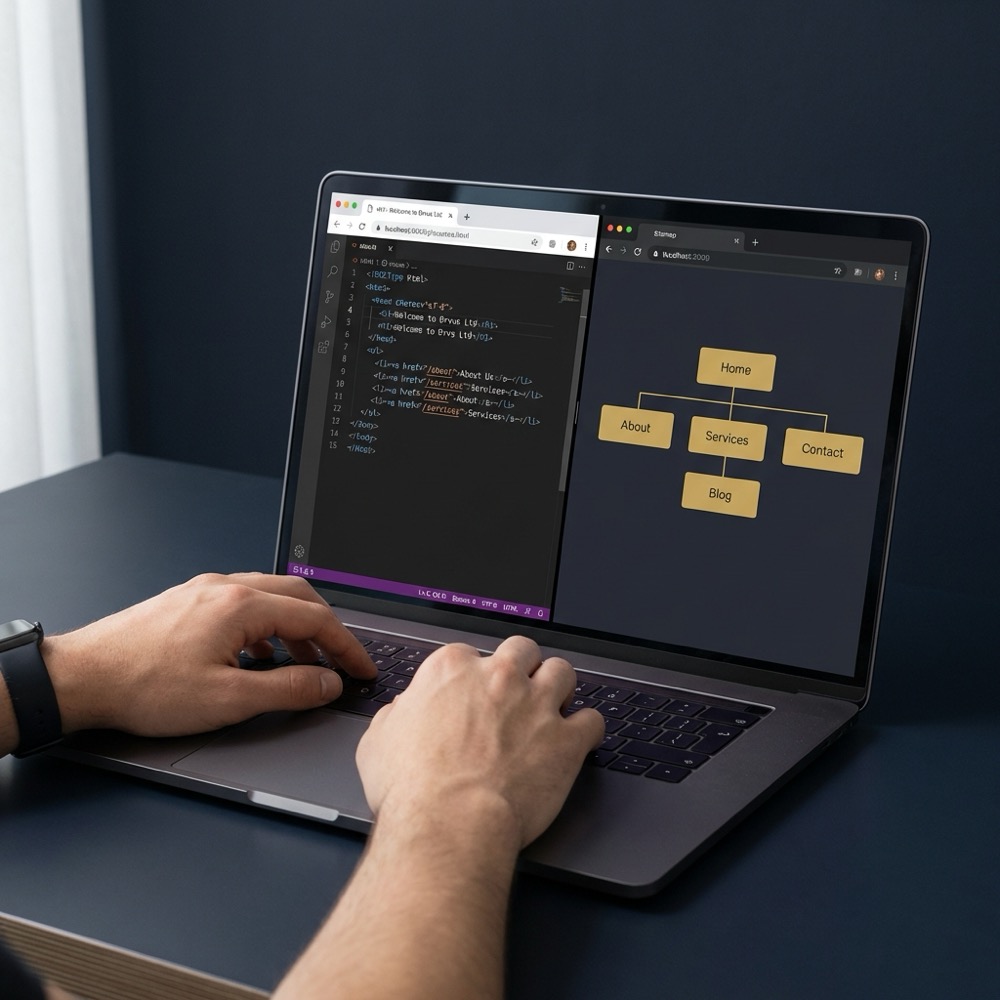
Structured data is particularly sensitive because duplicated or conflicting schema snippets in the page source increase the chance of markup errors and inconsistent rich result behavior in search engine consoles.
Duplicate markup and metadata can produce two title or description tags in the page source, or competing schema blocks, which complicates debugging and can lead to unpredictable display in search results.
You can run both briefly during a migration, but for long term maintenance pick one primary plugin, migrate settings with the target plugin's importer, and disable overlapping features in the inactive plugin.
Sitemap conflicts appear when two sitemap indexes are published or when automated submission tools pick up the wrong index, making it harder to track which URL list search engines will prioritize.
Operating both plugins can add processing overhead on each page request; host and engineering guides note measurable, though typically modest, performance costs when redundant plugin processing is present and they recommend profiling on staging.
Another risk is the complexity of diagnosing problems after changes, since two systems can each modify canonical headers or meta outputs, and tracing which plugin produced which output takes time.
Safe migration and coexistence checklist for rankmath seo
Preparation, first: always take a full backup and create a staging copy before you change SEO plugins, so you can roll back without losing content or configuration.
Use the target plugin's official importer when migrating, for example Rank Math documents an importer for Yoast data that moves on page metadata reliably in many cases.

Before you switch in production, disable overlapping features in whichever plugin will be inactive, such as sitemap generation, meta output, structured data, and canonical handling, so only the primary plugin emits those items.
On staging, validate canonical tags, structured data, and sitemap outputs after running the importer and after you disable duplicate features, because importers do not always map custom fields or bespoke templates perfectly.
Plan a monitoring window of several days to weeks after launch to watch indexing and traffic and be ready to roll back if you see unexpected indexing changes or markup errors.
How to test, profile, and validate after switching plugins
Verify the live page source for duplicate meta tags and duplicated structured data; open a few representative pages in staging, view source, and confirm only the intended plugin outputs titles, descriptions, canonicals, and schema.
Need help planning a safe migration or testing window on staging
Test on staging first, keep a rollback plan, and confirm your sitemap and canonical outputs before you push changes to production.
Check the XML sitemap index that your site serves and confirm only one sitemap index is present and contains the expected URLs, then resubmit the active sitemap to search consoles if it changed.
Profile plugin processing on staging to measure any performance overhead; hosts recommend profiling because impact varies by site scale and customizations, and the cost is best measured rather than assumed. For profiling and operational support see our services.
After launch, monitor indexing signals and search console for markup errors, and compare crawl and index patterns versus baseline to detect regressions early.

Decision criteria: when to migrate, when to run both briefly, and when to keep one
For long term maintenance, guidance favors choosing a single primary SEO plugin to reduce operational complexity and the risk of duplicated outputs.
Short term coexistence is acceptable when you need a phased migration, when importers require manual mapping of custom fields, or when a staged rollout minimizes operational risk for large sites.
Measure performance and test in staging for large or highly customized sites before deciding, because custom templates and plugins can expose importer gaps or performance effects that are site specific.
If your team prefers fewer active systems and easier troubleshooting, prioritise a single plugin and use its official migration path to retain metadata and settings.
Common mistakes and troubleshooting after switching SEO plugins
A common error is forgetting to disable sitemap or meta output in the inactive plugin, which results in duplicate sitemaps or duplicate title tags in the page source.
Importers can miss custom fields or mapped metadata in bespoke templates, so check that mapped metadata appears correctly and reconcile missing values manually where necessary.
Another frequent oversight is not monitoring search console and organic traffic closely after the change; keep a rollback plan and baseline reports so you can detect and respond to unexpected shifts.
When you find duplicated outputs, re-enable the staging environment, re-run checks, and systematically disable the overlapping feature in the inactive plugin, then validate the change in the page source and in search console.
Practical scenarios: example workflows for common site types
Small site, simple content: export settings or use the target plugin importer on staging, run quick checks for canonical and sitemap outputs, then switch to single plugin in production if everything checks out.
Ecommerce site with many product pages benefits from a phased approach: run the importer on a subset of pages in staging, validate sitemap coverage and structured data on representative SKUs, and only push live after the validation window.
Highly customized site: expect manual mapping and extended staging validation; profile performance, check theme templates for plugin calls, and plan a longer rollback window if importers do not capture bespoke fields.
In every scenario, keep backups, test canonical tags, and ensure redirects are in place if any URLs or metadata mappings change during migration.
Conclusion: recommended next steps and monitoring plan
Recommended immediate actions are simple: pick a primary plugin, back up the site, migrate using the target plugin importer, and disable overlapping features in the other plugin before going live.
After launch, monitor sitemap submissions, canonical verification, and indexing and traffic signals for the chosen monitoring window, and be prepared to revert if you observe unexpected indexation or markup errors.
Running both permanently is not recommended. Use both only short term for migration and disable overlapping outputs in the inactive plugin.
The Rank Math importer transfers many common settings and metadata, but you should validate custom fields and templates on staging and correct any gaps manually.
Monitor indexing and traffic closely for several days to weeks depending on site scale, and keep a rollback plan ready if unexpected issues appear.
A careful, staged migration with backups and validation usually avoids surprises and keeps indexation steady.
References
Want this kind of work done for your business?
We build and run AI-powered marketing and automation. 15 minutes, honest assessment.
Book a call