 Orvus
OrvusHow do I know if a website has SEO?
November 25, 2025
How do I know if a website has SEO? A clear, practical opening
How do I know if a website has SEO? That question sounds simple, but the right answer mixes machines and humans: automated scans, account-level signals, and a careful read-through. In 2025, you also have to weigh experience metrics like Core Web Vitals alongside classic on-page and linking signals. This guide gives you a reliable diagnostic order, clear interpretations, and practical checks you can finish in an afternoon if needed.

The phrase how do I know if a website has SEO will appear throughout this piece because it’s the central question we answer - and because it helps you quickly find the steps and signals that matter.
Why this question matters
Search visibility affects acquisition, brand discovery and revenue. If you can answer how do I know if a website has SEO with confidence, you can stop guessing and start prioritising the fixes that move the metrics that matter. A quick diagnostic is like a health check: it reveals urgent problems and suggests a clear order for treatment.
Tip: If you want a compact, expert review that ties issues directly to business priorities, consider Orvus’s compact diagnostic and service offering - a focused engagement that looks at structure, measurement and immediate wins. Learn more about Orvus diagnostic services at Orvus diagnostic services.
Start with a simple, reliable order
A short diagnostic follows a sensible sequence: crawl the site, inspect account-level signals (if you have access), check speed and interaction metrics, review backlinks and content quality, then finish with a human read-through. This order reduces noise and surfaces quick wins early. Keep asking the core question: how do I know if a website has SEO - and let each step provide evidence for that answer. For additional reference checklists see Backlinko's 18-step SEO audit, Webyking's SEO checklist and Cension's SEO 2025 checklist.
1) Crawl first - the structural X-ray
1) Crawl first - the structural X-ray
Run a crawl with a crawler such as Screaming Frog, or an audit module in your SEO platform. A crawl finds duplicate or missing meta tags, broken links, unexpected redirects, oversized files, and canonical problems that confuse search engines. It also reveals sitemap and robots.txt issues. If search engines can’t reach or index pages, nothing else matters - that’s why crawlability is the first stop.
Typical crawl signals to watch for are:
• Indexability: Are pages blocked by robots.txt or by a sitewide noindex? Are canonical tags pointing at the homepage or the wrong URL?
• Duplicate metadata: Repeated title tags or meta descriptions across product variations often mean those pages won’t be described uniquely in search results.
• Redirect chains: Long redirect chains or loops cause crawl waste and can prevent pages from inheriting authority.
2) Account-level signals - GSC and Analytics
Access to Google Search Console (GSC) and Google Analytics (GA) transforms an audit. GSC shows which queries produce impressions and clicks, how Google indexes the site, the presence of manual actions or security issues, and field data for page experience. The Index Coverage and Performance reports are indispensable when answering how do I know if a website has SEO.
Concrete checks inside GSC:
• Performance: Are impressions limited to brand searches, or do you see volume for non-branded, long-tail queries? Broad, non-branded impressions mean content is being recognised for relevant queries.
• Coverage: Which pages are indexed, which are excluded, and why? Look for unexpected exclusions or sudden drops that coincide with template changes or migrations.
• Experience and Enhancements: Does the site have Core Web Vitals field data? Are structured data reports showing errors? These reports help you see real user experience and schema issues.
3) Speed and interaction metrics - Core Web Vitals
Page experience now matters. In 2025, Core Web Vitals like Largest Contentful Paint (LCP), Interaction to Next Paint (INP), and Cumulative Layout Shift (CLS) are standard checks in an SEO diagnosis. Use Lighthouse, PageSpeed Insights and field data in GSC to compare lab and field metrics.
Key points:
• Lab vs field: Lab scores help debug problems in isolation. Field data shows how real users experience the site and can be lower because of inconsistent caching, ad scripts, or third-party widgets.
• Mobile-first reality: Many sites score acceptably on desktop but fail on mobile. Since the majority of traffic is mobile, mobile LCP and INP are often decisive.
How do I know if a website has SEO? - a clear heading with the focus
This heading repeats our focus because it’s the core question searchers ask. Use it as a checklist: crawlability, indexability, content relevance, structured data, page experience, and authority signals. If these are present and working together, you can say the site has functioning SEO; if they are missing or misconfigured, the site only has the appearance of SEO.
The single fastest answer is a combination: verify that the homepage and key landing pages are indexable and check whether Google Search Console shows impressions beyond brand queries. Together these two facts reveal whether the technical plumbing is mostly correct and whether the site reaches searchers beyond existing customers.
4) Backlinks and authority signals
Links still matter. A technically sound site with no external recognition will struggle for competitive queries. Use tools like Ahrefs, SEMrush or Majestic to review referring domains, link velocity, and the quality of link sources. None of these tools are perfectly complete, but combined they show whether the rest of the web recognises the site as an authority.
Interpretation tips:
• Quality over quantity: A handful of authoritative, relevant links to cornerstone content beats thousands of weak or irrelevant backlinks.
• Anchor text diversity: Natural anchor distribution is better than heavily optimised anchors; look for organic editorial mentions and brand links.
5) Human review - intent, quality and structure
No crawler can judge usefulness. Read representative pages as a user and ask: does the page answer the likely query? Are page titles and H1s aligned? Are headings logically built, and does the content match intent (transactional vs informational)? A human review spots thin pages, duplicated templates that weren’t caught by automated checks, and missed opportunities for schema or clearer calls to action.
Content-focused checks:
• Intent match: Does the page provide the action or information a searcher expects?
• Uniqueness and depth: Are product descriptions templated and thin, or are they unique and helpful?
• Structured data: Is product schema, article schema or FAQ schema implemented where relevant?
Practical single-afternoon checklist
If you need to answer how do I know if a website has SEO in a day, here’s a pragmatic list you can run through:
1. Run a full crawl of the site to surface indexability, duplicate metadata, redirect issues and sitemap problems.
2. Check the homepage and top landing pages for indexability and canonical settings.
3. Use PageSpeed Insights on mobile and desktop for representative pages and capture LCP/INP/CLS.
4. If you have GSC: review Performance and Coverage; if not, run backlink checks and review server logs if available.
5. Read 5-10 pages manually, focusing on the homepage, product/service pages, and a few blog posts to check intent and quality.
6. Summarise quick wins: immediate fixes (noindex errors, broken canonical tags), performance wins (defer heavy scripts, compress images), and content wins (unique product descriptions, schema).
Interpreting the results
Finding a problem does not always mean severe ranking harm. Duplicate metadata on low-traffic category pages might be low priority, while a single canonical error on a top product page can be fatal. When you ask how do I know if a website has SEO, think about impact: which findings affect user experience or the pages you need to rank?
Examples:
• Duplicate titles across many low-volume pages: Annoying, but not urgent unless those pages should drive traffic.
• Canonical tags pointing to homepage: Urgent. This will prevent indexing of the intended pages.
• Field Core Web Vitals poor on mobile: High priority if your website relies on mobile traffic.
Common pitfalls and governance
Many issues recur across sites: inconsistent tracking, lack of changelogs, template-driven duplication, and poor schema coverage. Governance and documentation matter: a tracking plan, a content changelog and a named owner for SEO work make future audits faster and safer.
Common governance mistakes include:
• Tagging placed inconsistently - analytics misfires and incomplete data.
• No changelog - when impressions drop after a release, you can’t quickly isolate the cause.
• Automated page generation without review - creates low-quality, near-duplicate pages that dilute authority.
Structured data - a small investment with outsized returns
Schema isn’t magic, but it helps search engines show the right content for complex queries. Product, article, FAQ and review schema can improve how snippets appear in search, which can increase CTR and traffic. Many websites leave schema out or only implement it partially; fixing schema mistakes is often a small, high-leverage job.
A short diagnostic when access is limited
When you can’t access GSC or GA, use public signals and human interviews. Run a public crawl, capture Lighthouse screenshots, and do backlink checks. Interview stakeholders: ask whether the site has a content calendar, who owns tracking, and whether A/B testing is running. These interviews reveal whether SEO work is systematic or ad hoc.
GreenBarn: a compact case study
GreenBarn, a small store for sustainable gardening, expected a quick yes to how do I know if a website has SEO because they had product descriptions and a blog. A diagnostic showed otherwise. Crawls revealed thousands of near-duplicate product URLs due to filter-generated pages; titles were duplicated; many pages lacked product schema; and Lighthouse reports showed poor mobile LCP because of large hero images and a blocking carousel script.
GSC revealed impressions for brand terms only; product pages barely showed for purchase queries. The backlink profile was small and low-quality. After prioritising fixes - canonical rules for filters, compressed hero images, deferred carousel scripts on mobile, added product schema and enriched product descriptions - GreenBarn saw a steady rise in non-branded impressions and product page clicks over six months.
What good looks like
A site that really has SEO checks these boxes:
• Crawlable and indexable: No accidental sitewide noindex, clear canonicals, and a healthy sitemap.
• Intent-driven pages: Titles, headings and content aligned with what users search for.
• Field-validated experience: Core Web Vitals acceptable on mobile, and consistent caching and script management.
• Authority signals: Backlinks that point to pillar content and a pattern of organic impressions beyond brand terms in Search Console.
Quick wins many audits reveal
Common early wins include:
• Fixing misapplied noindex or canonical tags.
• Compressing hero images and deferring non-critical scripts.
• Adding product schema and making descriptions unique.
• Cleaning up broken links and redirect chains.
These fixes are often small but compound into measurable traffic gains over months.

Get a focused SEO diagnostic and clear next steps
If you’d like a friendly, practical next step rather than a long checklist, Orvus offers tailored diagnostics and execution. Get a focused review that connects technical fixes to business results at Orvus services and diagnostics.
How to prioritise work
When you finish your diagnostic, rank items by impact and effort. High-impact, low-effort items (fixing a misapplied noindex, compressing images) come first. Save resource-heavy tasks (major architecture changes, large-scale outreach programs) for when you have behavioural evidence that they will pay off.
Ask: which fixes will move organic traffic and conversions in the next 30-90 days? Which require coordination with development or content teams? A named owner and a small, tracked backlog are better than a long, unfunded wish list.
Signals that mean the site probably doesn’t have functioning SEO
Signs that answer how do I know if a website has SEO with 'no' or 'not yet' include:
• Zero indexed pages or sitewide noindex.
• Canonicals pointing to the homepage for top pages.
• GSC impressions only for brand queries and none for core category or product terms.
• No meaningful page experience data or consistent tracking.
Final checklist - make the call
Use this short checklist to decide whether a site has SEO:
1. Can search engines crawl the site? (check robots.txt, server response codes, crawl budget issues)
2. Are target pages indexable and canonicalised correctly?
3. Do titles, H1s and content match user intent for top queries?
4. Are Core Web Vitals acceptable on mobile (LCP, INP, CLS)?
5. Does GSC show impressions beyond brand queries?
6. Are there authoritative backlinks to cornerstone content?
If most answers are yes, the site has functioning SEO. If the answers are mixed, you have a roadmap for fixes. If most answers are no, the site is not search-ready and needs structural and content work.
Practical next steps after the audit
After your diagnostic, group fixes into three buckets:
• Quick wins (weeks): Canonical fixes, image compression, deferring scripts and small schema additions.
• Medium projects (1-3 months): Template fixes, content rewrites, measurement clean-up.
• Strategic work (3+ months): Site architecture changes, content pillars, link-building campaigns.
Orvus takes this practical approach: reveal quick wins first, then invest in deeper work when data justifies it.
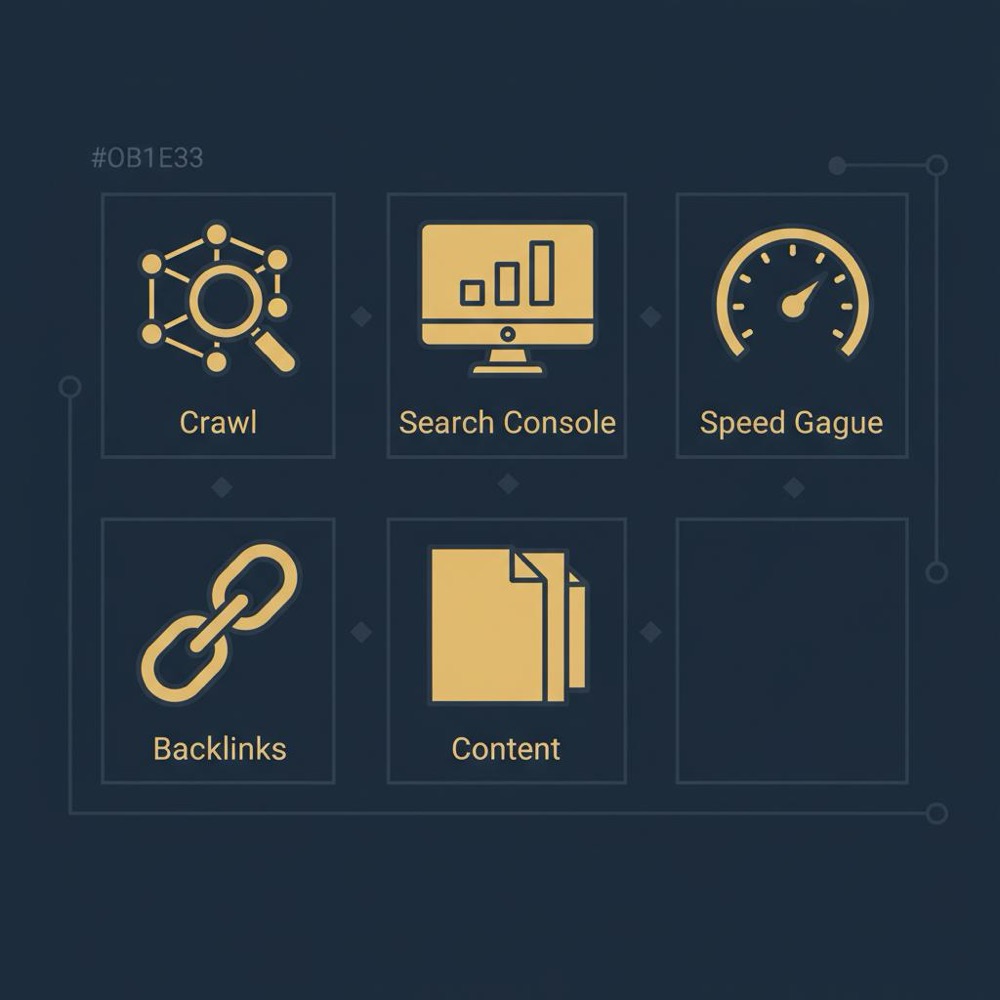
Orvus takes this practical approach: reveal quick wins first, then invest in deeper work when data justifies it.
Short FAQ
Q: How quickly can I tell if a site has SEO?
A: In a few hours you can check crawlability, indexability and basic on-page structure. A deeper authority and behavioural review needs days to weeks depending on account access and available data.
Q: Is PageSpeed the most important factor?
A: It matters, especially for mobile, but it’s one of several critical signals: content relevance and authority remain central to ranking.
Q: If I don’t have GSC, can I still make a reliable call?
A: You can form a strong hypothesis using public tools and a human review, but account-level data in GSC and GA gives the clearest picture.
Conclusion - answer the central question
Answering how do I know if a website has SEO is about gathering evidence across technical, content and authority dimensions, then deciding which fixes will move the needle. Use a compact diagnostic order - crawl, account signals, performance, backlinks and human review - to make fast, defensible decisions.
When in doubt, prioritise fixes that improve indexability, user experience on mobile, and the content for high-value pages. That combination often turns a ‘not yet’ into a confident yes over a few months.
Thanks for reading - now go check a site and see what the diagnostic finds.
In a few hours you can check crawlability, indexability and basic on-page structure and often identify urgent failures. A fuller view that includes authority and behaviour typically needs days to weeks and access to Google Search Console or Analytics. When account access isn’t available, combine public tools, Lighthouse screenshots and stakeholder interviews to form a strong hypothesis.
If time is tight, focus on two things: (1) Are the homepage and key landing pages indexable? and (2) Does Google Search Console show impressions beyond brand queries? Those two checks tell you whether search engines can find your pages and whether they are visible to searchers who don’t already know your brand.
Bring in a specialist when you need clarity and prioritised execution - for instance, after a migration, when channels have plateaued, or when tracking and decision-making have become foggy. Orvus focuses on compact diagnostics, practical fixes, and building quiet systems that scale. They’ll help convert audit findings into a clear 30-90 day action plan without noise.
References
Want this kind of work done for your business?
We build and run AI-powered marketing and automation. 15 minutes, honest assessment.
Book a call