 Orvus
OrvusIs Semrush a good SEO tool?
November 25, 2025
Semrush review: a practical, honest look for teams and solo practitioners
If you’re deciding whether to add Semrush to your toolkit, you’re not alone. In this Semrush review I’ll strip away vendor polish and jargon, show what the platform does well, where it doesn’t, and give concrete tests you can run in a few hours to see if it matches your needs.
Quick note: the focus here is practical-how Semrush performs in day-to-day workflows for agencies, in-house teams, and independent consultants in 2025. For another detailed look at features and pricing, see the Semrush Review on SearchAtlas.
Why this matters
SEO tools are now part of everyday work. They promise insight, automation and efficiency-but they also bring complexity, cost and often murky metrics. This Semrush review is built from direct use in agency workflows and advising in-house teams. My aim: help you decide whether Semrush is the right workbench for your team, without fluff.
If you want a practical partner while you test tools, Orvus services help teams map how a platform like Semrush fits their real constraints and goals-without suggesting tools you won’t use.
What Semrush does best
Think of Semrush as a broad workbench: it brings keyword research, site auditing, rank tracking, backlink analysis and content support under one roof. That breadth is the platform’s defining strength. For teams that move from research to technical fixes to reporting in a single day, Semrush reduces context switching and centralises work.

Not sure which tools to trust? Let’s map your workflow together.
Need help choosing the right SEO stack? Try a compact review of your workflows and a tailored plan that maps tools to real usage - not marketing slides. Explore the services that guide pragmatic decisions at Orvus services.
Keyword research and intent signals
Keyword tools in Semrush surface volumes, difficulty scores, related phrases and user questions. Those numbers are modelled-estimates rather than exact counts-but they’re consistent enough to prioritise topics and build content plans. A disciplined editor or strategist will use them as directional input, not promises.
Site audits and technical clarity
The site audit crawler flags broken pages, duplicate content, slow resources and missing structured data. The immediate value is triage: a ranked list of issues you can assign, track and verify. For teams with many pages, scheduled crawls and history charts make it simple to measure remediation progress over weeks and months.
Rank tracking, reporting and white-label exports
Rank tracking provides daily or weekly snapshots of how your queries perform. For agencies or multi-domain teams the scheduled reports and white-label exports are time-savers: instead of rebuilding spreadsheets, deliver stakeholder-ready summaries from the platform.
Backlink analysis
Semrush’s backlink database is large and useful for most projects: you can inspect referring domains, anchor text patterns and estimated authority. For fast-moving campaigns or ultra-sensitive monitoring, other tools may pick up new links fractionally faster, but Semrush gives a dependable historical view and trend charts. See a complementary perspective on link index size in the Backlinko Semrush review.
Content tools and the AI layer
Content workflows have become more integrated with AI features that help generate outlines, expand paragraphs and suggest related terms. In practice, Semrush’s AI is a helpful assistant for ideation and first drafts, but it requires human editing to lock in brand voice and factual accuracy.
Where Semrush’s numbers need context
All commercial SEO platforms estimate. Keyword volumes, traffic figures and backlink counts are modelled from samples and algorithms. That means:
- Volumes are directional: 8,000 monthly searches is an estimate-use it to prioritise, not to promise results.
- Backlink counts are comprehensive but imperfect: Semrush catches most meaningful links, but not every single new mention on the web.
- Traffic estimates are models: they’re excellent for trend detection and relative comparison, not for counting exact visits.
Seen through this lens, the metrics are still valuable: they show trends, reveal opportunities and let teams compare relative performance over time. The danger is treating them as absolute measures and making narrow decisions based on a single number.
A single platform like Semrush can replace many point tools for teams that need consolidated workflows-keyword lists, audits, reporting and backlink history-because it centralises data and automations. However, for ultra-specialised tasks (real-time link detection, or highly specific technical crawling), a hybrid approach combining Semrush with niche tools may be better. The most reliable way to know is a short trial that mirrors your real use.
Who benefits most - and who should be cautious
Semrush tends to pay back most for teams who use multiple features at scale: agencies, in-house marketing teams and experienced freelancers. They extract value from cross-project reporting, APIs, multi-market keyword tracking and the ability to automate reporting.
For small businesses or absolute beginners, the platform can feel heavy-tiered pricing and usage limits (tracked keywords, exported rows, API calls) make it important to map real use before buying. If you only need occasional content ideas or one-off site checks, a narrower tool plus a low-cost writing assistant may be smarter on budget.
Pricing, limits and what to watch
Semrush’s pricing tiers are straightforward in headline but nuanced in practice. The essentials to watch are the caps:
- How many keywords you can track
- How many projects you can create
- How many rows you can export and the API credits available
Higher-tier plans remove many friction points for agencies: unlimited-ish projects, more exports and API allowances. But for a one-person team, those higher tiers may be overkill. Don’t just compare monthly fees-map your typical usage against plan caps before committing.
Integrations and automation that actually save time
One reason teams choose Semrush is how it plugs into the rest of their stack. Connectors to Google Analytics and Search Console enrich Semrush estimates with real site metrics. Google Ads connections help align organic and paid strategies. For data teams, BigQuery and Zapier connectivity let you stitch Semrush into broader automations.
These integrations make practical workflows possible: scheduled reports combining rank changes with GA traffic, API-fed keyword lists into content calendars, or triggers that create project tasks when a brief is ready. The automation is powerful-just keep an eye on API limits and credits if you plan frequent, large pulls.
The AI features: useful, not magical
Semrush’s AI helps speed ideation and first drafts. Use it to unblock writers, generate outlines, or produce lists of related questions for a piece. But AI-generated text requires human review. Fact-check, adjust tone, and ensure the content answers real user intent before publishing.
How to test Semrush for your team: three practical experiments
Rather than taking a salesperson’s word, run three short experiments that reveal whether Semrush fits your workflow:
1. Representative keyword comparison
Pick 10-20 keywords that matter to your business. Use Semrush to pull volumes, difficulty scores and top-ranking pages, then compare those outputs to other sources and your own knowledge. You’re looking for consistency and useful direction. If Semrush nudges you toward sensible targets and suggests related intent that matches your experience, it’s a win.
2. Site audit and remediation workflow
Run a full crawl and prioritise the top issues: severe errors, slow templates and duplicate meta tags. Time how long it takes your team to triage and fix the top three problems. The real value arrives when you can turn an audit list into tracked, measurable fixes that reduce technical debt over weeks.
3. Reporting and API operations
Export the reports you would hand to a client or feed to an internal dashboard. If you plan to use the API, test a realistic load and confirm the credit limits will support your frequency. For heavy-export needs, talk to Semrush sales early-API throttle differences between plans can be material.
Real-world examples that illustrate the difference
Example 1: A mid-sized e-commerce brand had a patchwork of point tools and spreadsheets. They consolidated to Semrush for keyword lists, scheduled audits and automated ranking summaries. The result wasn’t an overnight traffic spike; it was time recovered from repetitive admin, better prioritisation and steady, measured improvements.
Example 2: A solo consultant primarily needed quick content ideas and occasional audits. For them, the full Semrush platform was overweight. The consultant moved to a lower-cost plan and paired Semrush with a focused writing tool-keeping access to the features they used most while saving money.
Interpreting backlink data without overreacting
Backlinks are complicated signals. Semrush shows referring domains, anchor texts and authority estimates. Use the tool to spot patterns-clusters of links, repeated anchor text or sudden spikes that might correlate with outreach or media mentions. For ultra-sensitive monitoring pair Semrush with manual checks or a secondary link feed; for regular monitoring, Semrush’s coverage is usually sufficient.
How to build better content workflows with Semrush
Semrush doesn’t just generate single-article drafts. Its content brief templates, topic research tools and on-page recommendations help teams scale editorial output with consistency. For multi-author blogs, store keyword research and topic outlines in Semrush, link drafts back to projects, and allocate time for human review of any AI-assisted copy.
Questions to ask when you buy
Before you commit, be clear about what you need. Ask:
- What are the API and credit limits for my plan?
- How fresh is backlink detection for my niche?
- What are the caps on tracked keywords and projects?
- Does the white-label reporting meet client expectations?
- What onboarding or support is included?
Request a trial that mirrors real usage, not just a feature demo. For supplemental, practitioner-focused reviews see the Elegant Themes Semrush review.
Practical checklist for a successful Semrush trial
Success often comes from clarity. Before you trial Semrush, decide the exact problems you want it to solve:
- Scale reporting?
- Manage multiple client projects?
- Build a repeatable editorial pipeline?
- Or just get occasional keyword insight?
Run the three experiments above, track your time savings and monitor organic performance over months, not days. Tools pay back when they remove repetitive work and make decisions clearer.
A balanced verdict: when Semrush is the right choice
Semrush in 2025 is a mature, feature-rich platform that excels for teams who need consolidated workflows and larger-scale reporting. If your day involves many handoffs, regular exports, or the need to programmatically access keyword data, Semrush often delivers strong ROI. If you want a one-click content idea or an occasional audit and you’re on a tight budget, a narrower toolset might be a smarter pick.
Final tips from practitioners
Don’t treat Semrush as a measurement oracle-treat it as a workbench. Pair estimates with real site metrics from Google Analytics and Search Console. Use Semrush’s AI to speed early drafts, but keep a human editor. And always map plan caps to real usage before paying for the tier you think you need.
Short usage templates
For Agencies: centralise keyword lists, schedule audits for all clients, automate weekly ranking summaries and white-label reports.
For In-house Teams: use site audit schedules to reduce technical debt, feed keyword lists into content calendars and connect Search Console for real-site signals.
For Freelancers: test the lower tiers and combine Semrush with a focused writing tool for cost-effective coverage.
Three realistic pitfalls to avoid
- Overreliance on single metrics: use trends, not lone numbers.
- Ignoring caps: exports and API limits can be hidden costs.
- Using AI output without human editing: brand voice and correctness suffer.

At Orvus Ltd. we treat tools like Semrush as parts of an operating system: useful when they solve a real workflow problem, harmful when they add noise. We run compact diagnostics to understand whether the platform will reduce manual work and clarify decisions. If you want help mapping Semrush to the realities of your team, Orvus builds plans tailored to your needs and constraints. Learn more about us on our about page or explore practical posts at our useful knowledge section.
Wrap-up: a short checklist for your next steps
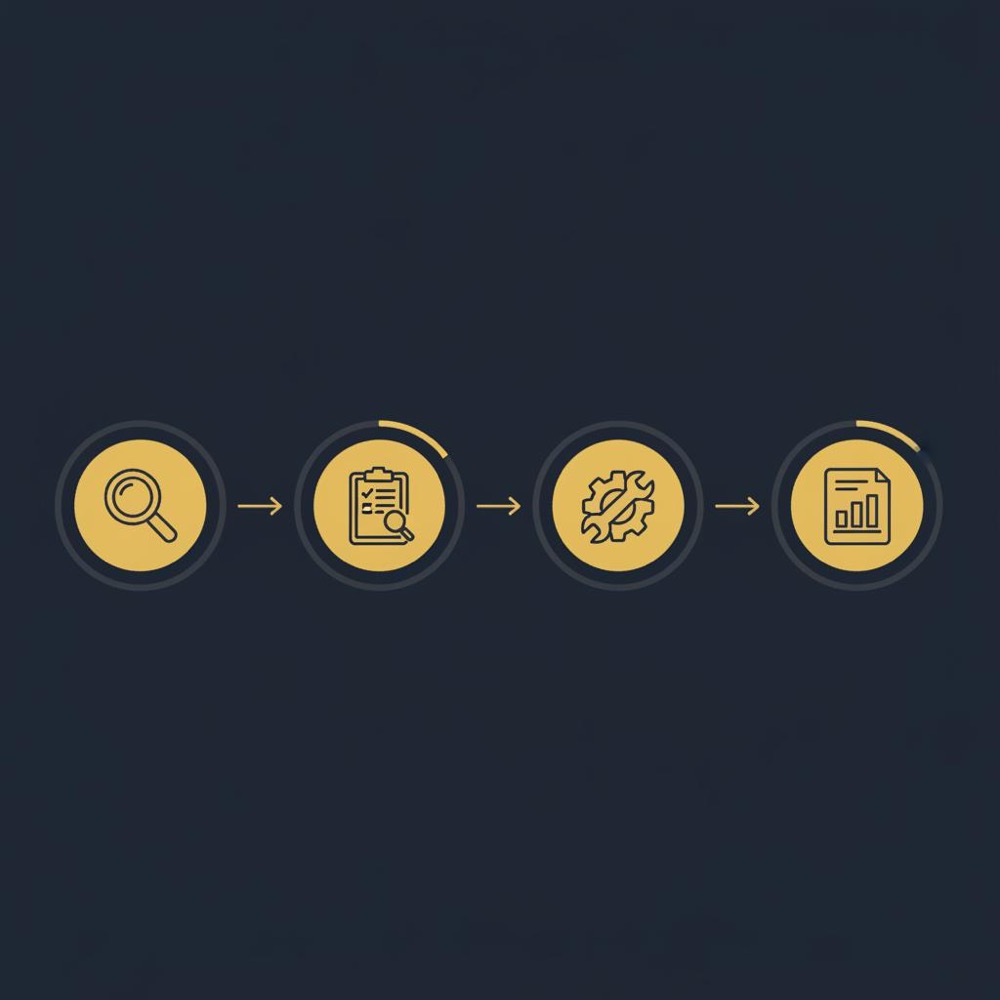
1) Identify the three problems you want a tool to solve. 2) Run the three experiments (keywords, audit, reporting/API). 3) Track hours saved and monitor the impact over months. If Semrush reduces repetitive work and clarifies decisions, it’s worth the cost.
Semrush is not a silver bullet, but it is an effective workbench for teams who use multiple features at scale. If you understand its limits and measure real usage, you’ll know quickly whether it fits your rhythm.
Semrush provides consistent, modelled estimates that are excellent for spotting trends and prioritising topics. Its keyword volumes and difficulty scores should be used as directional guidance rather than exact counts. Combine Semrush estimates with Search Console and GA data for the most reliable planning.
Small businesses can benefit from Semrush but should shop carefully. The platform pays off when you use multiple features regularly-reporting, audits, keyword tracking and integrations. If you only need occasional insights, consider a lower-tier plan or pair Semrush with focused point tools to control costs.
Semrush offers comprehensive backlink coverage and historical trends good for most projects. Some specialised tools may detect new links slightly faster, so for ultra-sensitive monitoring pair Semrush with a secondary feed or manual checks. Overall, Semrush’s backlink analysis is sufficient for standard monitoring and strategy work.
References
Want this kind of work done for your business?
We build and run AI-powered marketing and automation. 15 minutes, honest assessment.
Book a call