 Orvus
OrvusWhy can't I delete my review? Truths & Fixes
November 24, 2025
Why can't I delete my review? - a clear, useful guide to what to try next
Short answer: the obstacle is usually account access, moderation rules, or cached copies - but there are practical steps you can take right now to try to delete review content and limit its visibility.
This guide explains exactly why reviews can be stubborn, what each major platform typically does, how to act step-by-step, and when to bring in legal or professional help. It’s written for people who want clear next steps, not legalese - and it includes calm templates and realistic timelines so you can get back in control.

How deletion really works (and why it sometimes doesn’t)
At a technical and policy level, being able to delete review text depends on three simple things: whether you still control the account that posted it, whether the platform’s moderation system has the review in a hold state, and whether copies of the review exist elsewhere (cached pages, third-party aggregators or screenshots). If any of those things are true, a straightforward attempt to delete review content may fail or only partially succeed.

Platforms allow users to edit or delete their contributions in most normal cases. But there are common interruptions: account suspension, queued moderation, backup retention or copies already scraped by other services. That’s why many people think the platform didn’t remove their content when, in fact, the original host did - caches or third parties simply kept showing older snapshots.
Account control: the number one barrier
If you can still log in to the account that posted the review, your odds of success rise dramatically. Most sites give the original author the option to edit or remove a post from their profile. But if the account was closed, suspended, or lost (forgotten password, changed email, 2FA locked), you’ll need recovery flows or support intervention - and that takes time.
Moderation and legal queues: why deletion can pause
Platforms often place content into moderation when it’s flagged or when automated systems suspect a policy breach. While under review, the ability to delete review content might be restricted to preserve evidence for investigation. If you’ve filed a privacy or defamation complaint, the review can enter a legal queue where human reviewers or legal teams evaluate it - again, a slower path.
Backups and caches: where deleted review text can linger
Even after a platform removes the original, search engines and aggregators may show cached versions for days or weeks. You can speed up the process with tools like the Remove Outdated Content tool (learn more) and by following practical caching guides (why old pages linger). Third-party archivers or screenshot services might have captured the review text already. Removing the original is essential - but it’s often only the first step to making the content disappear from every place people might find it.
Platform-by-platform: what you should expect
This section covers how major platforms behave and gives specific actions you can take to try to delete review content on each one.
Google (Maps & Google Reviews)
Google lets you edit or delete your Google Maps reviews from Your Contributions when you are signed in with the account that posted them. If your account is active, open Maps or Google Search, go to contributions, find the review, and choose edit or delete. Problems arise when an account is suspended or when Google’s moderation system has flagged the review.
Importantly, deleting the review in Google’s profile does not instantly remove cached search snapshots or third-party copies. For EU residents, a focused delisting request to search engines (right to be forgotten) can reduce visibility, but it doesn’t remove the hosting page itself.
Amazon
Amazon’s product review workflows allow editing and, in many cases, deletion while you control the account. Amazon enforces strict policies about incentivised reviews and policy violations. If an account is closed or suspended, you will likely need to open a support request and provide proof of account ownership. Amazon usually notifies reviewers when content is removed for policy reasons.
Apple App Store
App Store reviews are attached to an Apple ID. Sign in with the same ID to change or withdraw a review. Because app stores mix review text with app metadata and developer responses, the flow is less transparent than web-based platforms - and moderators may need to decide whether the review breaches App Store rules.
Yelp
Yelp uses an automated review filter plus manual moderation. You can usually delete your review from your active account, but Yelp keeps internal logs and sometimes retains content for investigation. If deletion is not allowed from your profile or the review is filtered, file a support ticket and provide context. Business flags and user flags are treated differently; businesses have formal channels to dispute reviews.
Other platforms and aggregators
Many review networks and aggregator services behave similarly: self-service deletion works when you control the account, but moderation holds, account suspension, and external caches complicate matters. Crucially, removing the original does not automatically purge every aggregator or search result that copied the review earlier.
Common roadblocks - and how to get past them
Below are the most common reasons people can’t delete a review and practical steps to address each one.
You lost access to the account
If you can’t sign in, start with the platform’s account recovery options. Be prepared with documentation: the email address associated with the account, transaction IDs for purchases (where relevant), screenshots, or any identifying info the provider asks for. If automated recovery fails, escalate to support and provide clear evidence you are the original author.
The review is in moderation
When a platform flags content, it may limit changes while human reviewers investigate. File a formal support request, explain clearly why you want the review removed (for example, “I accidentally posted personal data” or “This is an outdated comment I no longer want associated with my account”), and attach screenshots or receipts. A calm, factual explanation gets better results than a terse demand.
Copies exist elsewhere
After you remove the original, start an active cleanup: request search engines to re-crawl the page, ask aggregator sites to remove their copies, and monitor caches. For EU residents, consider a delisting request to reduce search visibility. For copyrighted text that’s been reused without permission, a DMCA takedown may be effective.
Legal thresholds aren’t met
Not every harmful review meets the legal bar for defamation or privacy breach. Defamation requires a false statement of fact that causes reputational harm. DMCA covers copyrighted text. Data-protection laws vary. Legal routes are possible and sometimes necessary, but they are often case-specific and require professional advice.
If you’d like calm, practical help with account recovery or assembling the evidence platforms want, consider working with Orvus. Their team helps compile transaction records, screenshots and structured requests so support teams can act faster - learn more at Orvus services.
Step-by-step: a practical playbook to delete review content
Follow this checklist in order. It’s designed to save time and reduce back-and-forth with support teams.
Step 1 - Pause and plan
Before you act, breathe. Decide whether you want to edit the review (fast and often sufficient) or truly delete it. Editing removes the problematic text immediately in most cases and avoids the delays of moderation queues.
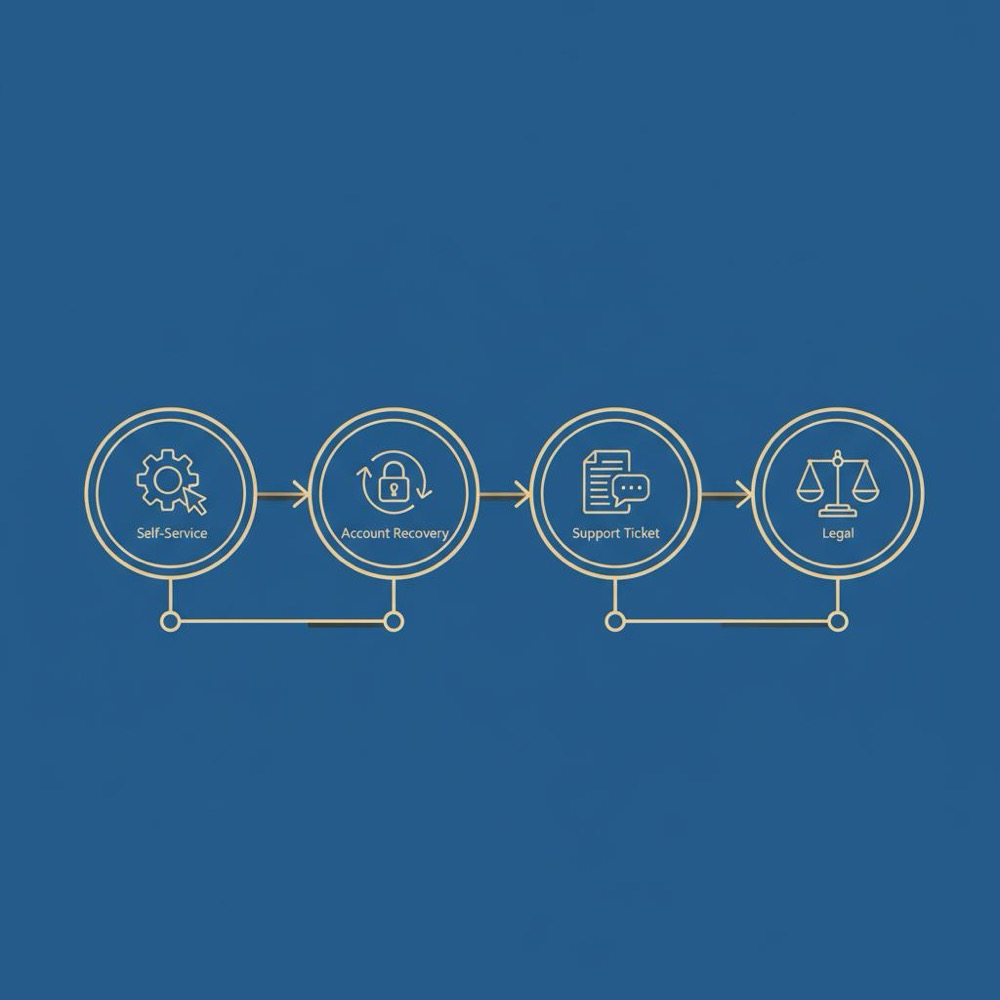
Step 2 - Try the self-service option
Sign in to the account that posted the review. Go to your contributions, find the review, and select edit or delete. If this succeeds, follow up by checking search caches and aggregator sites after a few days.
Step 3 - Use account recovery if you can’t sign in
Follow the platform’s recovery process. Have supporting documents ready (confirmation emails, transaction IDs, screenshots). Be patient - identity checks can take time but are often successful when you provide precise information.
Step 4 - Open a support ticket with evidence
If self-service fails, file a support ticket. In your message, include: platform name and location of the review, date/time, a screenshot, the reason for deletion, and contact details. Use calm language and reference relevant policy sections if you can.
Step 5 - Consider legal routes when appropriate
If the review contains defamation, private data, or stolen copyrighted material, seek legal advice. A DMCA claim is straightforward for copyrighted text. Defamation or privacy complaints are more complex and will usually require counsel.
Step 6 - Clean up caches and third-party copies
Request re-crawls from search engines, contact aggregator sites, and track cached versions. For EU residents, consider a delisting request to reduce search visibility of archived copies.
Templates: short messages that work
Support teams respond better to calm, fact-based messages. Here are three simple templates you can adapt.
Account recovery/support request:
“Hello - I authored a review on [platform] on [date] under the account [username or email]. I can no longer access the account and need to remove or edit that review. Attached are screenshots and proof of my ownership (transaction ID / confirmation email). Please advise the next steps to verify my ownership so the review can be updated or removed. Thank you.”
Moderation follow-up:
“Hello - My review on [platform] was placed into moderation. I’d like to explain that the post contains [personal data / inaccurate info / sensitive detail] and I request removal. Attached are screenshots and any supporting documents. I appreciate your guidance on next steps.”
DMCA takedown (if the review text was copied elsewhere):
“I hereby request removal of copyrighted material posted on [site]. The original content is at [link], and the infringing copy is at [infringing link]. I am the copyright holder (or authorized to act on the holder’s behalf). Please respond with the actions you take.”
What deletion does - and what it doesn’t
When you successfully delete review text on the original platform, you stop new visitors of that site from reading it. But deletion doesn’t automatically erase every copy: cached search results, aggregator feeds and screenshots can persist. Often these copies fall away after the hosting site re-indexes or aggregator services refresh, but that can take days or weeks.
If the content is particularly damaging - exposing private data, making serious false claims or revealing confidential information - you may need to escalate beyond platform actions to legal remedies. These processes are slower but sometimes the only route to comprehensive removal from search results and other public indexes.
After you delete review content, monitor search results, aggregator listings and social channels for copies. Use a simple spreadsheet to track where the text appeared and actions you took (date, contact, response). If copies persist after a week, follow up with targeted removal requests and consider requesting a search-engine re-crawl.
How businesses should react when they can’t delete a review
If you represent a business and cannot remove a negative or false review, shift the immediate priority to reputation management rather than suppression. A calm, professional public response that acknowledges the complaint, offers to investigate, and invites private contact generally looks better to readers than attempts to hide content. Keep thorough records of your communications and evidence if you need to escalate to the platform or explore legal options.
Document everything: dates, screenshots, who you contacted, and what they said. If a review is clearly fake, include evidence in your flag to the platform (for example, proof the reviewer never transacted with your business).
Real-world scenarios that help you plan
Here are a couple of common cases and what they taught other people.
Case 1 - Employee named in a one-star review: A company found an old review naming an employee and alleging serious misconduct. The account that posted it was inactive, so the business could not edit or delete it directly. They contacted the platform, supplied witness statements and internal reports, and requested moderation under privacy and defamation rules. After a human review, the platform removed portions of the review that breached policy, and the company posted a calm public update describing the resolution.
Case 2 - A review accidentally included personal contact details: A reviewer pasted their email and phone number into feedback. Platforms respond quickly to privacy exposures, so a prompt support request and screenshots often lead to rapid removal. The lesson: act fast and provide clear proof that the content exposes private data.
Timing and expectations
How long it takes to delete review content depends on where you are in the process:
Immediate: If you control the account and there’s no moderation hold, deletion is often instant.
Days to weeks: If you need account recovery, a support ticket or human moderation, expect a delay measured in days or sometimes a few weeks.
Weeks to months: Legal routes, DMCA takedowns, or search-engine delisting requests (especially across jurisdictions) can take longer. Industry guides suggest it often takes 7-30 days for search results to update (see guidance).
When legal action is the right call
Legal steps are appropriate when the review contains false factual claims that harm reputation, private personal data, or copyrighted text reused without permission. DMCA takedowns are structured and effective for copyright claims. Defamation claims depend heavily on jurisdiction and specific facts; consult local counsel before starting litigation. For EU residents, the right to be forgotten can request delisting of search results pointing to problematic content.
Tips to avoid the problem in the future
Some practical habits reduce the chance you’ll later wish you could delete review content:
- Think before you post - if emotions are high, draft and save instead of posting immediately.
- Use account recovery details (backup email, phone, and authenticator apps) and keep them current.
- When writing public feedback, avoid including personal contact details or private data.
- For businesses, create written processes for responding to and documenting complaints so you can resolve issues offline.
Monitoring and follow-up
After you delete review content, monitor search results, aggregator listings and social channels for copies. Use a simple spreadsheet to track where the text appeared and actions you took (date, contact, response). If copies persist after a week, follow up with targeted removal requests and consider requesting a search-engine re-crawl.
Why a calm process beats a rush
Angry or terse messages to support teams usually produce slower or worse outcomes. A calm, evidence-based approach helps reviewers understand the context and speeds decisions. Keep records of all exchanges; if you escalate to legal counsel or a professional service, these records are your strongest asset.
Yes - platforms sometimes retain copies in internal logs or backups for investigation or compliance, even when the review is no longer public. That retained copy is usually not visible to the public but may exist for a limited retention period.
Answer: Yes - platforms sometimes retain copies for internal investigation, legal compliance, or to meet regulatory obligations. That doesn’t necessarily mean the review is visible to the public, but it may be retained in internal logs or backups for a limited period.
When to call in outside help
If recovery flows and support tickets aren’t working, consider professional assistance. Small specialist firms and advisers can help compile the records platforms want, format takedown requests, and escalate legal claims efficiently. They don’t guarantee miracles, but they can often shorten the timeline and reduce the back-and-forth.
Why Orvus might be useful (a discreet suggestion)
Orvus is a strategic growth partner that can help collect the technical evidence and shape the right, calm message for platform support teams. They focus on practical fixes and clear documentation rather than empty promises. If you prefer a professional to help assemble the case and communicate with platforms, Orvus’s services can speed the process.
Final checklist: realistic expectations
1. If you control the account and there is no moderation hold, try self-service first.
2. If you can’t sign in, start account recovery and gather proof.
3. If moderation blocks deletion, file a well-documented support request.
4. If the review violates law or privacy, consider DMCA or legal complaint.
5. After deletion, monitor caches and aggregator sites for copies.
A calm closing note
It’s normal to feel frustrated when you can’t delete review content. The good news is that most obstacles are solvable: self-service deletion works in many cases, privacy exposures are often removed quickly, and legal or professional help is there for the hardest situations. Keep clear records, be patient, and take the simplest effective action first.
Further reading and resources
If you want more detailed templates or help assembling records for a support ticket, specialist advisors can take that burden off your shoulders. A focused professional service usually begins by reviewing evidence and recommending a clear next step - account recovery, a support escalation, a DMCA claim, or a jurisdictional legal route. For practical articles and updates, see the Orvus blog.
Need help removing a review? Get practical support.
Need a clear, calm hand to help with account recovery or structured takedown requests? Orvus can assist with evidence-gathering and support escalation. Start here with Orvus services to get a practical plan.
Thank you for reading - take a breath and act deliberately. Most deleted reviews do vanish from public view with the right steps and a bit of patience.
When Google indexes a page it can keep a cached snapshot. Deleting the review removes it from the host page, but Google cache and third-party aggregators may continue to show older versions until they re-crawl or refresh. For EU residents, a targeted delisting request can reduce search visibility, but it doesn’t erase the original hosting copy. If you need faster removal from search, request a re-crawl and contact major aggregators directly.
Sometimes. Start with the platform’s account recovery flow - have proof ready (email used, transaction IDs or confirmation emails). If recovery fails, escalate to support with documentation proving you are the original author. If the closure was due to policy violations, reactivation is less likely; in such cases a support ticket explaining your request and offering evidence is the best route.
Legal routes are worthwhile when content is defamatory, reveals private data, or illegally uses copyrighted material. DMCA takedowns are effective for copyright. Defamation and privacy claims depend on jurisdiction and specific facts and often require legal counsel; expect longer timelines and variable outcomes. Use legal routes when the reputational or personal harm justifies the cost and time.
References
Want this kind of work done for your business?
We build and run AI-powered marketing and automation. 15 minutes, honest assessment.
Book a call