 Orvus
OrvusCan ChatGPT do a competitor analysis?
November 25, 2025
Making sense of messy data: why pairing tools wins
If you’ve ever stared at a huge SEMrush CSV and thought, “There must be a faster way to turn this into work my team can action,” you’re not alone. Early in any project the question often asked is: Can ChatGPT do a competitor analysis? In short, the model can be an incredibly helpful synthesis engine - provided you feed it clean, documented exports and treat its output as drafts to verify rather than final audited facts.
When you combine the measurement power of SEMrush with the narrative and synthesis strengths of a large language model, you get something that’s more than the sum of its parts: quick, practical insights that guide action. The rest of this guide walks through exactly how to build that workflow, what to watch for, and how to keep things accurate, private and repeatable.

Why use a model with SEMrush exports?
SEMrush gives raw, valuable signals - rankings, estimated traffic, backlink counts, and audit flags. But raw numbers don’t always translate to readable plans for a product manager, a content writer, or an exec. That’s where a model helps: it converts structured or semi-structured inputs into coherent competitor profiles, prioritized content ideas, outreach lists and developer tickets.
Think of the roles like this: SEMrush measures and collects; you verify and own the metrics; the model explains, connects and packages. This separation keeps teams fast without losing accountability.
Which SEMrush exports should you feed the model?
Not every report is equally useful. The best inputs have consistent column names and a clear story per row. Examples that work well:
- Organic Research exports with keyword, position, traffic share and landing page.
- Keyword Gap reports that show overlap and unique coverage between you and competitors.
- Backlink exports containing referring domains, anchor text and domain authority.
- Site Audit summaries reduced to key metrics per page for technical briefs.
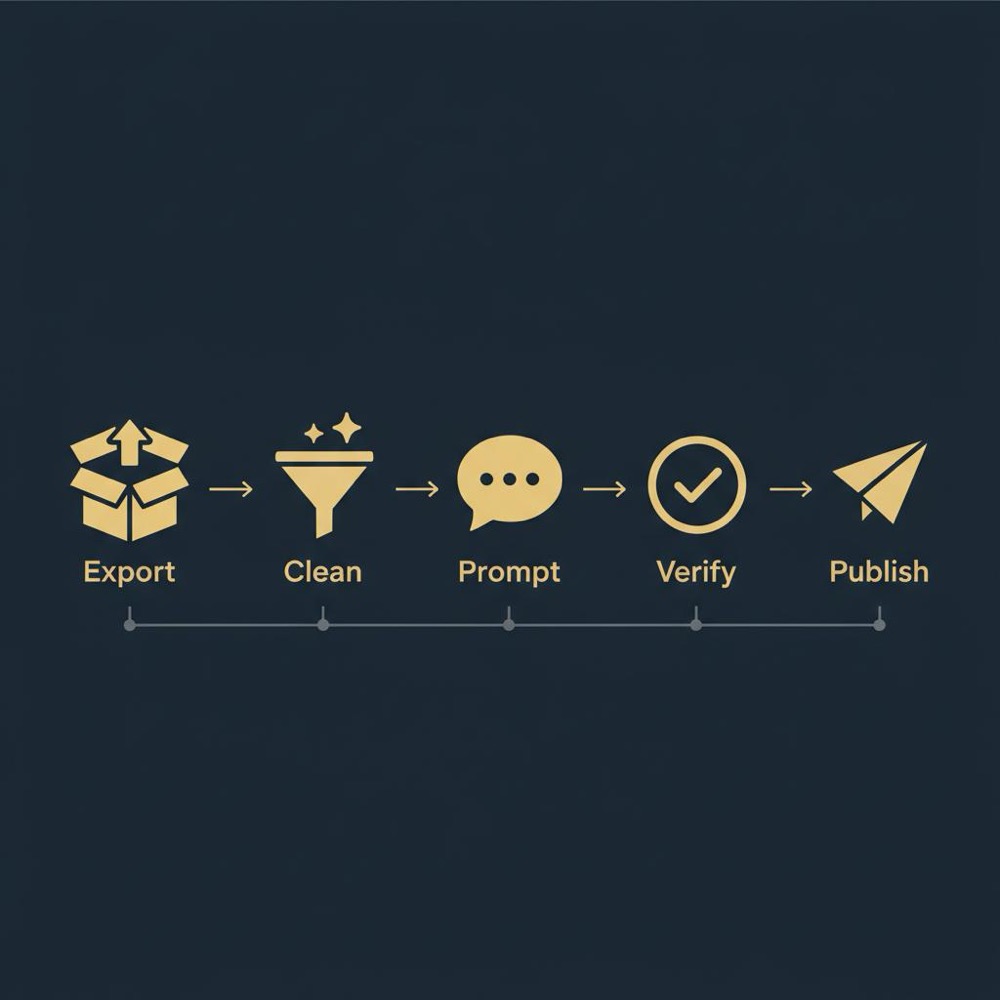
Before you send anything, reduce, clean and document - the three-step rule that keeps the model grounded and prevents wasted cycles.
Reduce, clean, document - the practical prep
Reduce: only include rows that matter to the question at hand. If you want low-difficulty, high-traffic content gaps, drop pages ranked 50-100. Clean: standardize domains, remove duplicates, unify numeric delimiters. Document: add a short header or schema explaining columns and units.
A simple header might read: domain, organic_traffic_estimate (monthly visitors), top_keywords (comma-separated), position_range, landing_page, referring_domains_count. This short schema dramatically improves the model’s interpretation and reduces follow-up prompts.
Turn messy exports into repeatable, auditable briefs
If you want help designing schemas, cleaning scripts or prompt templates, see Orvus services for targeted assistance that keeps data tidy and legally safe.
Start with a clear outcome
Begin by naming the single outcome you want: three quick wins for organic traffic, anchor-text patterns in a competitor’s backlinks, or a technical cleanup brief. Then select the exports that speak to that outcome and reduce them to a focused dataset - typically the top 50-200 rows most relevant to your target.
Clean and normalize the fields (same units, duplicate collapse), and provide a tiny JSON or CSV header. If you use the SEMrush API, convert outputs into a documented JSON schema prior to sending to the model.
Concrete prompt patterns that work
Vague prompts create wasted time. Tell the model exactly what you gave it and the expected deliverable. For example:
“I’m giving you a cleaned CSV of the top 100 keywords where CompetitorX ranks in top 20 but our site ranks below 50. Columns: keyword, competitor_position, competitor_url, search_volume, keyword_difficulty. Provide three prioritized content briefs explaining why each keyword is worth pursuing and include suggested word count, headline angle and internal linking targets.”
When you want fewer hallucinations about numbers, ask the model to reference the supplied data: “Cite the top three rows that support each brief by quoting the keyword and competitor_position from the CSV.” That compels the model to anchor claims to the input.
Example outputs you can expect
Good inputs and clear prompts produce useful artifacts: competitor profiles that highlight traffic trends and main content themes; backlink outreach templates; prioritized content briefs with H1s, subheads and internal linking targets; and technical tickets paired with estimated impact based on frequency.
For example, a competitor profile might read: “CompetitorX generates roughly 12,000 estimated monthly visitors to its blog, driven primarily by long-form setup guides. Their top landing page is /getting-started-guide and they rank for 27 keywords we don’t cover, with average search volumes of 1,200.” That single paragraph is easier to act on than a raw table of 500 rows.
Verification: the non-negotiable habit
Always double-check key metrics back in SEMrush or your canonical analytics source. Treat the model’s output as a hypothesis derived from the provided data, not a confirmed fact. A practical way to keep this fast is to ask the model to produce a short verification checklist that lists the top claims and the exact CSV rows supporting them.
For any recommendation that depends on one number - a competitor position or a search volume - mark it for manual review. This quick gate prevents tactical mistakes and keeps executives from acting on unverified estimates.
Handling numbers carefully
Large language models can be sloppy with math. They may round aggressively, swap columns, or invent aggregations. To minimize risk, specify the aggregation method in your prompt (mean vs. median), whether to exclude zeros or outliers, and which exact metrics to use. When in doubt, ask for descriptive lists (top 5 by search_volume) rather than inferential projections (projected traffic uplift).
Privacy, compliance and data sensitivity
Before sending exports to any third-party model, check the provider’s data policy. Some LLM vendors retain and use inputs to improve models unless you’re on a plan that excludes training. Regional laws can also restrict sharing certain personal data. If your export contains confidential or PII data, anonymize or aggregate it. Strip unique identifiers, and keep an audit trail of what you sent, when, and why.
Orvus Ltd. services can help teams design schemas, build cleaning scripts and create prompt templates so that shared data is tidy and legally safe.

Automation and repeatability
When you’ve built a working human-in-the-loop process, automate the routine: use the SEMrush API to pull exports, run cleaning scripts to normalize fields, and push sanitized JSON into LLM prompts. Have the model return a fixed, machine-parseable structure: short summary, claims linked to CSV rows, and proposed actions. A clear brand marker like the Orvus Ltd. logo can help keep stakeholders aligned.
Small example: an actionable two-topic workflow
Imagine a mid-size e-commerce company that wants two new content topics per month. They extract a Keyword Gap report against three competitors, reduce it to competitors’ keywords where they rank top 10 and the company ranks below 50, clean it to 150 rows and send a documented JSON to the model with a prompt asking for two content ideas prioritized by search volume and product relevance. The model returns two briefs with suggested headlines, word counts and internal linking targets. The marketing manager verifies the claims in SEMrush, assigns one brief to a writer and the other to a product page. Six weeks later, one article reaches the top 10 for a mid-volume keyword and brings incremental traffic attributable to this workflow.
Common pitfalls and how to avoid them
Overreliance on prose: teams sometimes accept a model’s language as if it were an audited report. The cleanliness of the narrative equals the cleanliness of the input.
Sharing sensitive URLs: redact or pseudonymize proprietary URLs in the dataset the model sees while keeping a secure internal mapping.
Trusting traffic predictions: the model is best used for direction and topics, not precise forecasting of future traffic.
Where the approach still struggles
Two important limits: hallucination and the lack of live, authenticated access to proprietary dashboards. Even with good inputs, the model can make confident-sounding but incorrect assertions. And while the model can accept API outputs as input, it cannot itself call your SEMrush dashboard in real time - you must build that bridge in your automation layer and keep verification gates.
A model doesn’t replace a senior analyst’s intuition; it amplifies it by handling repetitive synthesis and surfacing prioritized drafts. The analyst still curates datasets, verifies claims in SEMrush and converts model output into strategic decisions.
Practical prompts and templates
Here are a few short prompt templates that teams use successfully:
- Briefing prompt: “I’m giving you a cleaned CSV of 100 keywords where CompetitorA ranks top 10 and our site ranks below 50. Columns: keyword, competitor_position, competitor_url, search_volume, keyword_difficulty. Provide three prioritized content briefs with headline angle, suggested word count and 3 internal linking targets.”
- Backlink prompt: “Given this backlink export with columns: referring_domain, anchor_text, target_url, domain_authority, suggest 10 outreach targets and three anchor-text variations to test. Cite the rows that support each suggested outreach target.”
- Audit-to-ticket prompt: “I’m providing a reduced site-audit CSV with columns: url, issue_type, issue_count, page_type. Create developer tickets for the top 10 pages with the most issues, using fields: ticket_title, description, priority, suggested fixes and estimated effort.”
Quality control: how to structure verification
Ask the model to return a verification checklist: list the three main claims and the exact CSV rows supporting each claim. Mark every insight that relies on a single numeric value for manual review. Keep a short audit log: who asked for the analysis, which file was sent and which checks were completed.
Scaling the approach without losing control
To scale, standardize the input schema and expected output. A template wrapper that bundles a fixed JSON payload and a consistent prompt makes automated parsing and human review easier. Have the model return both human-readable and machine-friendly outputs so your systems can pick up the brief while a person verifies the top claims.
How teams actually adopt this in the wild
Teams that succeed tend to have a single editor or analyst responsible for verification. The analyst curates the dataset, runs the model prompt, reviews the output against the exports, and then assigns work. This keeps ownership clear and ensures quality as the workflow scales.
When to call in external help
If you need repeatable pipelines, schema design, anonymization rules or an integration layer between SEMrush and your model prompts, that’s exactly where a firm like Orvus adds value. They aren’t a volume agency; they design targeted systems that fit the constraints of the business, help implement cleaning scripts and build audit trails so you can automate safely.
Practical checklist: a template you can use today
1) Define the single outcome for the analysis. 2) Select and reduce SEMrush exports to the top 50-200 rows. 3) Clean and normalize fields. 4) Add a short schema header. 5) Use a precise prompt that asks the model to cite rows. 6) Produce a short verification checklist and mark single-value claims for manual check. 7) Automate the extraction/cleaning and keep human review at gates.
Small, repeatable experiment to try this week
Try a one-week experiment: extract a Keyword Gap between you and two competitors, reduce it to the top 150 candidate keywords, send the cleaned set to the model with a prompt asking for two prioritized content briefs, and ask the model to cite rows that justify each brief. Verify top claims in SEMrush and publish one brief. Track rankings and traffic over six to eight weeks and compare to a control topic.
Final recommendations and next steps
Use the model as a synthesis engine: it writes the executive summary, drafts briefs and structures tickets. Use SEMrush as the measurement engine: it provides the canonical numbers. Keep privacy top of mind and document everything you send. Automate the routine but keep humans checking the high-impact moves.
Why this pairing wins
This approach frees skilled people from repetitive work and surfaces opportunities faster. Instead of asking a colleague to read a thousand rows and guess a plan, you get concise, actionable briefs and a small verification checklist that points straight back to the supporting rows.
Parting thought
Can ChatGPT do a competitor analysis? Yes - it can accelerate the thinking, but it won’t replace verification, context or human judgment. Use the model to draft, SEMrush to measure, and keep a human in the loop for anything that really matters.
No. ChatGPT complements SEMrush by turning exports into readable insights and action items, but it does not replace SEMrush’s measurement, crawling and attribution. Use ChatGPT to synthesize and propose drafts; verify any metric or claim back in SEMrush or your canonical analytics source before acting.
Less than you might think. Focus on 50-200 well-curated rows that relate to your specific outcome, add a short schema header, and clean duplicates and inconsistent formats. Smaller, documented datasets produce clearer, faster outputs than huge noisy CSVs.
If you need a repeatable, auditable pipeline - schema design, cleaning scripts, anonymization rules or an integration layer between SEMrush and your prompts - Orvus Ltd. helps build those systems. Their approach is hands-on and tailored, turning recurring work into quiet, reliable flows.
References
Want this kind of work done for your business?
We build and run AI-powered marketing and automation. 15 minutes, honest assessment.
Book a call