 Orvus
OrvusWhat is an example of canonicalization? Examples and steps
January 31, 2026
You will learn when to use rel=canonical, when to prefer a 301 redirect, how to manage parameter-driven duplicates, and how to test and validate your changes with simple tools.
Quick answer: canonicalization in one paragraph
Canonicalization seo means indicating the preferred URL when multiple URLs serve the same or similar content, so search engines consolidate indexing and link signals. Use a rel=canonical link in the page head when multiple live variants must coexist, and prefer a 301 redirect when the content move is permanent and you control server responses. Canonicalization reduces duplicate signals and can improve index selection and crawl efficiency, but it does not guarantee a ranking uplift; testing and alignment across sitemaps, redirects, and internal links matter. Google Search Central
Key takeaway, actionable now: pick redirects for permanent moves, use rel=canonical for preferred live variants, and verify with both client-side and server-side checks.
What canonicalization is and why it matters
Canonicalization is the process of telling search engines which URL you prefer when similar or duplicate content appears on multiple URLs. The primary goal is to reduce index duplication, concentrate link equity, and make crawling more efficient.
Choose a 301 redirect when the move is permanent and you control server responses; use rel=canonical when multiple live variants must remain available but you want engines to prefer one URL.
Search engines use several signals to choose which URL to index and show in results. rel=canonical is a standard HTML link element used to indicate preference, but engines treat it as a hint and may prefer server-side signals when those signals are clearer or when signals conflict. MDN Web Docs
When engines consolidate duplicate URLs, the practical outcomes include fewer duplicate listings in search results, better distribution of link signals to one canonical URL, and reduced crawl waste on repeat variants. These effects tend to improve index hygiene and measurement clarity, although canonicalization alone does not promise improved rankings.
How search engines use canonical signals
Engines evaluate canonicals alongside other signals such as redirects, sitemaps, hreflang, and robots directives. If these signals conflict, engines may ignore a canonical tag and choose a different representative URL. Google Search Central
How canonicalization affects indexing and link equity
When done consistently, canonicalization consolidates indexing and link equity so link signals point to a single preferred page. This simplification helps reporting and attribution because it reduces the number of URLs that must be reconciled in analytics and Search Console.
Short canonical tag example and code notes
Minimal HTML example, placed in the page head, with an absolute URL in href:
Example: <link rel="canonical" href="https://example.com/product/widget-123" />
Keep one canonical per page, use an absolute URL in the href attribute, and place the tag inside the HTML head so it is visible in the page source. Avoid inserting multiple canonical declarations or relying on client-side JavaScript to inject the canonical when a server-side head is feasible. MDN Web Docs
Common mistakes to avoid include using relative URLs in the canonical href, adding more than one canonical link on the same page, and pointing the canonical to a URL that returns an error. These issues create ambiguity for crawlers and can prevent the intended canonical from being honoured. Screaming Frog
Minimal HTML example
Show the snippet in your template head and validate by viewing source. The canonical should be identical across server-rendered HTML and any prerendered versions to avoid contradictory hints.
Common implementation mistakes in the head
Make sure the canonical target returns a 200 status. A canonical that points to a 404 or a soft-404 is a common, avoidable mistake that leads to engines ignoring the hint. Google Search Central
Core methods: rel=canonical, 301 redirects, and Search Console settings
There are three primary operational options to handle duplicate URLs: rel=canonical, 301 redirects, and Search Console parameter settings. Each has trade-offs that depend on permanence and server control.
A 301 redirect is the clearest server-side signal for a permanent move and has the advantage of transferring link signals when applicable. Use redirects when you can change server responses and you want users and crawlers to arrive at a single live URL. Yoast SEO Blog
quick verification of available methods and checks for choosing canonical vs redirect
Run these checks on representative pages
Use rel=canonical when multiple variants must remain accessible for users or tracking purposes but you still want engines to prefer one canonical URL. This is common for parameter variants, printable pages, and alternate formats where a live variant is required.
Search Console parameter tools can help reduce parameter-led duplication when server-level redirects are not feasible, but these settings are complementary and do not replace correct server responses or consistent internal linking. Google Search Console Help
When each method is feasible
Redirects: use for permanent moves and when you want a single live URL for users and crawlers. Canonicals: use for live variants that should remain reachable but indicate a preferred version. Search Console: use when parameter handling is needed and server changes are restricted. Yoast SEO Blog
How they interact when used together
A simple rule is to keep signals aligned: if you redirect a URL, update the canonical and sitemap to the redirect target and remove competing hints. Conflicting signals create uncertainty and may result in engines choosing a different representative URL. Google Search Central
When to use a canonical tag and when to redirect
Decide based on permanence, server control, and whether variants must remain accessible. If the move is permanent and you control the server, prefer a 301 redirect. Redirects are more unambiguous and typically carry link signals to the new URL. Google Search Central
Use rel=canonical when variants must stay live, for example when tracking parameters need to be preserved or when printable or alternate formats are required. Canonicals help signal preference without removing variants from the site.
Permanent moves and redirects
If you retire a page or replace it with a new permanent URL, implement a 301 redirect and update internal links and sitemaps to the new canonical. Test redirect chains and avoid long chains that can dilute signals and slow crawling. Yoast SEO Blog
Near-duplicates or faceted pages and canonical hints
For faceted navigation and near-duplicate product variants, prefer canonical hints combined with consistent internal linking and parameter management. If you can, canonicalize filter combinations to the clean product or category URL and ensure internal links point to that canonical version.
Implementation: step-by-step for engineers and content teams
Step 1: audit duplicates. Use a crawler and Search Console to find duplicate or near-duplicate URLs, prioritize by traffic and crawl frequency, and build a candidate list for canonicalization or redirect. Screaming Frog

Step 2: add a single absolute rel=canonical in the HTML head for pages that should remain live but point to a preferred URL. Place the canonical tag in server-rendered HTML where possible and confirm it appears in the browser page source.
Step 3: for permanent moves, implement 301 redirects. Update internal links and sitemaps to the canonical URL, and test redirect chains using curl or a crawler. Confirm that the redirect target returns a 200 and that there are no intermediate soft-404s. Google Search Central
Adding a canonical tag correctly
Add the canonical in the head template used by your CMS or server framework so every variant uses the same canonical when appropriate. Use absolute URLs and ensure the canonical points to a page that returns a 200 response to avoid being ignored. MDN Web Docs
Setting up 301 redirects without breaking links
Implement server-side redirects and then sweep internal links, navigation, and sitemaps to reference the canonical URL. Keep a short redirect chain and monitor logs for crawl errors after deployment. Test with curl to verify response codes. Screaming Frog
URL parameters: common causes of duplicate URLs and how to manage them
Parameters create duplicate URLs from tracking tags, session IDs, sorting options, and faceted filters. These variants can balloon crawl surfaces and create index bloat if not managed. Google Search Console Help
Operational controls include canonical tags, consistent internal linking to the clean URL, and Search Console parameter settings as a complementary control when server changes are limited. Prioritize high-traffic pages for fixes first.
Parameter types and which change content
Not all parameters change the page content. Distinguish between parameters that alter content and those used only for tracking or session management. Only canonicalize or block parameters when they do not create meaningful content differences.
Operational controls: canonicals, internal linking, and Search Console

Testing and verification: tools and checks to confirm which URL is indexed
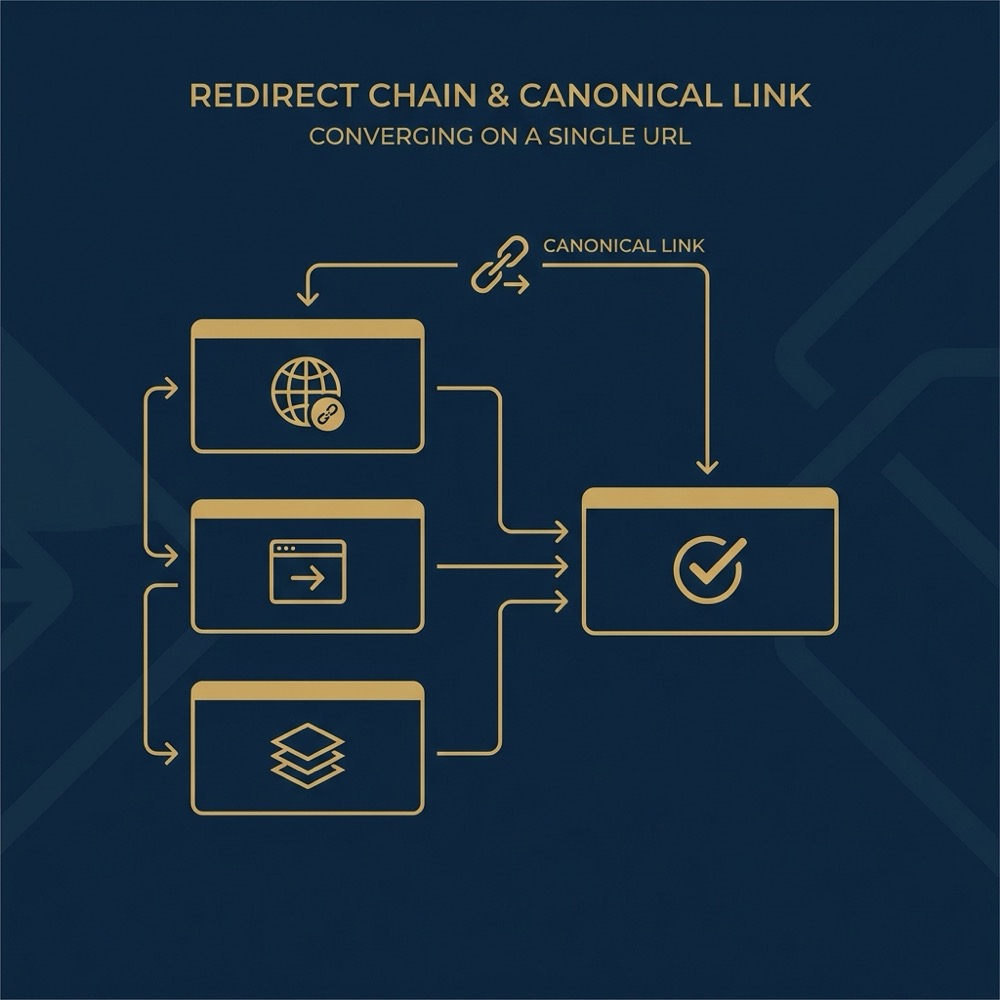
Run checks on representative pages rather than every page to validate your approach before a site-wide rollout. Monitor Search Console and Bing reports after changes to catch unforeseen conflicts.

Client-side checks: view the page source for a rel=canonical and confirm it uses an absolute URL. If the canonical is injected by JavaScript, verify that the rendered source as seen by crawlers includes the tag.
Server-side checks: use curl to follow redirects and confirm response codes. A 301 should be used for permanent moves and the final target should return a 200. Use a crawler to detect redirect chains and long chains that may be simplified. Google Search Central
Client-side checks: view source and browser inspection
Open the page source and search for the canonical link element. Confirm that templates or prerendering do not create different canonicals under different conditions. Simple visual checks catch many common misconfigurations. MDN Web Docs
Server-side and tooling checks: curl, crawlers, and URL inspection tools
Use curl to see raw HTTP headers and follow redirect chains to their final target. Then check URL Inspection in Search Console to see which URL is reported as indexed, and match that with your intended canonical. Screaming Frog
Common pitfalls and how to avoid them
Conflicting or inconsistent signals are a frequent cause of problems. Examples: a canonical tag pointing to a URL that returns a 404, a sitemap listing a different preferred URL, or multiple canonicals on a single page. These conflicts can cause engines to ignore your preference. Google Search Central
Over-reliance on canonical tags when redirects are feasible can leave ambiguity. When a redirect is appropriate, implement it and update internal links and sitemaps to the target URL.
Conflicting signals and broken canonical targets
Fix broken canonical targets immediately. Align sitemaps and internal links to the canonical and ensure the canonical target returns a 200 response. These fixes reduce ambiguity and improve the likelihood that engines will honour your preference. Yoast SEO Blog
Over-reliance on a single method
Use a systems approach: combine redirects, canonicals, consistent internal linking, and parameter controls where appropriate. Orvus Unique Services This reduces the chance that a single overlooked configuration will create recurring duplication issues.
Decision checklist: how to choose and validate your canonical strategy
Is the move permanent? If yes and you control the server, prefer a 301 redirect. Do you need variants to remain live? If yes, use rel=canonical and consistent internal linking. How many variants exist and can they be collapsed logically? Answer these to build a small scoring decision.
Validation steps after deployment: update internal links and sitemaps, run the view-source and curl checks, and monitor Search Console and Bing reports for changes in indexing and crawl errors. Test on representative pages before rolling out broadly. Screaming Frog
Quick scoring: permanence, server control, and number of variants
Score each candidate page for permanence, server control, and how many variants will remain accessible. Prefer redirects when permanence and server control score high, prefer canonicals when variants must remain.
Validation steps after deployment
Confirm canonical appears in page source, confirm redirects return expected response codes with curl, and use URL Inspection to see which URL is indexed. Monitor for crawl errors after changes and be ready to roll back if you see unexpected index loss.
Practical scenarios: examples operators will recognise
Ecommerce faceted filters: if filter combinations create many near-duplicate pages, decide whether each filter combination is useful to index. If not, canonicalize filter combinations to the main category or block them with robots or parameter handling, and keep internal links pointing to the canonical product or category page. Google Search Console Help
Tracking parameters and campaign URLs: canonicalize campaign-tagged URLs to the clean product or landing page URL. Ensure analytics capture campaign parameters separately and that internal links and sitemaps use the canonical clean URL.
Ecommerce faceted filters
For many ecommerce sites, faceted navigation creates the largest duplicate set. Pick a small set of representative combinations to test canonical behavior, then scale your chosen pattern across similar templates once verified.
Tracking parameters and campaign URLs
When marketing campaigns append UTM or other tracking parameters, prefer canonicals pointing to the untagged URL and avoid linking internally to tracked URLs. This reduces index and reporting fragmentation and keeps link signals focused.
Conclusion and next steps
Use redirects for permanent moves and rel=canonical for preferred live variants. Combine these methods with consistent internal linking, updated sitemaps, and Search Console parameter controls where server changes are restricted. Always test representative pages and monitor indexing reports after changes. Google Search Central
Immediate next steps this week: run an audit to find duplicate candidates, fix the highest-traffic broken canonical targets, and monitor Search Console for indexing changes. Consider a systems-led approach to canonicalization and measurement so recurring duplication can be prevented rather than repeatedly fixed.
A rel=canonical tag is an HTML link element in the page head that signals the preferred URL among similar pages. Use it when multiple live variants must remain accessible but you want search engines to prefer one version.
A canonical tag signals preference and can consolidate link signals, but a 301 redirect is the clearer server-side method to move link equity when the change is permanent.
Check page source for the canonical tag, use curl to validate HTTP responses and redirects, and inspect the URL in Search Console or Bing Webmaster to see which URL is indexed.
References
Want this kind of work done for your business?
We build and run AI-powered marketing and automation. 15 minutes, honest assessment.
Book a call