 Orvus
The journal
Types of CRM Data: Decide Which Record Owns the Field
Separate contacts, deals, relationships and activities. Test a handoff with two deals that share a contact but need different values.

 Orvus
At a glance
Ask what the field describes. If it can differ across two deals for the same contact, keep it on the appropriate deal or related record.
In this guide
CRM data typically describes the people and organizations you work with, the deals and service work you manage, and the activity between them. Before adding a field, ask what one value describes. If the same person can have two answers at the same time, the value probably belongs to a related deal, ticket or activity.
Decide which record owns the fact
Start with one workflow that currently breaks. Suppose a small services team wants to see who will approve each quote and whether the discussion is waiting on the customer. Those facts describe a particular deal. The contact can still keep stable details that identify the person. Where supported, a relationship label can describe the person’s role for a particular deal instead of turning it into a universal job title.
HubSpot documents records, properties and associations separately. Salesforce describes these kinds of relationships between accounts, contacts, opportunities and activities. Use the object names and permissions in the CRM you actually use. The editorial example is an object-model decision, not a vendor setup tutorial.
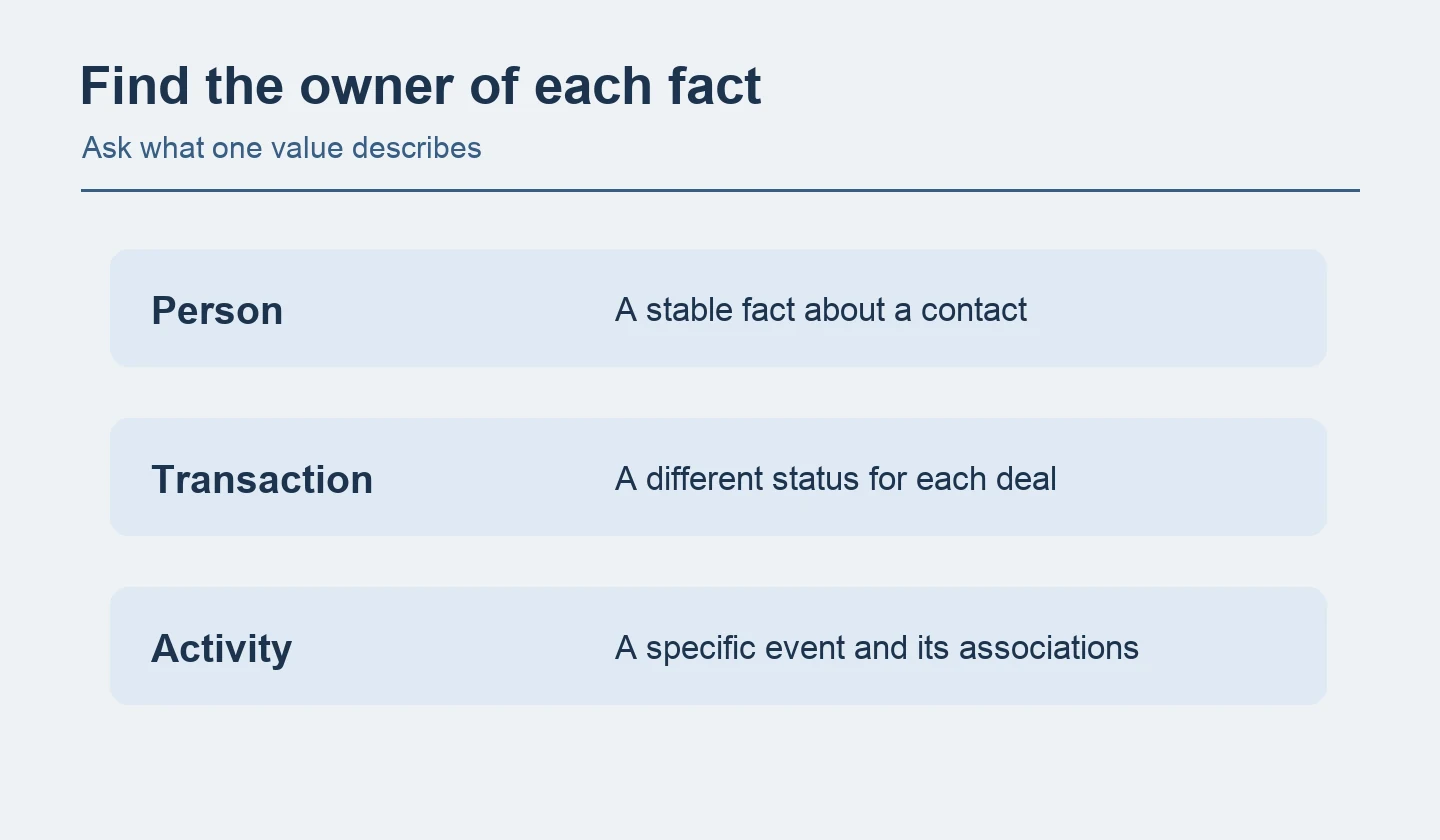
Two places a value may belong
Contact-level fact
Something that describes the same person across deals.
Deal-level fact
Something that can differ for two opportunities involving that person.
Compare property and relationship definitions in How to use objects for business processes.
Sources: HubSpot · Salesforce
Keep a relationship and a status separate
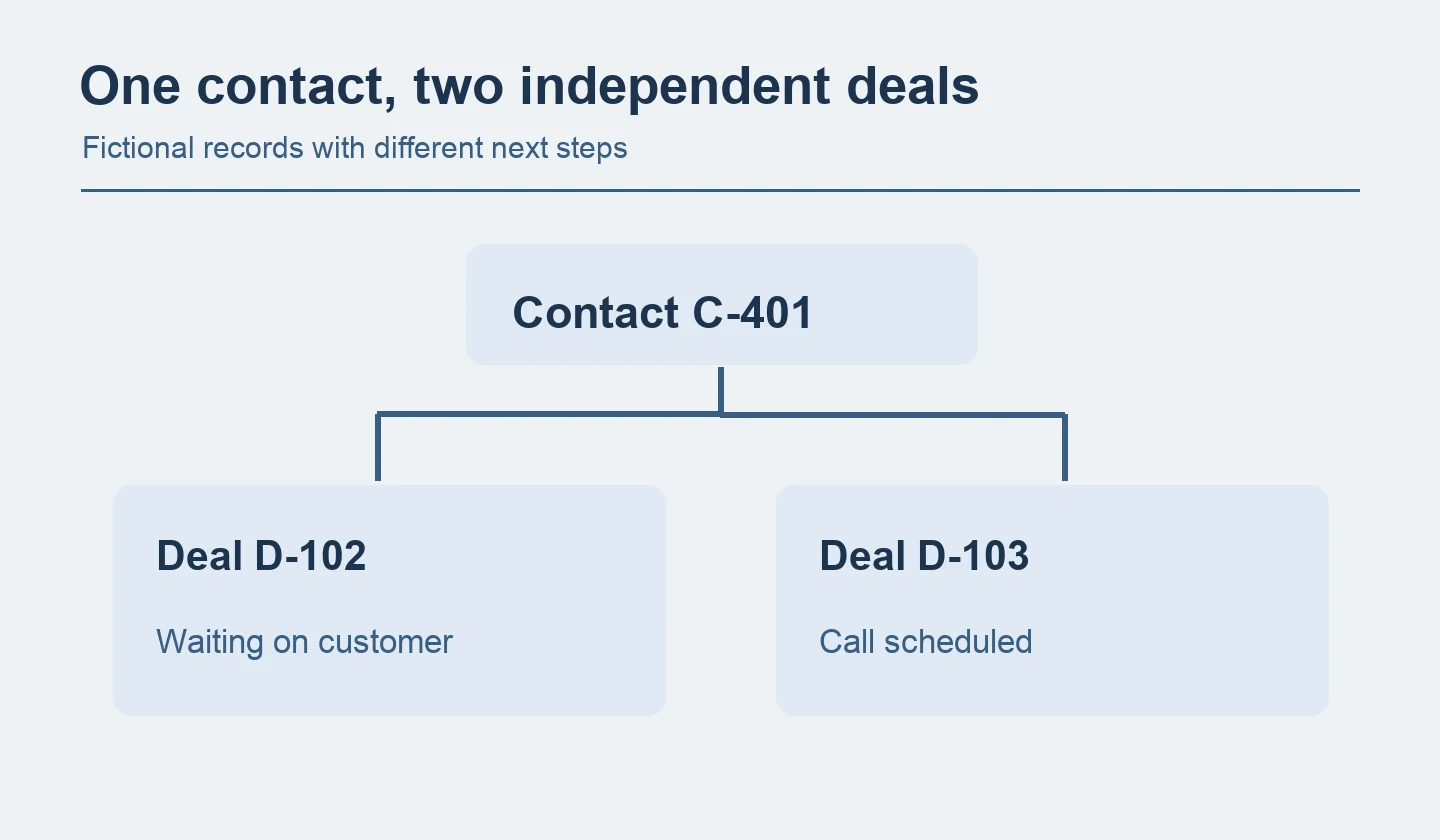
Picture a fictional contact, C-401, associated with two deals, D-102 and D-103, both at a quote stage. The first is waiting on the customer. The second has a call scheduled with a different approver. Putting a single “quote status” field on the contact would make those two values compete. Put the status on the corresponding deal record and associate the people needed for that deal.
A relationship is a link between the records. An activity describes something that happened or is planned, like the appointment. Store its time and relevant associated records so that the activity stays useful after the deal changes stage.

Read the reference field behavior in Salesforce field types.
Sources: HubSpot · Sales overview data model · Salesforce field types
Give unknown and stale facts a clear path
Decide where a value comes from and who can update it. A quote stage selected by a deal owner is different from an engagement score calculated by an integration. For a required handoff field, document the acceptable values and what happens if the value is missing or outdated. Let a missing approver create a clarification task when appropriate. Avoid treating a blank relationship as a rejection.
Check whether a workflow reads or updates that field. If two integrations can overwrite it, choose the authority or route a conflict for review. Do this before making the field mandatory across unrelated records.
Sources: Salesforce · HubSpot
Test with two records that disagree
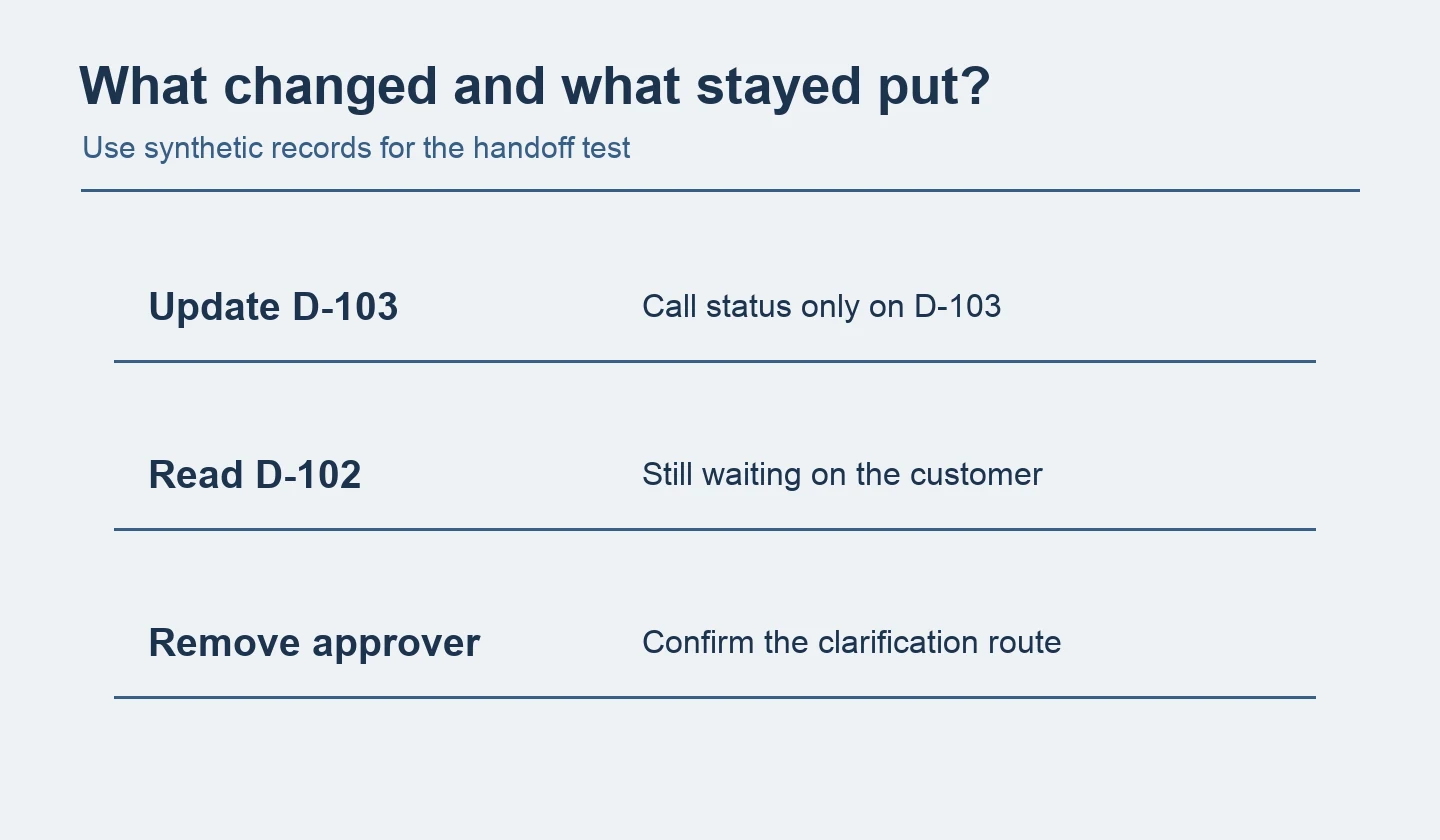
Create synthetic records in an approved test environment. Give one contact two deals with different stages. Associate a planned call with only one. Run the handoff and check that the other deal’s step and activity remain unchanged. Try a missing approver and verify that it produces the intended task or review. Useful test cases identify the exact record that changed and any record that should have stayed as it was.
| Record | Expected value | Behavior to verify |
|---|---|---|
| C-401 | Stable contact details | The workflow leaves them alone |
| D-102 | Waiting on customer | Keeps its own status |
| D-103 | Call scheduled | The activity has only its intended association |
| Missing approver | Unknown | Routes to review if the workflow needs it |
Sources: HubSpot · Salesforce
Once the record owns the value, verify the before-and-after evidence for a correction before applying the same change to more records.
Leave a short field note for the next maintainer
Record the object, field name, example values, source and owner. Include who reads it, when it changes and how the team handles uncertainty. If a field has no decision it supports, leave it out of the new workflow. Review permissions and access in the actual system before sharing exports with a wider group.
Record the field behavior
- Name the object and property.
- Define who can change it.
- Test two related records independently.
- Document what missing or stale means.
For the related task, see Test decision rules in an approval workflow.
Sources: HubSpot · Sales overview data model · Salesforce field types
Frequently asked questions
Does every fact belong on the contact?
Keep person-level information on the contact. Put per-deal or per-ticket facts on the record they describe.
Is a relationship just a text field?
A supported association links records through their identities. Avoid duplicating descriptive text when you need an actual link.
What if the approver is unknown?
Keep it unresolved and assign a clarification step if allowed by the workflow.
Should I create a custom field before testing?
Check whether a supported property or relationship already represents the fact. Use the two-record test to find out.
OrvusClean existing CRM data
Use the field map before migrating repeated values.
Test the handoff and decision rulesContinue with a related guide
- Clean existing CRM data
Use the field map before migrating repeated values.
- Test decision rules in an approval workflow
Verify who owns pending, rejected and accepted states.
- Review a lead qualification workflow
Match automation to a documented source and decision.
References
- How to use objects for business processes HubSpot
- Sales overview data model Salesforce
- Salesforce field types Salesforce
From another publication
For a smaller CRM setup, compare a spreadsheet approach before choosing a platform. Can Google Sheets be a CRM? A practical guide for small teams (Stack & Method)