 Orvus
OrvusHow do I check my website ranking on Google? A monitoring workflow
January 30, 2026
What 'website ranking on Google' actually means
When teams ask about website ranking on google they often mean different things. Some want a raw position on a search engine results page. Others want visibility, clicks or measurable traffic that supports revenue. The distinction matters because a single position number does not capture how many times Google showed a page, how often users clicked it, or which queries produced impressions.
Google reports aggregate metrics that describe query performance rather than raw SERP snapshots. The Performance report in Search Console shows clicks, impressions, average position and click-through rate and lets you filter by query, page, country and device, which makes it the canonical view of how Google returns your site for queries Performance report.
Use Google Search Console as the canonical source, export query and page data via CSV or the Search Console API, join that data to conversion events in your analytics, and supplement with a third-party tracker for continuous signals; maintain a cadence of exports, reconciliations and focused manual checks.
Average position is an aggregate across impressions and queries. It can hide variance when a page ranks well for some queries and poorly for others. Treat average position as a summary that needs context, not as a precise per-query truth.
Thinking in terms of impressions, clicks and CTR helps avoid over-focusing on single rankings. Impressions tell you whether Google is showing a page for a query. Clicks measure user response when it is shown. CTR and position together help prioritize pages that are visible but underperforming in clicks.

Manual checks and spot‑checks: when they help and when they mislead
Manual and incognito searches are quick ways to see the user experience for core queries. They are useful for confirming how snippets render, identifying unexpected SERP features, and checking page load or rendering issues on specific devices.
However, manual checks are influenced by personalization, localization and device context, so they are sample observations rather than systematic measurements. Relying on them for ongoing rank reporting can lead teams to incorrect conclusions because results vary by user and location How to Check Your Google Ranking (and Why Manual Checks Mislead).
A practical spot-check checklist keeps manual work focused. Run the same query in incognito, test a mobile device, test a desktop device, and note visible SERP features. Also check page load and whether structured data appears as expected. Keep a short written note for each check so the observation can be compared with canonical data later.
Use manual checks to verify user-facing issues that surface in your exports or alerts. For example, if a page shows a sudden drop in clicks in Search Console, a focused manual check can reveal whether a SERP change or a snippet regression is likely affecting clicks. Treat the manual result as complementary to your exported data, not as a replacement.
Google Search Console: the canonical, Google-provided view
For repeatable reporting treat Search Console as the canonical source for how Google reports queries and pages. The Performance report exposes queries, pages, clicks, impressions, average position and CTR with filters for country and device, which makes it the primary reference for query-level measurement Performance report.
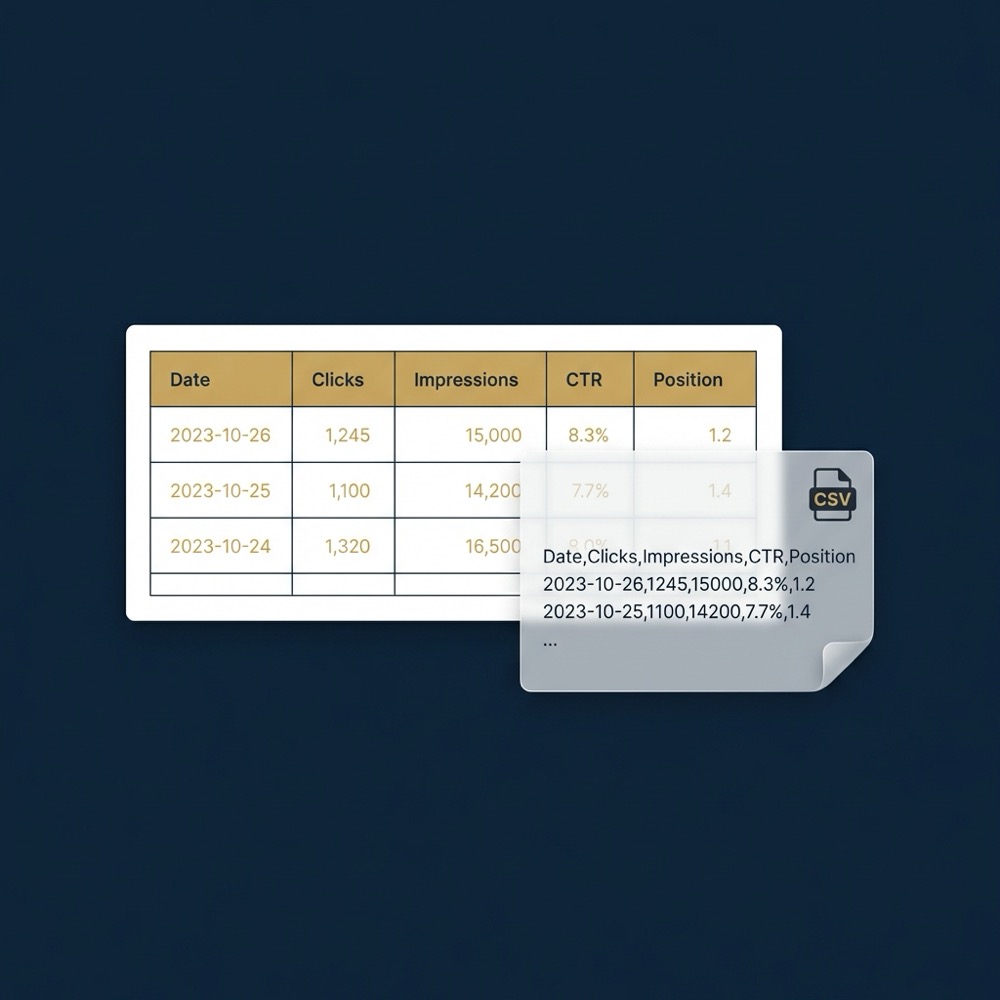
Search Console provides a rolling history in the UI but is not intended as a full archival system for multi-year dashboards. To keep auditable, long-term records teams should export query and page data on a regular cadence or use the Search Console API to pull data into an external warehouse Search Console API overview and API export docs.
Exporting early and often reduces the risk of losing historical context. An export use-case could be a weekly CSV dump of queries for a group of landing pages that you then join to conversion events from your analytics system. That join lets you assess whether changes in impressions or position relate to revenue.
Request a consultation to set up repeatable Search Console exports
Export one Performance report now and compare the exported query list with your current dashboards to see what is missing from the UI history.
The way Search Console counts impressions and computes average position differs from a live SERP snapshot. The UI aggregates by query and by page, which is valuable for understanding where impressions come from, but it can mask query-level spikes or falls if you only look at average position. Use filters and date comparisons to expose that variance.
Where the UI falls short, the API enables programmatic pulls and scheduled exports. Teams that archive CSV exports or use API pulls can build dashboards that reconcile query performance to conversions and revenue in a repeatable way.
Third-party rank trackers: what they add and how they differ
Third-party rank trackers provide continuous position monitoring for a curated set of keywords and can show trend charts that are convenient for stakeholders. They are useful when you want automated daily position checks for a stable keyword list and visual trend charts to support testing and creative decisions.
These trackers measure position differently from Google’s query-sampled view. They sample SERPs from their own agents or bots and track chosen keywords, so discrepancies with Google Search Console data are expected. Use trackers for trend detection and testing signals rather than as an absolute measure of Google-reported query performance position tracking guide.
Because third-party trackers sample differently, reconcile their results with Search Console periodically. A monthly reconciliation helps you spot when a tracker indicates a change that Search Console does not, and vice versa. That process keeps test prioritization grounded in the canonical Google-provided data.
Practical uses for trackers include alerting on rapid position drops for a small set of high-value keywords, validating the impact of a title or meta description test, and keeping an eye on competitor movements at a high level. Treat tracker output as signals to investigate in your canonical exports.
A hybrid workflow: make GSC canonical, export, then supplement
Make Google Search Console the source of truth for query performance, then export regularly for archival and joins. Pulling data via CSV exports or the Search Console API lets teams preserve history and use the data in dashboards and analytics tools Search Console API overview.

After export, join query and page rows to conversion or revenue events in your analytics. A common pattern is to map query and page combinations to channel or landing page conversions, which allows you to prioritize work by business impact rather than by small position shifts.
Supplement exports with a third-party keyword tracking feed for continuous monitoring. The tracker can give daily signals and trend charts while your exported Search Console data remains the auditable source used for attributions and reporting.
Assign responsibilities for exports and reconciliations. For example, an operator can schedule weekly exports, a data engineer can maintain the API pulls, and a marketer can review the reconciled dashboard for prioritization. This division keeps the system repeatable and accountable.
A practical monitoring checklist and alert rules
Use a short, repeatable checklist to reduce noise. Weekly items can include query position ranges for a sample of high-impression queries, pages with changing impressions, and CTR anomalies that indicate copy or snippet problems How to Track Keyword Rankings and Report on SEO.

Monthly work should include a reconciliation between Search Console exports and any third-party tracker you use. That reconciliation informs whether tracker signals match Google-reported changes and helps prioritize testing or fixes.
Define simple alert rules to separate noise from meaningful changes. Examples are sustained drops in impressions for a page, a significant fall in CTR across a set of high-impression queries, or new indexation errors surfaced in Search Console. Treat single-day fluctuations as possible noise unless they persist.
For alerts, specify owners and response steps. A typical flow is: detect the anomaly, run a focused diagnostic (query filters, date range comparison, manual UX check), and if the issue links to revenue, escalate to implementation. That flow balances speed with measured prioritization.
Common mistakes and how to avoid them
A frequent error is over-interpreting single-day manual checks or a single snapshot of position data. Short-term volatility and sampling can create misleading impressions if not seen in the context of historical exports or the Search Console view How to Check Your Google Ranking (and Why Manual Checks Mislead).
Another common failure is not exporting Search Console data and losing longitudinal insight. The UI preserves a rolling history but is not built for reliable multi-year archival reporting, so teams should schedule regular exports or use the API to avoid losing trends Search Console API overview.
Automates the recurring steps to export and reconcile Search Console data
Schedule as a cron job
Chasing small ranking fluctuations without linking them to conversions or funnel stages wastes time. Prioritize fixes that affect pages tied to clear conversion events or funnel steps, and treat minor volatility as background noise unless it aligns with traffic or revenue shifts.
Where possible, reduce recurring manual work with small automations and dashboards. Automating exports and basic reconciling steps frees up time for diagnosis, testing, and incremental improvements that compound over time.
Next steps: run a diagnostic and set a repeatable system
Run a short diagnostic in a day: export the last 30 days of queries for your main landing pages, identify the highest-impression queries, surface pages with falling CTR, and check for recent indexation or coverage issues in Search Console How to Track Keyword Rankings and Report on SEO.
Prioritize items that map to revenue or clear funnel stages before addressing surface-level position changes. Tie query and page rows to conversion events in your analytics so prioritization reflects business impact rather than position alone.
If you have a data team, move exports into an automated pipeline and build a small reconciled dashboard that combines Search Console query rows with conversions. If not, schedule disciplined CSV exports and a monthly manual reconciliation to keep reports auditable Search Console API overview.
When the system is running, use third-party trackers selectively for continuous trend signals and creative testing. Use those signals to trigger deeper work in your canonical data if they point to pages or queries linked to conversions.
Google Search Console is the canonical source for how Google reports query performance; use it as the primary reference and export data for repeatable reporting.
Incognito checks are useful for UX verification and spotting SERP changes, but they are affected by personalization and location and should not replace exported, canonical data.
A third-party tracker can provide continuous trend signals and daily position checks for a curated keyword set, but reconcile its output with Search Console before acting on it.
Want this kind of work done for your business?
We build and run AI-powered marketing and automation. 15 minutes, honest assessment.
Book a call