 Orvus
OrvusIs Squarespace a good platform for SEO? A pragmatic guide for teams
February 11, 2026
This article examines squarespace seo from a systems perspective. It explains what the platform handles well, where constraints typically appear, and how teams can decide between staying, adding developer fixes, or migrating. Practical checks and next steps are provided so operators can prioritise work against measurement and constraints.
What Squarespace provides for SEO and when it is enough
Built-in on-page controls
Squarespace exposes fields for meta titles and meta descriptions and handles canonical tags and sitemaps automatically in many templates, which means routine on-page tasks are straightforward for content teams Squarespace SEO checklist.
For many small service sites or boutique ecommerce stores, those built-in controls cover the core signals search engines expect without developer work. Using the editor to update metadata and publish posts reduces coordination and keeps content workflows fast.
Publishing and content workflow
The Squarespace editor focuses on a simple, visual publishing workflow that reduces developer dependence. That lowers operational friction for small teams, and it makes routine publishing and basic content scheduling accessible to non-technical operators.
Where speed of execution matters more than custom structure, this ease of use can be a net positive because it supports consistent content cadence and simpler measurement of what works.

When the platform meets team constraints
Many teams will find Squarespace sufficient when their needs are limited to standard pages, modest blog volumes, and simple product catalogues. These scenarios typically do not require custom server tuning or programmatic content generation.
Request a consultation to map your SEO next steps
If your team needs a short diagnostic checklist to confirm whether Squarespace meets your immediate search needs, consider a brief internal review of metadata, sitemap output, and template performance.
How search engines and Google guidance apply to Squarespace sites
Indexing and sitemap expectations
Google Search Central remains the authoritative baseline for how sitemaps, indexing, and crawlable content should be delivered, so validate your Squarespace sitemap against that guidance rather than platform assumptions Google Search Central starter guide.
Squarespace will generate an XML sitemap in most standard configurations, but teams should check that the sitemap lists only pages they intend to index and that robots directives align with site strategy.
Structured data basics and limits (squarespace seo)
Structured data helps search engines understand content intent, but platform defaults only cover common schema types. When you need richer or evolving schema, custom implementations are often required Google structured data documentation.
Audit which schema types appear on key templates and document where you need custom additions for products, events, or complex content records.
Canonical and URL control considerations
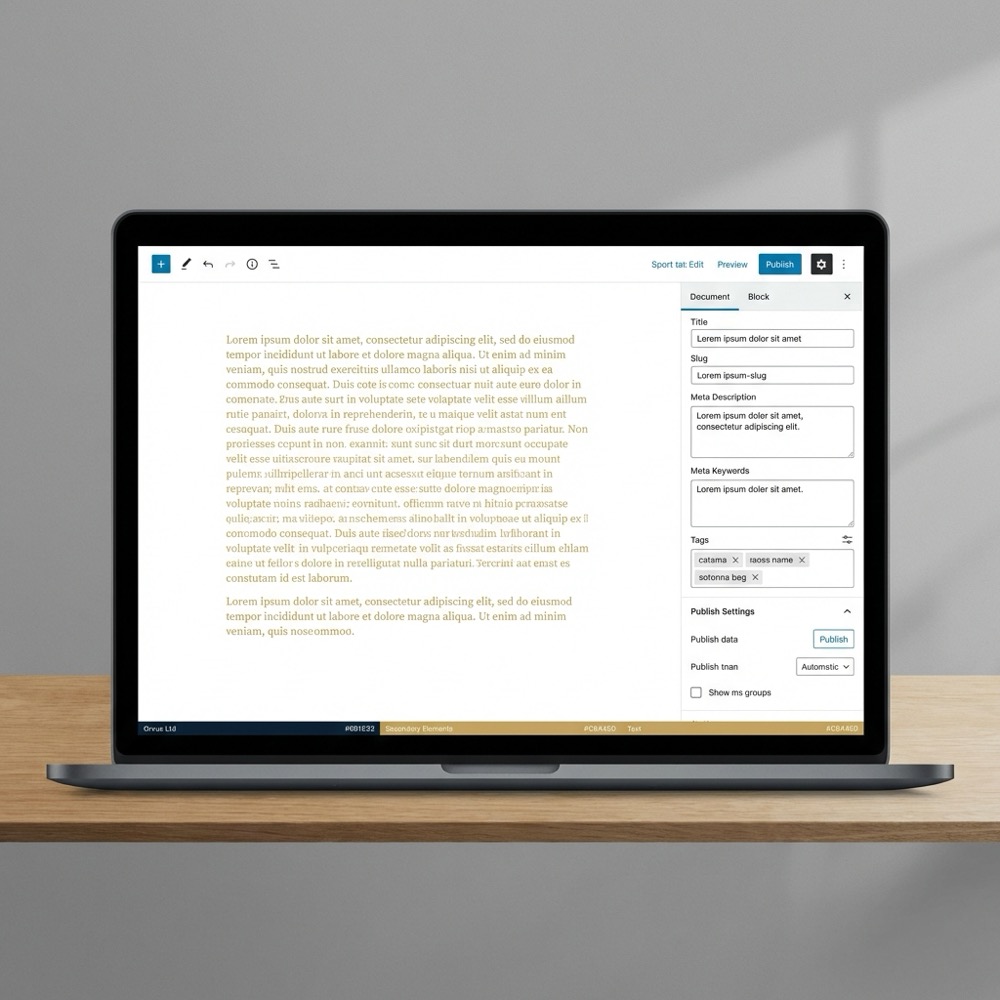
Canonical tags reduce duplicate content risks, and Squarespace provides canonical handling in many templates. That reduces a common source of indexing issues, but teams should still validate canonical output especially after templates or permalink changes.
When unusual URL patterns or campaign UTM handling are needed, check canonical and redirect behaviour before rolling out sitewide changes.
Common technical constraints on Squarespace and how they show up
Core Web Vitals and performance bottlenecks
Core Web Vitals and page speed are recurring issues on hosted templates, and audits commonly recommend optimising images, deferring non-critical scripts, and changing templates to improve metrics Core Web Vitals guidance on web.dev. For an alternative practical guide to SEO on Squarespace, see How to Do SEO for Squarespace.
These performance signals matter for user experience and can create upstream constraints for content scale if left unaddressed. Track LCP, CLS, and FID or INP on representative pages to spot patterns rather than relying on isolated reports.
limited server and URL controls
Hosted platforms restrict server-level controls such as custom caching rules, HTTP/2 tuning, or advanced redirect chains. Those limits become visible when sites need precise redirects, complex multi-site architectures, or specific header manipulations.
When server-level control is essential, teams often weigh developer workarounds against migration because the hosted environment can slow down advanced changes.
schema and programmatic content limits
Squarespace supports common schema out of the box, but programmatic or high-volume schema updates usually need code injection or external tooling to maintain consistency at scale Moz guidance on structured data on hosted platforms.
For sites planning large, templated content systems, these limits are a practical constraint that affects long term architecture and the ability to automate content creation.
Squarespace meets many basic SEO requirements out of the box, but advanced technical controls, performance tuning, and programmatic schema often require developer work or migration; the right choice depends on scale, measurement, and constraints.
A pragmatic decision framework: keep, fix, or migrate
Assess scale and content architecture needs
Start with a diagnostic: map your content volumes, templates, and desired schema types. Determine whether your content architecture requires programmatic generation, fine-grained URL patterns, or multi-site coordination.
If your content system is small and manual publishing meets demands, staying on a hosted platform with optimisations can be the most efficient path. For larger, programmatic systems, migration may better support long term scale.
Weigh developer cost vs migration cost
Estimate the recurring developer cost to implement workarounds such as custom code injections, image pipelines, or external rendering tools and compare that to a one-time migration cost evaluated against future velocity and constraints Search Engine Journal comparison and audits.
In many cases a short prioritisation cycle that measures the effort for three common fixes gives a clearer sense of whether migration is justified.
Prioritize based on measurement and constraints
Use measurement to guide decisions. Link search performance to business metrics before you commit to platform-level changes, and prioritise efforts that reduce the biggest operational friction points.

Orvus Limited often frames this as a diagnostic to identify silent growth breakpoints, then sequences fixes that unblock measurement and revenue attribution without large upfront moves.
Tactical optimizations you can do on Squarespace today
Image and template optimization for Core Web Vitals
Optimise images by using appropriately sized responsive images, modern formats where supported, and lazy loading. Those steps typically reduce LCP and improve perceived speed without platform migration.
Consider testing alternative templates and auditing critical CSS and script loads to reduce render blocking. Small template changes can produce outsized improvements when images and fonts are also optimised Core Web Vitals guidance on web.dev.
Adding structured data via code injection
When you need schema beyond built-in types, add targeted JSON-LD snippets through the platform's code injection areas or use a templating approach to generate structured data for specific content types, while keeping a source of truth for the data.
Validate any injected structured data against Google's structured data tester and document where injections are used so future edits do not accidentally remove required properties Google structured data documentation.
Practical metadata and sitemap checks
Regularly confirm that metadata fields are filled consistently across templates, and check the generated sitemap for unexpected URLs. These checks prevent routine indexing issues and support cleaner measurement.
These checks prevent routine indexing issues and support cleaner measurement.

Typical mistakes teams make with Squarespace SEO
Relying only on defaults
Teams often assume platform defaults are sufficient and skip audits. That can hide performance debt and indexing gaps that only surface once scale increases or campaigns run.
Regular audits of templates and representative landing pages prevent slow accumulation of issues that erode long term compound effects from search.
Ignoring performance signals
Ignoring Core Web Vitals reports is a common error. Performance regressions often arise from new plugins, embedded third-party scripts, or oversized images that were not apparent during initial builds Core Web Vitals guidance on web.dev. Tools such as Website Speedy can be used to diagnose some template-level issues.
Monitor real user metrics in addition to lab tools to understand how real visitors experience your pages and to prioritise fixes where they matter most.
Underestimating schema complexity
Assuming the platform will cover every structured data need leads to missed opportunities. Advanced schema often requires coordination between content, templates, and any third party data sources Moz guidance on structured data on hosted platforms.
Document schema requirements for each content type and treat schema work as part of content architecture rather than a one-off task.
Scenarios, next steps, and how to measure progress
Small team example: lean optimizations
For a small team with limited developer bandwidth, prioritise metadata consistency, image pipelines, and a template audit. These actions typically improve indexability and user experience without large resource commitments Squarespace SEO checklist.
Track outcome metrics such as crawlable pages, Core Web Vitals for key pages, and organic conversions to judge whether the approach delivers sufficient compound effects.
Growing content system: when to introduce dev work
When content volume grows and programmatic needs appear, introduce developer-led work on structured data automation, canonical handling, and a build pipeline for images and assets. Measure the time cost of these fixes against the projected benefit from increased content velocity.
At this point, compare the ongoing cost of workarounds to a migration plan and use short experiments to validate assumptions before committing to major moves. See Orvus services for how teams typically scope that work.
Measurement: tie search efforts to revenue attribution
Use a diagnostic and a short prioritisation cycle of 30 to 90 days to test changes and measure impact. Link organic sessions to conversions and revenue attribution where possible so decisions are based on business signals rather than isolated SEO metrics Google Search Central starter guide. For a practical checklist oriented at Squarespace sites see Search Atlas checklist.
Tool support can reduce recurring operational work by automating checks and reporting, and a focused dashboard helps teams keep priorities aligned with business outcomes. See our blog for ongoing notes and case examples.
Quick diagnostic checklist to triage Squarespace SEO constraints
Run monthly after major content updates
Yes. Squarespace provides built-in metadata fields, automatic sitemaps, and canonical handling that cover most basic on-page SEO tasks for small sites, though you should validate outputs and monitor performance.
Not always. Many fixes like metadata consistency and image optimisation can be done without a developer, but advanced schema, complex redirects, or fine-grained server controls typically require developer work.
Consider migration when programmatic content, multi-site architecture, or server-level controls are central to your strategy and the recurring cost of workarounds outweighs migration effort.
A diagnostic, short experiments, and clear measurement against business outcomes will reveal whether to keep, fix, or migrate. Systems-focused partners can help structure that diagnostic and sequence the highest-impact actions.
References
- https://support.squarespace.com/hc/en-us/articles/205815308-SEO-checklist
- https://developers.google.com/search/docs/fundamentals/seo-starter-guide
- https://developers.google.com/search/docs/appearance/structured-data
- https://web.dev/vitals/
- https://www.siteguru.co/seo-academy/seo-for-squarespace
- our services
- https://websitespeedy.com/fix-squarespace-core-web-vitals
- https://searchatlas.com/blog/squarespace-seo-checklist/
- our knowledge base
- orvus.net
Want this kind of work done for your business?
We build and run AI-powered marketing and automation. 15 minutes, honest assessment.
Book a call