 Orvus
OrvusIs making a Google Sites webpage worth it?
January 28, 2026
The focus is on practical decisions rather than blanket judgements: if you need a short-lived landing page or internal doc site, Google Sites can be the right tool. If you need scalable content architecture, advanced redirects, or reliable revenue attribution, plan for a platform with more control.
Quick answer: is a Google Sites webpage worth it for google sites seo?
Short verdict: Google Sites is a free, low-friction option that works well for simple landing pages, portfolios, and internal documentation but has platform limits that make it a weak long-term choice for complex search architecture or advanced measurement.
The platform supports easy publishing and custom domain mapping, which makes it fast to get a page live and discoverable for basic content needs Google Sites Help.
At the same time, Google Sites exposes only basic metadata controls and does not provide low-level access to robots, advanced canonical options, or server-level redirects, which limits technical SEO flexibility for larger sites.
Discuss a diagnostic and migration plan with a consultant listed on Orvus services
Use the decision framework below to check whether your project is short-lived or simple enough for Google Sites, or whether you should evaluate a CMS that gives deeper control.
Short executive summary
Google Sites can be a practical, pragmatic choice when speed and zero cost matter more than long-term architecture. It is good for minimal campaigns and internal documentation where advanced redirect, canonical, and structured-data controls are not required.
For projects that require a content architecture that will scale, strong measurement, or ecommerce capabilities, plan to move to a more flexible platform when requirements grow.
Who should read this
This article is for operators, founders, and marketing teams who need a clear, systems-first view of whether Google Sites meets their SEO and measurement needs, and a reproducible decision framework to choose a platform.
What Google Sites is and what it offers for google sites seo
Google Sites is a free site builder provided by Google that supports publishing a site and mapping a custom domain, so teams can publish simple static pages quickly Google Sites Help.
The surface area available for SEO work is intentionally limited. You can set page titles and meta descriptions, but you do not get easy access to server-level configuration, a custom robots.txt, or advanced canonical tag management from within the editor.
Practical implication: it is straightforward to get a basic site live and indexable, but if your search architecture requires fine-grained URL control or complex redirect strategies, Google Sites will feel restrictive.
Core features and publishing flow

That workflow reduces friction for quick launches, events, and small portfolios. It also means fewer knobs for technical SEO, so teams that prioritize control over convenience should account for that trade-off early.
Domain mapping and basic metadata controls
Google Sites allows custom domains and basic metadata editing. You can verify domain ownership and set titles and descriptions, which is enough for straightforward indexing of static pages.
However, more advanced metadata and low-level SEO interventions are not exposed, which affects migration options and complex canonical scenarios.
When google sites seo makes sense: appropriate use cases
Google Sites is a sensible choice for projects where simplicity, speed, and cost reduction are priority constraints. Typical fits include single-event landing pages, small personal portfolios, short-lived campaign microsites, and internal documentation that does not require complex tracking or commerce features Is Google Sites good for SEO? - Review & limitations.

When to avoid it: do not plan an ecommerce catalogue, a large content hub, or any site that needs advanced measurement and revenue attribution on Google Sites. Those needs generally require a CMS or headless approach that exposes redirects, structured data controls, and server-level integrations Google Sites vs WordPress: SEO and scalability comparison.
Keep in mind Google Sites can be an acceptable short-term option while teams validate demand, but it should be part of a deliberate migration plan if the project is expected to scale.
Good fits: quick landing pages, portfolios, internal docs
Examples of good fits include an event page that collects RSVPs, a freelancer portfolio that needs a simple online presence, or internal knowledge bases where access control and simplicity matter more than external search impact Is Google Sites good for SEO? - Review & limitations.
These pages tend to be static, rely on simple navigation, and do not require complex tracking, which plays to Google Sites strengths.
When to avoid Google Sites
Avoid Google Sites when you plan to run ecommerce, manage hundreds of content pages, or need server-side redirects and advanced canonical strategies. Those use cases require control that Google Sites does not offer and can create maintenance and SEO risk if ignored Google Sites vs WordPress: SEO and scalability comparison.
Key technical limits for SEO and scale on Google Sites
Google Sites does not expose server-level controls. That means you cannot reliably configure server-side redirects, customize a robots.txt file directly, or insert site-wide advanced canonical handling, which are important for migrations and complex content architectures Google Sites Help.
When a platform does not let you manage redirects and canonicals, you face higher risk during URL changes or when consolidating content collections. That lack of control can make large-scale reorganisations more error-prone and may require staging on a different CMS.
Canonical and redirect constraints
Advanced canonical tag strategies and server redirects are common tools for managing duplicate content and signaling preferred URLs to search engines. Google Sites limits how much you can control these elements directly, which reduces options for nuanced canonical strategies during growth or migration phases Google Search Central: How Googlebot renders pages.
In practice, this means teams should expect to rely on careful URL planning from the start and avoid reorganisations that would require heavy redirect maps unless they plan to migrate off the platform.
robots and crawl directives
Google Sites does not provide a built-in, editable robots.txt interface or a way to set global crawl directives at the server level. That limits crawl control for large sites and makes selective blocking or staged indexing harder to implement.
For projects that need controlled crawling during migrations or selective indexing of sections, a more flexible hosting platform will offer better tools.
Indexing, rendering and client-side script issues with google sites seo
Googlebot renders pages using a two-stage process. Static HTML tends to index reliably, but pages that require heavy client-side JavaScript to generate content or depend on complex embedded widgets can experience rendering delays or incomplete indexing Google Search Central: How Googlebot renders pages.
Practical consequence: if your Google Sites page is mostly static text and images it is likely to be indexed normally; if it relies on dynamic widgets or client-side app-like behavior, expect to run rendering checks and possibly see delays.
Google Sites is suitable for simple, short-lived sites and internal documentation but lacks the low-level controls and measurement flexibility needed for long-term, scalable search architecture in many business contexts.
Common problematic embeds include third-party widgets that inject content after load, scripts that rewrite the DOM, and complex single-page app patterns that do not progressively enhance content; these can interfere with how a crawler sees the page Google Sites review: When it makes sense and when it does not.
Practical checks: use Search Console's URL Inspection and live render tools, compare server-side HTML snapshots with rendered output, and verify that critical content is present without user interaction.
How Googlebot renders pages
Googlebot attempts to render pages similarly to modern browsers, but rendering happens after an initial crawl and can be queued or delayed when pages require significant client-side processing, which affects time-to-index for dynamic content Google Search Central: How Googlebot renders pages.
That two-stage nature means static content is safer; where possible, prefer server-rendered content or inline critical content so crawlers and users see the same thing quickly.
Common causes of rendering or indexing delays
Embedding widgets that load content asynchronously, relying on JavaScript to assemble the main content, and excessive external network calls are frequent causes of rendering problems. Each adds potential points of failure for search indexing Google Sites review: When it makes sense and when it does not.
Remediation typically involves replacing problematic widgets with static alternatives, ensuring critical text is present in the initial HTML, or moving to a platform that supports server-side rendering when dynamic content is essential.
Performance and Core Web Vitals considerations for google sites seo
Core Web Vitals remain part of Google's broader page experience signals in 2026, so page performance and load stability matter for user experience and can influence search outcomes Core Web Vitals and performance metrics.
Google Sites generally delivers acceptable performance for simple pages, but it does not give developers the same low-level access to performance tuning as a more advanced CMS or custom hosting environment.
Why Core Web Vitals matter
Core Web Vitals measure loading speed, visual stability, and input responsiveness. Sites that can be tuned to improve those metrics tend to provide more reliable user experience signals to search engines Core Web Vitals and performance metrics.
If your project needs predictable performance improvements and detailed measurement, choose a platform that exposes caching, asset optimization, and fine-grained control over scripts and styles.
Limits of tuning performance on Google Sites
Google Sites does not expose advanced asset pipelines or granular caching settings. That constrains how far you can push Core Web Vitals improvement without moving the site to a host or tooling that supports build-time optimization and server configuration Is Google Sites good for SEO? - Review & limitations.
Practical mitigations on Google Sites include minimizing embedded scripts, using optimized images, and keeping pages simple. For anything beyond incremental gains, a platform with lower-level access is preferable.
Measurement, analytics and revenue attribution limitations for google sites seo
Google Sites supports basic analytics integration, but it restricts how and where you can insert custom tracking snippets, which complicates advanced event tracking and server-side measurement strategies Google Sites vs WordPress: SEO and scalability comparison.
Quick tracking validation on Google Sites
Use these checks after publishing to confirm core events are recorded
The main implication for operators is that tying search visits to revenue or building complex attribution models is harder when you cannot deploy server-side measurement or adjust where scripts run.
For light projects, simple client-side analytics may be sufficient. For growing sites that need reliable revenue attribution or testing frameworks, a CMS with native integrations or the ability to run server-side tracking is recommended Google Sites review: When it makes sense and when it does not.
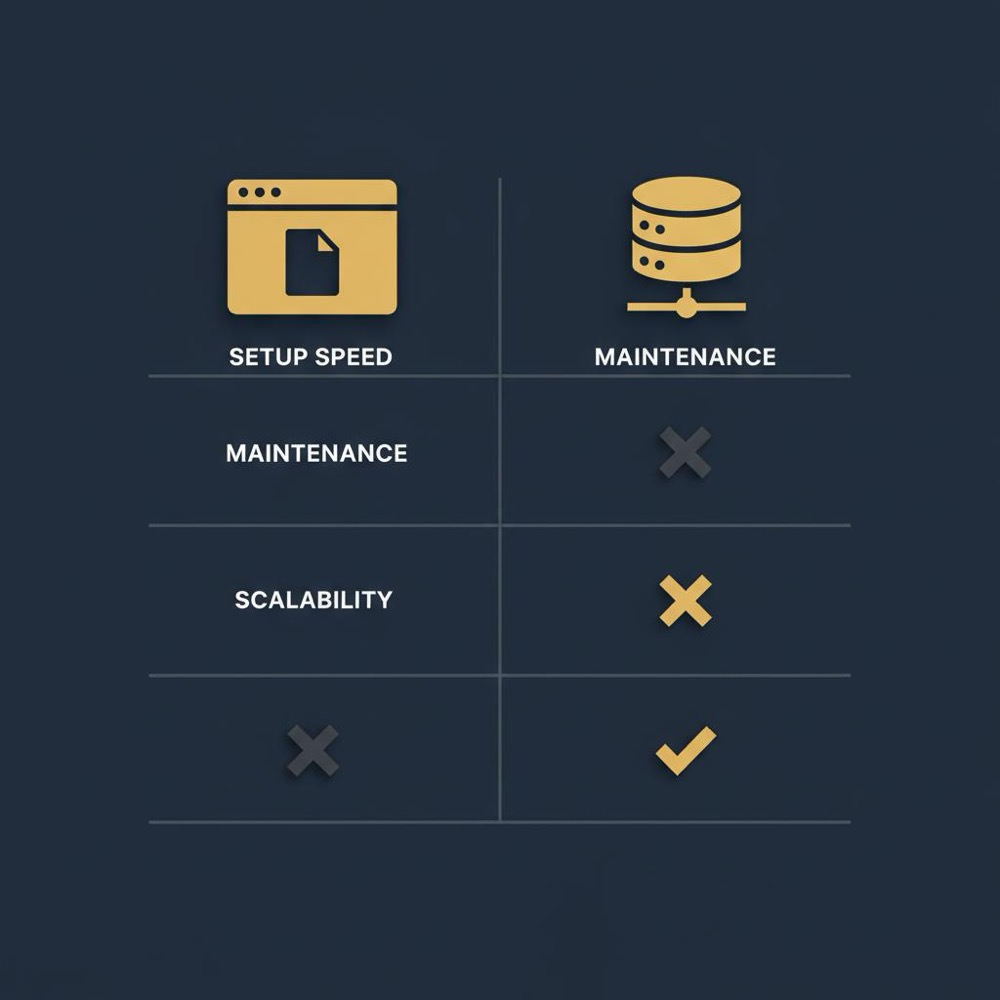
The main implication for operators is that tying search visits to revenue or building complex attribution models is harder when you cannot deploy server-side measurement or adjust where scripts run.
Orvus can help rebuild technical structure and content architecture so search supports revenue goals, but that depends on data quality, constraints, and scope rather than a single solution.
What you can and cannot hook into
You can connect standard analytics tools and add common tags in many cases, but the platform limits where you can add custom server-side code and may block pixel or tag variants that need header insertion. That reduces flexibility for advanced measurement setups Google Sites vs WordPress: SEO and scalability comparison.
Operators should verify tracking continuity before measuring campaigns and consider lightweight validation steps to confirm event capture after publishing.
Implications for attribution and reporting
Limited tracking can mean gaps in session stitching and conversion attribution, which complicates decisions that rely on channel-level performance. This makes disciplined reporting and conservative decision rules more important when measurement is constrained.
When attribution clarity matters to revenue decisions, teams should evaluate platforms that permit server-side event collection or provide richer integration points.
Decision framework: how to choose Google Sites or a more flexible CMS
Decide by scoring a short list of constraints: content complexity, measurement needs, commerce requirements, team capacity, and expected growth. Weight each item by how critical it is to your business and sum the scores to pick a path Google Sites vs WordPress: SEO and scalability comparison.
Use a simple approach: for each criterion, assign 0 for low, 1 for medium, 2 for high. If the total exceeds a threshold you set (for example, 6 of 10), plan for a CMS or headless approach rather than Google Sites.
Checklist of constraints and priorities
Key criteria to score: expected pages and content complexity, need for redirects and canonicals, analytics and revenue attribution requirements, ecommerce needs, and the team's ability to manage technical infrastructure.
Apply this checklist early in project planning to avoid lock-in and to create an explicit migration trigger if scores change over time.
A simple scoring approach
Example: a freelancer portfolio might score 0-2 total and therefore stay on Google Sites. A growing content hub with ecommerce and complex funnels might score 7-8 and therefore needs a CMS. Use this reproducible method to remove ambiguity from platform decisions.
Migration and scaling strategy: starting on Google Sites then moving on
Plan migration when you hit specific triggers: growing content volume, the need for server redirects, ecommerce onboarding, or when measurement gaps materially affect decisions. These are practical signs that the platform no longer fits Google Sites Help.
Start migration planning before traffic or revenue peaks to avoid rushed redirects and lost search visibility.
When to plan migration
Triggers include a sustained increase in pages, complex taxonomy requirements, or the need to centralize analytics and server-side measurement. Each of these typically requires features Google Sites cannot provide reliably Google Sites vs WordPress: SEO and scalability comparison.
Begin mapping URLs and verifying analytics continuity well before you cut over to reduce risk during migration.
Minimal migration checklist
At minimum, keep a URL map, ensure analytics continuity by duplicating tracking on the destination, create a redirect plan, stage the new site, and run crawl comparisons to validate parity.
Test redirects in a staging environment, confirm canonical behaviour, and monitor indexed pages in Search Console during and after the move.
Typical mistakes and Stolperfallen when using Google Sites for SEO
Common mistakes include relying on complex embeds without testing rendering, ignoring Search Console rendering tools, poor metadata hygiene, and failing to plan for analytics continuity during growth or migration Google Search Central: How Googlebot renders pages.
Each error is avoidable with simple validation steps and a basic monitoring routine.
Frequent configuration and content mistakes
Teams often publish dynamic widgets that appear fine in a browser but are invisible to a crawler, or they leave default titles and descriptions that weaken discoverability. Both are common and easily fixed.
Run a quick URL inspection and compare the rendered HTML to the visible page. If key content is missing from the rendered output, replace the widget with static content or move to a platform that supports server-side rendering.
How to avoid common traps
Create simple acceptance tests before publishing: check Search Console rendering, verify analytics fires for key events, and audit page metadata for unique, descriptive titles and descriptions.
Set a monitoring cadence so issues are found early and corrected before they affect search visibility or attribution.
Practical examples and scenarios for google sites seo
Example 1: single-page event site - Pros: very fast to set up, easy domain mapping, good enough for RSVPs and basic discovery. Cons: limited custom tracking and no advanced redirects. Recommendation: stay on Google Sites while event is short-lived and ensure analytics and Search Console are connected Is Google Sites good for SEO? - Review & limitations.
Example 2: small portfolio for a freelancer - Pros: low cost, minimal upkeep, simple pages index well. Cons: limited structured data control and measurement options. Recommendation: stay or use Google Sites for a portfolio, but plan a migration if you need richer schema or client tracking.
Example 3: ecommerce store - Pros: none for medium-to-large ecommerce needs; Cons: lacks commerce features, redirects, and measurement control. Recommendation: do not use Google Sites for ecommerce; choose a platform designed for catalogues and server-side integrations Google Sites vs WordPress: SEO and scalability comparison.
Checklist and next steps if you choose Google Sites for now
Immediate setup checklist: set clear page titles and meta descriptions, verify domain ownership, connect Search Console, and add analytics where possible Google Sites Help.
Monitoring and review cadence: run Search Console rendering checks weekly for the first month, monitor Core Web Vitals through web.dev tools monthly, and confirm analytics event capture after each significant change.
Migration triggers to watch: sustained page growth, need for server redirects, ecommerce requirements, or persistent measurement gaps. Treat any of these as a prompt to begin migration planning.
When it makes sense to involve a strategic growth partner
A systems-first partner helps when you need diagnostics, channel mix clarity, bottleneck mapping, or a migration plan that preserves search value while improving measurement and workflows Google Sites review: When it makes sense and when it does not.
What to expect from an engagement: a compact diagnostic, prioritized roadmap, and hands-on planning for redirects and analytics continuity. A partner helps translate constraints into a stepwise migration or augmentation plan without promising outcomes.
Orvus can help rebuild technical structure and content architecture so search supports revenue goals, often focusing on measurement and automation rather than one-off fixes.
Conclusion: practical recommendations for google sites seo
Recap: Google Sites is an efficient, free platform for small, simple sites and internal pages, but its limited access to canonical, robots, and redirect controls makes it a poor choice for medium-to-large content architectures and ecommerce Is Google Sites good for SEO? - Review & limitations.
Final recommendation: use Google Sites for short-lived or low-complexity needs, apply the decision framework to score constraints, and prepare a migration plan if your project crosses the migration triggers described above.
Yes for very small, simple businesses that need a low-cost presence, but if you expect to scale content, need ecommerce, or require advanced tracking you should consider a CMS or headless platform.
Static pages on Google Sites are generally indexed normally, but pages that rely on heavy client-side scripting or complex embeds can experience rendering or indexing delays.
You can add basic analytics, but Google Sites limits where custom tracking and server-side measurement can be deployed, which can complicate reliable revenue attribution.
For teams that need help mapping requirements to platform decisions and preserving measurement through growth, a systems-oriented diagnostic can clarify the best next steps.
References
- https://developers.google.com/search/docs/appearance/structured-data/intro-structured-data
- https://developers.google.com/search/docs/appearance/structured-data/sd-policies
- https://web.dev/vitals/
- our services
- https://www.seroundtable.com/google-drops-support-structured-data-types-40386.html
- about Orvus
- our knowledge base
Want this kind of work done for your business?
We build and run AI-powered marketing and automation. 15 minutes, honest assessment.
Book a call