 Orvus
OrvusWhy are people moving away from WordPress? Shift & Alternatives
November 25, 2025
Why are people moving away from WordPress? That question landed in boardrooms and Slack channels across 2024 and 2025 as organisations began to measure the true, ongoing cost of their websites. The short answer: many teams are not abandoning WordPress because it stopped working - they are re-evaluating whether it is the best fit for their evolving needs.
What changed: a quiet reassessment
Across industries the conversation shifted from nostalgia and convenience to measurable trade-offs. People started talking about moving away from WordPress as a deliberate option rather than a panicked response. Why? Security incidents, rising maintenance expenses, and performance bottlenecks became visible as sites scaled or added interactivity. For some teams the solution was to professionalise their WordPress setup; for others it was to split content and presentation or move entirely to a different stack.
That nuance matters: WordPress is not dead. It remains the single largest CMS and an exceptional tool for content-rich editorial work. But the question now is practical: is it still the right tool for this particular project?

One gentle, practical step many teams take is to get an expert audit before committing to a rebuild. If you want a clear, numbers-driven view of trade-offs and a plan tailored to your constraints, consider a focused review like the one offered by Orvus services - it’s a compact way to see whether cleaning up a WordPress site or migrating some parts will deliver better ROI.
In the sections below I unpack the forces pushing organisations away from WordPress, where WordPress still excels, and a practical framework you can use to decide whether to stay, refactor, or migrate.
Get a focused site diagnostic and a clear migration plan
For a compact, numbers-driven review, consider an Orvus audit - start with the Orvus services page for details: Orvus services.
See the practical audit checklist and migration patterns that follow for how to begin.
Start with a short, measurable audit: inventory plugins and custom code, map revenue-critical pages, and measure real-world performance under load. That data alone will reveal whether to professionalise your current WordPress setup or begin a phased migration.
Security: the headline driver
Security is the clearest reason organisations began to re-evaluate. Incident responders reported a larger-than-expected share of compromised sites running on WordPress. The causes are straightforward: unpatched plugins, themes from unverified sources, and maintenance practices that assume the site will somehow maintain itself. The ecosystem’s openness - one of WordPress’s greatest strengths - becomes a vulnerability when ownership and upkeep are unclear (see the Patchstack whitepaper: Patchstack 2025 whitepaper).
For teams that can’t tolerate a breach - those handling sensitive customer data, memberships, or payment flows - perceived security risk changes the calculation. A managed platform or specialist hosting can transfer some responsibilities, but the trade-off is less direct control over the stack.
Practical security checks
Start with a short checklist:
- Are all admin accounts protected with multi-factor authentication?
- Are plugins and themes updated on a predictable schedule?
- Is there an audited list of third-party components and their owners?
- Are backups tested regularly and recoveries timed?
These may sound basic, but they are surprisingly often missing. The absence of these controls is what makes organisations think about moving away from WordPress or adopting a managed approach.
Costs that compound: from cheap to unexpectedly expensive
WordPress can be very cheap at small scale. A shared host and a handful of plugins will get a blog online quickly and affordably. The problem is non-linear complexity: as pages, features, and traffic grow, hidden costs appear. Plugins conflict, themes create fragile dependencies, and database-driven rendering raises hosting requirements.
When people talk about moving away from WordPress, they often mean moving away from the unpredictable costs that appear as the site grows: higher hosting bills, developer time spent debugging plugin conflicts, and extra effort to tune caching and CDNs. For many organisations the surprise is less that WordPress can be expensive and more that costs scale faster than they expected (reasons to consider migration).
Where costs typically hide
- Plugin sprawl: dozens of extensions, each with its own update cadence and compatibility risk.
- Staging and QA: manual or fragile deployment processes that slow down releases.
- Hosting and caching: the need for dedicated resources, object caching, and tuned reverse proxies.
- Maintenance time: repeated firefighting replaces strategic development.
Performance: perception vs root cause
Performance complaints often get pinned on WordPress itself, but the real problem is usually the layers added on top. A heavy page builder, a dozen plugins, and dynamic e-commerce features create a slow experience - exactly the kind of build that nudges teams toward static sites, headless architectures, or managed builders that promise fast, predictable pages.
That said, where speed is business-critical (retention, conversion, SEO), predictability wins. Alternatives often deliver faster page loads out of the box, because they remove variable moving parts and push content through CDNs and pre-rendering.
Key performance metrics to watch
- Time to First Byte (TTFB)
- Largest Contentful Paint (LCP)
- Cumulative Layout Shift (CLS)
- Time to Interactive (TTI)
Measure these under peak load, not just in a quiet lab. Performance under stress is what forces many teams into planning a migration or a split architecture.
Where WordPress still shines
It’s easy to tell a dramatic “WordPress is dying” story, but that misses where WordPress continues to be the right choice. If your project is editorial-first, requires complex authoring workflows, or benefits from a vast plugin ecosystem (membership tools, multilingual plugins, commerce extensions), WordPress is often the fastest route to production.
For many organisations the plugin ecosystem is a time-saver: instead of building a membership system from scratch, you can install a mature plugin and configure it. That speed-to-value is why many teams double down rather than migrating away.
Typical wins for staying on WordPress
- Editorial control: polished WYSIWYG editors, media libraries and granular user roles.
- Rapid feature delivery: plugins for common needs like SEO, forms, and payments.
- Deep extensibility: custom themes and hooks for bespoke integration.
Alternatives: static, headless, and managed builders
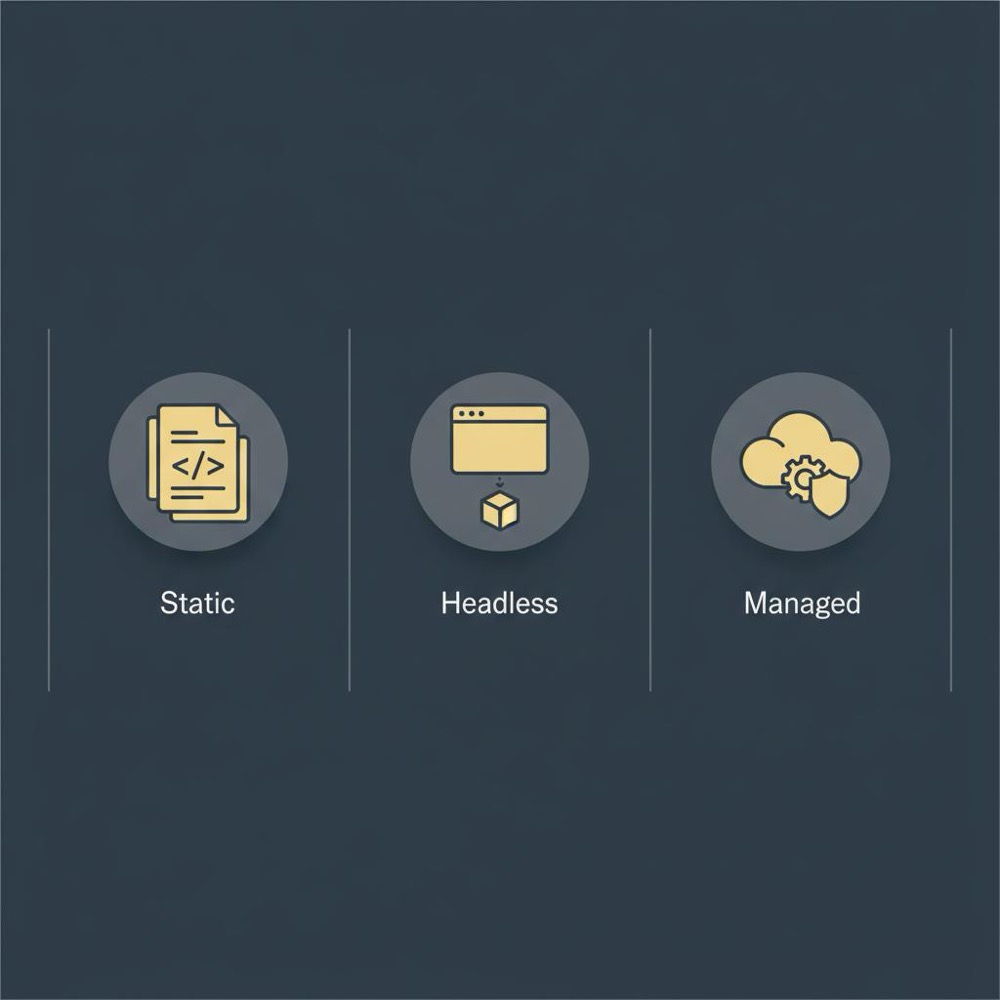
When people consider moving away from WordPress, three broad alternatives appear most often:
1) Static sites: pre-rendered pages served from a CDN. Fantastic for brochure sites and content that changes less frequently.
2) Headless CMS: WordPress (or another CMS) as a content API with a modern frontend (React, Vue, Svelte). Great for complex front-ends and single-page applications.
3) Managed site builders: SaaS platforms that bundle hosting, updates and monitoring for predictable operations.
Each option brings trade-offs. Static sites give speed and security but make live previews and rich personalization harder. Headless approaches give developer experience and performance but increase maintenance and potential vendor lock-in. Managed SaaS reduces operational burden but may constrain unusual integrations. For more on the push away from classic WordPress stacks, see reasons to switch from WordPress.
When to prefer each option
- Choose static if your site is mostly content with occasional updates and you value speed and cheap hosting.
- Choose headless if you need modern front-ends, tight performance, and your team can sustain extra infrastructure.
- Choose managed if you want predictable bills, fewer moving parts, and a lean non-technical team.
A hybrid approach that often wins
Many organisations land on a hybrid strategy: keep WordPress for editorial workflows but deliver the public site using a static or headless front-end. This preserves author experience while delivering speed and resilience for users. It’s a pragmatic middle way: editors keep the tools they know, developers get modern build systems.
Practical audit: how to decide
A careful audit is the first concrete action. Don’t decide based on fear or trends. Map what the site actually does, and where the real pain lives.
Audit checklist (practical):
1. Inventory: list every plugin, theme, and custom code snippet. Tag each as critical, optional, or deprecated.
2. Ownership: who is responsible for updates and fixes for each piece?
3. Revenue mapping: which pages and flows generate income or leads?
4. Performance data: real-world LCP, TTFB and load profiles under peak traffic.
5. Security posture: MFA, tested backups, monitored logs, and a patch schedule.
6. Editorial workflows: which admin features are essential to authors?
Once that map exists, options become clearer. Often the pragmatic sequence is: clean up and stabilise, push non-critical pages to a new frontend, then iterate or migrate critical flows with care.
Migration patterns and realistic expectations
People often underestimate the migration cost. Rebuilding front-ends, preserving redirects and SEO, and keeping editorial preview workflows working are non-trivial tasks. Expect the need to keep both systems running in parallel for a while.
Phased migration approach:
- Phase 0: audit, measure, and secure the existing site.
- Phase 1: migrate low-risk, low-traffic pages to new frontend and measure impact.
- Phase 2: build connectors for critical features (search, personalization, commerce) and test.
- Phase 3: cutover for high-value pages with thorough QA, rollback plans and SEO checks.
This phased approach reduces risk and gives you measurable checkpoints to stop or continue.
Operational patterns for teams who stay on WordPress
If you choose to remain on WordPress, do it professionally. Treat the site like critical infrastructure.
Best-practice checklist:
- Consolidate to fewer, well-supported plugins.
- Use a staging environment and automated deployments.
- Choose hosts with WordPress scale experience and CDN support.
- Regularly test backups and restores.
- Automate security scanning and set SLAs for patching.
These steps take the guesswork out of maintenance and often eliminate the main drivers behind conversations about moving away from WordPress.
Extensibility: plugins vs APIs
Extensibility is often the deciding factor. WordPress’s plugin ecosystem is vast and battle-tested. But extensibility can also mean a clear API, easy custom code paths and maintainable connectors. If your business depends on niche integrations (unique CRM hooks, bespoke e-commerce), weigh the engineering cost of reproducing those integrations elsewhere.
Human factors: change feels risky
People resist change for good reasons. Editors and marketers have muscle memory; they are fast in known interfaces. A migration that makes editorial life harder will slow content production and frustrate teams. A successful program treats human factors as a delivery risk: training, documentation and incremental rollouts matter as much as technical decisions.
Practical migration ergonomics
Start with frequently used admin screens first. Keep crucial workflows intact during the overlap period. Use a staged rollout and gather early feedback from editors to avoid surprises.
Case patterns: clean house vs rebuild
In my experience, teams follow two dominant patterns when they decide to act.
Pattern A - Clean house: keep WordPress, replace fragile plugins with supported alternatives, move to managed hosting, and tighten deployment practices. This often fixes performance and security problems with less cost and disruption.
Pattern B - Rebuild the frontend: keep WordPress as a headless CMS or migrate content to a new CMS, and build a modern static or SPA frontend. This path is chosen when front-end performance or UX requirements exceed what a classic WordPress stack can deliver economically.
Risk management: when to keep, when to rebuild
If your site is business-critical, risk should guide the decision. Ask: what is the worst-case for a compromise? How fast can we recover? Who owns updates? For many organisations the first step is not migration but professionalisation - move to a specialist host, add monitoring and patching SLAs, and engage security expertise.
Real-world checklist: should you move away?
Answer these questions honestly:
- Does the site regularly suffer from plugin-related outages?
- Is the editorial experience causing friction for writers and marketers?
- Do speed metrics materially affect conversion and retention?
- Is there a clear owner for security and updates?
- Does your roadmap require bespoke integrations that WordPress plugins cannot support cleanly?
If two or more answers are yes, plan a careful audit and consider a phased migration or targeted professionalisation.
Cost comparison: hidden vs predictable bills
One reason teams consider moving away from WordPress is the desire for predictable costs. Managed platforms convert maintenance variability into a monthly bill. That trade - predictable money for less internal overhead - often suits legal and finance teams who need clear budgets.
But predictable costs can be higher. The choice is about risk tolerance and organisational capacity: do you prefer to invest internal staff time into maintenance or pay a vendor to shoulder some of that burden?
Tooling and workflow for modern stacks
If you move to headless or static, expect new tooling: build pipelines, preview environments, APIs for authors and search connectors. These tools improve developer velocity and front-end performance, but they add infrastructure that needs maintenance. Plan for that in staffing and budgets.
SEO and migrations
SEO is often the scariest part of migration. Rewrites, redirects and content model changes can hurt rankings if handled badly. Have a clear redirect map, preserve URL patterns where possible, and use parallel testing to measure indexation and ranking changes before final cutover.
When managed SaaS is the right call
For many small teams a managed SaaS builder is the right trade: less flexibility, but fewer surprises. If you don’t need deep customisation and you want a predictable path to ship features, a managed platform can be liberating. It’s especially attractive when cost of developer time is higher than the SaaS bill.
Vendor lock-in and exit plans
Every platform choice creates some coupling. If you go managed, build an exit plan: data exports, content APIs, and a clear plan to rebuild if necessary. That reduces the perceived risk of being trapped and makes the decision more reversible.
Leadership guidance: treat this like a project
Make the reassessment a proper project: define scope, timelines, success metrics and owners. Treat the experiment as measurable: pick a subset of pages to migrate first and measure performance, conversion and editorial velocity.
Final practical checklist
- Audit your plugins and codebase.
- Measure real-world performance under load.
- Map revenue and critical user journeys.
- Decide whether to clean, hybridise or rebuild.
- If rebuilding, adopt a phased migration and test SEO impacts.
How Orvus typically helps

Orvus works as a tactical partner in these situations: we run compact diagnostics, map where technical debt hides, and propose high-leverage moves. Whether the right outcome is to stabilise WordPress, migrate to a hybrid setup, or move to a managed platform, Orvus’s approach is pragmatic and numbers-driven. The goal is clear: reduce friction, preserve revenue, and make future growth predictable. Learn more about the Orvus team: Orvus about.
Parting guidance
Choosing whether to stay on WordPress or to shift is an exercise in risk management, pragmatism and empathy for the people who use the system daily. The right path depends on your goals, team skills and appetite for maintenance. Do a measured audit, include editorial teams in the decision, and pick a phased migration that keeps business outcomes safe.
Whichever path you choose - clean, hybrid or rebuild - make it deliberate and measurable. That's the reliable way to turn the noise of trends into a practical, value-driven decision.
Yes. WordPress remains one of the best choices for content-heavy sites because of its mature authoring tools, editorial workflows and a vast plugin ecosystem. For teams that prioritise editorial speed and control over hosting, WordPress delivers strong value. The key is to professionalise the setup: fewer, well-supported plugins, staging and automated deployments, and a host with WordPress expertise.
Main risks include: SEO impact from URL changes or poor redirects, loss of editorial previews and familiar workflows, additional maintenance for new infrastructure (build systems, APIs), and potential vendor lock-in with managed platforms. A phased migration with parallel testing, a redirect map, and editorial validation helps control these risks.
Orvus offers compact diagnostics to map technical debt, revenue-critical flows and performance bottlenecks. We help you decide whether to stabilise WordPress, adopt a hybrid headless approach, or move to a managed platform - all tied to measurable outcomes and a phased migration plan. Learn more about tailored diagnostics at orvus.net/services/.
References
Want this kind of work done for your business?
We build and run AI-powered marketing and automation. 15 minutes, honest assessment.
Book a call