 Orvus
OrvusWhat is SPA in SEO?
February 1, 2026
The guidance is practical and operator focused. It assumes you are responsible for ecommerce or service pages where certain routes must be indexed and have unique metadata. Use the checklist and testing steps here to prioritize work by business value before committing to a major architecture change.
What is SPA in SEO? Definition and context
Short definition of a single-page application
A single-page application serves most user interface updates and content changes client-side without full page reloads, so the browser updates the view by running JavaScript instead of requesting a new HTML document from the server. The phrase spa seo refers to the specific set of search challenges that arise when important content or metadata only appears after client-side code executes, and teams should treat rendering strategy as an SEO design decision early in the project.
When core content depends on JavaScript, crawlers can miss the final HTML unless the site provides server-side HTML or a pre-rendered snapshot. This behaviour is documented in the Google Search Central guidance on JavaScript SEO, and it is the primary reason SPA architecture requires special handling for visibility.
Check a handful of critical routes with URL Inspection and Lighthouse to see whether the server returns meaningful HTML and distinct metadata, and prioritise fixes for pages tied to revenue or high traffic.
Why SPA architecture changed how search engines see pages
Historically, servers returned full HTML per URL and crawlers read a complete document. SPAs separate routing and rendering so the initial server response is often minimal, and the browser assembles the DOM later. That shift requires teams to think about what the crawler receives, not just what the user sees in the browser, and to choose an approach that produces crawlable HTML when indexability matters. For an overview of SPA behavior and implications, see the single-page applications guide.
How SPAs render content: client-side versus server-side
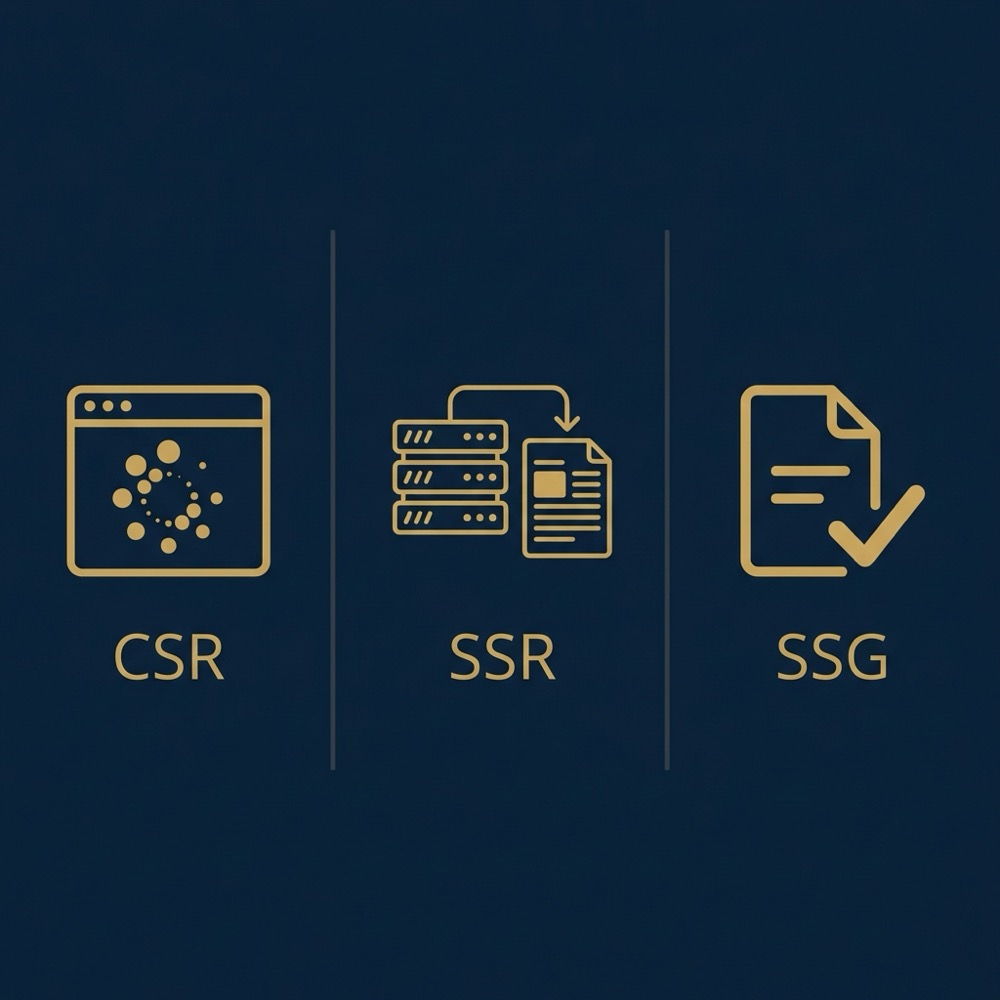
Client-side rendering (CSR) explained (spa seo)
Client-side rendering sends a basic HTML shell and a bundle of JavaScript to the browser. Step A: the browser downloads scripts. Step B: scripts run and build the DOM. That process can delay when content and metadata are visible to crawlers, and in practice it often means crawlers see only the initial shell unless server-side output is provided for the same route. Google documents this pattern and its implications for crawlability. See this technical guide.
Server-side rendering (SSR) and static generation (SSG) basics
Server-side rendering and static site generation produce meaningful HTML per route before the page reaches the browser, so crawlers can read content and metadata without executing JavaScript. SSR renders at request time, while SSG builds HTML at deploy time; both approaches reduce risk that search engines will miss route content. Edge rendering and incremental build strategies sit between these models to trade latency, cost, and staleness.
Three SPA-specific SEO problems you will encounter
Client-side rendering delays and missing content
Problem one, delayed or missing content, occurs when the server response contains little usable HTML and the visible content is only added by client JavaScript. If a crawler does not run or does not wait for the final DOM, important content can be omitted from the index. Teams should verify how crawlers see a route rather than assuming full execution.
Per-route metadata and canonical handling
Problem two is metadata. Titles, descriptions and social tags that are injected purely at runtime may not be captured for each URL, which creates poor search snippets and inconsistent signals. Ensure metadata is produced per route at the server or included in pre-rendered snapshots so each URL has distinct tags.
render-snapshot validator for CI
Run after each build
Browser-style routing and non-HTML responses to crawlers
Problem three is routing. SPA routes that rely on the History API can lead to server responses that return a shell or even non-HTML results if the server is not configured to serve meaningful HTML for each path. A crawler requesting a route expects an HTML response and proper status codes; misconfigured routing can hide pages or surface errors instead of usable content.
Metadata, routing and HTTP status: getting the signals right
Each route should provide distinct metadata in server-side HTML or in a pre-rendered snapshot so titles and meta descriptions align with the visible content. Without per-route metadata, search engines may index generic text or miss the context that helps snippets and social cards render correctly, so make metadata generation part of the server build or snapshot process.
Sitemap entries and canonical tags must match the URLs users see. If canonical tags point somewhere else or sitemaps omit routes, crawlers receive mixed signals about which URLs to index. Align sitemaps, canonicals and on-page metadata to present a consistent view of canonical route surfaces.
Finally, HTTP status codes must reflect the real state of a route. The server should return 200 for valid pages and appropriate 404 or 301/302 responses when a resource is missing or moved, rather than masking errors behind client routing. Correct status codes help crawlers decide how to treat pages and can prevent misindexing.
Long-term solutions: SSR, SSG and pre-rendering
SSR and SSG are recommended long-term solutions because they deliver crawlable HTML per route and reduce reliance on the crawler executing client JavaScript. When teams need sustainable indexing behavior and predictable metadata per URL, server-side or pre-built HTML is the most robust pattern to adopt. For concepts and trade-offs between SSR, SSG and edge approaches, see the SSR, SSG and edge rendering documentation.

Pre-rendering can be a practical migration path for many teams. Use SSG for routes that change infrequently, or generate snapshots for high-value routes as a staged approach. Pre-rendering reduces the need for complex runtime rendering while keeping build and deployment predictable.
Operationally, balance engineering cost, build time and update frequency. SSR or edge rendering can increase runtime cost and deployment complexity, and teams should weigh those factors against traffic patterns and the routes that actually need to be indexed for business outcomes.
Dynamic rendering: a temporary workaround, not a final architecture
Dynamic rendering serves different content to crawlers than to users, typically by returning a pre-rendered snapshot to bots while users receive the client-side app. It can reduce short-term indexing risk for complex SPAs but is positioned by major guidance as a temporary workaround rather than a preferred long-term architecture.
Because dynamic rendering maintains two content paths, it adds maintenance work and the need for sync processes to ensure snapshots match live UI. Teams using it should plan to migrate to SSR or SSG when resources allow, and maintain monitoring that checks for content drift between snapshots and live pages.
Implementation checklist for SPA SEO
1. Ensure each route returns meaningful server HTML or a pre-rendered snapshot accessible to crawlers. Read more on our blog at Orvus Useful Knowledge.
2. Confirm unique metadata per URL, consistent canonical tags, and clear sitemap entries for indexable routes.
Book a short SPA SEO architecture review on the Orvus services page
Consider running a short diagnostic or an architecture review to assess which routes need server-side HTML and which can remain client-rendered, focusing first on pages tied to revenue or high traffic.
3. Verify correct HTTP status behavior for valid pages, redirects and missing resources so crawlers receive the right signals. 4. Add CI checks that validate render snapshots, metadata presence, and status codes after builds. 5. Use URL Inspection and render snapshots in testing to confirm how Google renders pages.
Testing and verification: how to confirm crawlers see the right HTML
Start with Google Search Console URL Inspection to see how Google rendered a specific URL and to detect indexing or rendering problems. The URL Inspection tool gives a render view and shows whether the canonical URL is accepted, which helps confirm whether server-side HTML or a snapshot is being indexed.

Run Lighthouse and browser-based rendering previews to compare server HTML and the fully rendered DOM. These render snapshots reveal differences between server output and client-side DOM, letting teams pinpoint missing content or metadata that only appears after scripts run.
Monitor index coverage over time and track changes after fixes. Regular checks on index coverage and organic impressions will show whether changes to rendering strategy affect discoverability, and pairing these checks with page-level engagement helps close the loop on technical work and business outcomes.
Decision criteria: choose the right approach for your constraints
Evaluate engineering complexity versus release velocity and build cost. SSR and edge rendering can improve crawlability but increase deployment complexity and cost. If your content updates frequently, SSR may be a better fit than full static generation. Consider traffic mix and which routes contribute meaningfully to business goals when you prioritize work.
Align choices to team skills and test coverage. For teams with limited backend capacity, pre-rendering a prioritized set of routes can give immediate benefits while deferring a full SSR implementation. Wherever possible, prioritize routes by business value, not by technical curiosity alone. Learn more about us.
Engineering trade-offs: costs, complexity and maintainability
SSR and edge rendering increase CI/CD complexity and require more robust testing and rollback plans than a purely client-side app. Deploy and test incremental builds carefully, and include render snapshot validation in automated tests to catch drift between snapshots and the live UI.
Pre-rendering increases build times and can affect deployment throughput, which matters for sites with frequent updates. Incremental builds and selective SSG of high-priority routes can reduce impact but add operational overhead. Plan monitoring and rollback strategies to keep live experiences and snapshots aligned.
Common mistakes and pitfalls with SPA SEO
Assuming crawlers will always execute complex client-side JavaScript is a common error. Teams should verify rendering with tools rather than relying on assumptions, and include URL Inspection and Lighthouse runs in a validation checklist to confirm what search engines actually see.
Another frequent pitfall is inconsistent metadata or broken canonical tags. If sitemaps, canonicals and on-page metadata do not match, search engines receive conflicting signals that can lead to de-indexing or duplicate content problems. Keep canonical sources of truth in server-side templates or build-time steps.

Overusing dynamic rendering without processes to keep snapshots in sync increases maintenance cost and risk. If snapshots diverge from live UI, search results can show outdated or incorrect content, so dynamic rendering should be a stopgap with clear migration planning.
Practical examples and migration scenarios
Scenario one, a small ecommerce site: migrate a subset of product pages to SSG to produce crawlable product content and faster first byte for high-value items. The steps are assess, pre-render high-priority SKUs, test with URL Inspection and Lighthouse, and roll out progressively while monitoring index coverage.
Scenario two, a service site: add SSR for landing pages that change frequently and support paid campaigns. Prioritize landing pages with clear conversion signals, validate metadata per route, and include rollback procedures in deployments to reduce risk during the change window.
Scenario three, keep CSR for low-value admin or user-only routes while improving server-side rendering for public, indexable pages. For those CSR routes that remain public, inject metadata at the server level or provide snapshots to ensure consistent crawled output.
Monitoring, measurement and tying search to revenue
Track index coverage, organic landing impressions and clicks, and page-level engagement after architecture changes to build a baseline and observe trends. Use URL Inspection immediately after fixes for smoke tests and then review index coverage weekly as changes settle.
Tie technical changes to revenue-related KPIs when possible, but treat improvements as context dependent and avoid hard promises. Use regular reporting cadence and clear ownership for monitoring so the team can detect regressions and measure whether architecture choices are producing the expected signals for business outcomes.
Summary and recommended next steps
Recap, SPAs are common, and to be search-friendly they need intentional server-side HTML or pre-rendering for indexable routes. SSR and SSG are preferred long-term approaches because they deliver crawlable HTML per route and simplify metadata management. Visit Orvus.
Quick audit, inspect a handful of canonical routes in Google Search Console, run Lighthouse on them, check metadata and status codes, and prioritize fixes by business value. For teams needing a path forward, focus on high-impact routes first and plan incremental rollouts to manage risk.
SSR and edge rendering increase CI/CD complexity and require more robust testing and rollback plans than a purely client-side app. Deploy and test incremental builds carefully, and include render snapshot validation in automated tests to catch drift between snapshots and the live UI.
Not always. If important content or metadata is only added after client-side JavaScript runs, crawlers may not see it. Providing server-rendered HTML or pre-rendered snapshots for indexable routes reduces that risk.
Use SSR or SSG for routes that need reliable indexing and distinct metadata, such as product pages or landing pages tied to campaigns. Choose based on traffic, content volatility and engineering constraints.
Dynamic rendering can work short-term to reduce indexing risk, but it adds maintenance and the need to keep snapshots in sync, so treat it as a temporary workaround while planning for SSR or SSG.
Orvus Limited can assist with diagnostics and architectural reviews if you want a short, focused collaboration to map priority routes and test a migration path, given specific constraints and traffic mix.
Want this kind of work done for your business?
We build and run AI-powered marketing and automation. 15 minutes, honest assessment.
Book a call