 Orvus
OrvusAre SPAs SEO friendly? A systems-first guide
February 1, 2026
The approach here is systems-focused. It contrasts server-side rendering, prerendering, and client-side rendering, and it provides a compact diagnostic workflow you can run in a day to prioritise fixes based on your constraints and traffic patterns.
Are SPAs SEO friendly? Quick answer and what this guide covers
Short answer, in practical terms: SPAs can be made SEO friendly, but the most reliable path is to deliver route-specific server HTML using server-side rendering or prerendering where feasible, because search engines still rely on server-delivered metadata for consistent indexing and meta extraction. Google Search Central JavaScript SEO basics
Short executive answer, spa seo
SPAs often work for users, but for search they expose a few predictable risks: missing route-specific title and description tags, canonical links managed only in client code, and crawl inefficiencies caused by heavy client rendering. This article will walk through those failure modes and how to verify fixes. Prerendering guidance on web.dev
SPAs can be SEO friendly when route-specific metadata is available in server-delivered HTML; SSR or prerendering are the most reliable long-term approaches, with dynamic rendering used only as a temporary fallback.
What this article will and will not do: it focuses on practical, system-level decisions you can make today, including when prerendering is sufficient and when a full SSR pipeline is worth the cost. It does not prescribe one-size-fits-all timelines or promise outcomes, but it does offer diagnostic steps and implementation patterns you can test against your site. Smashing Magazine guide on SSR, prerendering and CSR
What is a single-page application and how search engines see it
SPA mechanics in brief
A single-page application loads a single HTML shell and uses client-side routing to change views without full page reloads. This improves perceived performance and enables app-like interactions, but it changes how metadata and route content appear to crawlers that expect route-level HTML. MDN Web Docs SPA glossary. See also an SPA SEO overview on Macrometa.

Why route-level HTML matters for search
Search engines now execute client-side JavaScript in many cases, yet they still extract important signals from the initial server response when available. If route-specific title, meta description, canonical and structured data are not present in the server response, engines can miss or delay indexing those signals, which creates uncertainty for SEO. Google Search Central JavaScript SEO basics
How major search engines render client-side JavaScript
Google rendering pipeline and guidance
Google executes JavaScript during rendering, but its guidance consistently treats server-side rendering and prerendering as the preferred long-term approaches, recommending dynamic rendering only as a troubleshooting fallback for sites that cannot provide server HTML per route. This makes SSR or prerendering the more reliable path for route-level meta extraction. Google Search Central dynamic rendering guidance
Bing rendering behaviour and differences
Bing’s documentation shows the engine executes JavaScript and offers guidance on how its crawler handles rendered content, but the practical takeaway is similar: ensure important route metadata is available in server-delivered HTML when possible to avoid mismatches between server output and rendered DOM. Bing rendering guidance
Compact SPA SEO diagnostic
If you need a short diagnostic checklist to compare server HTML, rendered DOM and indexing status for a few representative routes, use the steps later in this article as a one-day workflow.
Core ways to make SPAs indexable: SSR, prerendering and hybrid models
Server-side rendering and hydration

Server-side rendering delivers full HTML for each route from the server, then hydrates interactive client code in the browser. SSR ensures route-specific title, meta description and structured data are present in the server response so crawlers can extract the correct signals without needing a full client render. Google Search Central JavaScript SEO basics
Prerendering and static generation
Prerendering or static generation builds route HTML ahead of time and serves that HTML to crawlers and users; it often reduces runtime complexity compared with SSR for pages that change rarely. Prerendering works well for mostly static routes but increases build workload and can be harder to apply to highly dynamic or personalized pages. web.dev prerendering guide See a practical implementation guide on dev.to. A reference prerender setup is available at Websanova.
Hybrid and incremental approaches
Teams frequently adopt hybrid models: prerender high-value static routes, use SSR for dynamic SEO-critical pages, and keep client-side rendering for purely interactive areas. Dynamic rendering remains an option for short-term troubleshooting, but engine guidance treats it as a fallback rather than a primary long-term strategy. Google Search Central dynamic rendering guidance
Choosing between SSR, prerendering and CSR: practical decision criteria
Decision criteria cluster around the content change cadence, personalization needs, build and hosting constraints, and developer familiarity. Start by listing page types and how often they change, then match each to the lowest-complexity approach that still delivers route-level HTML when that is required. Smashing Magazine trade-offs
Content change cadence and page types
If a route changes rarely and is SEO-critical, prerendering often suffices. For highly personalized pages or pages that must render different metadata per request, SSR is more appropriate despite higher runtime cost. web.dev prerendering guidance
Team constraints and hosting cost
Estimate hosting compute and build-time costs for SSR versus prerendering; prerendering shifts cost to build time while SSR moves it to request time. Weigh these costs against developer familiarity with frameworks and the operational burden of running server processes. Smashing Magazine on operational trade-offs

Measurement and risk tolerance
Choose the option that provides acceptable indexing reliability for your highest-value routes while keeping rollout and verification complexity manageable. Use incremental rollouts and canary releases to reduce risk during migration. Google Search Central JavaScript SEO basics
Implementing SSR or prerendering in modern frameworks: patterns and tradeoffs
Framework integrations and server infrastructure
Most modern frameworks offer SSR or static generation primitives and plugins for hydration, but integration patterns vary. Decide whether to use edge rendering, traditional server workers or a hybrid CDN-edge plus origin setup based on performance and operational cost. Smashing Magazine implementation patterns
Caching and CDN patterns
Cache server-rendered HTML where possible and serve prerendered pages from a CDN to reduce origin compute. Use cache invalidation and incremental regeneration to balance freshness and cost. These patterns reduce runtime hosting cost for SSR and make prerendering more scalable. Smashing Magazine on caching and incremental regeneration
Build pipelines and incremental regeneration
Build-time prerendering can be combined with incremental regeneration to update only changed pages and keep build windows manageable. Monitor build durations and use selective prerendering for high-value routes to limit pipeline impact. web.dev prerendering considerations
Route metadata, canonical links and structured data for SPAs
Server-side meta per route
Each crawlable route should deliver route-specific title, meta description and canonical in the server HTML so crawlers extract consistent metadata across routes. Relying on client-only injection risks missing or delayed signals. Google Search Central JavaScript SEO basics
Canonical URLs and client routing
Avoid changing canonical links solely in client code. Canonical signals are critical to avoid duplicate indexing and route fragmentation, and they are best emitted from the server response for each route. web.dev prerendering guidance
quick server-side meta verification checklist
run for representative routes
Structured data in server-delivered HTML
Include key structured data in server HTML when it matters for rich results or indexing. Structured data added only after client render can be missed by initial extraction or cause discrepancies between server and rendered DOM. Google Search Central JavaScript SEO basics
Performance, crawl budget and when heavy JavaScript hurts crawlability
How heavy JS affects render timing
Large JavaScript bundles and expensive client-side rendering increase time to a meaningful paint and can delay crawler rendering, which in turn slows indexing and may cause engines to deprioritize resource-heavy routes. Prioritise reducing initial JS payload and use code-splitting for route-critical code. web.dev performance guidance
Crawl budget implications and route explosion
Sites with many client-side routes can look like route explosion to crawlers if canonical signals are inconsistent or if sitemaps do not accurately reflect server-accessible route lists. This makes prioritisation and sitemap hygiene important for large SPAs. Google Search Central JavaScript SEO basics
Mitigations
High-impact mitigations include prerendering priority pages, generating server-side sitemaps that list canonical routes, and splitting code so initial loads are lightweight. These steps reduce render time and improve crawl efficiency without needing full SSR everywhere. Smashing Magazine mitigations
Common SPA SEO failures and how to fix them
Missing or delayed meta tags
Failure mode: titles and descriptions injected only after client render. Fix: ensure server response contains route-specific meta or use prerendering for those routes so the HTML returned to crawlers has the expected metadata. web.dev fixes
Broken canonicals and duplicate routes
Failure mode: client-side routing produces multiple accessible URLs with inconsistent canonical tags. Fix: emit canonical tags from server HTML per route and maintain a single canonical URL per content item to avoid signal fragmentation. Google Search Central canonical guidance
Rendering differences between server HTML and client DOM
Failure mode: structured data or important content appears only after hydration. Fix: move critical structured data to server templates or prerender pipelines so it is present in the initial HTML the crawler receives. After changes, verify with URL Inspection and Lighthouse. Google Search Central verification
Verification and testing workflow: Search Console, Lighthouse and engine tools
URL Inspection and indexed HTML checks
Use Search Console URL Inspection to compare the server response and the rendered HTML that the engine saw. Inspect representative routes after changes to confirm server-delivered metadata is indexed as expected. Google Search Central URL Inspection guidance
Lighthouse and web.dev audits
Run Lighthouse audits to find render-performance and accessibility issues that also affect crawlability. Use web.dev checks to surface prerender or hydration concerns and to prioritise work. Smashing Magazine on audit workflows
Engine-specific render testers
Validate with engine renderers such as the Bing rendering tester to confirm how other engines see your pages. Automate frequent checks for representative routes so regressions are caught early. Bing rendering guidance
Practical scenarios: ecommerce, SaaS, documentation and low-change pages
When prerendering often suffices
Ecommerce product pages and marketing pages that change rarely are often good prerender candidates because they benefit from server HTML and do not require per-request personalization. Prioritise high-traffic product pages to get the most indexing benefit with the least runtime cost. web.dev prerendering guidance
When SSR is usually required
Highly personalised dashboards or pages that must render different metadata per authenticated session typically justify SSR for SEO-critical routes. SSR provides per-request HTML that can reflect personalization or up-to-date dynamic content. Smashing Magazine on SSR use cases
Example trade-off table for teams
Map your pages by change cadence and SEO importance: low-change plus high SEO value = prerender, high-change plus public SEO value = SSR, purely interactive internal pages = CSR. Use this matrix to scope work and estimate build or hosting cost. web.dev mapping guidance
Migration checklist: moving from CSR to SSR or prerendering safely
Planning and staging
Create a route inventory and prioritise small sets of SEO-critical routes for an incremental rollout. Start with prerender or SSR for the top priority pages and verify indexing before broadening the rollout. Google Search Central migration guidance
Deploy patterns and rollback safety
Use feature flags or canary releases to expose new server-rendered routes to a subset of traffic. Keep a clear rollback plan in case server responses are missing expected metadata. These safety patterns reduce risk during migration. Smashing Magazine deployment patterns
Verification and measurement after launch
After each rollout step, compare server HTML to rendered DOM, check URL Inspection for indexing, and monitor coverage and traffic dashboards for regressions. Keep a short watch period after changes to validate assumptions. Google Search Central verification tips
Measuring success: metrics, reporting and attribution for SPAs
Indexing signals and search console metrics
Watch indexed page counts, coverage errors, and structured data errors in Search Console after changes. These metrics show whether server-side metadata changes are being picked up by engines. Google Search Central metrics
Performance and render timing metrics
Track Time to First Meaningful Paint and Total Blocking Time from Lighthouse audits because these metrics influence how quickly engines can render pages and extract metadata. Improving render timing often helps crawl efficiency. Smashing Magazine on performance metrics
Attribution and tying search to revenue
Tie indexing and performance verification to business KPIs using existing analytics and attribution systems. Measurement design is context dependent and requires diagnostic work to attribute changes properly. Google Search Central measurement notes
Next steps and recommended diagnostic process
Quick diagnostics you can run in a day
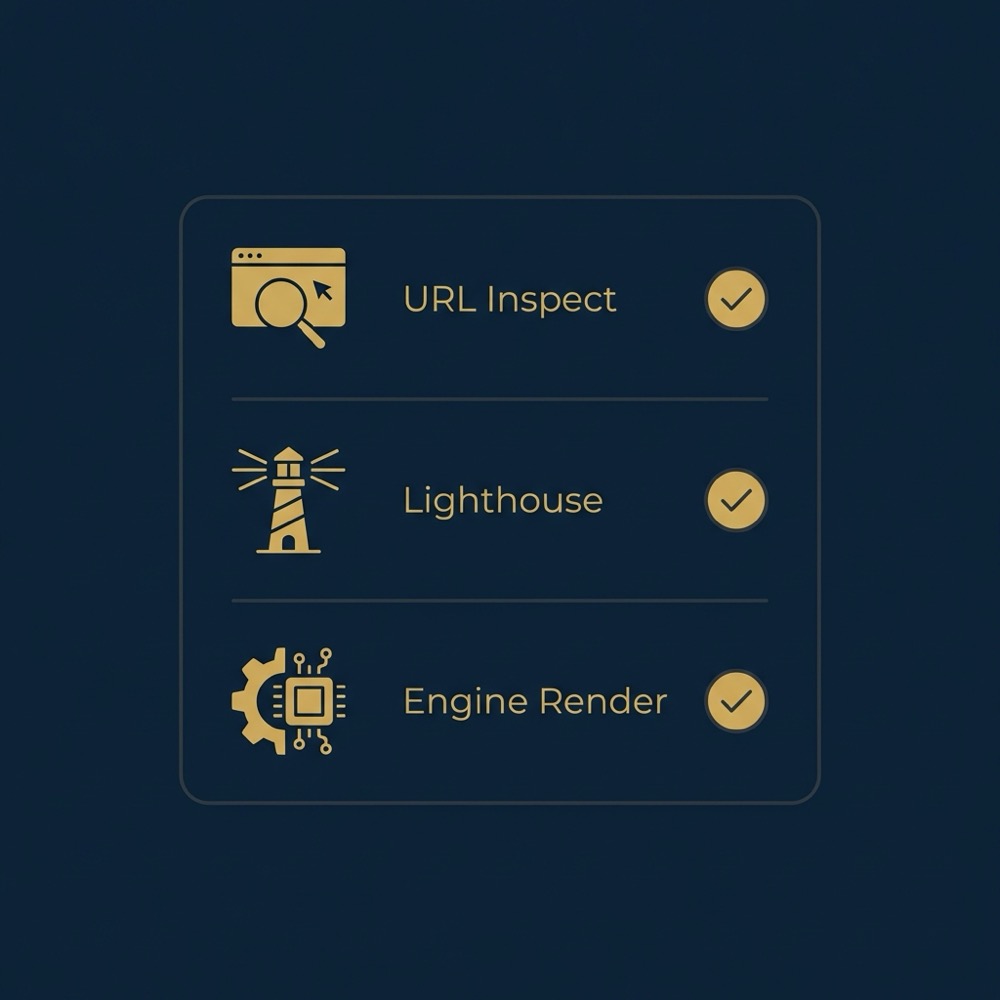
Run three checks: URL Inspection for a set of representative routes, Lighthouse audits for performance and render issues, and an engine render tester to compare server HTML with the rendered DOM. These steps reveal the most common SPA problems quickly. Google Search Central diagnostic steps
When to prioritise SSR or prerendering
Prioritise prerendering for high-value, low-change routes first. Move to SSR for SEO-critical routes that require per-request dynamic metadata or personalization. Make decisions based on diagnostic findings, not assumptions. web.dev prioritisation guidance
How to scope a compact diagnostic engagement
A compact diagnostic should map route types, run the day-one checks, estimate build and hosting impact for the chosen approach, and propose a staged rollout plan. Orvus Limited can run such a diagnostic and map trade-offs, conditional on your constraints and data. Google Search Central verification
Yes, SPAs can rank, but reliable indexing commonly requires route-specific server HTML delivered via SSR or prerendering for critical routes.
Dynamic rendering can be a short-term troubleshooting measure, but official guidance treats SSR or prerendering as preferred long-term approaches.
Use Search Console URL Inspection on representative routes and compare the server response to the rendered HTML; follow up with a Lighthouse audit for render and performance issues.
If you want help scoping a compact diagnostic and mapping trade-offs, a short engagement can surface the least-complex path to reliable indexing without making large upfront assumptions.
References
Want this kind of work done for your business?
We build and run AI-powered marketing and automation. 15 minutes, honest assessment.
Book a call