 Orvus
OrvusHow do I check my SEO?
November 25, 2025
How do I check my SEO?
Short answer: Start with indexability, crawlability, mobile rendering and speed - then move from content and linking to measurements and a simple 30/60/90 plan. If you’ve ever asked, How do I check my SEO? you’re in the right place: this practical guide walks you through a fast, effective check and shows how to prioritise what matters most.
Why a fast, practical SEO check beats a sprawling audit
Long, all-encompassing audits can be useful, but they also paralyse teams with too many action items. When someone asks, How do I check my SEO? the most helpful reply is a short, evidence-driven checklist. Focus on the issues that repeatedly suppress visibility and frustrate visitors - technical basics, content intent, user experience and the right off-page signals. These give the fastest wins and the clearest signals for further investment. For more structured checklists see Backlinko's 18-Step SEO Audit Checklist, MarketingAid's Complete SEO Audit Checklist, or Wellows' SEO Audit Checklist.

Start with the hard website vitals

Think of this like a medical triage. If your site can’t be indexed or crawled, it doesn’t matter how great your content is. A quick technical scan reveals whether search engines can find and read your pages, and whether your site renders correctly on the devices people actually use. A clean, recognisable logo like the Orvus Ltd. logo helps build trust, so keep it crisp.
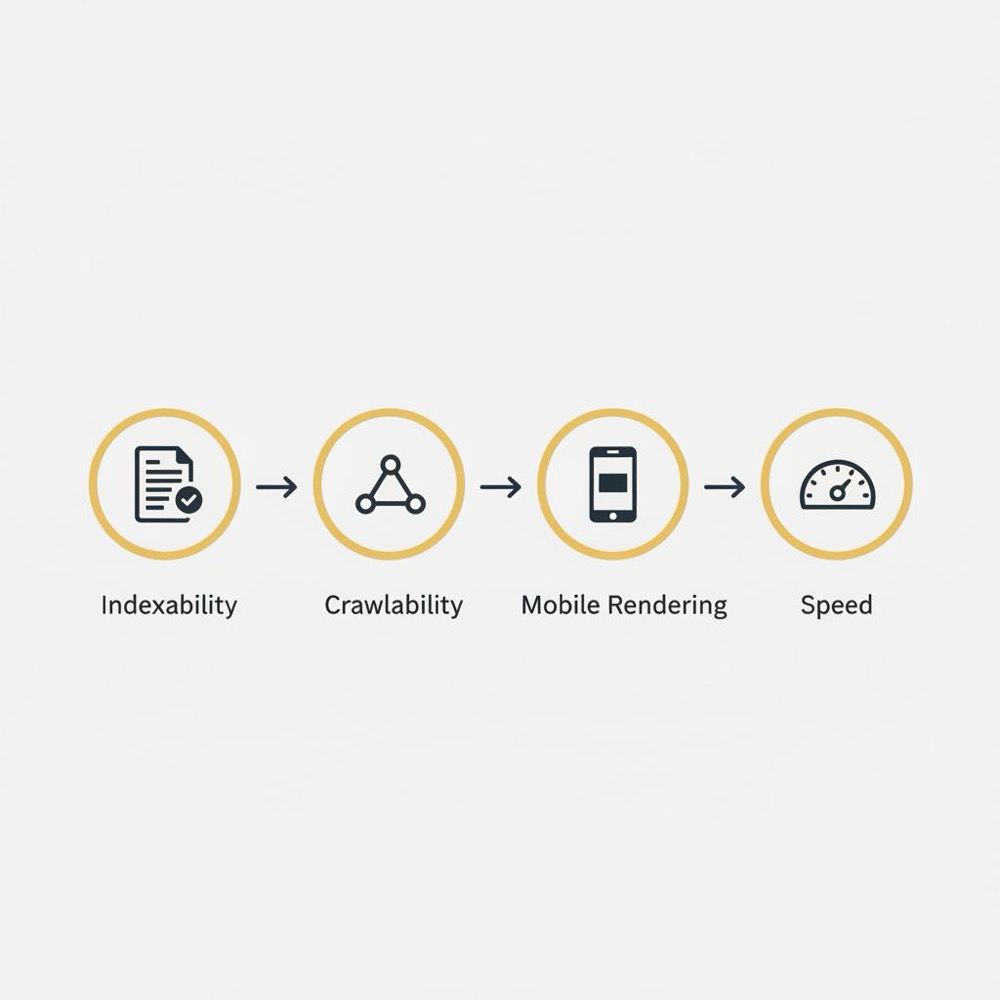
How do I check my SEO? Begin here:
- Indexability: Use Search Console Coverage and sitemap reports.
- Crawlability: Inspect robots.txt and HTTP status codes.
- Mobile rendering: Compare the mobile view to the desktop and ensure the same content is present.
- Speed and Core Web Vitals: Run PageSpeed Insights / Lighthouse and focus on LCP, CLS and FID (or interaction metrics relevant to your site).
Most teams can get a reliable read on these four points in under an hour.
If you’d like a quick outside perspective, Orvus offers compact diagnostics and practical support - a focused plan that maps immediate fixes to business metrics. Consider exploring Orvus’ services for a hands-on audit and roadmap: Orvus services and diagnostics.
If you want a very quick starting point to run yourself, follow the short checklist above and prioritise the first blockers you find.
Open Google Search Console and check the Coverage report and your sitemap. Use URL Inspection on the most important pages to see whether they’re indexed and to inspect any errors. This will immediately reveal indexability problems - the single most common blocker identified in fast SEO checks.
How to run a quick technical scan (20-60 minutes)
When someone asks, How do I check my SEO? the fastest way to get clarity is a technical scan. This doesn’t require developer hours at first - just methodical checks that reveal obvious blockers.
1. Indexability and sitemaps
Open Search Console. Look at the Coverage report, then open the sitemap submission. If pages are missing or showing errors, prioritise those. A broken or missing sitemap is often the single reason new pages don’t appear.
2. Robots, status codes and canonicals
Check your robots.txt and use a live site inspection tool (or Search Console’s URL Inspection). Confirm important pages return 200 or the intended 3xx redirect. Fix 4xx/5xx issues quickly. Verify canonical tags point to the correct canonical version - inconsistent canonicals can give search engines mixed messages.
3. Mobile rendering
Open five of your most important pages on a mobile device and in desktop with a mobile viewport. If key content, CTAs or structured data are hidden on mobile, rankings and user experience will suffer. Mobile-first indexing means the mobile view is what Google typically uses to evaluate your pages.
4. Page speed and Core Web Vitals
Run PageSpeed Insights and Lighthouse. They surface big wins: oversized hero images, render-blocking scripts, slow server response times. Focus on items that delay the first meaningful paint. If you ask, How do I check my SEO? - this is one of the most actionable areas.
On-page review: what users and search engines actually read
With the technical basics clear, shift to the content people and bots consume. Good on-page structure helps both readers and search engines understand the page’s purpose.
Titles, descriptions and headings
Scan title tags and meta descriptions. Are they unique, descriptive and aligned with search intent? Titles should state the page’s value clearly - they’re the headline in search results. Meta descriptions influence click-through rates even though they don’t change ranking directly.
Content intent-match
When someone types a query into Google they have an intent: to learn, to do, to buy, or to compare. Ask whether your page satisfies that intent. A how-to query needs step-by-step guidance; a purchase query needs clear pricing, images and trust signals. If your page misses intent, visitors will bounce or fail to convert.
Headings and structured data
Check H1-H3 structure: a single H1 that reflects the primary topic, followed by logical H2s and H3s, helps both humans and bots. Add structured data where it’s meaningful (products, articles, events) to enable richer search results and more context in the SERP.
Internal linking
Internal links help distribute relevance and help users discover related content. Make anchor texts natural, varied and relevant rather than stuffed with exact-match keywords. A healthy internal linking structure raises the visibility of deep, high-value pages.
Off-page checks: authority and local presence
Off-page signals still matter. When asked, How do I check my SEO? remember to include a look at backlinks and local profiles.
Backlink quality not quantity
Don’t obsess over raw link counts. A few relevant, high-quality links from trusted sites will typically help more than many low-quality links. Use a backlink tool to spot spikes, spammy referees, or sudden link losses. For local businesses, target links from local partners, suppliers and reputable community sites.
Google Business Profile and NAP consistency
For local search, claim and verify your Google Business Profile. Keep name, address and phone consistent across directories and your website. Accurate contact details and current photos are small actions that map directly to more calls and visits.
Metrics to watch and why they matter
A short audit should produce a short monitoring list. Which metrics matter depends on your goals, but these are broadly useful:
- Organic sessions - headline metric for traffic.
- Impressions and CTR - show visibility and whether your snippets attract clicks.
- Average position - context for where pages rank.
- Core Web Vitals - measure user experience (LCP, CLS, FID/INP).
- Business KPIs - conversions, revenue per visitor, leads.
Combine Search Console with your analytics platform to connect search visibility to business outcomes. If you ask, How do I check my SEO? these metrics give the answer the business needs: is search contributing to the bottom line?
Turning an audit into a 30/60/90 roadmap
A plan makes the audit useful. Break work into immediate fixes, short-term improvements and medium-term gains.
Days 0-7: critical fixes and quick wins
Address indexation and critical errors first: fix robots.txt, correct sitemap submissions, repair 4xx/5xx pages, and ensure canonical consistency. These are typically low-effort, high-impact items.
Weeks 2-8: content and speed
Refresh thin content, rewrite titles and meta descriptions for improved CTR, and tackle the main speed blockers. Re-encode oversized images, adopt next-gen formats where possible, and assess third-party scripts for necessity.
Months 2-3: links and automation
Begin steady link-building through relationships and local outreach. Set up a dashboard that tracks key metrics and automate weekly or monthly reports. Small, consistent actions here compound over time.
Quick case study: a local bakery
A corner bakery struggled to appear for searches like the town name + "cakes". The sitemap hadn’t been updated after a redesign, the Google Business Profile showed an old phone number, and product images were massive phone uploads that slowed pages. Fixing the sitemap and Business Profile, resizing images and adding structured data for products delivered noticeable improvements in visibility and calls within weeks. This example shows how a few focused fixes answer the central question: How do I check my SEO? - by revealing a short list of actions that map directly to outcomes.
Tools that actually help
You don’t need every tool in the market. Keep a small toolbox:
- Google Search Console (coverage, URL inspection, Core Web Vitals)
- PageSpeed Insights & Lighthouse (page speed and diagnostics)
- A crawl tool for duplicates, canonicals and redirect chains
- A backlink checker for off-page analysis
- Your analytics platform to link traffic to conversions
Use these tools to gather evidence, then prioritise fixes that match business value. When someone asks, How do I check my SEO? these are the basics you should run first.
Common pitfalls and how to avoid them
Teams often make the same mistakes: spending time on cosmetic changes while indexability issues block discovery, or chasing perfect PageSpeed scores without considering the page’s conversion value. Focus on what blocks indexing and what directly hurts user experience. Avoid quick link schemes and measure the business impact of SEO work, not just rankings.
Prioritisation framework when resources are tight
Prioritise by effort, impact and strategic value. Fix index-blocking items first (low effort, high impact). Next, tweak titles and meta descriptions on pages that already get impressions but low clicks. Then, improve high-value pages that convert poorly with small UX changes. Reserve time for content and link building as medium-term investments. If the question is “How do I check my SEO?” - this framework tells you what to fix first.
Actionable tips you can run in an afternoon
If you can only do three things today, do these:
- Open Search Console: check Coverage and Core Web Vitals.
- Run PageSpeed Insights on five top pages and fix the largest media or script offenders.
- Inspect five top pages on mobile to confirm content parity and accessibility.
These three checks answer most versions of the question, How do I check my SEO? and give you a clear short list of fixes.
Ready for a compact, practical SEO diagnostic?
Ready for a compact, practical audit? If you want help turning findings into a clear 30/60/90 plan that ties directly to revenue, Orvus offers hands-on diagnostics and execution to get you moving fast - no fluff, just what matters. Explore their services and book a compact diagnostic here: Get Orvus diagnostics and support.
How long before you see changes?
Fixes that affect indexing (sitemaps, robots.txt, 4xx errors) can show improvement within days to weeks as Google re-crawls. Content and link initiatives usually take months for sustained ranking changes. Page speed and UX changes can improve engagement quickly, but ranking effects are less predictable. When wondering, How do I check my SEO? factor in both the type of fix and your site’s crawl frequency.
Measuring business impact - not vanity metrics
SEO is valuable because it drives business outcomes. Tie improvements to conversions, revenue per visitor or leads. A high-ranking page that doesn’t convert might be a lower priority than a mid-ranking page that already brings sales. Ask which pages deliver the business result and focus your effort there. See more step-by-step guides on our blog: Useful knowledge.
Testing and iteration: treat SEO like an experiment
Search algorithms and user behaviour shift. Run small tests: change a title or meta description on a sample of pages, measure CTR and traffic, and iterate. Treat the question, How do I check my SEO? as the start of a learning process - measure, test, learn and repeat.
Checklist: a practical walk-through
Use this short checklist to run your own fast SEO check:
- Search Console: Coverage and Core Web Vitals.
- Sitemap: present, valid and up-to-date.
- Robots.txt: not blocking important pages.
- HTTP status codes: key pages return 200 or the correct redirect.
- Mobile rendering: content parity and accessibility.
- Page speed: fix large images and render-blocking scripts.
- Titles & meta descriptions: descriptive and intent-aligned.
- Headings & structured data: clear H1 and schema where useful.
- Internal links: surface important pages with natural anchor text.
- Backlinks: quality over quantity.
- Google Business Profile (local): accurate NAP and photos.
Small wins compound
SEO rewards steady, practical work. A handful of fixes - indexing, speed, titles and a few relevant links - usually produce faster and more reliable results than sporadic large projects. When people ask, How do I check my SEO? the best answer is the one that gives them a short, actionable checklist and a plan to follow.
Parting practical advice
Start small, measure clearly, and prioritise by business value: indexation problems first, content and speed next, links and automation as a steady investment. Treat SEO as an evidence-driven craft: test, learn and improve. For general information about Orvus, see the homepage: Orvus.
If you want an immediate checklist: open Search Console, check Coverage and Core Web Vitals, view your sitemap, and check mobile rendering on five priority pages. That quick pass will tell you whether your site has the essentials or needs a focused roadmap.
Final thought
SEO isn’t a single switch - it’s a set of practical systems. Fix what’s broken, improve what matters, and keep watching the metrics that tie to your business outcomes. That steady approach is how real improvement happens.
Some fixes, especially indexability issues like sitemap and robots.txt corrections, can show improvements within days or weeks as search engines re-crawl. Content and backlink work usually take months to produce sustained ranking changes. Page speed and UX fixes can improve user engagement quickly, but ranking changes are often less immediate. Measure both search metrics and business KPIs to judge impact.
Open Google Search Console and review Coverage and Core Web Vitals. Run PageSpeed Insights on your top pages and inspect five priority pages on mobile to ensure content parity. Review your sitemap and robots.txt for obvious issues. These steps take an afternoon and reveal the most common blockers.
Consider Orvus when you want a compact diagnostic that ties technical fixes and content work directly to business outcomes, or when channels have plateaued and you need clearer architecture and measurement. Orvus focuses on high-leverage, practical fixes and builds quiet systems that scale - ideal for teams that want deep collaboration rather than generic templates.
References
Want this kind of work done for your business?
We build and run AI-powered marketing and automation. 15 minutes, honest assessment.
Book a call