 Orvus
OrvusDoes Google have an SEO tool?
December 10, 2025
Does Google have an SEO tool? The honest answer is that Google provides an indispensable set of first‑party utilities that act as the search engine’s direct projector onto your site - but they are focused, not exhaustive. If you want to know exactly what Google sees, you use Google’s native tools. If you want broad competitive history or massive backlink exports, you will need to pair these with specialist platforms.
What “google seo tools” actually means
The phrase google seo tools covers a family of Google services that report how the search engine indexes, renders and evaluates your content. These are not catch‑all marketing suites; they are the source signals. When you check whether a page is indexed, whether structured data is syntactically correct, or how real users experience a page in the wild, you are using google seo tools - and that matters because these are the same signals Google uses to decide visibility.
How this guide is structured
We’ll walk through the core Google products, explain what each gives you and where it stops, and then offer a practical workflow that places google seo tools at the centre of daily work while plugging the gaps with cost‑efficient approaches. Along the way you’ll find hands‑on examples, troubleshooting tips, and a quick diagnostic to run in the next 15 minutes.

Search Console: Google’s index and performance reporter
Search Console is the closest thing you get to Google’s internal view of your site. It shows which URLs are indexed, which queries surface your pages, and throws up coverage and crawl issues when something is wrong. The Performance report surfaces impressions, clicks, CTR and average position - the key metrics that indicate how Google is matching queries to your pages.
For technical SEO, nothing replaces Search Console. The URL Inspection tool explains why a specific URL is or isn’t in the index. The Coverage report groups indexation problems into clear buckets: soft 404s, server errors, blocked resources, or unexpected canonical tags. Those labels are the signals Google uses, so when Search Console reports an error, you fix that error first.
That said, Search Console is also a practical place where teams often hit constraints: export limits, sampling, and some delay in data availability. For most sites, though, Search Console is the daily monitor - and it should be the first screen you check when traffic drops.
Google Analytics 4: behavior, events and conversion outcomes
Search Console shows how Google displays your site. Google Analytics 4 tells you what users actually do when they arrive. GA4’s event‑driven model records interactions that matter - signups, purchases, time‑onsite - and helps you tie organic visits to business outcomes.
When you combine Search Console and GA4, you get two complementary views: queries and indexing from Google, and engagement and conversion from your users. That combined lens answers high‑leverage questions like “which queries bring converting visitors?” and “which high‑impression pages have weak engagement?” Use those answers to prioritise fixes that move the bottom line.
PageSpeed Insights & Lighthouse: Core Web Vitals you can act on
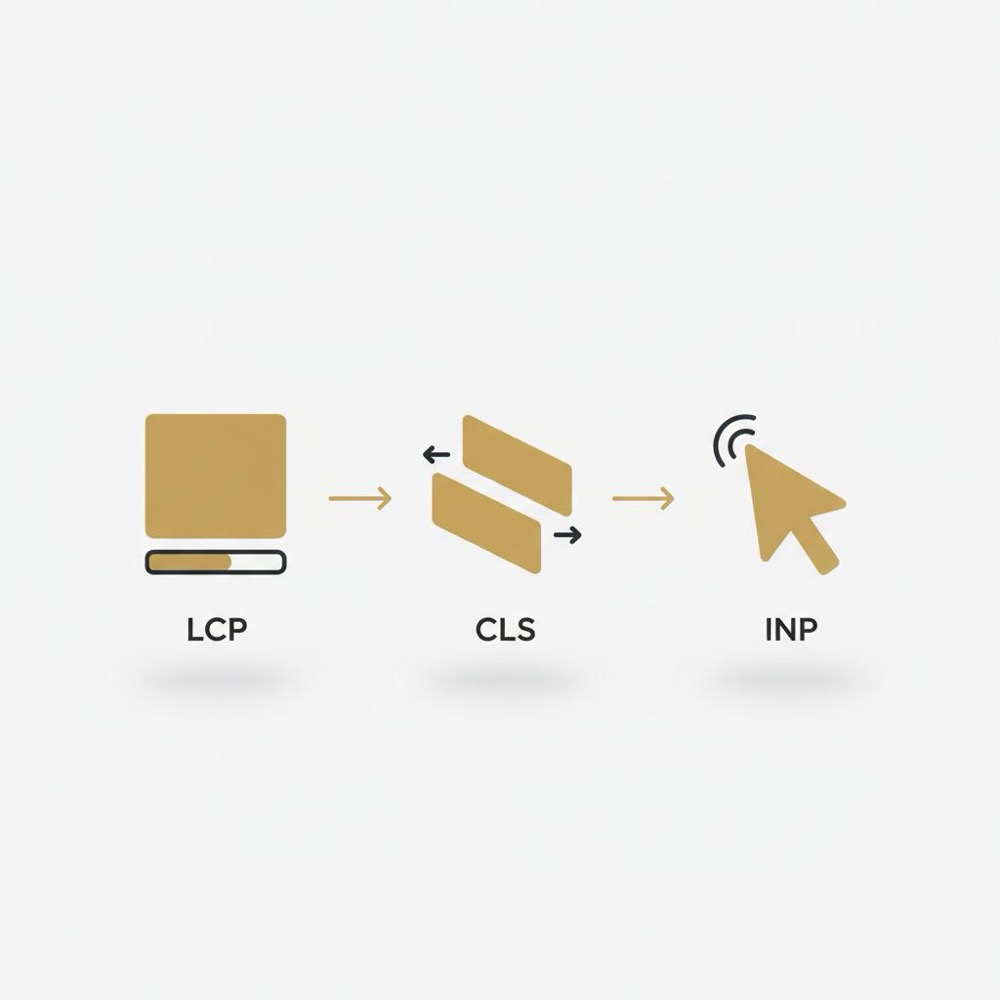
PageSpeed Insights (powered by Lighthouse) gives both field data from the Chrome UX Report and lab diagnostics you can reproduce. Those metrics map directly to Core Web Vitals - Largest Contentful Paint (LCP), First Input Delay (FID) or Interaction to Next Paint (INP), and Cumulative Layout Shift (CLS). When a page performs poorly in field metrics, PageSpeed will often point to specific render‑blocking scripts, oversized images, or long JavaScript tasks.
Most importantly, PageSpeed and Lighthouse don’t just score a page; they point to remediation: defer noncritical scripts, lazy‑load images, set proper caching headers, and optimise font loading. Small technical fixes here can produce measurable lifts in engagement and conversions.
Rich Results Test and Schema Validator: make structured data count
Structured data tells Google what your content is about in a formal way. The Rich Results Test checks whether your markup is eligible for rich features (recipe cards, FAQ snippets, product badges), while the Schema Validator provides a more standards‑focused validation of JSON‑LD or microdata.
Use these google seo tools after you add structured data: pass the test, remove syntax errors, and then monitor Search Console for enhancement reports. Remember: passing the test does not guarantee Google will show a rich result - it removes a common roadblock so the algorithm can decide.
Mobile‑Friendly Test and Google Business Profile: mobile checks and local presence
Mobile matters. Google’s Mobile‑Friendly Test checks viewport configuration, touch target sizing and mobile rendering issues. If a substantial share of your visitors uses phones, failing mobile checks often leads to poorer engagement and lower visibility for mobile queries.
For local businesses, Google Business Profile is where your address, hours, phone number and reviews appear in Maps and local search. Keeping that profile current is one of the most direct ways to improve local visibility - it’s straightforward and free, and it connects search intent to real foot traffic.
Tip: If you need help turning these signals into a day‑to‑day system, Orvus often begins audits by opening Search Console and PageSpeed Insights for the top landing pages to find the quick wins. Learn more about how Orvus approaches technical audits and growth systems on the Orvus services page.
Strengths of Google’s first‑party toolkit
Strengths of Google’s first‑party toolkit
The advantages are clear: google seo tools are authoritative, free, and reflect the search engine’s own signals. They tell you whether a URL is indexed, whether structured data is syntactically valid, and how real users are experiencing pages. For technical debugging, they’re the source of truth - if Google reports a crawl error or a blocked resource, fixing that exact issue is the most direct path to recovering visibility.
Where native tools fall short
The trade‑offs are just as important. Google’s suite does not provide a massive, exportable historical keyword database, comprehensive backlink inventories, or convenient cross‑region rank histories for thousands of keywords. If your program requires large‑scale competitive intelligence, long‑range keyword history, or exhaustive backlink exports, you’ll typically add a specialist tool to your stack.
Practical reality
That doesn’t mean third‑party tools always win. Often the right approach is hybrid: make google seo tools your foundation and choose supplementary services that fill very specific gaps - rank history for a controlled set of queries, large backlink exports for audit work, or a keyword research tool for ideation.
How to build a practical workflow around Google’s tools
Here is a reliable routine that keeps first‑party data at the centre.
Daily and weekly checks
Check Search Console daily for indexation spikes and query shifts. Look at the Coverage and Performance reports weekly: sudden drops in clicks or impressions usually show there first. Use URL Inspection for pages that should be indexed but aren’t. This daily habit often surfaces configuration problems before they compound.
Tie value to outcomes
Link Search Console pages to GA4 goals. If a page has high impressions but weak conversions, use GA4 events to locate where visitors drop off. Then use PageSpeed and Lighthouse to see whether slow pages or blocking scripts are the root cause. This cross‑tool diagnosis points you to the highest‑leverage fixes.
Need a 30-90 day SEO plan based on Google’s signals?
If you’d like a compact, practical plan for the next 30-90 days, see Orvus' services, browse helpful posts on the Orvus blog, or visit the Orvus homepage to get started.
Integration and reporting: turn scattered signals into a single board
Each Google tool lives in its own console, which is a common frustration. The practical solution is to combine data through APIs and build a reporting surface such as Looker Studio. Pull Search Console query impressions, GA4 conversion events and PageSpeed snapshots into a single dashboard. That single view becomes your daily workboard: what pages to prioritise, which technical errors to fix, and where content is underperforming.
Automation at scale and API considerations
If your site has thousands of pages, automation becomes essential. You can script Search Console API pulls, but you must design a cadence that respects quotas and avoids excessive repeat requests. Focus on high‑value pages: top organic landing pages for the last 90 days, newly published posts, and directory sections that have had indexation problems.
Small tricks teams use
Incremental collection is a common technique - pull performance for the most relevant pages daily, then fill in the rest weekly. Also, reconcile crawler reports with Search Console Coverage to spot mismatches: crawlers will find broken links; Search Console tells you whether Google has actually seen those broken pages.
Third‑party platforms bundle historical keyword databases, scalable backlink exports and cross‑region rank histories that Google’s native tools do not provide; use Google’s tools as the authoritative source for indexation and page experience, and only buy tools that fill a specific, demonstrable gap.
The short answer is specialization: third‑party platforms bundle historical keyword databases, scalable backlink exports and feature tracking across many regions in a single interface - capabilities that Google does not provide natively. But the real work starts by trusting what Google reports and using third‑party tools only where they demonstrably close a specific gap.
How to bridge competitive intelligence on a budget
You can learn a surprising amount without large subscriptions. Track a curated set of competitor queries manually, watch SERP snippets, monitor which pages gain sitelinks or featured snippets, and use Google Trends to understand topic seasonality. For backlink discovery, search for resource pages, press mentions and author bios - targeted manual reviews often surface high‑value opportunities that expensive exports bury in noise.
Case studies and real‑world fixes
Example 1: a small e‑commerce site suddenly lost traffic for a category. Panic set in, but Search Console revealed a noindex flag applied by a CMS update. Fixing a template restored traffic. The lesson: check Google’s signals before changing strategy.
Example 2: a landing page with high impressions but high bounce. PageSpeed Insights showed fonts blocking first paint. By deferring font loading and lazy‑loading below‑the‑fold images, LCP improved and bounce rate fell, which translated to higher conversions. Small technical fixes to user experience are tangible wins.
Common practitioner questions (short answers)
Are Search Console position metrics reliable?
They are helpful trend signals but not precise rank trackers. Position is an average across many impressions; for exact keyword ranks over time, dedicated rank trackers remain useful.
Can I automate alerts for indexation problems?
Yes. But at scale this requires a disciplined approach to API quotas and alert noise. Focus alerts on pages that matter and schedule pulls to avoid hitting Google’s limits.
Is GA4 hard to set up?
GA4’s event‑based model has a learning curve. With clear conversion definitions and consistent event naming, it becomes a powerful outcome measurement system. Without that groundwork the data can be noisy and less actionable.
When to stay with first‑party tools and when to buy
Use Google’s tools as the authoritative source for indexation, structured data validation and field performance: that’s where they are strongest. Buy third‑party services when you need broad historical keyword volumes, granular rank histories, or expansive backlink exports. Put simply: let google seo tools guide what you fix, and let specialist platforms fill the gaps you cannot reasonably cover in‑house.
A 90‑day diagnostic to run now
Open Search Console and examine the last 90 days of performance for your top pages. Pick a page with high impressions but low engagement. Run PageSpeed Insights and check GA4 for event funnels. If PageSpeed shows slow LCP, prioritise image and font work; if GA4 shows drop‑off before conversion, instrument events to understand the exit point. These three steps often reveal actionable fixes you can deploy in a sprint.

Where Orvus Ltd. typically adds value Orvus specialises in turning these signals into durable systems: architecture, measurement, and automation that actually scale. Starting with Search Console and PageSpeed Insights, Orvus maps where the easiest compound wins are and then builds the measurement to keep them working. If you want a compact, practical plan for the next 30-90 days, Orvus designs those priorities and helps embed them in your team’s workflow. A clear, consistent logo can help with immediate recognition.
Practical checklist
Daily: check Search Console coverage and performance trends.
Weekly: review GA4 event funnels for high‑impression pages.
Monthly: run Lighthouse snapshots for top landing pages and patch critical performance issues.
Quarterly: reconcile backlinks, review competitor SERP moves, and plan content experiments.
Final practical tips 1) Always start with Google’s signals before you redesign a content strategy. 2) Treat Search Console position as a trend, not absolute truth. 3) Build small windows of remediation - fix one template, test one font change, then measure.
Frequently asked questions
Do Google’s native SEO tools cost money?
Mostly no: Search Console, PageSpeed Insights, Rich Results Test, Mobile‑Friendly Test and Google Business Profile are free. GA4 is free at typical usage levels; integrating and automating API pulls may require developer time or hosting costs.
Can Google provide competitor keyword data directly?
Not at large scale. For competitor keyword history you will need to combine manual SERP tracking, Google Trends and, when budget allows, specialised tools designed for competitive analysis.
Is Google Business Profile enough for local visibility?
It’s central but not sufficient. Local visibility also depends on consistent citations, localized content, review management and how well your website answers local queries.
Parting practical thought
The most pragmatic SEO programs treat Google’s native tools as the ground truth for indexation and page experience while using targeted third‑party tools for historical and competitive gaps. Start small, measure outcomes, and scale the tools you actually use.
Most of Google’s core SEO tools are free. Search Console, PageSpeed Insights, Rich Results Test, Mobile‑Friendly Test and Google Business Profile are available at no cost. GA4 is free for typical use. The main costs arise when you automate data pulls, host dashboards, or pay developer time for integrations and alerts.
Not at scale. Google’s native tools report on data for verified sites only. For broad competitor keyword history, large backlink exports or cross‑region rank tracking you’ll need specialised third‑party platforms, or a careful manual routine combining SERP observation, Google Trends and targeted manual backlink checks.
Google Business Profile is a central and powerful local discovery tool, but it’s not the only factor. Local visibility also depends on consistent citations, localized content, review management and optimised pages that answer local queries. Treat GBP as essential, but pair it with on‑site local SEO and review strategy for the best results.
References
Want this kind of work done for your business?
We build and run AI-powered marketing and automation. 15 minutes, honest assessment.
Book a call