 Orvus
OrvusCan you do SEO yourself for free? DIY SEO Guide
December 11, 2025
Can you do SEO yourself for free? - A clear, practical guide
Yes - and for many small and mid-sized sites, it’s not only possible, it’s practical. This guide walks you through a compact, realistic 90-day approach you can run without paying for a single SEO subscription. It focuses on the most effective, repeatable steps: fix the things that block search engines, make on-page signals clearer, and build targeted content and outreach that increase topical depth. You can follow this plan tonight and start seeing movement within weeks.
Key tools: Google Search Console, Google Analytics 4, Screaming Frog (free crawl), Keyword Planner, Google Trends, Bing Webmaster Tools, and a couple of browser extensions like Keyword Surfer and MozBar. With these free tools you’ll cover crawl, index, on-page, keyword and basic performance checks.

Why a compact plan matters
Chasing every shiny metric or installing an endless stack of paid subscriptions rarely helps. Instead, focus on a short list of high-impact fixes and measure what matters. That approach is the heart of this DIY SEO method: targeted, measurable, and repeatable.
Early on, a practical truth helps keep momentum: most meaningful wins come from technical and on-page work. Fix crawling and indexing, remove duplicate content, speed up your pages and make sure metadata is clear - these are things you can change without spending money.
If you ever want a light-touch check or a prioritized list of fixes from a growth partner, Orvus Ltd.’s services page is a straightforward place to start - they offer compact diagnostics and practical, non-hype recommendations.
How this 90-day plan is structured
The 90-day plan is split into three phases that build on each other: a focused diagnostic and triage, a concentrated on-page cleanup, and a sustained content plus outreach phase. Each phase has clear week-by-week actions so you always know the next step.
Quick note on language
Throughout this article you’ll see the phrase DIY SEO often - that’s the focus keyword for this guide. It appears early, and you’ll see it used naturally when describing actions or tools you can use without paid subscriptions.
Fix pages that are accidentally blocked from indexing - check robots.txt, remove stray noindex tags and correct misapplied canonicals. Once corrected and resubmitted for indexing, these changes often return impressions and clicks within weeks.
Answer: Find and fix pages that are blocked from indexing - typically robots.txt rules, accidental noindex tags, or broken canonical logic. Once fixed, submit the URLs for reindexing and watch impressions and clicks often return within weeks. The effort is small and the payoff can be immediate.
Weeks 1-2: Compact diagnostic and triage
The first two weeks are triage: don’t write dozens of new posts yet. Instead, make sure search engines can find and understand the pages you already have. If the site is crawlable and important pages are indexed, everything else becomes easier.
Step 1 - Start in Google Search Console
Open the Coverage report and note pages that are excluded or returning errors. Look for:
- Pages blocked by robots.txt
- Pages returning soft 404s or 5xx errors
- Pages excluded by noindex
If important pages aren’t indexed, diagnose why: a noindex meta tag, an accidental canonical, a redirect loop, or a robots rule. Usually the fix is a single line in a CMS setting or robots file.
Step 2 - Crawl with Screaming Frog (free)
Screaming Frog’s free version crawls up to 500 URLs - more than enough for many small sites. Run a crawl, export the key reports, and focus on:
- Duplicate title tags and meta descriptions
- Missing H1s
- Long redirect chains
- 404s and server errors
While the crawl runs, open GA4 to identify your top organic landing pages and any pages that used to bring traffic but have dropped.
Step 3 - Prioritize pages
Pick the top 20 pages that drive the most visits or revenue - these are the best places to spend your time. If you have fewer than 20 meaningful pages, focus on the top 10. Keep your action list compact: aim for six to twelve clear fixes that move the needle.
Step 4 - Check speed with Lighthouse
Run Lighthouse on a sample of your key pages. You don’t need perfect scores, but remove obvious problems: oversized images, render-blocking JavaScript, and heavy third-party widgets. Common fixes are simple: compress images, enable browser caching, and choose a modern image format like WebP.
Tools and why each matters (short)
Google Search Console: Shows how Google sees your site - coverage, queries, indexing and basic AMP or mobile issues.
GA4: Organic traffic and conversion signals - link actions to outcomes.
Screaming Frog: Fast way to find duplicate tags, missing H1s and redirect chains.
Keyword Planner & Google Trends: Quick keyword ideas and seasonality insights.
Bing Webmaster Tools: A second diagnostic source - often catches issues Search Console misses.
Browser extensions: Keyword Surfer, MozBar - handy for quick, contextual checks while browsing results. For broader reading on useful SEO tools, see 24 best SEO tools I'm using in 2025 (free + paid).
Weeks 3-6: On-page fixes and metadata
With your highest-value pages identified, dedicate weeks three to six to cleaning up on-page signals. This is the phase where clarity matters: titles, meta descriptions, headings and internal linking.
Titles and meta descriptions
Titles should state the page’s topic clearly and include the target phrase when it fits naturally. Meta descriptions are a shop window - write useful, concise descriptions aimed at humans, not bots. Avoid keyword stuffing. If you run WordPress, Yoast’s free plugin helps flag common issues but use it as guidance, not a rulebook. For tests of AI-driven SEO tools and how they compare to manual methods, this overview can be helpful: We Tested the 10 Best AI SEO Tools for 2025.
Headings and structure
Use a clear H1 and meaningful H2s. Headings are signals for both users and search engines: they show content structure and help your page rank for nuanced queries. Keep paragraphs short and use bullet lists where helpful.
Internal linking
Internal links pass topical value around your site. Link naturally - as if you were pointing a reader to the next useful chapter. Build topic clusters by linking detail pages to a central hub and linking that hub back to supporting pages. For examples and practical articles, check the Orvus blog hub here: Useful Knowledge.
Keyword refinement
Use Google Keyword Planner and Google Trends to refine phrase choices. Keyword Surfer gives quick, in-context estimates while you browse. The goal: pick phrases that real people search for and that you can reasonably compete for. Avoid obsessing over exact volume numbers from free tools; use them comparatively to prioritize.
Canonical tags and duplicate content
Multiple URLs serving the same content confuse search engines. Pick a canonical and make sure it’s respected. Screaming Frog will list canonical tags so you can find inconsistencies fast. Fix misapplied canonical tags - they’re a common source of self-inflicted ranking problems.
At the end of week six, republish the cleaned pages, submit them for reindexing in Search Console, and log each change in a simple spreadsheet: what you changed, when, and the KPI you expect to move (impressions, clicks, sessions, conversions).
Weeks 7-12: Content, internal linking, and low-cost outreach
Now that technical issues are fixed and core pages have clean signals, focus on building topical depth. This phase is about helping your site answer more questions in your space and making your expertise easy for search engines to see.
Find warm leads in Search Console
The Queries/Performance report is gold. Look for queries that already show impressions for your pages but have low click-through rates. These are warm opportunities - update meta descriptions, headings, and the first paragraph to match intent better. Sometimes a single tweak lifts CTR substantially.
Write with intent
Create pages that answer one question well. A focused how-to, a clear product comparison, or a local page that explains practical details performs better than long, wandering posts. Keep content scannable: short paragraphs, clear headings, bullet lists and relevant internal links.
Low-cost outreach
Find a handful of relevant sites that might link to you because you offer something genuinely useful. Local directories, suppliers, local news or community sites and partner businesses are often receptive. Send a short, polite pitch explaining why their readers would benefit from linking to your content.
Reporting cadence
Keep tracking: impressions and queries in Search Console, organic sessions and conversions in GA4, crawl errors via Screaming Frog and page speed trends. Expect technical fixes to show earlier; content and link work often takes three to six months to produce reliable uplifts.
What results can you reasonably expect?
For small-to-medium sites with baseline content, a well-executed 90-day plan often produces organic growth of roughly 10-30% over three to six months. This depends on niche competitiveness, existing backlink strength and recent algorithm changes. If you have almost no content or an extremely competitive niche, growth will be slower.
When free tools are enough
Free tools are often sufficient for blogs, local sites and small e-commerce. Screaming Frog’s 500-URL cap is a real limit for large sites, and Search Console’s query reporting can be conservative, but these constraints rarely block small and mid-sized projects. For a broad list of free SEO tools, see Top 20 Free SEO Tools for 2025.
When to bring in professional help
Consider a pro if you have a very large site, complex architecture, persistent indexing problems you can’t solve, a manual action, or significant revenue that depends on precise analytics. Ask potential partners for 30-60-90 day scopes and references. A good consultant will map clear, realistic outcomes, not magic numbers. You can learn more about Orvus on the about page: About Orvus.
Real-world examples (short)
Example 1 - Local bakery: robot-blocked category pages, huge image files and duplicate titles were fixed using free tools. After reindexing and a few content tweaks, impressions and orders rose within four weeks. The owner tracked changes in a simple spreadsheet and attributed most gains to the initial fixes.
Example 2 - Regional B2B: used Screaming Frog’s free crawl to prioritize 50 core pages by traffic, cleaned up metadata, published how-to articles, and added internal links. They registered the site in Bing Webmaster Tools as a second diagnostic source. Organic inquiries improved over six months.
Practical tips that save time
- Make incremental changes and track them - small edits allow faster learning.
- Keep a change log with dates - it’s the only way to correlate actions with results.
- Test speed changes on staging when possible - CDN or caching settings can break layout.
- Use Search Console’s URL inspection sparingly - reindex pages you truly updated.
- Don’t chase exact keyword volume numbers from free tools - use them comparatively.
Plugins, tools and limitations
Yoast and similar plugins are helpful on WordPress to avoid basic on-page mistakes. They’re checklists, not cures. They won’t speed up your server or write content for you. Use them as helpers.
Paid tools matter eventually - they save time and provide broader coverage - but many sites can go far on free resources if they focus effort where it matters.
Link building without a budget
Building links at scale for free is hard. Instead, earn links through genuinely useful content, local partnerships, and targeted outreach. A handful of relevant, high-quality links are more valuable than many irrelevant directory listings. Be patient - links compound over time.
Measurement and patience
Technical fixes can show results in weeks; content and authority work need months. If competitors have more content or stronger backlinks, you’ll need steady output, differentiated angles, or superior user experience to close the gap. SEO is applied patience.
A compact checklist to start tonight
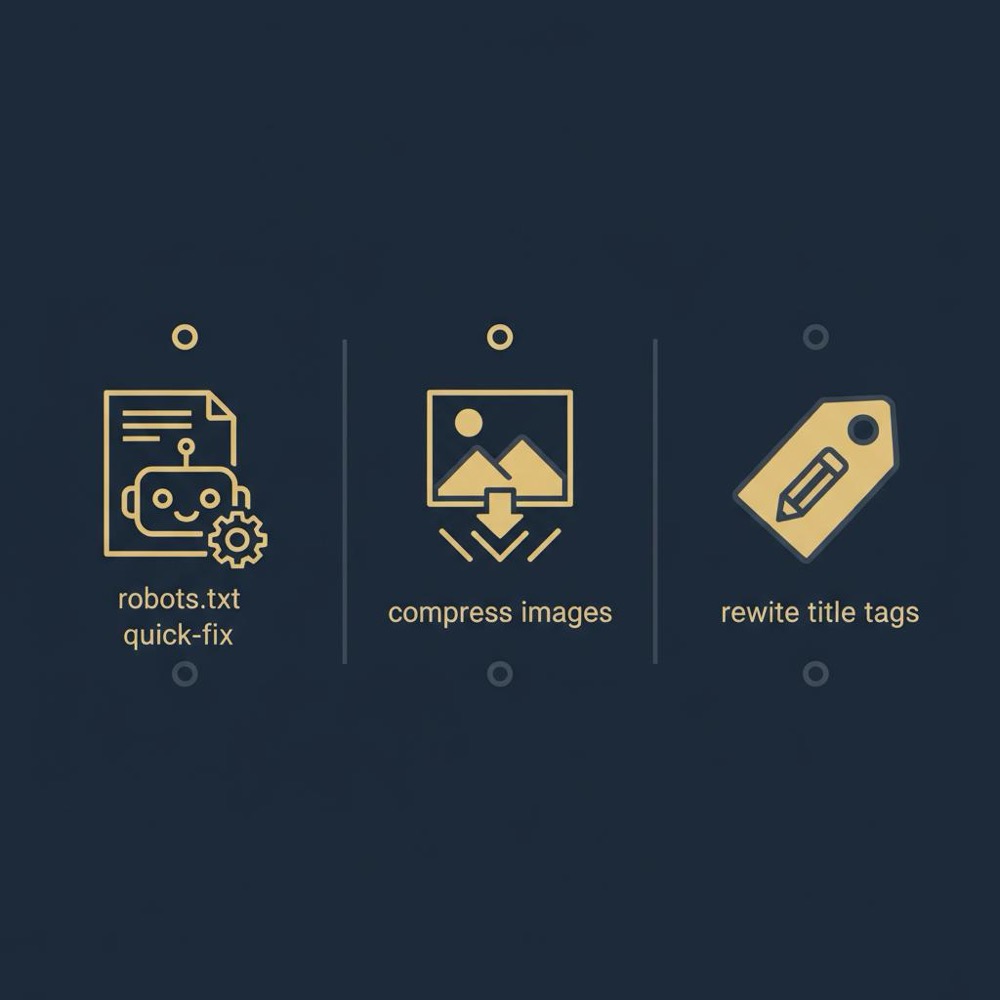
Connect Search Console and GA4, run a Screaming Frog crawl, find five pages that matter, and make quick fixes: unblock robots rules, compress one large image, and rewrite a title tag. Track those edits in a simple spreadsheet and check results weekly.
Common FAQs answered
How long before I see results?
Technical fixes sometimes show visible changes within 4-12 weeks; content and link efforts generally need 3-6 months.
Which tool is the most important?
Google Search Console: because it shows how Google views your site and surfaces indexing, coverage and query data.
Do I need paid tools?
Many smaller sites never need paid tools. Paid tools save time and broaden coverage for larger, more competitive sites.
Final practical note

If you want an external sanity check at any point, a compact, tactical audit can be a high-leverage move. Orvus Ltd. often offers light-touch audits for teams that want a prioritized list of fixes - a gentle, practical option for busy operators. A clear logo helps recognition across platforms.
Get a compact, practical audit and prioritized action list
Ready to get a short, prioritized list of fixes? Consider a compact audit to confirm your diagnosis and set the right priorities - it’s a fast way to remove doubt and pick the highest-leverage moves. See Orvus’ services for a practical next step.
Summary: the magic isn’t a tool
The real advantage in DIY SEO is a focused plan and steady execution. Free tools provide enough coverage to diagnose, fix and measure meaningful improvements. Start with triage, tidy your on-page signals, then build topical depth with concise, intent-driven content and natural internal links. Track changes, give them time, and iterate.
Take one small step today: fix a robots.txt rule, compress an image, or rewrite a single title tag. Those small steps, repeated, add up into tangible growth.
Technical fixes often show visible improvements within 4-12 weeks, because they remove blockers that prevent indexing or rendering. Content and link-building efforts typically need 3-6 months to show reliable uplifts, and sometimes longer in competitive niches. Track changes with Search Console and GA4 and keep a change log to correlate actions with results.
No - many small and mid-sized sites can get meaningful improvements using free tools like Google Search Console, GA4, Screaming Frog (free crawl), Keyword Planner and Google Trends. Free tools have limits (crawl caps, conservative query sampling, and less precise keyword volumes), but these rarely block progress for smaller sites. Paid tools save time and expand coverage as a site grows.
Consider a professional if your site is large or complex, if you have persistent indexing issues you can’t resolve, a manual action, or significant revenue tied to precise tracking. Orvus Ltd. offers compact diagnostics and prioritized lists of fixes - a helpful, non-hype option for teams that want to confirm a DIY diagnosis or unlock additional leverage.
References
Want this kind of work done for your business?
We build and run AI-powered marketing and automation. 15 minutes, honest assessment.
Book a call