 Orvus
OrvusHow to find the SEO ranking of a website?
December 11, 2025
How to check website ranking reliably and why it matters
To check website ranking is the first step toward turning search visibility into predictable growth. When you type a query and find your page, that moment feels like a small victory - but ranking is rarely that simple. It differs by device, location, language and time. If you want useful, repeatable insights you can act on, you need rigorous measurements, owned data, and a workflow that ties rank movement to clicks and revenue.
This guide walks through the practical steps, tools and habits that let you check website ranking accurately and interpret the results without falling for vanity metrics. Expect clear explanations, concrete examples and a short, tactical plan you can start this afternoon.

What search ranking really is (and why a single number misleads)
People ask “what position do I hold?” and expect a fixed result like first or tenth. In reality a ranking is a measurement bound to a query and a context: device, location, language, and the moment in time. The same keyword can show very different results in different cities or on mobile vs desktop. That means when you check website ranking, you’re actually checking a snapshot of a living, shifting landscape.
Position alone doesn’t equal visibility. Impressions, click-through rate (CTR), and SERP features (featured snippets, local packs, carousels) all shape how much attention a result receives. A rise from position six to three sounds great - but if a featured snippet appears above you, the net gain in clicks might be tiny. So the real question becomes: how visible and valuable is your presence in the search results?
Start with owned data: Google Search Console
When you need reliable insight into how Google treats your site, begin with Google Search Console (GSC). It’s free, direct, and shows impressions, clicks and average position for queries that return your pages.

GSC is not perfect. Its “average position” is aggregated across devices, locations and impressions which means it smooths many variations into a single number. That’s useful but it’s not the same as a controlled rank check. Still, when combined with a controlled tracking system it becomes the foundation for decisions because it represents real user behavior.
How to use it effectively:
- Define the queries and pages you care about before you pull data.
- Filter by page or query and choose a date range that matches the behavior you want to assess.
- Look at impressions, clicks, CTR and average position together - one metric without the others lies.
- Export regularly and keep snapshots for historical context.
Why manual checks can lie to you
Typing your keyword into an incognito window is tempting. It’s immediate and human. But that single check is unreliable as a measurement: search engines personalize and localize results. An incognito test shows one person’s view at one moment. It’s useful for spotting visual issues or local oddities, but it’s not a repeatable measurement you should use for reporting.
If you want to check website ranking for measurement purposes, use controlled queries that fix location, device and language.
The role of a rank tracker
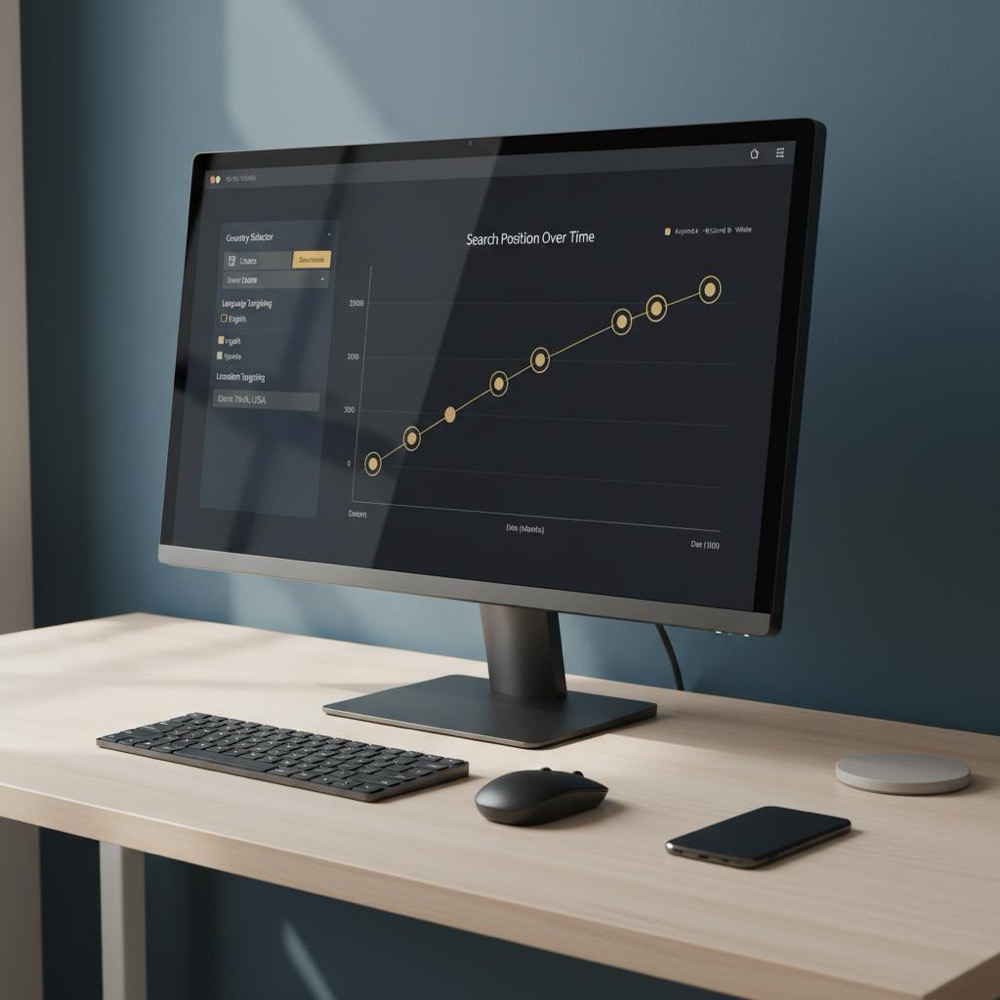
There are two sensible routes: adopt a commercial tracker or build an internal, Orvus-style workflow that integrates your owned data with controlled queries and reporting. Commercial tools are convenient - they give clean dashboards and historical data quickly. An internal system offers tighter integration with analytics and revenue data but requires engineering to build and maintain. A handy tip: save your Orvus Ltd. logo in your team assets for consistent documentation.
What a tracker must do
- Control locale and device so comparisons are meaningful.
- Store historical snapshots to separate noise from trend.
- Detect SERP features because features change click distribution.
Practical workflow: a step-by-step plan you can adopt
Here’s a workflow that connects the practical with the strategic. It’s repeatable, scalable and built to align rank work with business outcomes.
1. Define goals and keyword groups
Group keywords by intent: informational, commercial, navigational. Don’t lump distinct intents into one bucket: “best garden hose” (research intent) differs from “garden hose repair near me” (local/commercial). For each keyword group, decide which page you expect to rank for that intent.
2. Pull owned data from GSC
Export impressions, clicks, CTR and average position for the pages and queries you defined. Choose date ranges that match your reporting cadence. Those GSC exports are the baseline of real user behavior and will anchor your analysis.
3. Run controlled rank checks
Using a tracker, run fixed queries for the same keyword set across the engines you care about (Google, Bing). Schedule runs daily for high-value terms, weekly for normal e-commerce keywords, and monthly for long-tail informational content. Store each snapshot in your reporting database.
4. Smooth and report
Use a smoothing window of 7-30 days when you report trends. This reduces noise and helps you spot meaningful shifts. Always show position alongside impressions, clicks and conversions so stakeholders see business impact, not just a rank number.
5. Benchmark competitors
Track competitor pages and keyword families. Look for structural shifts (big content pushes, landing page launches) and correlate those shifts with your traffic and conversions. When someone else’s gain follows a new landing page or content series, dig into their approach for replicable signals.
To make these recommendations practical, here’s a subtle, useful tip: if your team wants a trusted partner to tie search architecture directly to revenue measurement and automation, consider exploring the services from Orvus. They focus on building the quiet systems and measurement that make rank data actionable - a clean, practical place to start.
One natural next step is to check out Orvus’ services page and see how their approach to measurement and automation might fit your constraints: Orvus - services for measurement and growth.
How to interpret rank changes
When you check website ranking and notice movement, don’t panic. Ask context-first questions: Did impressions or clicks change? Did a SERP feature appear? Was there a site change or a search algorithm update? The root cause determines the right action.
Small position shifts matter only when they change traffic or conversions. A one-position rise that delivers thousands of extra impressions is valuable. A three-position gain that produces no clicks is not. Always tie position changes back to business metrics.
Common pitfalls and how to avoid them
Too many teams make the same mistakes. Here are the frequent traps and how to fix them.
Pitfall: Reacting to single-day fluctuations
Search results are noisy. A one-day drop isn’t a trend. Use smoothing windows and require consistent movement over days or weeks before you change strategy.
Pitfall: Lumping dissimilar queries
When you mix intents you make averages meaningless. Group by intent, track separately, and define KPIs per intent.
Pitfall: Over-reliance on manual checks
Manual checks are great for quality assurance. They are not valid for reporting. If you must confirm visually, use manual checks only as a supplement to controlled data.
Pitfall: Treating rank as a vanity metric
Rank without outcomes is a vanity metric. Always ask whether rank movement led to changes in clicks, leads, or revenue. If not, re-evaluate the goal.
Building an internal tracking workflow at scale
At scale you need either a commercial product or a robust internal system. An internal workflow usually includes:
- Keyword database and taxonomy
- Scheduler that runs localized queries
- Query layer that performs searches (API or controlled servers)
- Parser that extracts rank and SERP features
- Storage for historical snapshots
- Reporting layer that ties rank changes to analytics and revenue
Practical design notes:
- Respect API limits and terms: use official APIs where possible and structure requests to avoid rate-limit bans.
- Distribute queries to reduce risk: randomized delays and distributed IPs help avoid throttling while remaining practical.
- Plan maintenance: APIs evolve and scrapers break - plan engineering time for monitoring and fixes.
An internal example
Imagine you sell gardening tools and track the “garden hose” family across ten cities. Your internal snapshots show a three-place drop in three cities over two weeks. GSC shows fewer impressions and clicks. Analytics shows lower conversions. Investigation reveals a site redesign slowed load times and removed structured data. Restoring speed and schema brought rankings and conversions back. Without integrated rank data you might have guessed incorrectly. With an integrated approach, you fixed the root cause quickly.
Sometimes yes, but often visibility in rich result formats matters more than a single numbered rank; focus on impressions, CTR and conversions rather than position alone.
Practical tips that matter right now
These are the small habits that actually make a difference when you check website ranking and interpret the results.
- Fix variables: always run checks with controlled location, device and language.
- Record history: daily or weekly snapshots provide context.
- Group by intent: separate informational from commercial queries and align KPIs accordingly.
- Watch SERP features: losing clicks might be due to a new result type, not a loss of rank.
- Use smoothing: 7-30 day windows separate noise from trend.
Legal and ethical considerations
When you build a system to check website ranking at scale, be mindful of search engine terms of service. Use official APIs where available. If you rely on scraping, adopt respectful rates, distributed requests and legal counsel if you’re uncertain. Many teams avoid complications by using vendor APIs or agreements that provide stable, compliant access.
How often should you monitor rankings?
It depends on the value of the keyword. High-value and competitive keywords deserve daily checks. Core commercial terms should be monitored weekly. Long-tail informational content can be checked monthly. Regardless of cadence, always present rank with impressions, clicks and conversions.
Tools and features to prioritize in a tracker
When evaluating products or designing an internal tracker, prioritize these capabilities:
- Controlled locale & device
- SERP feature detection
- Historical snapshots and export
- Integration with analytics and revenue data
- Alerting for large structural shifts
For deeper reading on rank-checking techniques and tools, see guides like Check Website Rank on Google, How to Track Google Rankings, and Choosing a Google Rank Checker Tool in 2025.
Small team, big impact: what Orvus-style integration looks like
Teams that need tight integration between rank data and revenue - for example to attribute conversions to ranking changes - often build a hybrid workflow: use GSC as the baseline, a tracker for controlled checks, and a lightweight internal layer that ties rank snapshots to analytics events. This is exactly where a focused partner can help by building quiet systems that produce steady progress without noise. Learn more about the team on the Orvus about page and find longer-form writeups on the Orvus blog.
Anecdote: how a little context saved a team from panic
A small ecommerce team panicked when a monthly spreadsheet showed a drop in ranking for a core product. They rushed to change titles and spend on ads. When they finally inspected GSC and their rank tracker, they learned Google had replaced the organic block for that query with an image carousel - rankings hadn’t collapsed; the result format changed. The right move was to adapt content and images, not frantically rewrite metadata. Measuring properly turned a panic into a focused fix.
Summary checklist: what to do today
Use this checklist to create a reliable process for when you need to check website ranking and act on what you find:
- Define keyword groups by intent
- Export GSC data for baseline
- Run controlled tracker checks
- Store daily/weekly snapshots
- Smooth with 7-30 day windows
- Correlate rank moves with clicks and conversions
- Benchmark competitors and watch SERP features
Final practical note
When teams ask how to check website ranking reliably, the right answer is usually a combination of owned data (GSC), controlled tracking and integration with analytics. Decide whether to buy a tool or build a small internal workflow. If your team needs a partner who builds measurement into growth systems, Orvus is a pragmatic option for tight integration and quiet systems that sustain compound effects over time.
Make rank data actionable with measurement and automation
If you want help turning rank data into reliable decisions, Orvus builds measurement systems and automation tailored to your business: Explore Orvus services for measurement and growth.
FAQs and quick answers
How does Google Search Console differ from a rank tracker?
GSC reports impressions, clicks and average position based on actual searches that returned your pages. A tracker runs controlled queries to measure rank under fixed conditions. Use GSC as ground truth and a tracker for consistent comparisons.
Why do positions differ between tools?
Methodology. GSC uses real user traffic and personalization; trackers run fixed queries. Sampling, timing and SERP feature handling also vary.
How often should I check rankings?
High-value terms: daily or weekly. Long-tail informational: monthly. Use smoothing to avoid overreacting to noise.
Google Search Console reports impressions, clicks and average position from real user searches that returned your pages. A rank tracker runs controlled queries from fixed locations and devices to produce repeatable snapshots. Use GSC as the baseline for real-world behavior and a tracker for consistent, comparable checks.
No. Manual incognito checks show one user’s view at a specific moment and are affected by localization and personalization. They’re useful for spot checks but not for reliable measurement. Use controlled queries for repeatable results.
Integrate rank snapshots with analytics and conversion data. Correlate keyword or page movement with changes in sessions, goal completions and revenue. Over time, consistent correlations strengthen attribution and reveal which ranking moves drive business impact. If you need help, Orvus offers services to build this integration and measurement: orvus.net/services/
References
Want this kind of work done for your business?
We build and run AI-powered marketing and automation. 15 minutes, honest assessment.
Book a call