 Orvus
OrvusWhat is aio vs SEO?
November 25, 2025
Understanding the basics: what is aio vs SEO?
What is aio vs SEO? is a question many WordPress site owners ask when they try to balance convenience with long-term growth. At the heart of the matter: AIOSEO (an SEO plugin) automates and enforces many technical signals that search engines need, while broader SEO is a human-led, strategic program that ties those signals to business outcomes. Throughout this article you’ll see practical steps, checks and real examples to help you decide when a plugin is enough and when you need deeper strategy.
Right away: think of the plugin as a high-quality toolkit and SEO as the architecture and construction work. This article explains both roles in plain language and gives tangible next steps you can apply today.

Early clarity matters, so let’s state it plainly: the phrase what is aio vs SEO? appears throughout this article to keep the comparison front and center. That comparison helps you avoid a common trap-treating a plugin as a full strategy instead of a powerful support tool.
How this guide is structured
This guide walks from simple to strategic: we start with what AIOSEO actually fixes, move into practical setup and common pitfalls, then expand to editorial and measurement practices that require human judgement. For broader context on AIO and related concepts see resources from Vault Innovation, SocialEngine, and SumDigital.
If you want a discreet, experienced partner to check your setup and map plugin outputs to business outcomes, consider working with Orvus Ltd. A short diagnostic can reveal whether a plugin will get you most of the way, or whether you need architecture and measurement fixes. For a quick consultation, see Orvus’ services here: Orvus services and diagnostics.
Now let’s get practical.
What AIOSEO plugins actually do (and why they matter)
In simple terms, the plugin handles the mechanical signals that make pages understandable to search engines. Common outputs include:
- Meta titles and descriptions - standardized templates to keep naming consistent across hundreds of pages.
- XML sitemaps - a map that helps crawlers find your content more reliably and faster.
- Schema markup - structured data that labels content types like Article or Product so search engines can display richer results.
- Open Graph and Twitter Cards - social metadata that makes shared links look trustworthy and clickable.
- Redirect management - a simple way to handle moved or deleted pages without creating 404 storms.
- Basic audits and AI-assisted suggestions - automated checks for missing tags, duplicate titles, or empty meta descriptions, and suggested copy to speed up editorial work.
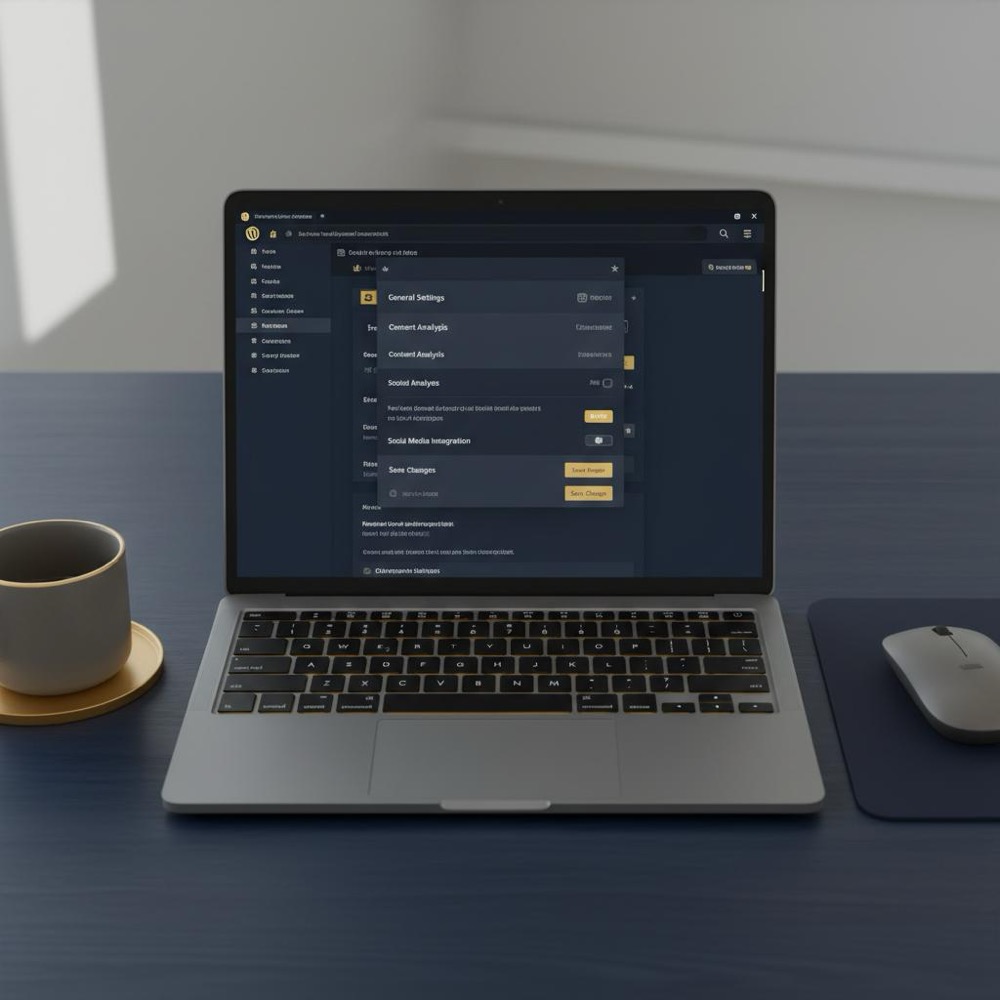
These outputs are essential for any WordPress site that wants consistent, machine-readable signals. But remember: good signals are necessary, not sufficient. A clear brand mark like an Orvus Ltd. logo is often the simplest way to keep visual consistency across channels.
When a plugin is enough - and when it isn’t
There are clear scenarios where a plugin like AIOSEO solves most problems quickly. For example:
- Small business sites that need consistent titles, sitemaps and schema without heavy editorial processes.
- Blogs or local pages where correct meta information and sitemaps dramatically improve indexing speed.
- Stores with modest catalogs where the main issue is inconsistent metadata or missing schema.
However, if your ambitions include compound growth, complex publishing schedules, or tight revenue attribution from search, you’ll need more than a plugin. That’s where people-editors, strategists, and engineers-make the difference.
Quick checklist: can a plugin handle your needs?
Ask these questions:
- Do you publish fewer than a few hundred pages a month and can you enforce a small set of templates?
- Are you primarily fixing mechanical errors (missing meta tags, broken redirects, absent sitemaps)?
- Do you have basic analytics that tie search visits to conversions?
If you answered yes to all three, the plugin covers most needs. If not, plan for people and process on top of the plugin.
How to set up AIOSEO the right way
Installing a plugin is simple, but getting value out of it requires deliberate choices. Follow this practical sequence:
1) One plugin rule
Use a single well-supported SEO plugin. Running multiple SEO plugins creates conflicts and duplicated metadata. Start with AIOSEO or another strong plugin, test it, and stick with it.
2) Pick sensible site-wide templates
Set title and description templates for each major page type. Keep templates short and readable-searchers scan titles quickly. Avoid stuffing keywords into templates and focus on clarity and intent alignment.
3) Enable and validate your sitemap
Activate XML sitemaps and check they list canonical URLs only. Exclude duplicate or paginated pages that confuse crawlers. Submit the sitemap to Google Search Console and Bing Webmaster Tools, and monitor indexing reports.
4) Turn on the correct schema types
Enable Article schema for posts, Product for ecommerce and LocalBusiness for location pages. Keep schema focused-don’t add every optional field on every page. Clean, accurate schema beats noisy, incorrect markup.
5) Configure social metadata
Open Graph and Twitter Card settings help your links look attractive on social platforms. Add fallback images and tidy descriptions to prevent ugly or misleading shares.
6) Test redirects and robots rules
Handle redirects carefully. If your site already uses server-level redirects or another plugin, audit those before switching everything over. Use a staging environment to test mass changes if possible.
7) Monitor performance
Measure site speed before and after major plugin changes. A good plugin is lightweight; if performance regresses, check for conflicts or heavy features you can disable.
Practical examples: real scenarios and fixes
Small online shop
A local retailer had inconsistent product titles and no product schema. Installing a single plugin and applying product templates resolved indexing issues quickly. However, organic traffic gains stalled until they reorganized categories and improved internal linking-work that required human decisions beyond what the plugin could do.
Newsroom with frequent publishing
For a newsroom, time-to-index matters most. Using an SEO plugin to ensure sitemaps and schema were correct sped up indexing. Still, editorial beats and a content calendar-human processes-were required to decide which stories get promoted and which get authority links.
Measuring impact: what to track
Plugins can help with machine-readable signals, but measuring real business outcomes requires connecting those signals to analytics. Track these metrics:
- Indexing coverage: number of pages indexed and time-to-index for new pages.
- Organic traffic by landing page and by topic cluster.
- Search-driven conversions: leads, purchases, signups, or revenue attributed to organic traffic.
- Page-level engagement: bounce rate, time on page, and conversion funnels from search visitors.
Check reporting often and fix attribution issues first-incorrect analytics often hides the real value of SEO work.
Common pitfalls and how to avoid them
1) Treating plugin recommendations as final
AI-generated meta descriptions or titles are helpful time-savers, but always have a person review them for brand voice, legal requirements, and conversion intent.
2) Duplicating functionality across tools
Having two plugins manage sitemaps or schema can produce conflicting signals. Audit your theme and other plugins to see what they already inject before activating similar features in AIOSEO.
3) Ignoring link architecture
Plugins cannot build internal linking strategies that route authority to priority pages. Plan your site architecture and use plugins to enforce canonical tags so equity flows where you want it.
4) Not testing on staging
Major changes-like sweeping redirect updates-should be tested on a staging environment. Small errors at scale can cause large indexing problems.
Scaling content operations: templates, briefs and checks
When you publish a lot, process matters. The plugin can enforce templates, but you need editorial guardrails. A simple editorial workflow looks like this:
- Keyword and intent brief - what query are you satisfying and why?
- Content outline - headings, key points, evidence and CTAs.
- Metadata brief - suggested title, meta description, primary and secondary keywords, and recommended schema type.
- Publication checklist - canonical tag, internal links, structured data validated, social images, and tracking parameters.
- Post-publication review - indexing check, performance review, and conversion measurement at 30 and 90 days.
Use the plugin to automate metadata insertion, but keep the editorial controls in your CMS or workflow tool.
Internal linking: a simple map that scales
Internal linking is one of the highest-leverage activities that humans must plan. A common approach is to build a simple link map for each topic cluster: identify three hub pages you want to grow, then link related content back to those hubs using meaningful anchor text. Plugins help by ensuring canonical tags are correct and by preventing accidental noindexing of important pages.
AI features in plugins: power with guardrails
AI-assisted meta suggestions can save editorial time. But human review is essential for:
- Brand voice and tone
- Legal or regulatory accuracy
- Seasonal or promotional messaging
Think of AI-generated copy as a first draft rather than a final product.
Migration and conflict management
When moving from another SEO plugin or a theme that injects schema, follow a careful migration plan:
- Document current output - sitemap URLs, schema types, robots rules, and redirects.
- Set up the new plugin on staging and enable core features only.
- Run comparative tests: sitemap contents, sample page source to compare schema, redirects behavior.
- Switch on the new plugin during a low-traffic window and monitor indexing and server logs closely.
This avoids accidental duplicate sitemaps, conflicting schema, or redirect loops.
When to bring in a specialist partner
For many sites a plugin is the right first step. You’ll know it’s time to call in a partner when:
- Search is a primary growth channel and growth has plateaued.
- Analytics and attribution are unclear or unreliable.
- Your publishing operation is large and you need a centralized editorial system.
- Performance or hosting issues limit search performance during traffic spikes.
A partner does not replace the plugin; they amplify it. They map plugin outputs to a program that includes measurement, architecture and execution - this is where Orvus’ approach often helps clients move from incremental fixes to compound growth.
Cost and resource trade-offs
Plugins are typically low cost compared to full-time hires or agency retainers. But they shift responsibility: operational quality depends on your processes. If you have a small team, a plugin reduces repetitive work. If you have a larger operation, that same plugin becomes a component inside a broader system that requires oversight and investment.

Security and maintenance
Keep the plugin updated and monitor compatibility with WordPress core and other plugins. Security issues can arise from outdated code or poorly configured redirects. Schedule regular maintenance windows and keep backups so you can roll back if needed.
Accessibility and UX - where humans still lead
Plugins help with metadata and structured data, but human designers and writers own readability and accessibility. Good headings, image alt text, readable paragraphs, and accessible navigation are essential for both users and search engines. Plugins can’t write clear, helpful content - people do.
Comparing AIOSEO to a full SEO program - a final analogy
Remember the house analogy: the plugin fixes doors and labels rooms; strategic SEO is the architect who plans new wings and insulation. If you want the convenience of a plugin with the long-term lift of strategy, combine both. Orvus’ approach is to keep the plugin healthy and then layer architecture, measurement and workflows that make search an engine of growth.
No - an SEO plugin handles technical and on-page mechanics (sitemaps, meta defaults, schema), but real SEO is a broader, human-led effort that includes content strategy, site architecture, link building and measurement. Think of the plugin as a powerful toolset; real SEO is the craft that uses those tools to build growth.
Practical checklist you can follow today
Use this short checklist after installing a plugin:
- Set site-wide templates for titles and meta descriptions.
- Enable and validate the XML sitemap and submit it to search consoles.
- Turn on schema types that match your content and keep them simple.
- Configure Open Graph and Twitter Card metadata with fallback images.
- Check redirects and robots rules; test on staging where possible.
- Audit existing tools to prevent duplication of functionality.
- Connect analytics and confirm search-driven conversions are tracked.
Case study: turning plugin wins into revenue
One small e-commerce client fixed many indexing issues by standardizing product titles and enabling product schema. Organic visibility rose quickly, but conversions plateaued. We performed a compact architecture project: consolidated thin category pages, centralized internal links to high-margin products, and added editorial landing pages that matched long-tail queries. After these changes - a blend of plugin housekeeping and human strategy - organic revenue grew substantially. This shows how AIOSEO tools and strategic work compound each other.
Frequently asked questions
What is the real value of an SEO plugin for WordPress?
The value lies in consistency, speed, and error reduction. Plugins enforce defaults like sitemaps, canonical tags and schema so your site sends clear signals to search engines.
Can I rely on AIOSEO alone to rank better?
No. AIOSEO clears many technical hurdles and speeds up indexing, but sustainable ranking improvements come from quality content, site architecture and links-areas that require human decisions.
Will a plugin slow my site down?
Potentially, if misconfigured or used alongside overlapping tools. Use one well-maintained plugin, test performance, and disable heavy features you don’t need.
How do I measure whether the plugin helped?
Track indexing coverage, time-to-index, organic traffic by landing page, and search-driven conversions. If analytics are misconfigured, fix that first-otherwise you won’t see the plugin’s real value.
If I run a large content operation, what changes?
You need editorial workflows, briefs, and a measurement plan. The plugin enforces metadata, but people must maintain quality at scale and prioritize resources for highest impact.
Final thoughts and stepping stones
Plugins like AIOSEO are practical and effective: they reduce errors, speed indexing, and make sites more machine-readable. But for lasting, measurable growth you need people who can set strategy, measure value, and build processes that scale. Pairing a strong plugin with a thoughtful team is the most reliable path to compound growth.
Turn plugin wins into measurable growth - book a short diagnostic
Ready to go beyond plugin fixes? If you want a short, practical diagnostic that maps plugin outputs to business outcomes, book a diagnostic with Orvus to see where the highest-leverage wins are hiding.
That completes the practical guide. Below are a few appendices with sample templates, a concise migration plan, and a short editorial checklist you can copy into your workflow. Also see our blog for related reads.
Appendix A - Sample title templates
Homepage: Brand name - Short value line
Product: Product name | Category - Brand
Article: Primary keyword: Short compelling headline - Brand
Appendix B - Migration quick-plan
- Inventory current metadata outputs and redirects.
- Set up new plugin on staging and enable sitemaps, schema and social metadata only.
- Compare sample pages and sitemaps, then flip the switch in a low-traffic window.
- Monitor search console and server logs closely for 72 hours.
Appendix C - Editorial metadata checklist
- Primary keyword and intent
- Suggested title and meta description (editor-reviewed)
- Open Graph image and alt text
- Schema type selected and validated
- Internal links to hub pages
Use these templates to keep the plugin outputs aligned with your brand and business goals.
Resources and next steps
Use the checklist above, test plugin changes in staging, and review analytics to confirm search-driven outcomes. If your goals require architecture and measurement fixes, a focused diagnostic with a strategic partner can reveal high-leverage moves.
Thank you for reading. Implement these steps, pair the plugin with clear human processes, and you’ll get reliable, compound improvements from search.
No. AIOSEO solves many technical and on-page issues-sitemaps, schema, meta defaults and basic audits-but sustainable ranking improvements require human-led content strategy, site architecture, link building and measurement. Use the plugin for mechanical fixes and a human team for strategy and attribution.
Yes. When sitemaps and meta information are correct, search engines can find and understand new content faster. For high-frequency publishers or newsrooms, that can significantly reduce time-to-index. However, indexing speed also depends on site authority, crawl budget, and hosting performance.
Contact a specialist when search is a key growth channel and progress has plateaued, when analytics are unclear, or when your content operation needs scalable workflows. Orvus focuses on architecture, measurement and automation to turn plugin-level wins into sustainable revenue growth.
References
- https://www.vaultinnovation.com/post/aio-vs-aeo---whats-the-difference-and-why-it-matters-for-modern-seo
- https://socialengine.com/blog/what-aio-aeo-geo-and-sxo-mean-future-of-seo-in-2025/
- https://sumdigital.co/blog/from-seo-to-aio-and-geo-everything-you-need-to-know
- our services
- orvus.net
- about Orvus
- our knowledge base
Want this kind of work done for your business?
We build and run AI-powered marketing and automation. 15 minutes, honest assessment.
Book a call