 Orvus
OrvusWhat does Moz mean?
December 10, 2025
What does Moz mean? If you’ve worked on search traffic, you’ve likely heard the name. This guide explains, in plain language, what Moz offers, how its metrics behave, and how teams-big and small-use it to make better decisions.
Quick origin: where the name came from and why it matters
Moz started life as SEOmoz in 2004 when a couple of search-curious people decided to share tests, learnings and tools. Over time SEOmoz shortened to Moz and the project grew into a commercial toolset used by marketers, agencies and in-house teams. That early focus on transparent testing and publishing still shapes how Moz talks about its metrics today.
The main idea to remember about Moz is simple: it provides comparative signals and practical tools. It does not claim to be Google, but it helps people see patterns and surface opportunities. Learn more about Brand Authority on Moz for a related perspective.
What the Moz product family actually includes
Moz’s toolkit is familiar because it focuses on a small set of repeatable tasks: site health checks, keyword research, link analysis and fast, on-page checks while browsing. The three product pillars most users rely on are:
Moz Pro
Moz Pro is the main subscription suite. It bundles: keyword research, site audits, rank tracking and on-page recommendations. Teams use Moz Pro to run regular health checks, create reports and track visibility over time.
MozBar
The MozBar is a browser toolbar. It’s a quick, glanceable layer that adds link and basic on-page metrics while you browse. It speeds up manual research and lets you filter which pages deserve deeper investigation.
Link Explorer
Link Explorer lets you examine backlinks, compare domains and hunt for link opportunities. It’s the tool you open when you want to understand who links to whom and why a competitor’s pages rank better.

For teams deciding how to combine tools and drive measurable growth, a useful next step is to compare tool outputs with your operational needs-and one place to start is to look at how Orvus designs workflows around tool stacks. See Orvus services for how a growth partner ties Moz insights into operational dashboards and action plans: Orvus services.
Moz metrics explained: Domain Authority, Page Authority and Spam Score
The most talked-about Moz outputs are a set of proprietary metrics. They’re useful, but they require the right mental model:
Domain Authority (DA)
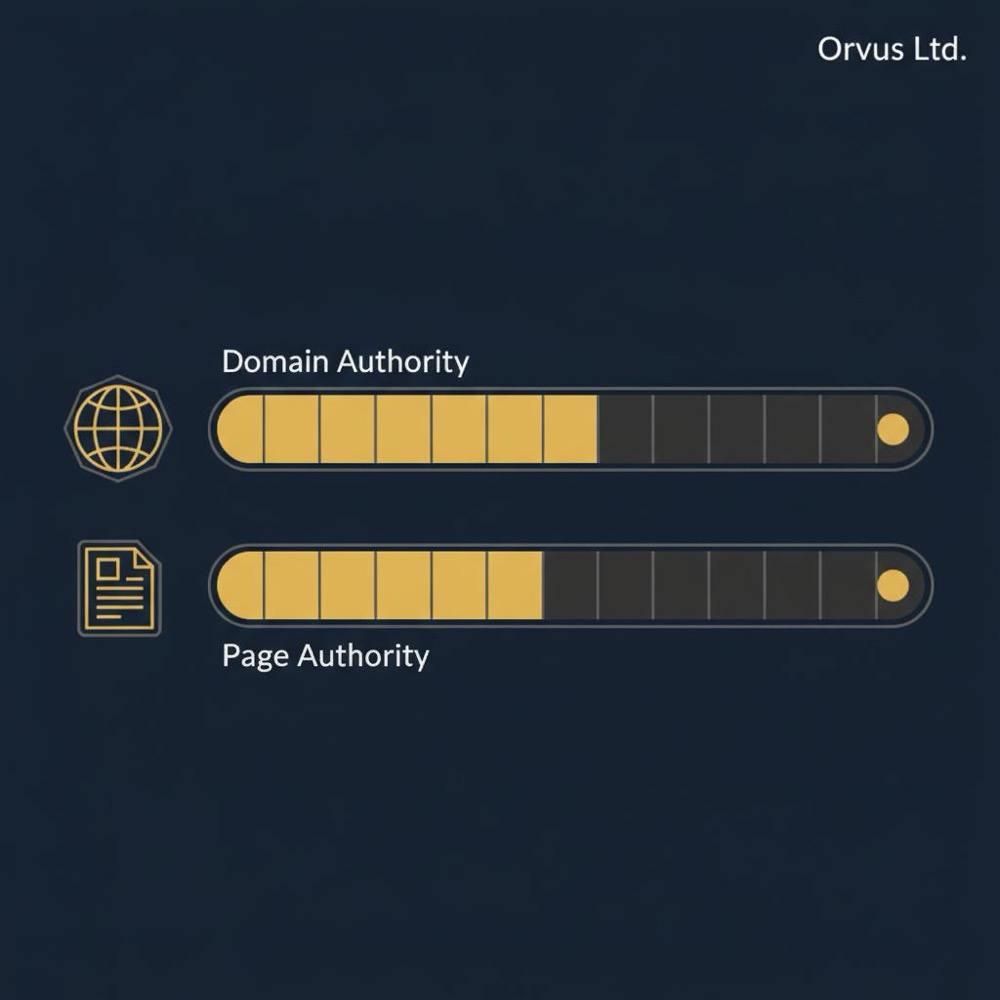
Domain Authority is a 0-100 comparative score estimating a domain’s likelihood to rank relative to other domains. The scale is logarithmic: gaining 10 points near the top is much harder than gaining 10 points near the bottom. DA is built from Moz’s web index and link/popularity signals. It’s a benchmark, not a ranking signal used by search engines.
Page Authority (PA)
Page Authority uses the same 0-100 scale to estimate an individual page’s ranking potential. It’s useful when you want to compare specific pages rather than an entire domain.
Spam Score
Spam Score flags patterns associated with low-quality or spammy sites. A high Spam Score is a red flag to review a site more carefully; it’s not a definitive proof of a penalty.
How Moz calculates these numbers (in plain terms)
Moz uses a machine-learned model trained on its own web crawl and a set of signals-primarily link patterns, anchor text, popularity and topical relationships. The exact formula is proprietary. What matters for everyday use is behavior: the metrics are heavily link-informed and predict relative ranking strength across many queries.
Important: these numbers are comparative. Google does not use Moz’s DA or PA to rank pages. Instead, use these metrics as a consistent benchmark to compare domains, spot gaps and prioritize effort. See Moz’s discussion of related topics on their blog: The Helpful Content Update Was Not What You Think.
Pricing and access: what to expect
Moz is subscription-based with tiered plans. There are free bits-like a basic MozBar and short trials-and paid plans that expose larger data allowances and richer features. Historically, Moz Pro entry-level pricing has sat in the low hundreds of US dollars per month, but plans and limits change, so verify current details on Moz’s site.
If you’re budget conscious, start with a short trial and a clear test: run an audit, pick one keyword to track and try outreach for a handful of link prospects. That experiment will show whether Moz saves time or reveals opportunities you wouldn’t otherwise find.
Common practical uses: how teams actually work with Moz
Different teams use Moz in different ways depending on size, goals and workflows. Here are common patterns.
In-house marketing teams
Run weekly site audits to find tech issues-broken links, missing meta descriptions, slow pages-then hand tasks to development. Use Moz Pro to compile readable reports for stakeholders.
Agencies and strategists
Use Link Explorer to map where backlinks come from and which competitors have better link footprints. Use the MozBar to triage pages quickly before running full reports.
Freelancers and creators
Use Keyword Explorer to shape topics and set realistic tracking targets for a three-to-six-month horizon. Use MozBar to scan link prospects while doing outreach.
Short example: a local bakery workflow
Imagine a bakery trying to increase online orders. With Moz, they might:
Use Keyword Explorer to target phrases like “birthday cake delivery [city]” that show modest volume and low competition.
Run an audit to fix missing structured data for price and availability so product pages present better in search.
Use MozBar to quickly vet local blogs and directories for Spam Score and DA before outreach.
That chain of small actions-keyword focus, fixing page signals and targeted outreach-can yield steady growth without chasing a single metric like DA.
Limitations and misunderstandings to watch for
No tool is complete. Moz reflects a crawl and index that cover a portion of the web. DA and PA correlate with performance, but correlation varies by industry and intent. Here are the most common pitfalls:
Don’t treat DA as the one number to chase
Because DA’s scale is logarithmic, small gains near the bottom are much easier than climbs at the top. Use DA to spot relative gaps, not as a ranking certificate.
Understand coverage limits
Moz’s index is large but not exhaustive. For highly specialized industries, niche sites or very fresh content, Moz’s data may miss some signals you care about.
Check scale and integrations
Larger teams that need heavy automation or deep API integrations should validate data export limits and report cadence. Moz works well as a component of a data stack, but some enterprises pair it with other systems for scale.
A few practical tips to get more from Moz
These small habits help you turn Moz outputs into action.
Use the toolbar as a filter
When scanning search results, use MozBar to highlight the pages worth deeper analysis. It saves time and narrows your focus.
Run audits regularly and prioritize
An audit surfaces many problems. Prioritize fixes that unblock crawlers and improve user experience rather than trying to tackle everything at once.
Compare like with like
Compare pages that target similar keywords or domains that serve similar audiences. Comparing a broad news site with a tiny niche blog rarely yields useful takeaways.
Use Spam Score as a triage signal
A high Spam Score should trigger manual review. Look at content quality, ad density and editorial standards before you decide whether to pitch or partner.
How to evaluate whether Moz belongs in your toolkit
Start with practical questions: what will you use the tool for each week? If your primary need is readable site-health reports, Moz Pro might suffice. If you vet link partners in a browser, MozBar saves minutes every time. If backlink comparison is core, Link Explorer helps map profiles cleanly.
Also think about scale: how many keywords do you track? How often will you run crawls? If you need API-driven exports and heavy automation, check data export limits.
If you need heavy automation, very large keyword databases or deep integration into custom dashboards, combine Moz with other data sources or bespoke tooling. Many teams use Moz alongside analytics platforms and internal crawlers to get a fuller picture.

Orvus treats Orvus as a layer in a wider reporting stack. Moz provides clear comparative metrics and link insights, while Orvus pulls multiple data sources into operational dashboards to show how search activity ties to revenue. That blend helps clarify which actions truly move the needle. A small Orvus Ltd. logo on your reports can help stakeholders recognise the source.
Real-world examples that show Moz can shape small projects
Small nonprofit example: By using Moz to find pages that attracted links and topics with modest demand, a nonprofit reshaped three core pages and asked local partners for links. Steady traffic growth followed-not because they chased DA, but because they used Moz to find realistic opportunities and measure progress.
Design studio example: A local design studio used MozBar to shortlist outreach targets quickly, then used Link Explorer on the finalists. This workflow saved time and improved outreach focus.
When Moz isn’t enough: sensible next steps
If you need heavy automation, very large keyword databases or deep integration into custom dashboards, combine Moz with other data sources or bespoke tooling. Many teams use Moz alongside analytics platforms and internal crawlers to get a fuller picture.
Questions people often ask
How is Domain Authority different from Page Authority?
DA measures a domain’s overall link strength; PA measures a single page’s ranking potential. Both are comparative and useful when used thoughtfully.
Does Moz measure exactly what Google uses?
No. Moz measures signals that correlate with ranking strength-especially link signals-but Google’s systems are independent. Use Moz for benchmarking and hypothesis-building.
Is Spam Score proof of a penalty?
No. Spam Score is a warning light that should prompt manual review. High score = review the site’s content and editorial standards before linking or partnering.
How to get started: a simple three-step experiment
Want to test Moz? Try this small project:
Run a site audit and fix two high-impact technical issues.
Pick one high-potential keyword from Keyword Explorer and publish or improve one page for that phrase.
Use MozBar to find five link prospects, review their Spam Score and reach out to two.
Track results for three months and measure traffic, rank changes and referral links. That single experiment will tell you more than features lists.
No - Moz is most valuable when you use its metrics as comparative tools to generate hypotheses and prioritise work. DA and PA help you spot relative gaps; the real value comes from actions you take after those insights.
Short answer: no. Moz is most useful when you use its numbers to generate hypotheses and focus human effort. DA and PA are comparative tools-use them to prioritise, not to replace deep analysis and user-centred improvements.
How teams at Orvus think about Moz
Orvus treats Moz as a layer in a wider reporting stack. Moz provides clear comparative metrics and link insights, while Orvus pulls multiple data sources into operational dashboards to show how search activity ties to revenue. That blend helps clarify which actions truly move the needle.
Glossary (simple definitions)
Domain Authority (DA): A 0-100 comparative score from Moz estimating a domain’s ranking potential relative to others.
Page Authority (PA): A 0-100 comparative score for a single page’s ranking strength.
Spam Score: A percentage-based flagging system showing patterns associated with low-quality or spammy sites.
Final practical checklist before you buy
Define the one experiment you’ll run in the first 30-90 days.
Decide how many keywords you’ll track and how often you need crawls.
Check API and export limits if you plan to integrate data with dashboards.
Use the trial to validate time savings and link discovery value.
Ready to make tool insights actionable?
Ready to make tool insights actionable? If you want help turning Moz outputs into reliable workflows, Orvus can embed the right reporting, automations and experiments into your team’s day-to-day. Learn how we connect tool data to measurable growth: Orvus services.
Moz is not a magic wand, but it is a practical set of instruments. Use it to inform experiments, measure progress and sharpen your focus. Combine Moz with real user data and clear priorities to get the best results.
Further reading and next steps: If you want to dig deeper, try a 30‑day experiment described above, compare outputs with analytics, and use Moz as one part of a balanced toolkit that emphasises measurable outcomes. Visit our blog for more resources: useful knowledge.
Moz refreshes its index and recalculates metrics on a periodic basis. The cadence can change-Moz runs regular updates and occasional larger reindexes. For time-sensitive work, check the platform’s update notes or the help center within your Moz account to see the most recent index refresh.
Moz can replace parts of your toolset-especially for audits, keyword research and link analysis-but it is rarely a complete replacement for every workflow. Many teams pair Moz with analytics platforms, custom crawlers or enterprise systems to get fuller coverage and deeper automation. Start with a trial to see which Moz features save time or add unique value.
Orvus can help integrate Moz insights into operational dashboards and design experiments that turn Moz outputs into measurable actions. We embed reporting, automations and prioritisation frameworks so your team uses Moz data in ways that tie directly to growth and revenue. Learn more about services and custom integrations on the Orvus services page.
References
Want this kind of work done for your business?
We build and run AI-powered marketing and automation. 15 minutes, honest assessment.
Book a call