 Orvus
The journal
What is product feed management?
A clear, practical explanation of product feed management with a focus on preventing and fixing common feed errors across Google, marketplaces, and social shops.

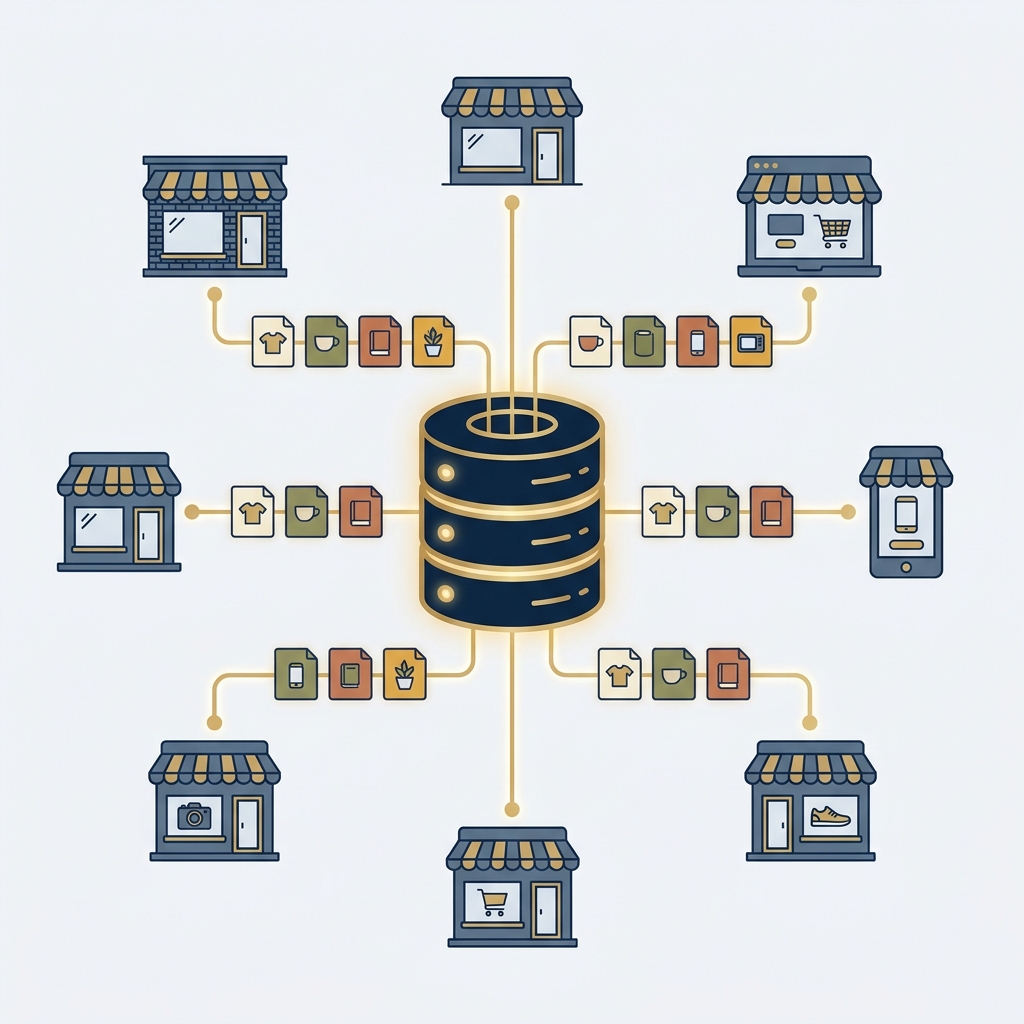
Product feed management is the ongoing process of collecting product data from your source systems, optimizing and validating it for each sales and advertising channel, and continuously syncing and monitoring those listings so they stay accurate and eligible. It can reduce avoidable data errors and help keep listings aligned; it does not guarantee approval or visibility across Google Shopping, marketplaces, and social shops (Centric Software: What Is Data Feed Management?; Productsup: What is Feed management?; DataFeedWatch: What is Product Feed Management?).
What does product feed management include?
- Sourcing data from PIM/ERP/ecommerce or supplier files, then unifying it for processing (Productsup: What is Feed management?).
- Cleaning and normalization: fix missing values, standardize units, naming, and categories; remove duplicates (Productsup: What is Feed management?).
- Channel mapping: transform attributes to each channel’s required schema and taxonomy (e.g., GTINs for Google, ASIN mapping for Amazon) (Productsup: What is Feed management?; Centric Software: What Is Data Feed Management?).
- Enrichment: improve titles, descriptions, and imagery; add localized language/pricing where needed (Productsup: What is Feed management?; DataFeedWatch: What is Product Feed Management?).
- Syndication and sync: export in the right format (CSV, XML, JSON) and update inventory/price frequently to prevent mismatches (Centric Software: What Is Data Feed Management?).
- Monitoring and remediation: track disapprovals and performance, then feed fixes back into the source (Productsup: What is Feed management?).

Common product feed errors and how to fix them
1) Missing or malformed required attributes
Symptoms: Disapproved or limited-serving products due to absent or misformatted fields like title, price, availability, GTIN/brand/MPN.
Fix: Add validation to ensure completeness and formatting; normalize units and currencies; map required fields per channel spec (Centric Software; Productsup).
2) Identifier problems (GTIN/brand/MPN)
Symptoms: Conflicts, duplicates, or missing identifiers that block listing or impair matching.
Fix: Maintain one stable product ID per SKU; populate GTINs where applicable; align brand and MPN consistently; map to each channel’s identifier rules and taxonomy (Productsup; Centric Software).
3) Category/taxonomy mismatches
Symptoms: Lower visibility or rejections when products are placed in the wrong category.
Fix: Use channel-specific taxonomies and smart mapping; standardize naming conventions to prevent fragmentation (Productsup).
4) Image and media issues
Symptoms: Rejections for missing/low-resolution images or images that don’t meet channel guidelines.
Fix: Provide high-quality images in the required aspect ratios; avoid disallowed overlays; ensure at least one primary image per item (Centric Software; DataFeedWatch).
5) Price or inventory mismatches
Symptoms: Overselling, price inaccuracies, or frequent disapprovals due to stale data.
Fix: Increase update frequency; enable near real-time sync for stock/price; implement two-way order sync on marketplaces to avoid drift (Centric Software).
6) Duplicate or variant conflicts
Symptoms: Multiple versions of the same item or inconsistent variant handling.
Fix: De-duplicate records; standardize variant attributes (size, color, material); apply consistent parent-child logic (Productsup).
7) Localization and currency errors
Symptoms: Mismatched language, wrong currency codes, or missing regional fields.
Fix: Localize text and pricing; use correct ISO currency codes and region-specific requirements (Productsup).
A minimal workflow to get back to green
- Audit your source data and define a single source of truth. If data hygiene is a recurring pain, see our guide on CRM data hygiene for practical governance patterns.
- Map channel templates up front: build and version per-channel schemas and taxonomies.
- Add preflight validation: block submissions with empty required fields, invalid identifiers, or out-of-range values (Productsup).
- Enrich for relevance: front-load key attributes in titles, use clear, intent-aligned descriptions, supply compliant images (DataFeedWatch).
- Schedule syncs and monitor disapprovals: tighten cadence for price/stock; triage exceptions with a simple human-in-the-loop process. For a lightweight escalation model, see Exception handling in automation.
Example: an illustrative internal product record
Feeds are commonly CSV or XML, but JSON is also used. This fictional example illustrates an internal data shape. It is not a validated Google Merchant Center submission, a real offer or a complete channel specification (Centric Software).
{
  "id": "SKU-12345",
  "title": "Acme Running Shoes, Men, Size 10, Black",
  "description": "Lightweight road running shoe with breathable mesh upper.",
  "price": 89.99,
  "priceCurrency": "USD",
  "availability": "in_stock",
  "condition": "new",
  "brand": "Acme",

  "mpn": "ACM-RUN-10-BLK",
  "image_link": "https://example.com/images/sku-12345-1.jpg",
  "link": "https://example.com/products/sku-12345"

}
Do you need a feed management tool?
Consider dedicated tooling when you list many SKUs across multiple channels or see recurrent rejections, price/stock mismatches, or slow channel launches. Tools provide channel templates, rule-based optimization, validation, and automated syndication to reduce manual work (DataFeedWatch; Centric Software; Productsup).

Put this into practice
Choose one real product record and trace a field from its source through mapping, validation and destination. Keep rejected records and field ownership visible before scaling a feed to the whole catalogue.
Quick feed error triage checklist
FAQs
Is feed management the same as a PIM or ERP?
No. PIM/ERP store and govern product data internally. Feed management optimizes and distributes that data to channels in their required formats (Productsup).
Can small catalogs skip feed management?
If you sell in one channel with few SKUs, a manual process can work. As channels, SKUs, or update frequency grow, compare the expected maintenance effort and cost before adding automation (Centric Software).
For the descriptive fields around a data export, CheckMySchema explains JSON metadata and validation annotations. A description or default is not the same as enforcing a required field. What is JSON metadata?.